Index
With the expansion of the famous instant messaging app, there is an increasing need to be able to communicate quickly with companies through it. Many users simply need information or assistance about the products or services that brands offer.
Your company will have to make sure that your target audience can contact you hassle-free, via WhatsApp: this is why it will be necessary to create a link that redirects to the chat with your company.
It’s a click-to-chat to be inserted on your website or within posts on Facebook, Instagram or other social media pages that are used by the brand. So that your potential customers can be redirected to the WhatsApp chat, and start a conversation with you.
The link is structured as follows:
— https://wa.me/ — where refers to the full business telephone number and in its international format. Don’t include any zeroes, brackets, or hyphens when adding the number in international format.
Example: if your number is +39 34567879 the WhatsApp link will be https://wa.me/3934567879
At this point, just one click will be enough to immediately start chatting, even if the telephone number was not previously saved in the customer’s phonebook.
Click on this link if you want to know all the questions and answers about WhatsApp Business
As we have seen, creating a link that redirects to the WhatsApp chat is not at all complicated, the problem is that it is not easy to monitor exactly from where these conversations are generated.
For example, if we wanted to know from which product page a potential customer is contacting us, it will be necessary to add a pre-filled message, in order to have the elements on which to base the conversation beforehand.
To do this we have to options:
1) Adding the pre-filled message in the WhatsApp link: it is a quick and easy method, just use the text parameter within the WhatsApp URL, and enter the text you want as a pre-filled message.
The text contained in the URL must be encoded in ASCII characters, using % 20 instead of spaces. Below is an example of a URL with the pre-filled message “Hello, how can I create an account? Thanks”:
https://wa.me/390000000000?text=Hello,%20how%20can%20I%20create%20an%20account?%20Thanks
By clicking on the link, the user can start a conversation using the pre-filled message, which will give important information to the sales or service team about their intentions and make communication more effective.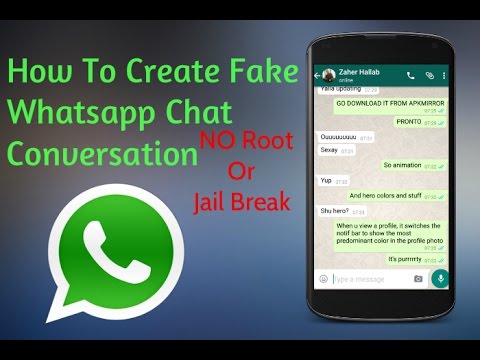
2) Adding the pre-filled message with Google Tag Manager: It is a method that requires a certain level of technical expertise, but it allows a more accurate conversation tracking.
To do this, we invite you to follow this guide.
The tracking of WhatsApp chats opens the way to very interesting insights, making it possible to illustrate the interest of users regarding a particular product or service offered.
For all those who are not very tech-savvy, it is possible to generate a WhatsApp link through some sites that offer the possibility to do it online, by simply entering the phone number.
A first website you can rely on for generating a WhatsApp link is WA.link, which allows you to conveniently customize the pre-filled message, through a user friendly and intuitive interface. Furthermore, in its Premium version, the WA.link site will allow to monitor the statistics of each link created on the platform.
Alternatively, we suggest WhatsHash, which offers an immediate solution to generate the WhatsApp link, also here with the possibility of setting up the pre-filled message.
The sites just mentioned will allow you to create, in a very easy and independent way, links that you can integrate within your website (as we will see in the next paragraph), or in a post on Facebook, Instagram or other social networks.
In order for the users of your website to start a chat with your sales or customer support team, you will need to ensure that the previously generated link is well integrated within the web pages.
Tip: to drastically increase the chances that the traffic generated will convert into chats, you will need to make sure that the WhatsApp link appears on all pages of your website.
The first solution to integrate the WhatsApp link on your website is to simply copy the link within the web pages, and give the user the possibility to click when he/she wants to start a conversation.
This solution, however, is very basic and graphically uninviting. For this reason, a valid alternative would be to create a button that contains the link to open the WhatsApp chat. It will be sufficient to embed the WhatsApp link within an image, for example the WhatsApp icon itself, to encourage your visitors to start a conversation with you.
Finally, for a more professional solution, we recommend installing a chat widget, which is loaded on all pages of the website, which appears as a fixed element when scrolling the pages.
By doing so, the chat widget will show up in every page of your website that your user is viewing, so they can start communicating with you at any time, wherever they are. You can install our chat widget for free from this link.
Simply create an account on Callbell, copy the dashboard widget code and paste it on all the pages of your website. In this regard, we recommend that you install it via Google Tag Manager, following this short guide.
The recent pandemic has driven many companies to enter the digital world, looking for a way to expand their online communication, especially by focusing on social channels, especially Facebook.
Many have begun to take their first steps, creating sponsored ads to offer their products or services through the famous Zuckerberg social media. This, however, has exponentially increased competition within the platform.
The most daring advertisers had to strive to find new solutions, which could mitigate the increase in advertising costs. One of the solutions they found was to create ads that link to WhatsApp with one click.
These are ads that appear on Facebook or Instagram, which open a chat with the company through WhatsApp, once the user clicks on the call-to-action.
To create them, you need to have a WhatsApp Business account or integrate the WhatsApp Business APIs into an existing account. Here you have two alternatives:
1) Create ads with Traffic, Website Conversions, or Messages objective:
In this case, once you have created a new ad with one of these objectives, you select “Click to send a message” as the ad type. Then in the “Messaging app” section, select WhatsApp.
Note: The Messages objective is not available for ads targeting India and certain European Union countries.
2) Create ads with Reach, Brand awareness, Interactions, or Video views objectives:
Here, in the “Link” string, enter the URL of your website, and as a call-to-action select “Send a WhatsApp message”. In the drop-down menu, select your page with the linked WhatsApp number.
In both cases, you will have to choose the target audience, the positioning, the budget and the advertising format, then once you click on “Publish” your ad will be analyzed for approval by Facebook.
The integration of WhatsApp into your website or ads will allow you to immediately take advantage of all the benefits of conversational marketing.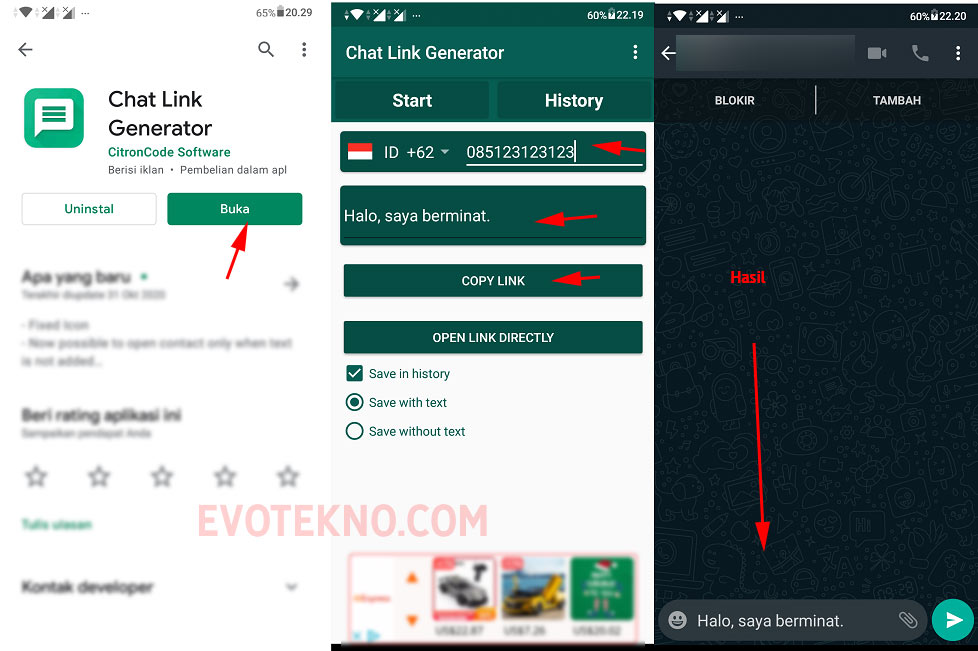 With the advent of messaging apps, in fact, the rules of online communication have profoundly changed.
Using WhatsApp is definitely useful, as it allows potential customers to get more insights on a particular feature of the product or service, directly through the WhatsApp chat.
It is a particularly effective channel for encouraging those emotionally engaged and impulse-buying users to purchase your product or service. This is because it is possible to create a relationship of greater trust and reciprocity.
Moreover, with the ability to share audio messages, photos or videos, you can enrich communication and make it more engaging, exchanging ideas, opinions and reviews on products or the company itself with the user.
This is the right time to start using WhatsApp for your business, if you have something to share, don’t forget to leave a comment and share this article. Thanks for reading!
Frequent Questions
To create a WhatsApp link that you can send directly via chat with your company, you just have to follow these steps:
The link will be structured as follows:
– https://wa. me/ – where refers to the full business telephone number in international format. Don’t include zeros, brackets, or dashes when adding the number in international format.
Example: if your number is +39 99999999 the WhatsApp link will be https://wa.me/3999999999
At this point, just one click is enough to start the conversation and start chatting immediately . Although the customer has not previously saved the phone number in your contacts, keep in mind that chats that are started through this method can be managed via Callbell.
For all those who are not very tech-savvy, you should know that it’s possible to generate a link for WhatsApp with the help of websites that offer the possibility to do it online, by simply entering the phone number.
A first reliable website to generate a link for WhatsApp is WA.link, which allows you to conveniently customize the default message through a particularly user-friendly and intuitive interface.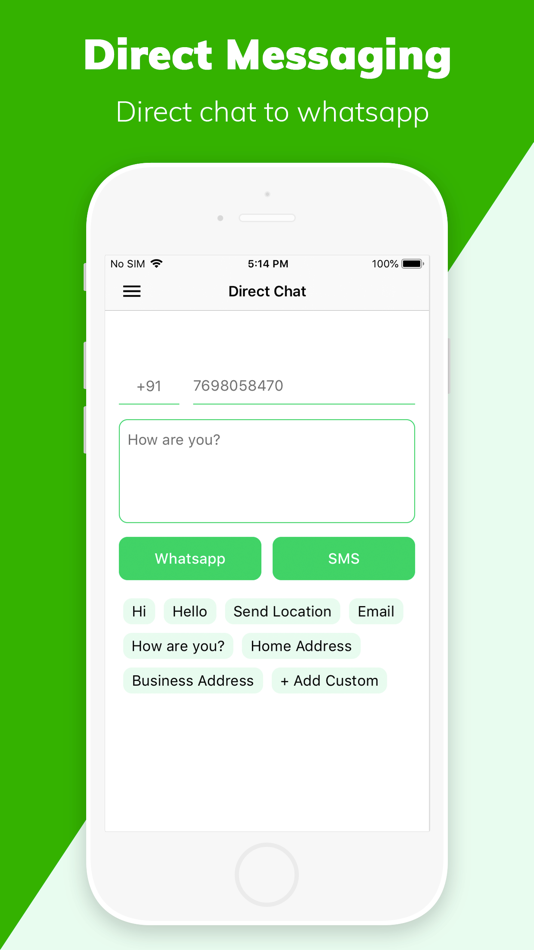 Furthermore, in the Premium version, the WA.link site allows you to monitor the statistics of each link created on the platform.
Alternatively, you can also check out the following article in which we teach you how to create your own WhatsApp link.
Alan Trovò
About the author: Hello! I am Alan and I am the marketing manager at Callbell, the first communication platform designed to help sales and support teams to collaborate and communicate with customers through direct messaging applications such as WhatsApp, Messenger, Telegram and Instagram Direct
😁 Create a free wa.link
👑 Get a branded wa.link
💬 Open WhatsApp chats
To open a WhatsApp chat, you usually need to know the user’s phone number, save it on your device and search for it to start the conversation. A WhatsApp link simplifies those steps in 1 single click that opens the chat without saving phone numbers, this is what it’s called "click to chat”.
If you would like to create WhatsApp links for people to contact you instantly, you are in the right place. Walink lets you generate WhatsApp links for free with wa.link domain name and QR code in less than 1 minute, no registration required.
On top of that, you can have official links for your business by subscribing to Walink Premium to create branded WhatsApp links like wa.link/MyBusiness that will lead more customers to your chat, have click analytics, updatable information, multiagent links, form links and more.
1
Type your WhatsApp phone number
Type the phone number which you want to be contacted. Remember to check your country code.
2
Add a custom message that users will send to you
3
Click on “Generate my wa. link”, copy it and use it anywhere you want!
Features included(hover over for more info)
Walink Free
USD $0 Forever
👑 Walink Premium
USD $6/year per link
Click to chat with wa.link domain
Custom message
QR Code
Branded link (wa.link/YourBrand)
Update link info (phone, url and custom message)
Clicks analytics
Appear in search results
WhatsApp catalog links
Multilink page*
Email support
Multiagent (multiple WhatsApp lines, one single wa.link)
USD $5/agent/month
(14 days free trial)
* Multilink page is available for customers with 2 or more links in their Premium Plan
How much does Walink charge for links?
ExpandThe links that you create with the generator in create. wa.link are totally free.
You can also access Walink Premium and create branded links for 6 USD a year that include more features like custom URL and an admin dashboard to edit the link's info and view analytics. Register now to purchase your firts Premium link here.
What is the custom message?
ExpandIt’s a default message that appears on the user’s text input field once they click on your link and open the chat. This way it’s easier for them to start a conversation and you will know exactly where the user came from.
How to add a WhatsApp link (wa.link) to the Instagram bio?
ExpandOne of the most common places to use your WhatsApp links generated with Walink, is the Instagram profile. Note that this social network only admits 1 link in the bio, so if you already have a link there, you will have to replace it.
Go to your Instagram profile, then click "Edit Profile", and fill the input for "Website" with the wa.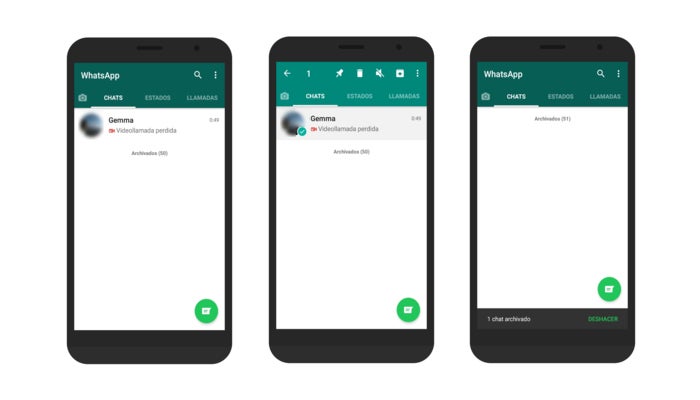 link you just made.
Remember that if you don't fill the "Website" field, your users won't be able to click your link and you will miss the opportunity of an immediate contact with your clients.
Why is there a website asking if I want to send a message?
ExpandSometimes, especially on desktop or laptop, when a user clicks a WhatsApp link the browser will open a new tab where the person is asked if they want to send a message to ###-###-### WhatsApp number. This is the way WhatsApp keeps the links safe for users, so if this is happening on your links you can rest assure it is working perfectly.
How can I create a link with custom (branded) URL?
ExpandFree generated links URLs are assigned randomly using numbers and letters. If you’d like to create a link with custom URL like wa.link/YourBrand, you can register in Walink Premium to get all the benefits including custom URLs.
¿Can I create a link for my catalog in WhatsApp Business?
ExpandLinks created in the free generator are a direct access to a WhatsApp chat and are not enabled to be assigned to the business catalog.
To create a custom link like wa.link/MyCatalog that leads directly to your WhatsApp Business catalog you can register in Walink Premium to get all the benefits including links to your catalog.
How can I know how many clicks are my links getting?
ExpandFree generated links don't support analytics options, so you can't know how many clicks are these links getting.
Walink Premium does offer analytics and many other features. Register here to get all the benefits from Premium links.
Does Walink work in my country?
ExpandWalink generated links work on any country where WhatsApp is officially available.
Can I delete a wa.link?
ExpandIf you just created a wa.link and realize that you added the wrong info or just won't use it, you don’t have to delete it.
Just create a new link with new information and don’t use/share the previous link.
If by any reason you need to delete a wa.link so it won't be available to the public anymore, you can do so by filling the info here . Keep in mind, in order to delete the wa.link you must prove you are the owner of the phone number associated with the link.
Where can I report a bug or issue?
ExpandFree generated links do not offer personalized support. However, if you find a bug or any issue using Walink you can reach us on twitter @walink_inc. Register on Walink Premium to create your own branded links and receive personalized support.
With Walink Premium you can create, track and modify your custom WhatsApp links. (wa.link/YourBrand)
How to redirect audience to WhatsApp chat now? And what about companies and freelancers who used such links in their social media profiles? Answers are in this article.
68,809 views
It seems that the blocking of Facebook and Instagram has hooked the wa.me and api.whatsapp.com services. Companies and experts used these links in their social media profiles to redirect customers directly to the chat.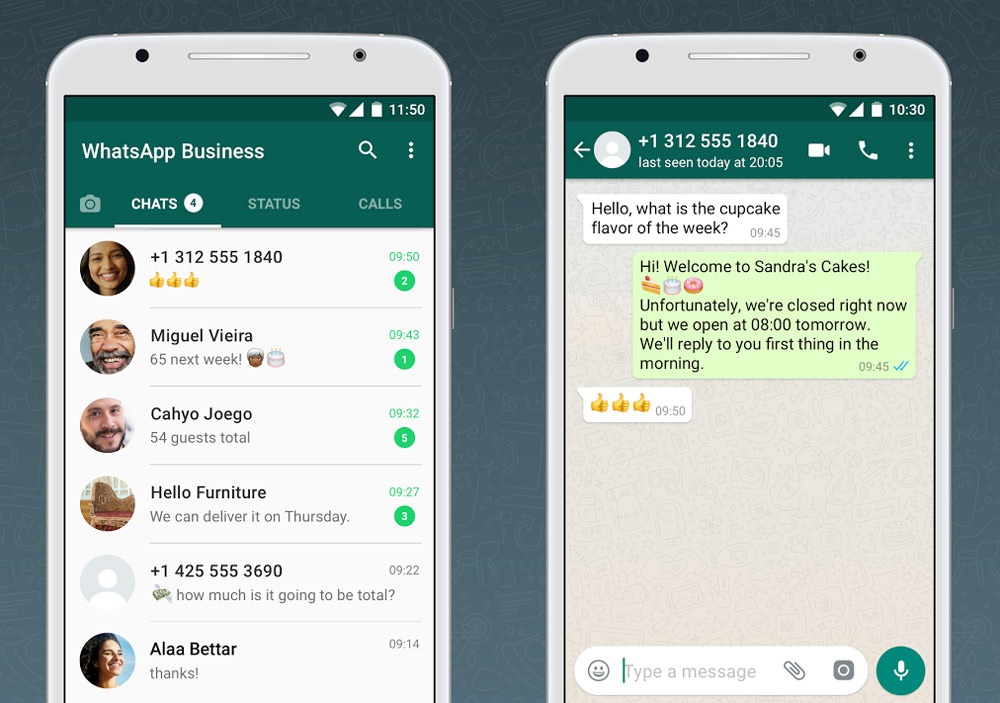 Their convenience was that by clicking on the link, you immediately got into the messenger application installed on your phone.
For example, a link like https://wa.me/7
09090 could go to a chat with a WhatsApp user registered under the phone number +7 (900) 900-90-90. There was no need to add a user to your address book to start a chat.
What to do now?
👉 Use WhatsApp link constructors
These constructors help you get a special link that redirects you to the desired WhatsApp chat. The majority of such services use the mentioned wa.me, which does not currently work in the Russian Federation.
That's why we created our own ✅ free WhatsApp link builder , which does not depend on wa.me and works based on the official WhatsApp protocol. It is available to everyone for free without registration and advertising.
If the person has the WhatsApp application installed, the service will offer to switch to it. If the application is not installed, the button will lead to the web version.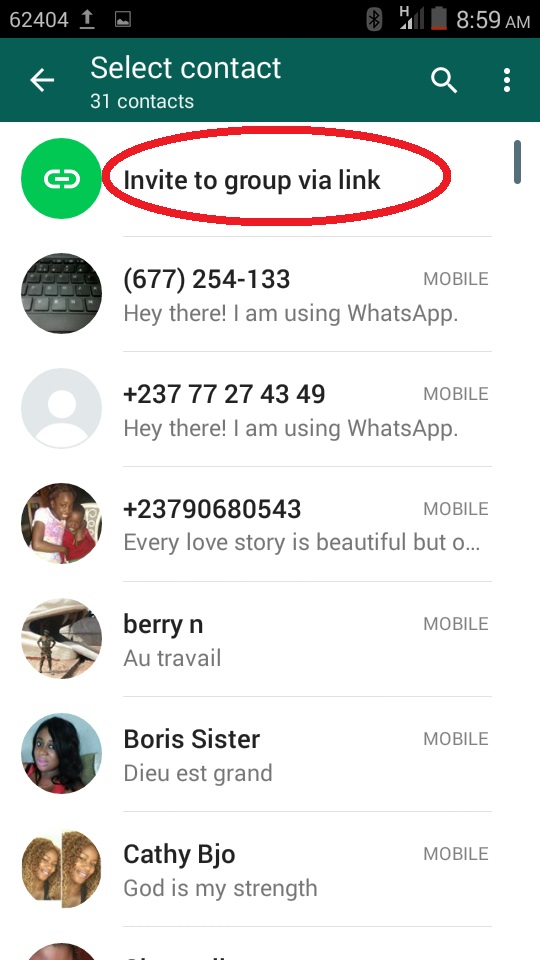
👉 Use deep links
Deep links are the same links, only they lead not to websites, but to applications. Regular links start with http or https. Deeplinks, on the other hand, start with an application protocol.
For example, a Telegram deep link looks like this tg://resolve?domain=... Instead of an ellipsis, the user's nickname. For WhatsApp, you can use the following deep link: whatsapp://send?phone=7
09090. The phone number must be indicated without + and extra characters, only numbers.
If you want the person to have a preset text in the message after going to your chat, the deep link will look like this: whatsapp://send?phone=7
09090&text=Hi. Instead of "Hello" - your message.
There is a nuance . If you send such a deep link to someone in a chat or decide to add it to a social network profile, it will not work. Therefore, it needs to be turned into a regular link. To do this, use any free link shortener. It is also worth considering that if a person does not have an application installed, then nothing will happen.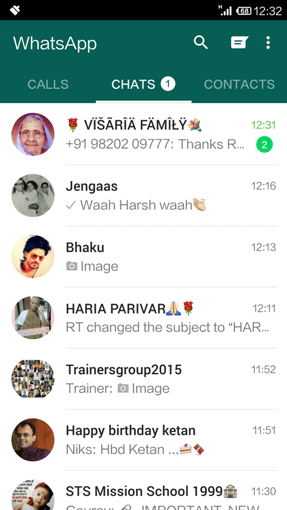
👉 Use multilinks
Read more about multilinks in this article. In short, these are mobile micro-sites with an avatar, description and buttons that can lead to other sites and applications, including WhatsApp and Telegram.
Depending on the services, the functionality may differ. For example, in Tilda you can assemble a full-fledged landing page, and in Taplink you can add a slideshow, a question-answer, and other widgets.
If you need the simplest functionality to quickly combine links to all instant messengers and social networks in one place, you can use Clickbar. An example of such a link can be found in my profile or see the page of Daria, a confectioner.
Instead of conclusion
I hope it was helpful. Upvote this post if so 👍. Ask in the comments if something didn't work out. I will definitely help.
We continue to understand the intricacies of working with groups in WhatsApp. After all, most often this is what the messenger is used for! Here is a quick guide on how to send a link to a WhatsApp group. Go to the chat and tap on the three dots in the upper right corner. Scroll the menu that opens to the "Participants" block and select "Invite by link". Select Copy Link. Now you can paste it into any chat in another messenger or social network. You can also use the "Share" function, send via WhatsApp or share a QR code. Need detailed instructions? Read on!
Log in to the application to immediately follow the instructions and explore the interface. In the mobile application, if you are already using it, authorization is not required.
To enter the WhatsApp desktop application using an Android phone, you must follow the instructions below:
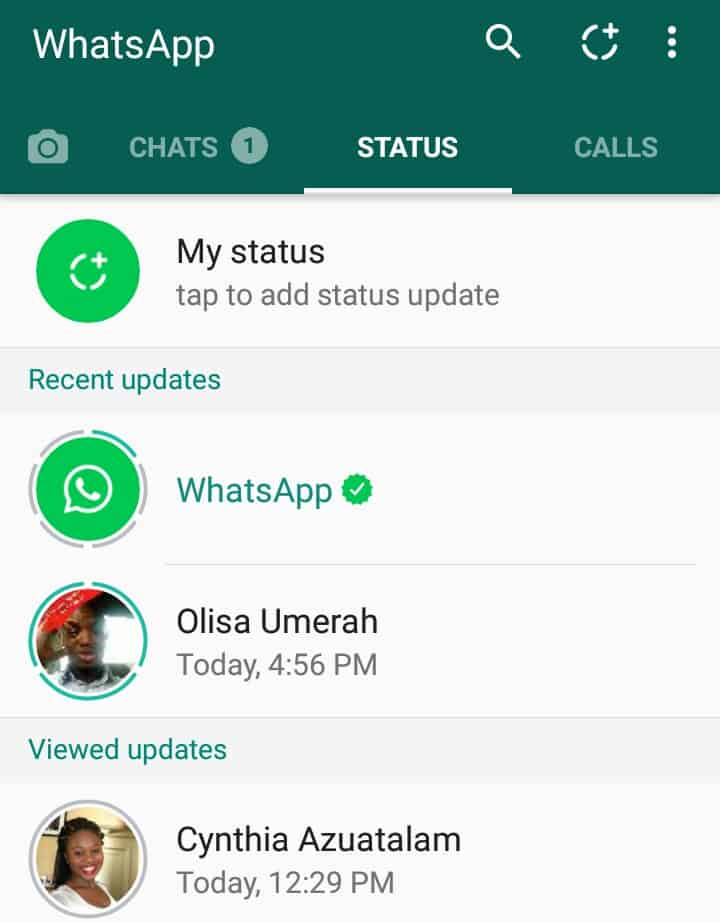
Done! With Android figured out, it's time to talk about the iPhone. Did you know how to remove a person from a WhatsApp group? Answer with instructions in the source.
The login to the desktop application on the iOS operating system is slightly different, but that's okay!
Now some theory. In WhatsApp, you can add a member to a group or invite him. What is the difference? When you add a person, he immediately appears in the chat (if he does not have privacy set). Roughly speaking, no one asks him. And when you invite a person, he may or may not join the group. soon we will come to the instructions on how to send a link to a WhatsApp group.
Only an administrator can invite or add a new user. This is often the creator of the group, but you can assign other members to this position. Here's how to do it.
Please note! The application interface differs depending on the brand of the phone.
To invite a person to a WhatsApp chat means sending him a link to a WhatsApp group. By clicking on it, the user will be in the chat. There are three ways to send an invitation: copy it, share it, or show the QR code. Let's consider each.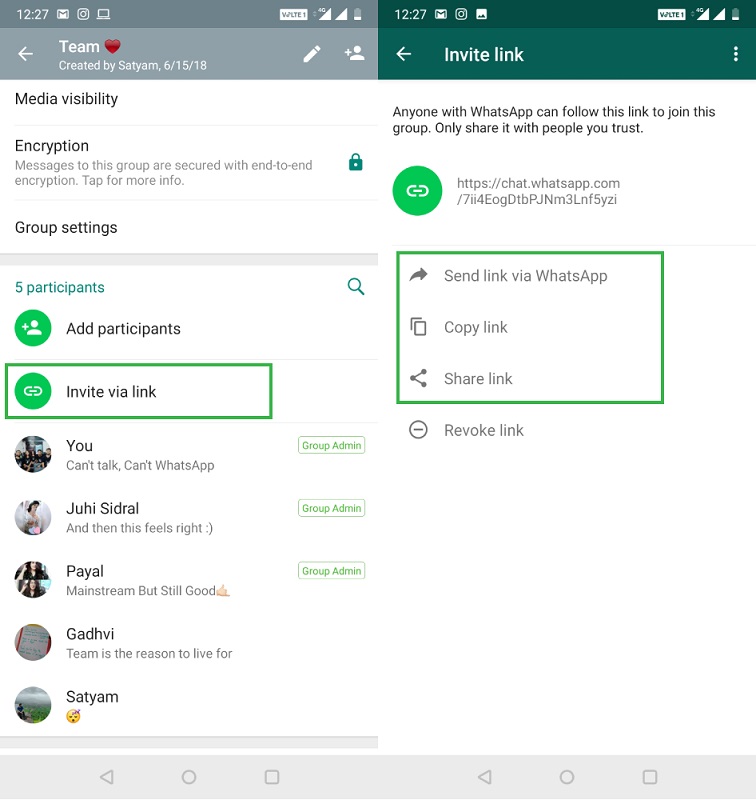 First, let's get into the menu where all these methods are located.
Don't forget to learn what it means to archive a chat.
In front of you is a window with three ways to invite, which we mentioned above.
To get here, you can also click on the name of the chat in its interface or hold the chat on the main screen of the messenger and select "Data" in the drop-down menu. Let's see how to send a link to a WhatsApp group.
The easiest way to send a person an invitation to a conversation is to copy the link to it and paste the text from the clipboard into a chat in any other messenger or social network. How to copy a link to a WhatsApp group? Click on the corresponding button in the menu we are in. A “Copied” notification will appear at the bottom of the screen. More details about this method of invitation were described in a previous article.
In order not to make unnecessary movements - do not minimize WhatsApp and switch to another messenger - you can use the "Share" function. How to share a link to a WhatsApp group? Click on the button with this name - this is the third item in the menu. A box will appear at the bottom with all the applications to which you can send an invitation. Choose one of them.
Another way is to give the person a chat QR code. A QR code is a type of barcode that is read by a smartphone using a special scanner. In our menu, this method is indicated by the fourth item. Click on it and a code window will open. If you are near the person you want to invite to your chat, show them the code and your friend will scan it using the scanner in WhatsApp.
If you are not nearby, click on the share icon in the upper right corner of the screen.