Copied link!
Daniel Horowitz
|
January 19, 2022
When Instagram added the Stories feature in 2016, it was designed as a way to compete with Snapchat, which was absolutely exploding in popularity at the time. Like Snapchat, Stories provides users with a way to make a limited-time (24-hour) post for other users to view before it disappears forever. And when it launched, Instagram users flocked to the feature and it quickly became one of the biggest features on the platform.
Since then, Instagram has added many additional features, including the ability to add songs to your Instagram stories.
This allows people to make their content more engaging to appeal to their followers and help them to gain new ones.
Here's how you can utilize the Instagram music feature and add all of your favorite tracks to your next Instagram Story.
There are several ways to add music to your Instagram Story, and they all give you different options for music choices. You can include certain songs from Instagram itself as well as popular music services such as the Spotify app, Soundcloud, Apple Music, and Shazam.
All Instagram stories last up to 15 seconds per individual Story, so it's important to find a track – or section of a track – that fits into that time window. Let’s take a look at the options you can use to find a song that fits your Story.
Adding music from Instagram itself is the most straightforward option. Here’s how to do it:
This will open up the Instagram music library, where you can then browse through thousands of songs.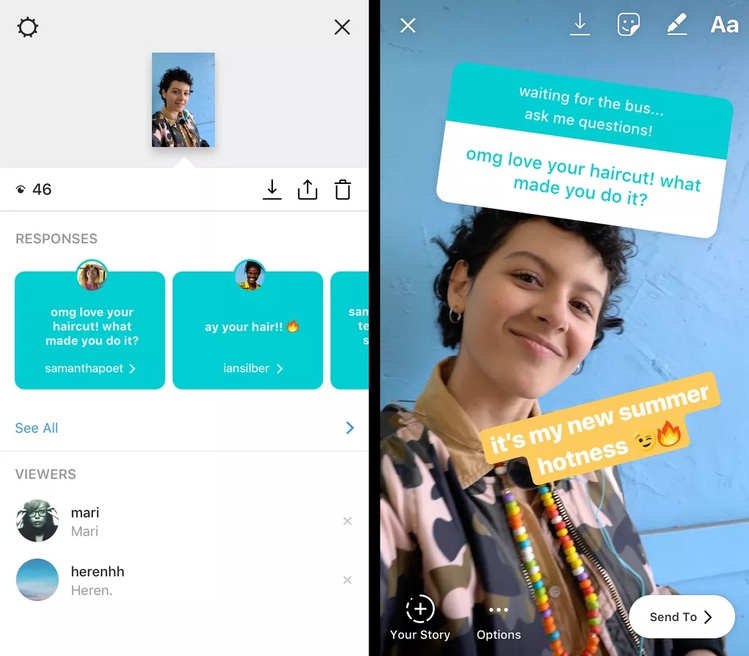 Keep in mind that not all songs are available in every country due to copyright restrictions. Business accounts are also more limited in song selection.
When you begin to browse, you'll see a "for you" section. This is determined by Instagram's algorithm and the accounts you follow, who you interact with, and your own posting history.
If you want to explore beyond these tunes, you can tap on the browse button at the top of the screen. This will allow you to search through Instagram's music catalog. You can also manually type in the name of a song or artist if you are looking for something specific.
When selecting songs, you have the option to use a segment of the song that lasts from 5 to 15 seconds. You’ll pick the length using a slider within the app. Then, click on the "Done" button and you have successfully added the selected song to your Instagram Story.
If you can't find what you're looking for on Instagram, the next best place to search is Spotify. Spotify is one of the most popular music streaming apps, and chances are it has exactly what you need. To integrate it with Instagram, you need a Spotify Premium account, which costs $9.99 per month for individual plans.
To add a track from Spotify, follow these steps:
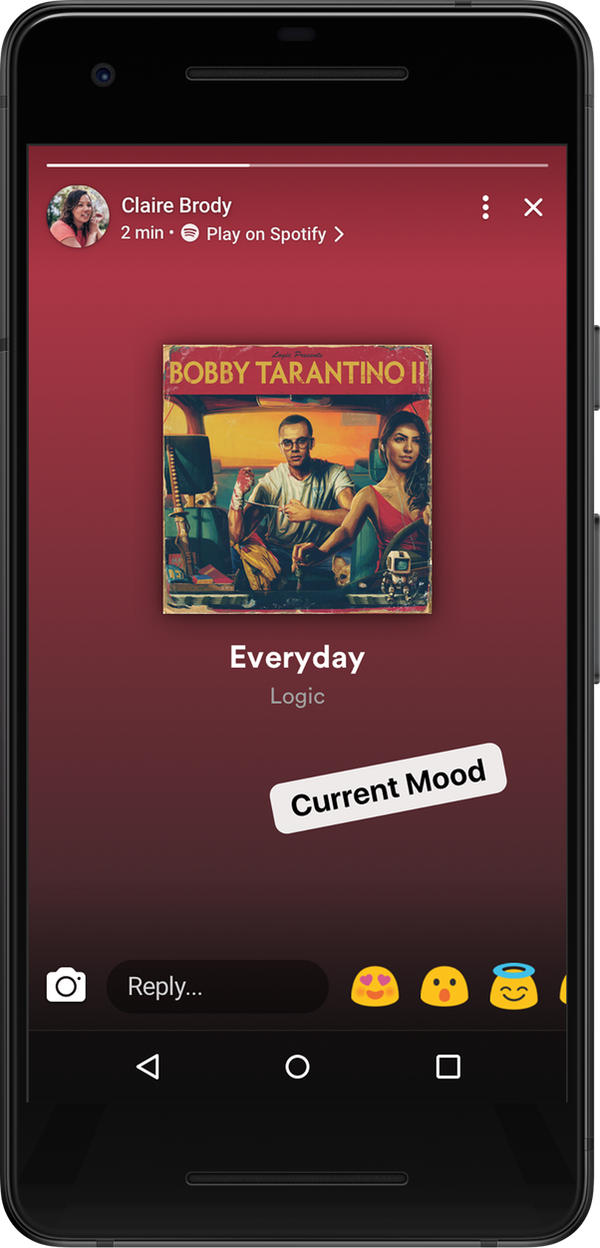
Spotify will then automatically open the Instagram app for you. It will update your Story with the selected track and also add the cover art of the song or album.
When you use this method, the song will not play directly on Instagram. After you post your Story, the app will create a link in the top left corner that says "Play on Spotify." Your followers must click on the picture of the album or song so they can open Spotify to listen to the audio.
SoundCloud is primarily used by up-and-coming artists, and Instagram stories is a great place to showcase this type of music. That’s particularly true if you’re into music production or songwriting and looking for a way to share your own tunes.
You can post SoundCloud songs on Instagram stories by following these steps:
This will then open up the Instagram app, which will automatically add the album or song artwork as the image for your Story. You can also add a sticker with the SoundCloud logo and song title on it. This allows users to click through to your desired SoundCloud page to listen to the song. You can also add hashtags, GIFs, and text to the image to help other users discover it.
Sharing music from Apple Music to your Instagram Story is a great way to share your favorite songs with your friends and followers. Like other third-party integrations with Instagram Stories, you can’t share the music’s actual audio directly in the Instagram app. The good news here, though, is that Apple Music has more than 90 million songs, so you shouldn’t have any issue finding the song you want to share.
The process is simple:
This will import the album or song artwork with a link in the top left corner of your Instagram Story to "Play on Apple Music." If users click on the link, it will open the Apple Music app where they can listen to the track.
Have you ever heard a song in public, on a television show, or at a party and you couldn’t quite put your finger on what it is? There’s an app for that, and it’s called Shazam. The app has actually been around for more than 20 years, but it’s grown a lot since Apple bought it in 2017. It’s now native to all iPhones and is even integrated with Siri.
Shazam’s prevalence makes it easier than ever to use the app and identify a song playing in a grocery store. And if you ever felt the need to share your discovery with your Instagram followers, you can do it directly within the Shazam app.
Once you discover a song, here’s what you need to do:
This is a great way to show your friends how you discovered or rediscovered a new song. You can also add text and other stickers to explain how you found this song and where you were when it happened.
When you add a track to your Instagram, you can add more than just the audio or artwork. You can add the lyrics, too.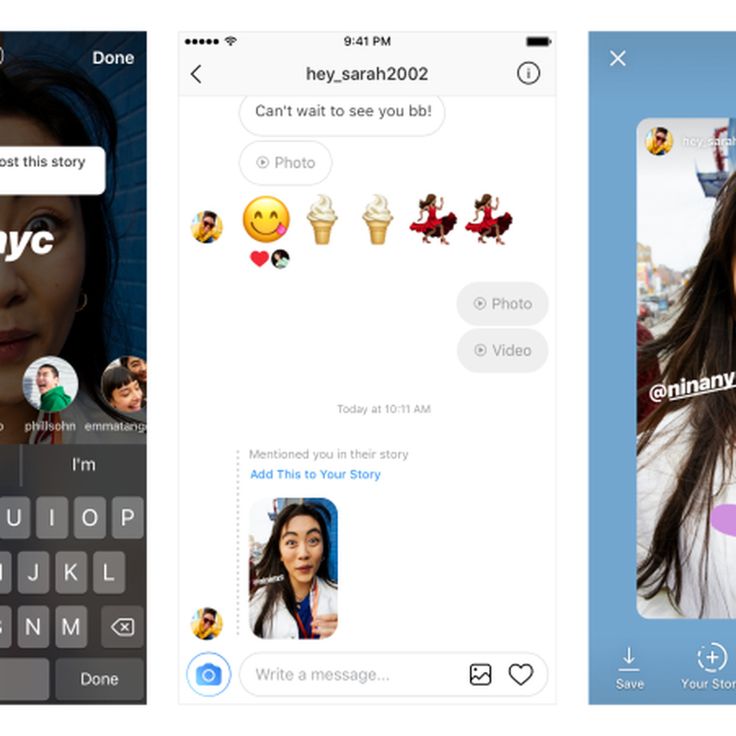 The lyrics will fit exactly with the section of the song you choose to highlight in your Story, and you can add them over either a photo or video.
To add lyrics to your Story, use the following steps:
You now have the option to add lyrics in several different font types. You can also alter the size of the lyrics and where they appear in the Story. Keep in mind that not all music in the Instagram music catalog allows you to add lyrics.
Sharing music with your friends and followers on social media is one of the greatest ways to connect with people. And with Instagram Stories, you can broadcast your new favorite tracks while discovering new music through people you follow on Instagram. You can also click through music-related hashtags, which is just another way to find the best new tunes to add to your playlist.
About the Author: Daniel Horowitz is a contributing writer for HP Tech Takes. Daniel is a New York-based author and has written for publications such as USA Today, Digital Trends, Unwinnable Magazine, and many other media outlets.
Disclosure: Our site may get a share of revenue from the sale of the products featured on this page.
In 2018, Instagram introduced the option to share music on Stories, allowing users to add their favorite songs to their photos and videos. This move allowed Instagrammers to access thousands of songs and gave them the ability to share their Stories in a new, musical way.
In this guide, we’ll go over exactly how to add music to an Instagram Story, and we’ll share how to troubleshoot issues that may be preventing you from doing so.
Multiple formats for adding music to Stories have been released since the launch of Instagram’s music feature. However, the most common (and quite frankly, the simplest) way to add music to your photos or videos is to use the Stories sticker.
The process of adding a music sticker to your Instagram Story is straightforward:
When selecting a song for your Story, you have the option to listen to a preview before adding it. All you have to do is press the play button to the right of the song.
Trying to add music to your Instagram Story but having trouble? There could be a few reasons why you’re experiencing that glitch:
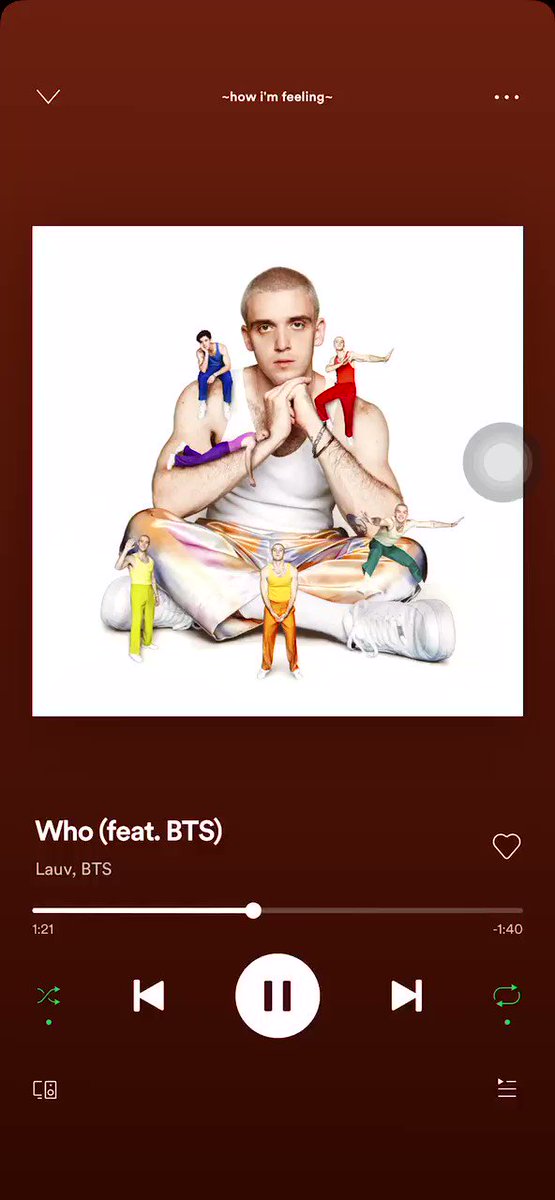 Right now, the feature is available in only 60 countries, including the United States, New Zealand, France, Australia, Great Britain, Italy, Germany, Sweden, Mexico, Japan, and Portugal. If your country is not on the list, you can use ClearVPN and its shortcut Unlock Instagram Music. Once you hit that shortcut, ClearVPN will connect your iPhone to the IP of a country where Instagram music stickers are available.
When adding a music sticker to your Story, you’ll probably notice that there are a few options to edit the song you chose. In addition to rewinding and fast-forwarding through the song to select the precise clip you want to use, you can also choose:
Here’s how to edit your music sticker:
If you want to have music on your Instagram Story but don’t want a sticker to be visible, you can drag the sticker off the screen. It will disappear from the Story preview display, but after it publishes, you’ll still hear the music and see the song title and artist at the top of the screen.
If you’re struggling to figure out how to add a song’s lyrics to your Stories, don’t worry. Below are instructions for how to find and use that editing feature:
If you don’t want to use the music stickers, you’re in luck; there are a couple of other ways to add your favorite songs to your Instagram Stories.
Love using Apple Music to rock out? Well, there’s a simple way to share the song you’re jamming out to with your followers via Instagram Stories.
Here’s how:
It’s important to note that the song won’t play directly on your Stories, but if a user taps on that Story, it will take them to Apple Music, where they can play it.
If you’re more of a Spotify user, you’ll be happy to learn that sharing a song from that platform is just as straightforward. Here’s how to do it:
Following these instructions will share your song choice to your Stories.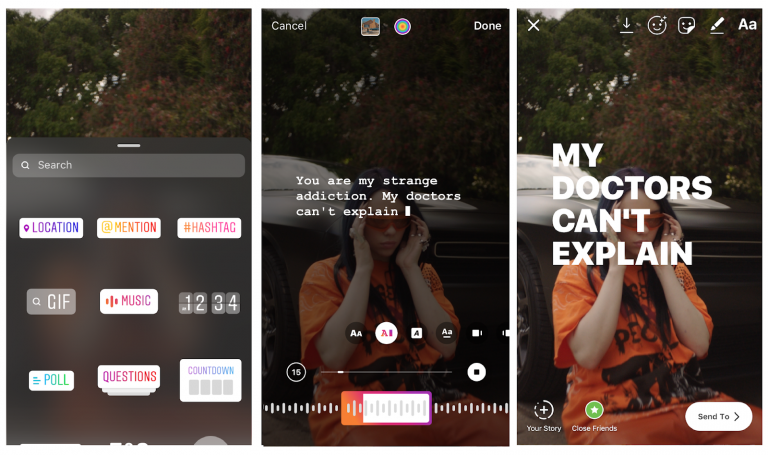 Once again, it’s important to note that the song won’t play directly on your Stories, but if a user taps on that Story, it will redirect them to the song on Spotify.
Just like Apple Music and Spotify, the instructions for sharing SoundCloud songs on your Stories are easy to follow. And, like music shared from those platforms, songs from SoundCloud will not play on your Stories. Instead, followers who tap on the Story will be redirected to the song in SoundCloud.
Here’s how to share a song on your Stories through SoundCloud:
Adding music to an Instagram Story is a great way to elevate your content and make it unique. Whether you’re sharing your current favorite song or adding some background music to a video, we hope this guide helps you take your Stories to the next level. And if you want to make a video Story with your favorite track, check out the music video editors that help you do just that.
Writer and editor, driven by curiosity and black coffee.
Instagram has announced the launch of new features in Russia. Users will have access to a TikTok-like Reels video service and a music sticker in Stories. With it, you can add music to your stories and answer questions with songs. Russian Facebook users will be able to pin it in the profile header so that it plays when the page is opened
Starting June 23, Russian Instagram users will begin accessing Reels, a platform for short videos, the company said.
With Reels, you can shoot and edit videos up to 30 seconds long, apply AR effects to them, and use the green screen effect to change the background. In Reels, you can add music from the app's library or choose from trends or recommendations. Users will also be able to create their own original audio, and if their account is public, other users will be able to use this audio in their videos.
Video created using the new feature can be published in the Stories or Post format, optionally limiting the audience. Facebook and Instagram are also launching a new music sticker in Stories. To add music to your Stories, you will need to follow these steps:
With the release of the music sticker, Instagram and Facebook users will be able to answer questions in Stories with songs.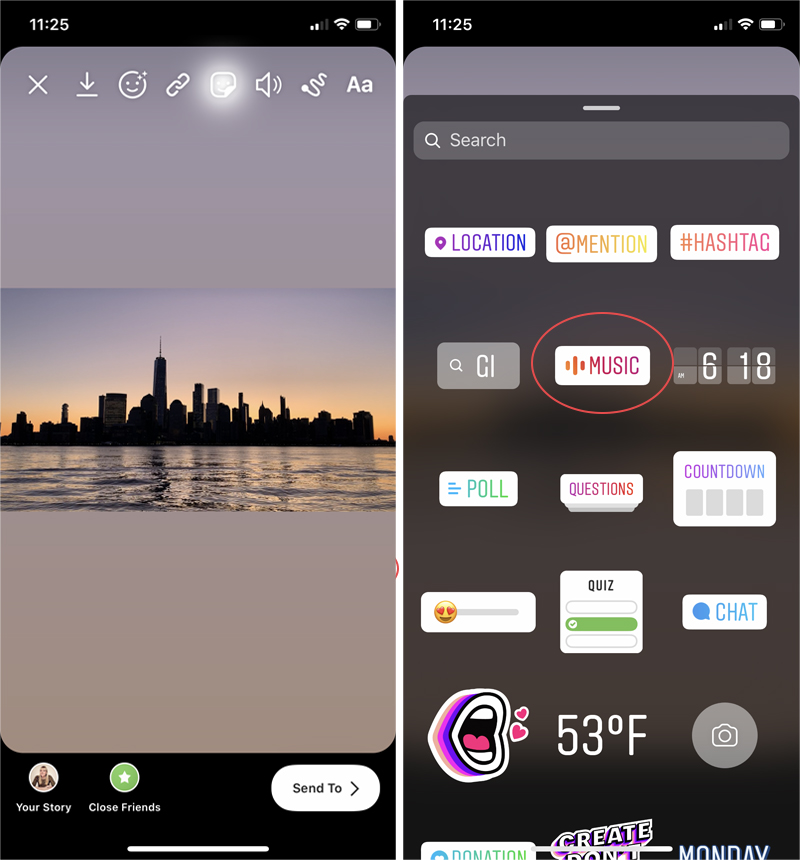 In addition, Facebook users will be able to add their favorite track to the Hobbies / Interests section and pin it to the profile header - it will be played every time someone decides to visit this user's profile.
“Reinventing TikTok is unlikely to succeed”: what’s wrong with YouTube and Facebook’s short video services
Instagram began to roll out the Reels feature around the world in an attempt to attract the TikTok audience. In Russia, the short video format is gaining popularity - VKontakte is already developing its own clone of TikTok - the service is called Clips. In addition, in the fall of 2020, the head of the Ministry of Education, Sergey Kravtsov, announced joint plans with Mail.ru Group to develop an educational network for Russian schoolchildren, similar to TikTok.
30 most expensive Runet companies. Forbes rating
30 photos
Marina Dulneva
Author
Anastasia Skrynnikova
Editorial Forbes
#instagram #reels #Facebook #the Internet #tiktok #video
Forbes newsletter
The most important thing about finance, investment, business and technology
It's done! Instagram has finally launched music in stories in Russia. By the way, this means that we should expect the appearance of Reels soon.
In the meantime, here's how to use the new feature and how to add music to Instagram stories. Now officially and without third-party apps!
Start placing official ads in Telegram Ads. Get ahead of your competitors!
Register and sell goods or services in Telegram Ads using a turnkey solution from Click.ru .
Read more>> Advertising
Read also : The best Instagram promotion courses
To add music to stories, follow the instructions on the video:
Or our text instructions:
Step 1 . Open the story editor. Create a story as you normally would: add a photo, video, or picture.
Step 2 . Click the sticker icon on the top bar.
Step 3 . Select the "Music" sticker from the menu that appears.
Step 4 . Select the track you want to add to the story. This section has two tabs and a search section.
For you : popular and recommended tracks.
Overview of : Search music by categories. If you scroll to the very bottom in this tab, then there will be a division into genres, moods and topics.
Also, some have a more advanced music selection panel, with the ability to add tracks to favorites.
Step 5 . Next, you need to select a fragment of the track that you want to overlay on a photo or video. This is done in the panel at the bottom, on the audio track. To do this, hold the central element with your finger, and move it to the right or left. At the same time, the lyrics of the song will be shown on the screen, which will allow you to quickly find the right moment.
For comparison, in Tik-Tok, you can use only a small fragment added to the social network by default, and in Insta, any fragment from a song is available to choose from.
Step 6 . We choose the design. You can do this using the toolbar above the audio track. There are several options: the appearance of the words of the song ( karaoke effect ) or the text of the song on the screen, or a sticker, when clicked, opens a minute excerpt of the track at the bottom of the screen.
Step 7 . After adding music and other design elements, publish the story. Ready!
If you've watched someone's story, you liked the music in it and want to know who the artist is.