By Singyin Lee in Social Media. Updated on .
If you haven’t heard, WhatsApp has renewed its Terms of Service and Privacy Policy and along with that update is the announcement that WhatsApp will be sharing some of your WhatsApp account data with Facebook. Here’s what you need to know about this move, and what you can do about it.
20 WhatsApp Tips & Tricks
WhatsApp has been getting new awesome features to make messaging a breeze for users. While its use is... Read more
Facebook will be getting the phone number you verified with WhatsApp and track how often you use their services, and the last time you used WhatsApp.
WhatsApp insists that messages, photos and account information will not be made available to Facebook, falling back on their recent move in making messages encrypted end-to-end (provided you update to the latest version) as “proof”.
Note that WhatsApp still insists that they "won’t post or share your WhatsApp number with others, including on Facebook" and "won’t sell, share or give phone numbers to advertisers".
The reason given is because WhatsApp is a part of the Facebook family of companies and that this exercise will allow them to improve the services of both WhatsApp and Facebook. With the data they retrieve, they claim that they can more accurately count unique users, fight spam and abuse.
What’s in it for us? "Better suggestions" and "more relevant ads on Facebook" — as in you’d see an ad from a company you’ve already worked with than one you have not heard before.
Then again, this begs the question: isn’t advertising supposed to be to expose customers to services they have not heard or use before? Well, whatever the reason is, this has to do with Facebook ads.
There are two things you can do, right now: Opt out of this sharing alliance or dump WhatsApp for an alternative messaging app.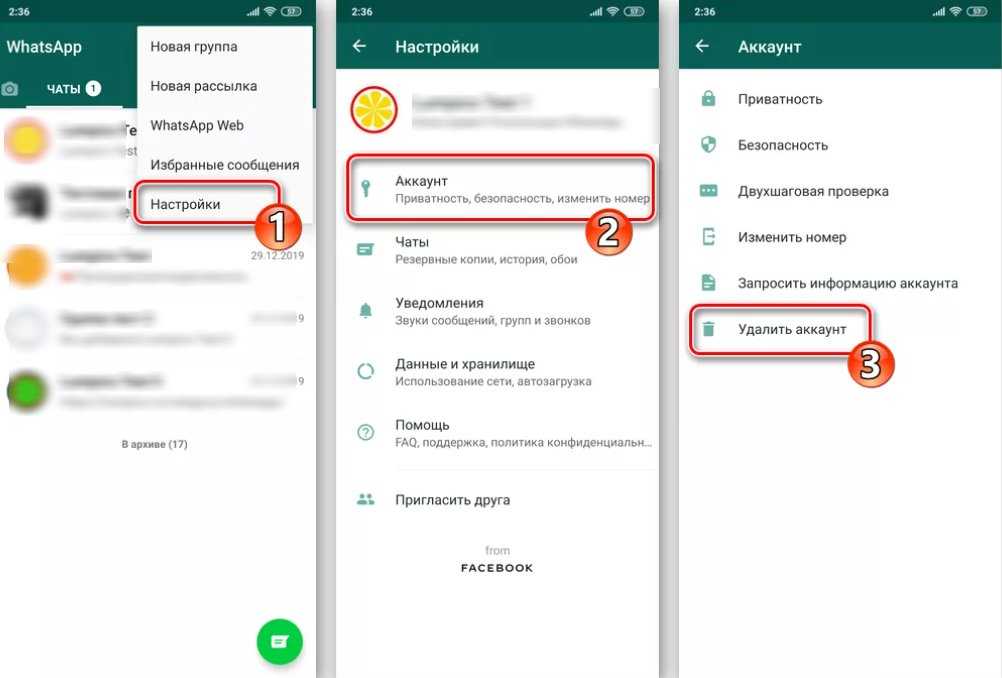
It depends on whether or not you have agreed to their updated Terms of Service and Privacy Policy.
If you have not agreed to the new policy:
At the Policy Page, tap Read so that the rest of the policy expands. At the bottom of the screen, there is a box that is already ticked. If you don’t want to share your WhatsApp data with Facebook, untick the box.
If you have agreed to the new policy:
You still have 30 days to opt out of this sharing attempt. Go to Settings > Account > Share my account info, and again, untick the box.
It depends on if you really want to leave WhatsApp’s attempt to perfect mothership Facebook’s ad-targeting strategy. If you do, of all the options out there, Telegram is probably the safe haven you seek.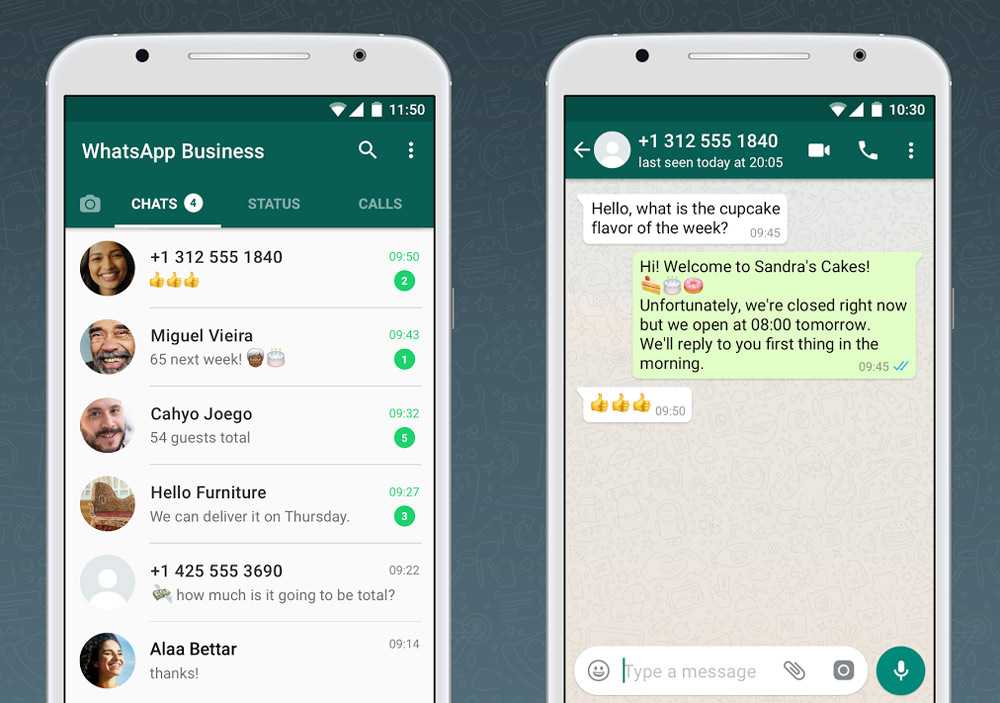
Like WhatsApp, Telegram:
Unlike WhatsApp, in Telegram
Telegram already has more than 100 million active users by early 2016. The only question left to ask is are your friends on Telegram as well?
Click here for more WhatsApp Tips.
For the first time in four years and since being acquired by Facebook, WhatsApp is updating its terms and conditions, as well as its privacy policy. Part of this update includes WhatsApp sharing your account information with Facebook to, among other things, provide better targeted ads.
The updated WhatsApp FAQ page says that the phone number you used to sign up for WhatsApp with will be shared, as well as the last time you used the service.
Thanks to end-to-end encryption, Facebook will not be able to see your messages, photos or other media you share. Only you and the person you send messages to will ever be able to see that information. And any information that is shared by WhatsApp will not be publicly visible to anyone using Facebook. Meaning, if WhatsApp shares your phone number with Facebook, it won't fill in the phone number field on your profile and make it visible to anyone.
The FAQ page says sharing your information with Facebook will help the two companies "coordinate more." The claim is that it will help them "fight spam and abuse" more efficiently, as well as -- and this is likely the bigger and more feasible reason -- "improve your experiences within [Facebook] services" through targeted ads.
They say having your number will help them deliver product suggestions from companies "you already work with" versus one you're not familiar with. How your phone number makes this possible isn't exactly clear.
No. Well, at least not in the conventional banner ad style.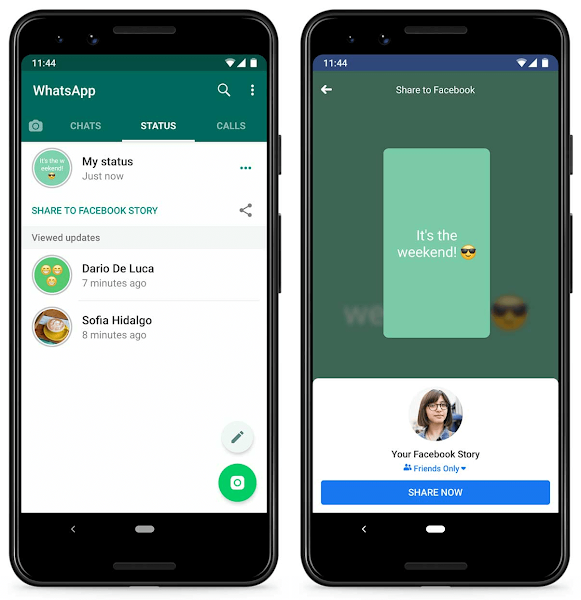 However, WhatsApp is exploring ways to allow businesses to communicate with customers. In the same way that you can interact with your bank via SMS to check account balances or pay your cell phone bill with a text message, WhatsApp wants you to receive information from business, such as receipts for flight information.
The good news is, WhatsApp is (for now) continuing to put you in control. It says, "We do not want you to have a spammy experience; as with all of your messages, you can manage these communications, and we will honor the choices you make."
Time will tell if being part of Facebook will alter their stance on this, as well.
Seeing as this goes against WhatsApp's previous policy of never sharing your information with its parent company, this update to the terms is understandably rubbing many the wrong way.
Fortunately, you can opt out and remove yourself from the whole situation very easily. Here's how:
The pop-up that appears reads, "If you tap 'Don't Share', you won't be able to change this in the future." And they mean it. After you follow through with this action, the option will no longer be visible from the Account section of Settings and there is no turning back.
On the bright side, your account information and app usage won't be shared with Facebook anymore. Though, it doesn't say whether it has already shared your information or whether, if shared, that information will be redacted.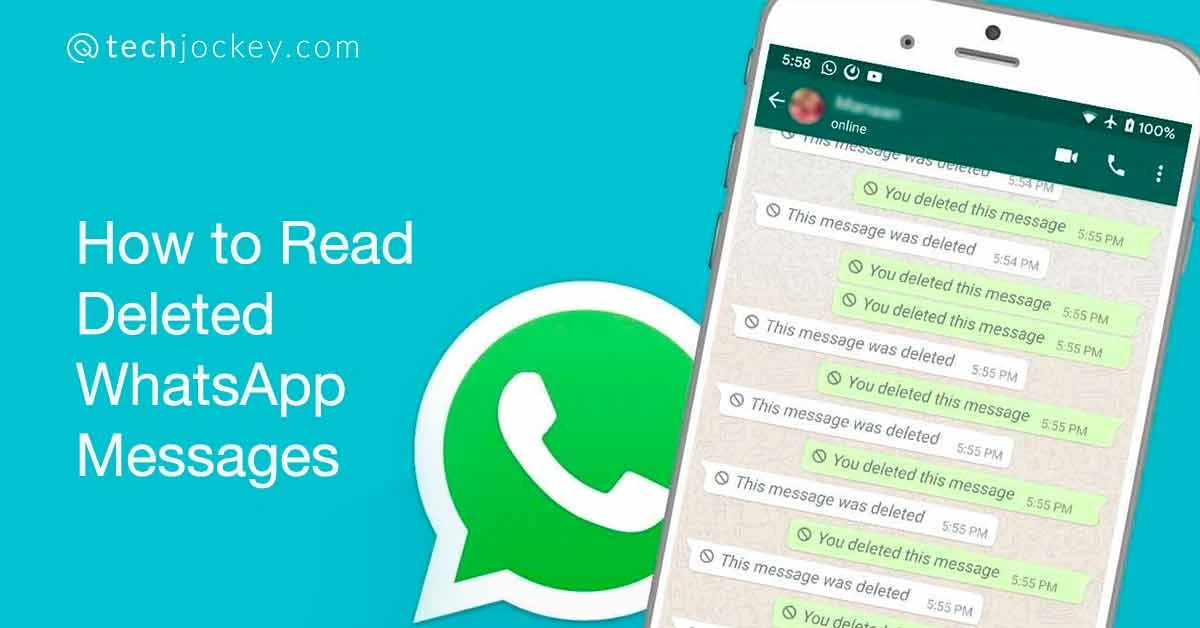
Content:
A few months ago we added a friend on WhatsApp and were surprised to see their profile in the "People You May Know" section of our Facebook page. So the possibility of sharing data with Facebook through WhatsApp came to our mind.
So we weren't taken aback when WhatsApp recently confirmed on its blog that it does indeed share data with Facebook. Here is the "take away" key from the WhatsApp official announcement:
While WhatsApp has repeatedly stated that it does NOT share content hosted on WhatsApp with any third party, one would wonder why in the world Facebook would pay a staggering $19 billion to acquire it; this also applies to a service that generates less than one dollar per year per customer. There must be some catch, right?
To be honest, we don't know. But what any wise person should take away from this whole affair is that it's always worth going the extra mile to ensure your own data is secure. For what? Well, here are a few questions we need to ask ourselves:
If you don't have the latest version of WhatsApp, please go to the Google Play Store and update now.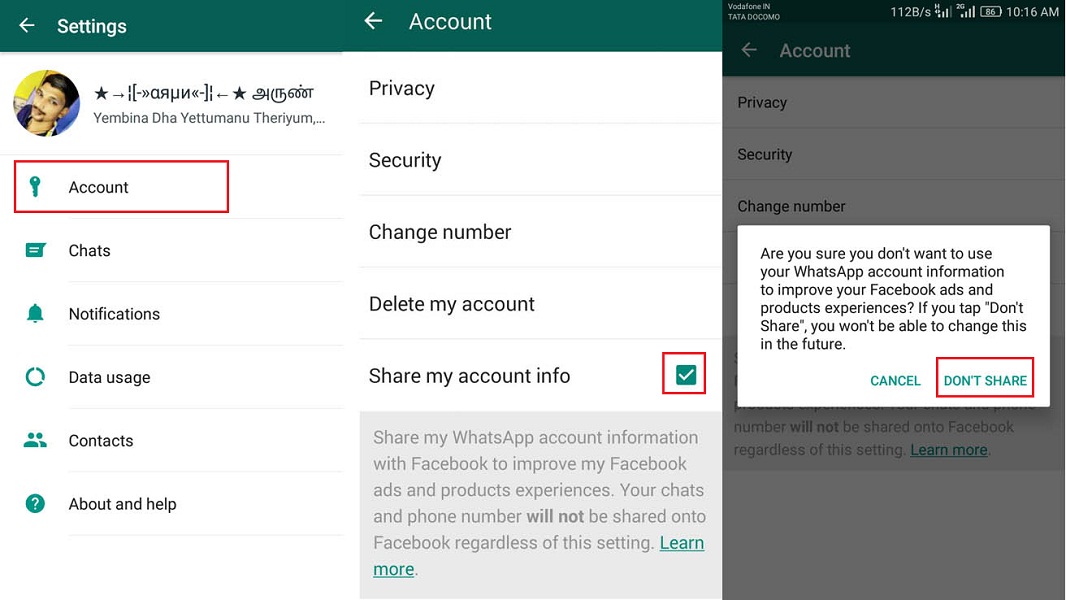 Once the update has been installed, you will receive a message detailing the updated terms (as shown in this picture).
All you have to do is click " Read " and then just scroll to the bottom. At the bottom of the page, there is a checkbox with the message "Share my WhatsApp account information with Facebook to improve the quality of Facebook ads and products". Uncheck the checkbox to opt out of Facebook-WhatsApp data sharing.
If you have already updated WhatsApp and also agreed to the updated terms, here is how to turn off Facebook-WhatsApp data sharing:
1. Click on the three white dots in the upper right corner of the smartphone screen and click " Settings "
2. Now click " Account Settings ".
3. On the account settings page, uncheck " Share my account information ".
If you are connected to public Wi-Fi to use WhatsApp and Facebook, you may be vulnerable to hacking and data theft. To ensure that your sensitive information is not compromised, simply use Ivacy VPN to protect your data and remain anonymous.
With Ivacy, you no longer need to worry about hackers and spammers sniffing your phone and accessing sensitive account information and personal data. But that's not all Ivacy does. Here are just a few of the many benefits you can enjoy with Ivacy!
Subscribing to Ivacy is as easy as ABC! Just follow these simple steps:
 It is recommended to select the server closest to your country.
 Now you can explore the virtual world without worrying about our security or data theft. What's more, you can enjoy complete online anonymity, which protects your identity from being tracked by stealthy entities.
Security User Internet Internet software Technology
|
Share
WhatsApp has decided to implement a controversial privacy policy that has already caused millions of users to leave. It will come into force in mid-May 2021, and those who disagree with it will be deprived of the ability to send and receive text messages, leaving only voice calls. The accounts of those who stop using the messenger will be completely deleted.
Messenger WhatsApp, owned by Facebook since February 2014, planned to introduce a total ban on text messages. Users of the popular service around the world are at risk of getting under it.
The ban, according to TechCrunch, is related to a new privacy policy that WhatsApp intended to introduce as early as February 8, 2021, but was forced to temporarily abandon it due to a flurry of criticism - this policy implies the mandatory provision of Facebook messenger with extended information about user accounts. If earlier this could be avoided by disabling the corresponding option in the settings, now users will have to share data about their profiles with Facebook without fail.
WhatsApp intends to implement a new privacy policy on May 15, 2021, approximately three months from now. Until that time, it will start spamming users with banners warning about the changes and information about what innovations await them in connection with them.
“Over the coming weeks, a banner with more information will be available on WhatsApp for our users to explore at their own pace. In addition, we have provided more detailed information to help clear our users' doubts. Later, we will start reminding you to review and accept these updates in order to continue using WhatsApp.
Whatsapp policy may provoke mass removal of the messenger from mobile phones
Those who disagree with the new messenger policy may refuse to accept it. In this case, writes TechCrunch, they can forget about text communication - from May 15, 2021, WhatsApp will no longer allow them to receive messages from interlocutors or send their own. The only thing left for them is audio calls. The availability of voice messages and video calls was not known at the time of publication of the material.
Since 2016, WhatsApp's privacy policy has allowed the service to share certain metadata with Facebook, such as user phone numbers and device information. The new terms will allow Facebook and WhatsApp to share payment and transaction data as well, for better ad targeting as the social giant expands its e-commerce offerings and seeks to unify its messaging platforms. It is possible that the messenger will transfer Facebook and other private user information.
Such severe restrictions in response to disagreement with WhatsApp's new privacy policy can provoke users to switch to other messengers, and this has already happened during the first attempt to launch new rules. WhatsApp lost millions of users - many of them found a new home in Telegram, which survived the blockade in Russia. Its founder Pavel Durov confirmed the fact of mass migration - on January 12, 2021, in his Telegram channel, he wrote that in just three days the number of Telegram users increased by 25 million. Previously, he stated: “Millions of people are outraged by the latest change in WhatsApp policy, which now states that users are required to submit all of their personal data to the Facebook advertising system. " At the end of January 2021, Durov added a tool for quickly transferring correspondence from WhatsApp to his messenger.
Pavel Durov's post about user migration
In January 2021, when WhatsApp was just talking about new rules, the Russian messenger ICQ, owned by Mail.ru Group, also experienced a sharp increase in popularity. As CNews reported, it was provoked by users from Hong Kong. Residents of this country explained their transition to ICQ with nostalgia - many of them used the messenger as children or teenagers. Memories of youth largely determined the choice of Hong Kongers aged 30-40 in favor of ICQ, when it became necessary to find a replacement for WhatsApp, which unpleasantly surprised users with an updated user agreement.
But WhatsApp already has a recipe ready for those who decide to leave it for another messenger. Every user, without exception, who exchanges it for a competing product and for this or any other reason does not use it for 120 days, will lose their account. This is a little less than four months, and this sanction, as the editors of CNews found out, is also provided for by the WhatsApp policy, moreover, already in force.
WhatsApp says about deleting accounts without hiding
For comparison, the same Telegram allows the user to choose the period of inactivity of the profile, after which it will be deleted - in a month, three months, six months or a year.
As of the end of January 2021, WhatsApp remained the most popular messenger in the world. According to statistics from Statista.com, its audience of monthly active users totaled 2 billion people. Telegram, which “gained weight” after the mass exodus of people from WhatsApp, has 500 million users so far.
Electronic Bill of Lading: What you need to know
Document flow
Durov's messenger is in fifth place in popularity - it is overtaken by the Chinese WeChat and QQ. The second line of the Statista rating is occupied by another brainchild of Facebook - Facebook Messenger with 1.3 billion monthly active participants.
WhatsApp is still in first place in terms of popularity
It is worth noting that WhatsApp is used to throwing away users and their personal data. So, for example, in June 2020, it became known that some phone numbers linked to user profiles in WhatsApp had been in the public domain for a long time and even got into Google search results. In total, with the help of Google, it was possible to find up to the number of about 300 thousand users of the messenger, and this problem was of a global nature.
In November 2019, CNews reported that WhatsApp users were automatically permanently banned for participating in harmless group chats. It turned out to be possible to fall under sanctions for changing the name of the chat to something that would seem to the moderators of the service as something sinister, illegal or malicious.