Instagram has more than 400 million users that share 80 million posts daily, making it a pretty compelling platform for advertisers – particularly as other platforms struggle with concerns over data and privacy.
Instagram itself boasts a highly engaged audience and says its ads help drive awareness. The platform offers multiple options, including photo ads and carousel ads, as well as video ads and ads on Instagram Stories—with the latter two offering sight, sound and motion to further connect with users. And we all know video is hot right now.
Connor Voss, social media strategist at Veterans United Home Loans, said brands considering Instagram Stories should start by spending time interacting with them to better understand interactive capabilities, trends, and content expectations.
“When viewers are engaging with Stories, they’re expecting to see video and, often, to interact—so placing a video ad [within] Instagram Stories can reach users who are more open to watching videos and to swiping up to see more products or read the rest of an article,” she said. “In the feed, users are accustomed to scrolling and glancing—not necessarily stopping, interacting or clicking through to another web page.”
In addition, Vivien Conway, cofounder of Instagram-focused agency Ace the Gram, said users don’t curate Stories as much as they do their feeds, and that makes it easier for advertisers to stand out.
No matter which video ad format you choose, here are ten tips to maximize their effectiveness.
Instagram users quickly scroll through their feeds, so whether it’s a regular Instagram video ad or an Instagram story ad, brands need to make video ads that compel users to stop.
Per Natasha Courtenay-Smith, CEO of digital marketing firm Bolt Digital, this means incorporating movement in the first three seconds.
“You have no time at all to capture anyone’s attention,” she said. “Don’t be arty with slow openers…you want something that is bright, moves and catches attention.”
And Voss said to make sure consumers can immediately tell your ad is a video.
“Make sure that the first second of your video has enough movement that, with the sound off, viewers know immediately that it’s a video and not a still image,” she said. “If the first few seconds are so subtle that it appears to be an image, they’ll scroll right by without realizing they missed anything.”
Because Instagram audio is muted by default, Jonathan Jacobs, partner of digital agency Digital Natives Group, said brands must lead with visuals and/or text.
“You can grab their attention—or just get your message across—by providing more than just captions,” said Chuck Cotterman, social media marketing specialist at business software and services review firm G2 Crowd. “Create dynamic text effects using apps like Apple Clips to highlight main points that you wouldn’t want any viewer to miss.”
Ehud Basis, senior online acquisition manager at discovery platform Outbrain, agreed this kind of text can help reinforce the most important messages a brand wants to deliver.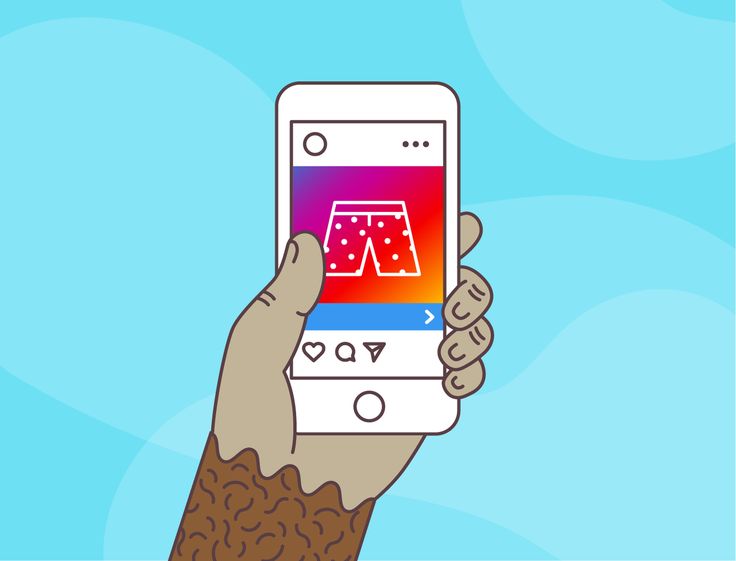
However, Veronica Romney, president of digital marketing agency LoSoMo, cautioned against using too much text.
“A few short captions in the video will help pique your audience’s interest so that they watch the entire video and even end up playing the sound later on,” she said. “Too much text, however, can be overwhelming for the viewer and make the video seem cluttered.”
Conway noted that a quick and easy way to generate video captions is to use services like Rev.
That being said, Vincit-Lee Lloyd, CEO of digital agency Lloyd Media Solutions, said to nevertheless ensure audio is high quality.
Instagram video ads should identify a problem and show how a particular product or service solves it.
“By identifying a problem your potential customers have, you’re creating an emotional bond with them, so they’re already intrigued with what you have to offer,” said Tom Caulton, digital growth specialist at digital agency Dijitul. “Once you’ve got them hooked, show them how your product or service solves that problem.”
PS: We have a post for you if you’re looking for ideas for your video ads.
Natalie Athanasiadis, head of digital at marketing agency Digital Visibility Group, said to focus on a central theme, topic and goal for each ad.
“This could be brand awareness, product education or ‘buy now’ options,” she said. “Just don’t try to incorporate all of this into the one ad because you will bombard your audience and they will just scroll past your ad.”
John Surdakowski, founder of digital agency Avex Designs, agreed to focus on one thing at a time.
“If your video ad contains too many products or selling points, it will seem like a pitch,” he said. “Target your customer base and create video content tailored for them.”
Video ads should blend naturally into Instagram feeds for the best reception and not be overly self-promotional, Athanasiadis said.
Surdakowski agreed advertisers should make sure video ads blend into feeds organically.
“When users scroll through their feeds, you want to capture their attention,” he said. “Posting video content that brings value to the user is more likely to have engagement.”
Lloyd also recommended using drones to capture content that really wows audiences.
Unlike on Facebook, in-feed videos can’t be enlarged to take up the whole phone screen on Instagram, so Voss said to recognize viewers will consume a video ad within an Instagram post. In Stories, however, the video will fill the entire screen but should be designed and filmed vertically.
“The best ads are ones that fill the entire space,” said Olumide Gbenro, founder of media marketing agency Globo Media Marketing. “Scrap the horizontal videos and have an editor format to 600×600. This has an entirely different look and should catch the viewers attention even more.”
Basis, however, recommended using a 1:1 aspect ratio of 1080×1080 and 1080×1920 for Stories.
Elizabeth Venanzi, online marketing manager at marketing agency Sparq Designs, noted another difference with platforms like Facebook or YouTube, where advertisers can customize thumbnails. With Instagram ads, brands have to use thumbnails from videos.
“This needs to be in your mind while you are shooting or preparing a video, as the thumbnail is the most important part of your Instagram video ad,” she said. “The thumbnail will define whether or not someone turns on the volume to watch your ad, click on your post in the search section and ultimately end up on your profile. So save yourself the time and incorporate your desired thumbnail into your video.”
If the call to action on a video ad leads to a landing page, the brand has to make sure these pages are optimized for mobile, Surdakowski said. Instagram is accessed overwhelmingly from mobile devices.
“There’s nothing worse than tapping on ‘Learn More,’ and the page you’re directed to is not optimized for the device you’re on,” he added.
Reuben Field, creative director of video production company Lights Camera Business, agreed advertisers will want consumers to easily be able to take the desired action from their mobile devices.
“You lose your user as soon as you make this difficult in any way for them,” he added.
In addition, Jacobs said brands should keep the momentum going with supporting content that is aligned with the ad.
Romney said the same is true for the ad as a whole.
“This includes the colors, the style of video and the music involved in the video ad,” she said. “Each small component makes a significant impact on the video as a whole. If the message of the video does not line up with your brand identity, it will come off as inauthentic and users will scroll right past it. ”
”
Venanzi discouraged advertisers from using Instagram video ads as teasers as users are looking for content that can be quickly consumed, and tracking down a link in a bio requires a lot of effort.
“You should always simplify your call-to-action as much as possible,” she said. “Instead of sending them from your video to your profile to a landing page, try incorporating the ‘learn more’ on your video advertisement and complete your entire message within the video advert. This will encourage interested viewers to learn more on your website, rather than have to go searching for your call-to-action.”
According to Field, advertisers should create multiple versions of their Instagram video ads and A/B test them to see which work best with their audiences.
Via Add Mustard
Nate Masterson, marketing manager for personal care company Maple Holistics, agreed advertisers should take advantage of Instagram tools to enhance results.
And, beyond Instagram itself, Marcus Harjani, cofounder of data-centric web destination FameMoose, said to also track the user’s path from ad to conversion.
“What is the experience like? Make sure it is a good experience and a user is headed toward conversion,” he added.
Lesya Lui, social media strategist at news site The Social Media Current, said to show the ads only to consumers connected to WiFi to avoid a subpar experience where videos slow to a crawl.
“People are very impatient and have so many distractions on social platforms, they won’t wait for your video ad to buffer and start playing,” she said.
Warren Jolly, CEO of digital marketing agency adQuadrant, said to create a video ad with loopability in mind, with fade-out video and music at the intro and outro.
The longer your prospect spends with your video ad, the more likely the ad and your brand are to make an impression.
If you’re looking to get more out of your Instagram marketing, it’s time you tried Instagram advertising.
Instagram has 2 billion active Instagram users each month, and the average user scrolls through the platform for 53 minutes each day. With usage like that, Instagram ads can help you expand your reach significantly.
If you’re new to Instagram ads, this guide will help you get started.
Read on to learn more about what Instagram advertising is, why it’s a great strategy for your business and how to create your first Instagram ad campaign.
Instagram advertising is a paid service that businesses use to promote their content. Instagram started offering ad spots to select businesses after Facebook acquired it in 2013. In 2015, Instagram opened advertising to all businesses, and by 2017 had 1 million advertisers on the platform.
Organic social media strategies might seem cost-effective at first, but they rely on a lot of trial and error, and can only get you so far when you’re up against ever-changing social media algorithms.
This is why it’s so important to focus on a social media strategy that incorporates both organic and paid tactics. This way, you get the best of both worlds. You’re actively engaging with your audience through your Instagram posts, and, with ads, you’re reaching out to an even larger audience that might not know about your brand.
As a visual medium, Instagram ads give you a great way to show off your product. And with Instagram shopping, you can make it easier than ever for Instagram users to convert to customers.
How much does Instagram advertising costThe cost to advertise on Instagram depends on several factors like the mobile device you’re targeting, demographics, day of the week and whether your ad is running during a major televised event.
It all comes down to your target audience, which is why it’s so important to know your Instagram demographics.
To make the most of your marketing budget, dedicate money to ads and campaigns only if they’ll help your bottom line.
Put money behind posts and content that you already know perform well organically. Test everything to see what performs best, and dedicate most of your ad spend to that. Make sure to measure your ad success and take note of anything that didn’t do as well as you’d hoped.
How to create Instagram adsYou create your Instagram feed ads and Instagram story ads inside the Facebook Ads Manager.
To get started creating your first Instagram ad, log into your Facebook Ad Account, head over to your ads manager and start a new campaign.
Step 1. Choose your ad objectiveOnce you create a new campaign, the first step to creating an Instagram ad is to choose your objective.
If you choose an objective that doesn’t make sense, like creating a traffic ad for a video or a sales ad for an Instagram placement, Facebook will likely deny your ad.
Step 2. Name your Instagram ad campaignAfter selecting your ad objective, you’ll name your campaign. This is the best way to keep track of your ads within the ads manager.
You’ll then select any special categories that apply and specify campaign details.
You can also get started on a split test for different ad variations, as well as decide whether to optimize your budget across ad sets.
If you select Advantage Campaign Budget, the platform will automatically distribute your ad budget across your ad sets. Or you can manually allocate spending for each ad set.
Step 3. Decide how to design your adsYou can design your ads, or choose “Dynamic creative,” if you want the ads manager to create your ads. If you go that route, you’ll upload the various ad elements—images, CTAs, and ad copy, for example—and the ads manager will test different designs.
Now, decide how you’ll be charged when you run ads.
Step 5. Define your ad budget and scheduleWhen you advertise on Instagram, you have full control over when you’ll run ads and how much you’ll spend on them.
First, choose between a daily budget and a lifetime budget. Daily budgets allow for your ads to run indefinitely while spending up to your allotted amount each day (you can still set start and end dates), while lifetime budgets will run for a set amount of time.
If you choose a lifetime budget, you can also select a specific schedule for your ads. Perhaps you want them to appear only on weekdays or weekends. You’re able to manually choose the days and times your ads will appear for your target audience.
Step 6. Target your audienceAh, now the good part! Targeting your audience is how you’ll optimize your Instagram advertising strategy.
You don’t want to waste money by trying to target anyone and everyone.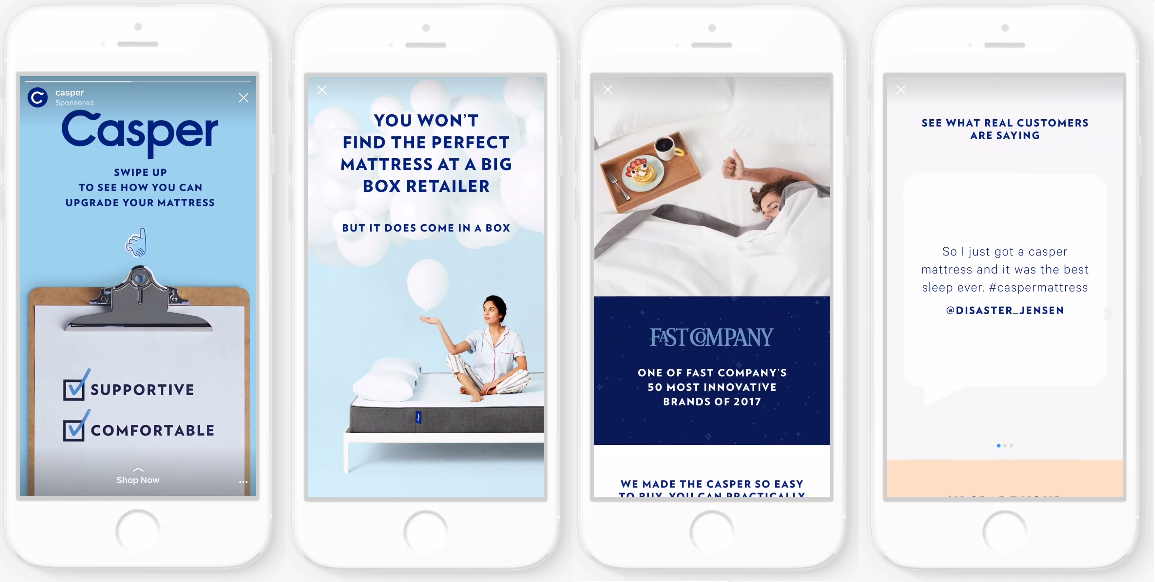 This is your opportunity to really nail down the demographics, interests and behavior of your brand’s target audience.
This is where you’ll decide where to display your ad.
To advertise on Instagram only, uncheck Facebook and check Audience Network.
Step 8. Choose your Instagram ad formatOnce you’ve completed the last three steps, click continue to head over to your ad creation dashboard. This is where you’ll upload your content, write your ad copy and publish your ad.
This is also a good time to give our Instagram ad sizing guide a second look to ensure you’re uploading the correct sized ad assets.
Different formats are available based on the ad objective you chose, but the basic Instagram ad formats are:

You’ve created your ad, but it’s essential to check up on performance.
With Sprout’s Paid Performance Report for Instagram, you can track any number of Instagram advertising campaigns for the metrics that matter most.
Sign up for a free trial today and let Sprout take care of the rest.
Start your free Sprout trial
Advertise on Instagram todayReady to start creating Instagram ads on your own? We can’t wait to see what you put together.
If you’re looking for more tips to manage your entire Instagram strategy, check out our comprehensive guide for improving your Instagram marketing strategy.
Marketers know that a good story can be the key to success. What about Instagram Stories ads? We are publishing a translation of Facebook recommendations based on several studies.
In November 2017, over 300 million Instagram accounts used Instagram Stories every day, a full-screen creative format where people watch and share daily moments in photos or videos that disappear after 24 hours (unless saved). Marketers have become storytellers: half of all Instagram business pages from around the world post at least one story per month. nine0003
To help advertisers understand and embrace this new format, Facebook IQ commissioned a study on non-obvious metrics to understand how people around the world perceive content in Instagram Stories. A meta-analysis was also conducted for the US audience to explain what creative elements will help to attract the attention of users and achieve business results.
The study showed that people from all the markets studied (Brazil, Indonesia, UK, USA) react emotionally to Instagram stories.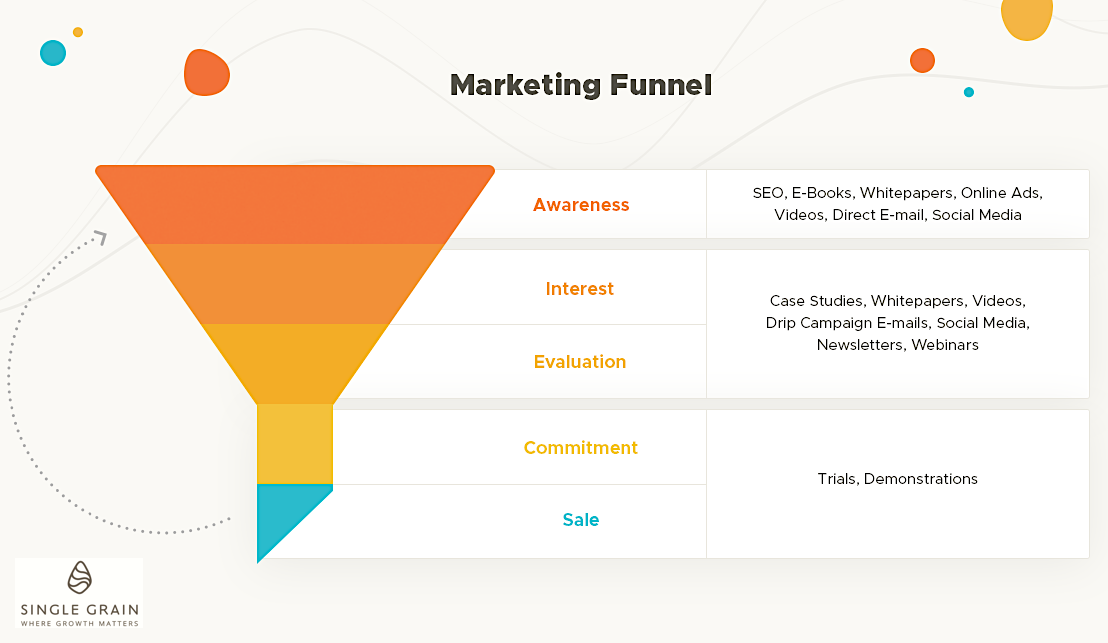 It turned out that people associate Stories with heightened emotions such as excitement, fun, and inspiration. nine0003
Perhaps the reason for this is that the full-screen format offers an immersive experience, and therefore allows advertisers to create a deeper connection with the audience.
Business stories take over. On average, more than 1 in 3 respondents (active Instagram users) admitted that they are more interested in a product after seeing its Instagram Stories.
Effectiveness was measured by two factors: "breakthrough" - the probability that the ad will be noticed, viewed or the user will return to it and "response" - the probability that the ad will force the user to take some action. nine0003
There are 5 key insights from the study that support other observations: Some of the elements that make mobile feed ads perform better will also work for Instagram Stories.
On average, top-performing Instagram stories are ranked more relevant than underperforming ads. In addition, they attract attention, are easy to understand, and fit the advertised brand. nine0003
Typically, effective ads on Instagram stories are shorter than ads with poorer results, and the brand is mentioned earlier in terms of video timing.
Among Instagram Story ads containing multiple scenes, effective ads had shorter scenes.
Only half of the Instagram stories evaluated in the study showed product use. However, those that contained such material worked more efficiently. nine0003
About half of the ads in the study were made specifically for Instagram Stories. But at the same time, only a third of all studied ads showed the best results. And success was influenced by the length of the video and the fact that the key message was announced at the beginning, and not at the end, regardless of whether the announcement was made specifically for Instagram stories.
By the way, Popsters has a lot of opportunities for content analytics in social networks, both your own and other people's accounts. You can easily find out what and when to publish. nine0003
Kei Hsu, Instagram Global Leader at Creative Shop recommends:
Stories open up a new world for marketers as they offer a new set of creative tools. My advice? Design content based on how people consume content and don't be afraid to experiment.
The full-screen format of Instagram Stories offers immersion and engagement. Consider creating emotionally immersive content ranging from movie trailers to live, behind-the-scenes scenes to create a stronger connection with your audience.
You don't have to create content specifically for every format you use to be successful.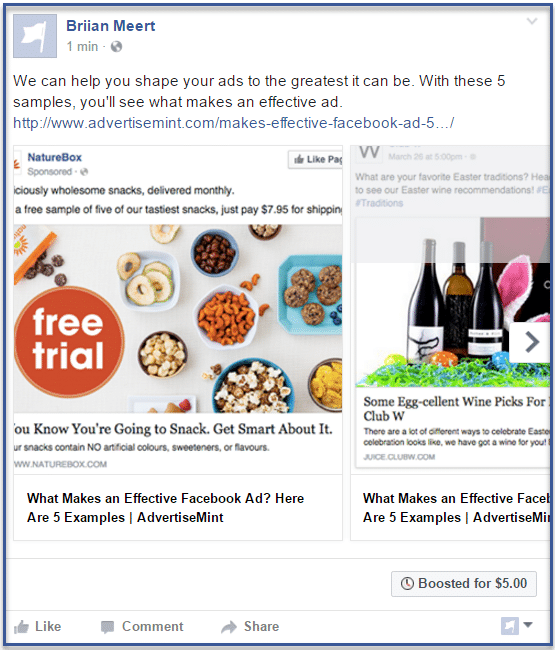 But optimization for mobile is necessary, it is important to consider this when setting up ads in Instagram Stories. Read the translation of another study (about mobile) to understand how to create content for mobile users. nine0003
More advertisers are using Instagram Stories, and the company is becoming more aware of what creative experiments really work.
At the same time, Instagram encourages marketers to experiment with video content and different creative tools that Stories offer: filters, stickers, emoji.
Useful articles on a related topic:
There are already 1 billion users on Instagram, and each of them spends 53 minutes a day there - scrolling, tapping, posting.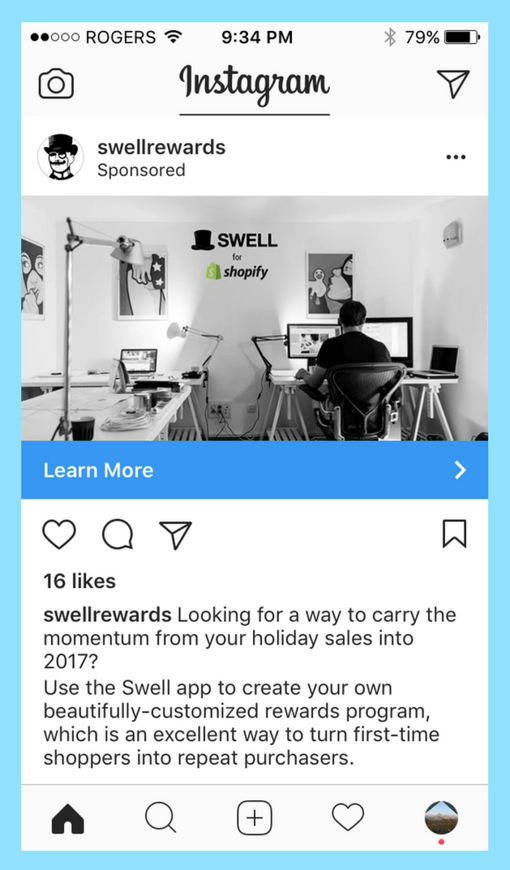 Such a volume of actions and time turns into solid numbers. Instagram is one of the top 5 sources of Internet traffic: it accounts for 5.7% of global Internet traffic. For comparison, Facebook's share is 8.4%, while web search is only 4.6%. Where there is an audience, there is business, and where there is business, there is advertising. Over 80% of Instagram users follow brand profiles and 2+ million brands advertise on Instagram. Given that this platform is one of the main visual social networks today, good graphics and creativity in advertising is indispensable. Let's figure it out, what ad formats are available on Instagram , what targets you can choose and how to prepare graphics for ads , even if you are not a designer.
There are two ways to launch ads on Instagram - promote a post directly from the Instagram app or create an ad in the Ads Manager (in both cases, you need a business account on the platform). Ads Manager allows you not only to send what you already have to promo, but to fine-tune new ads in your account - with a wider range of options and tips. nine0003
Before you start creating an advertising campaign, decide on the creative format. This is the last step in the technical design of the campaign, but if you don't have a vision for the final "picture", the first steps get more complicated. Instagram has four main ad formats:
Image aspect ratios are different for each format:
The maximum length of a video for a tape is 120 seconds, and a story is standardly 15 seconds per slide.
There is no single answer, which is more effective: ads on Instagram in the feed or vertical stories. It all depends on the product, audience, goals and many situational factors. If you are running a quick sale or promotion, Stories promotion will be more relevant, but if you are counting on a longer-lasting impact, ads in the feed can be much more useful. One experiment showed that Instagram Stories had a higher CTR, or click-through rate (1.24%), but promotional images with captions in the feed had the highest conversion rate (52.7%). The higher click-through rate of stories compared to posts in the feed (2.6 times) is also confirmed by the case of the Ulta Beauty brand from a series of successful stories on Instagram. In addition, the functionality of formats is changing, and there is every chance that stories will soon become a key advertising format. From March 2019Instagram Stories ads can now include interactive voting stickers.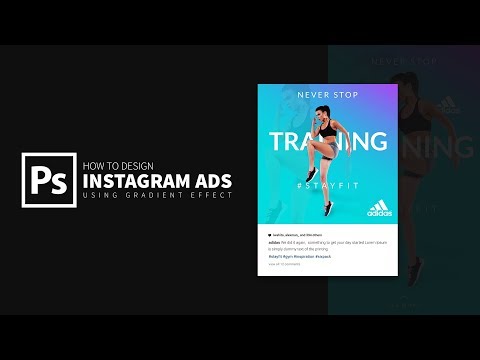 Test campaigns have shown that this tool is effective: Dunkin' has achieved a 20% reduction in cost-per-view video, and Next Games poll ads have seen a +40% increase in app installs.
We'll get back to formats and creatives in a bit, but for now, we need to figure out the goals. Advertising objectives on Instagram are divided into three main groups: recognition, leads and conversions .
Recognition. This way more users will hear about your business, product, application or service. This format implies, for example, a wider coverage of and increased brand awareness among potential customers .
Leads. This goal works to ensure that customers have already received more information about your products or services. This includes, for example, traffic (that is, transitions to landing pages and websites), engagement and video views . If you need to bring consumers close to the product, to introduce them closer to it and increase their reputation, this is the most appropriate goal.
Conversions. With this goal, a business can make sure that products are sold more actively - there were more than just views, but purchases and downloads . If your bill is high, and the purchase cycle takes at least a week, it is unlikely that conversion advertising is a good investment. Most of the goals can be achieved both with the help of posts in the feed and with the help of stories. The exception is messages, catalog sales and attendance of outlets .
The choice of an advertising goal directly depends on what exactly you want to achieve by promoting - the growth of recognition and reputation or perfect sales. If you need to talk about the product to the widest possible relevant audience, then choose recognition → coverage , if you increase site traffic - leads → traffic , if it is important to get more comments - then leads → engagement .
The audience on Instagram is quite young (more than half are under 34) and mostly concentrated in cities. These are general statistics on the global audience, and in order to calculate your target segment, you need to study each individual case. For example, if you are a children's bookstore, then you should focus on young parents, grandparents. If you are the organizer of a large marketing conference, then you need to target entrepreneurs in big cities. On Instagram, you can target by the main characteristics - age, gender, geo, language , - and also behavior and interests . The better you know your customers and have worked out insights about them, the more accurately you will be able to set up a campaign that will bring the maximum result. But you don’t need to “thin” too much - if you go too far with an abundance of characteristics, you can get too little coverage.
By choosing an audience, you can set up a lookalike and thus further expand the range of influence.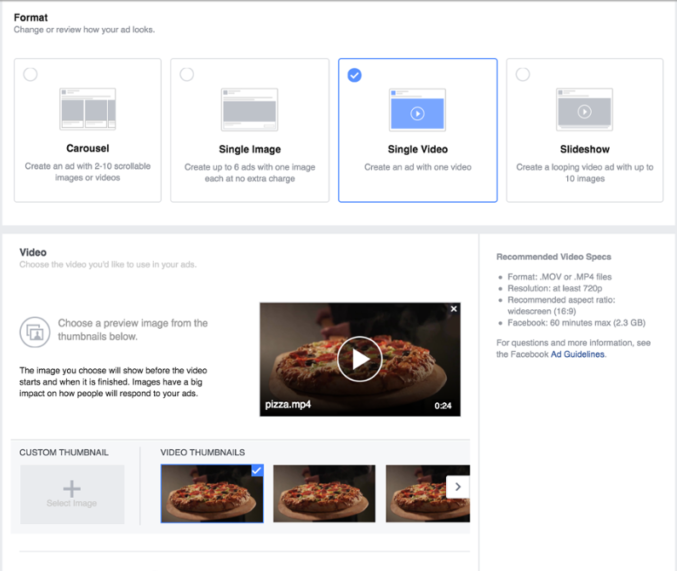 In addition, you can create a custom audience based on an existing database of emails or phone numbers. The choice of audience affects the cost of impressions. For example, a solvent audience in the capitals will "cost" more than in the provinces. Setting budgets is a very delicate process and requires care. In order not to waste all your budgets if the audience is inaccurately selected, start with small amounts - $ 10, for example - and carefully analyze the reaction of users. nine0003
The key recommendation that Facebook and Instagram give when preparing ads is that there should be no more than 20% text. The rest of the tips are in context, only the most observant will notice them. To find the right wave in creative preparation, we advise you to spend an hour or two studying useful cases in the success stories section on Instagram for Business or in its profile account on the platform.
The main tips for preparing graphics are as follows:
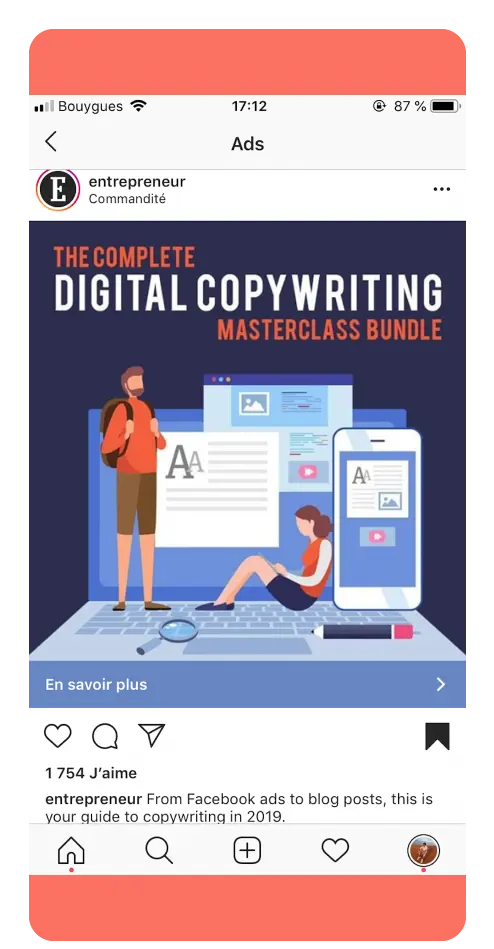 The user must understand which product is being advertised in the first 3 seconds or less. People spend an average of 1.7 seconds per piece of content on mobile, so you need to introduce them to the product very quickly.
 We have already talked about graphics and video formats above, but you don't need to keep them in your head. Simplify your work as much as possible by using ready-made templates for different formats - with the correct sizes. For example, in VistaCreate, you can assemble an image in the desired format from scratch or adapt any of the templates for Instagram in a few minutes - there are graphics for stories and publications in the feed. Moreover, the finished project from VistaCreate can be sent directly to Ads Manager, thus saving time. All VistaCreate templates are prepared by professional designers taking into account the latest trends, so if there are no graphics specialists in the team, feel free to start from these blanks . You will get good publications. For example, this is what an Instagram video story looks like:
[button text="Use Template" url="https://create.vista.com/artboard?template=5c77cb6a85ea3c16f928bd63/" background="red"/]
Image editors help you quickly prepare creatives for A/B testing (split tests), a must-have step if you want to get the most out of your advertising campaign. nine0273 Replace labels, colors, images, try animation instead of static - and vice versa. The more options you explore, the more likely you are to find the perfect one. With VistaCreate, you can duplicate multiple static images on the same page, then change some of the elements in them.
When launching campaigns, you need to be prepared for the fact that the lion's share of creatives may not be as effective as it seemed. The more tests, the better - so you will have a deeper understanding of what the audience is getting and what is not. Unfortunately, these conclusions are not always obvious, all hypotheses need to be tested in practice. The effectiveness of tests and advertising campaigns can be tracked in Ads Manager. nine0003
Facebook does its best to make working with its services, including Instagram, as convenient as possible for the business audience. The company offers a selection of useful materials that help you understand the intricacies of Instagram advertising and more.
But still, launching advertising campaigns on Instagram is a separate area that needs to be carefully mastered, and practical experience in this process is very important.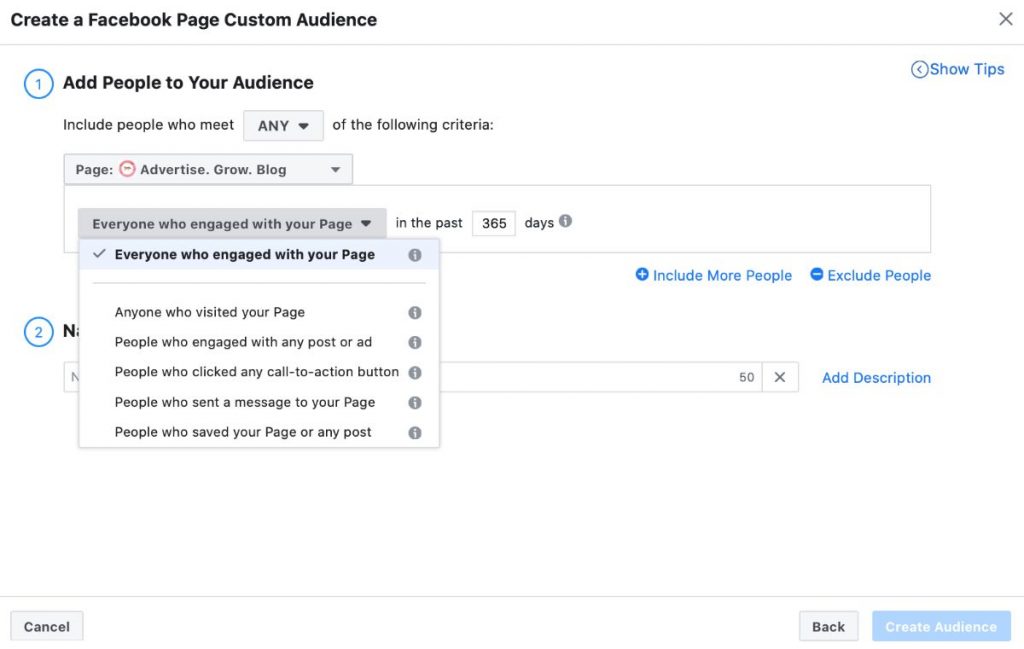 You will never be able to perfectly set up a campaign for a product if you are armed only with theory. nine0273 But some tips will help you in any case: