Device Links
Is there a post you aren’t quite ready to publish on Instagram and want to return to it later? Then, you can save it as a draft and come back when you have time to add more filters and write the caption. Fortunately, utilizing this function isn’t difficult once you know the steps involved.
If you’ve wondered how to use drafts on Instagram, you’ve come to the right place. As a bonus, learn how long drafts last and how to delete them. Plus, find out where to find saved Reels.
If you use an iPhone and want to learn how to save drafts on Instagram, this is what you need to do:
Note: Bear in mind that it’s only possible to save the draft if you add Instagram filters to the post, edit it, tag friends, or write a caption.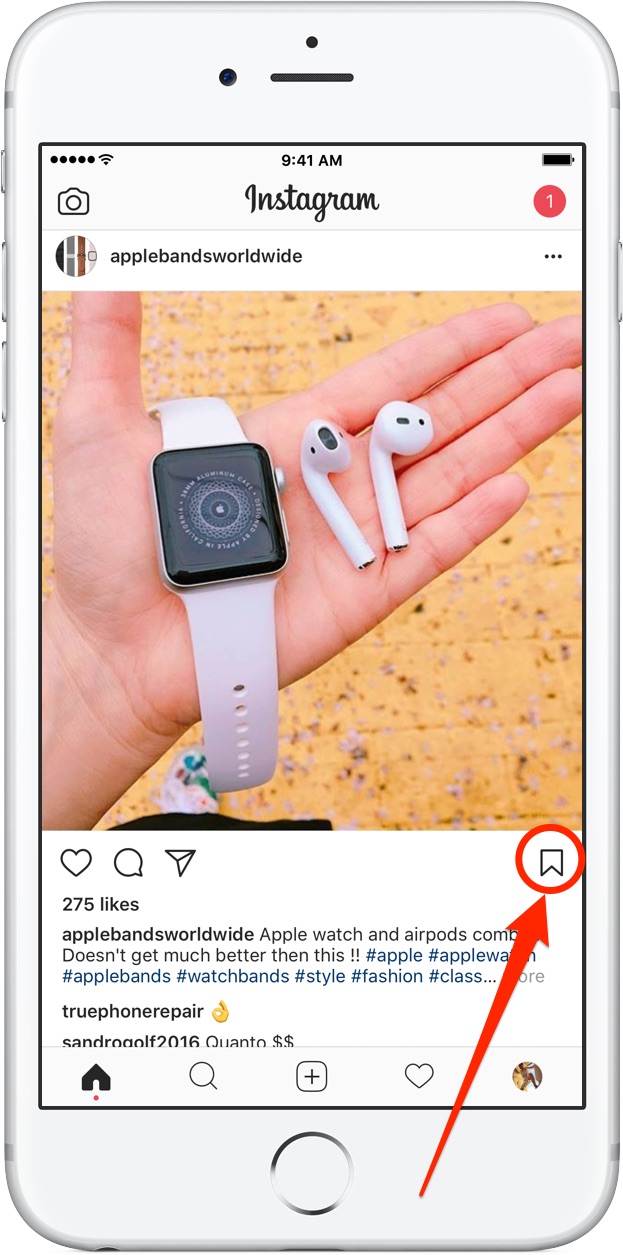 If you only upload the post without all this and go back, Instagram won’t ask you to save the draft.
If you have an Android phone and want to save drafts on Instagram, this is what you do:
Accessing drafts on Instagram isn’t that difficult. The steps are the same whether you use an iPhone or an Android.
It’s possible to edit drafts on Instagram once you load the photo. To edit them, you’ll follow the same steps as if you were uploading something for the first time. Here is what you need to do:
There may be times when you don’t need a draft anymore or want to start over on a post. If you need to delete drafts from Instagram, this is what to do:
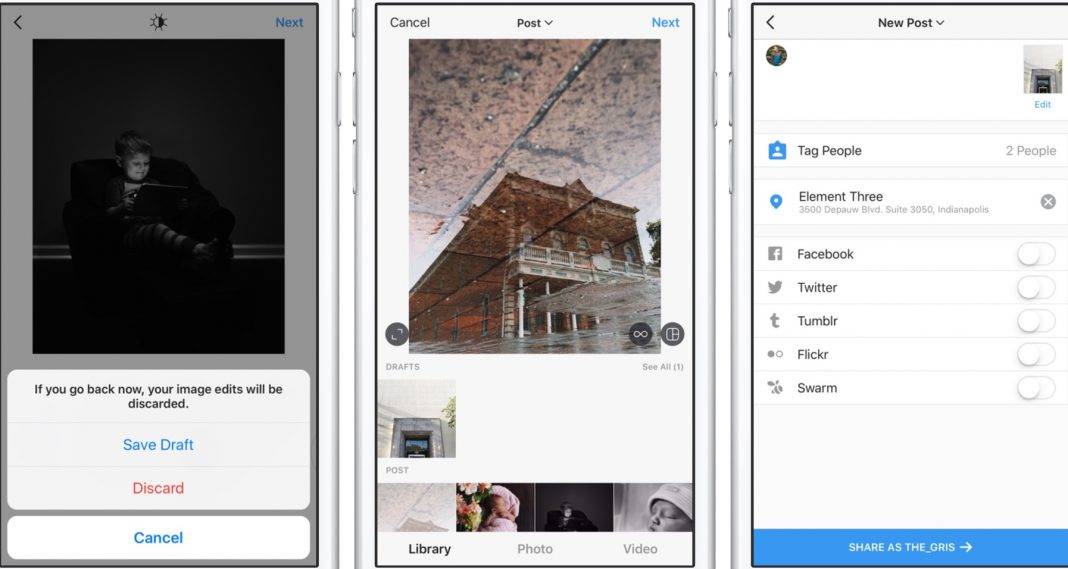 ”
”As you see, managing drafts on Instagram is relatively simple. You can save as many as you want and edit them when you need to publish them. Once you finish the editing process, delete the draft to reduce clutter in the “Drafts” space.
Drafts are still a newer feature on Instagram. If you want to learn more, keep reading.
In reality, Instagram drafts don’t have a life span. However, some users have complained of their drafts suddenly disappearing. If this happens to you, it’s most likely a glitch in Instagram. You can reach out to their support and see if they can help you fix the issue.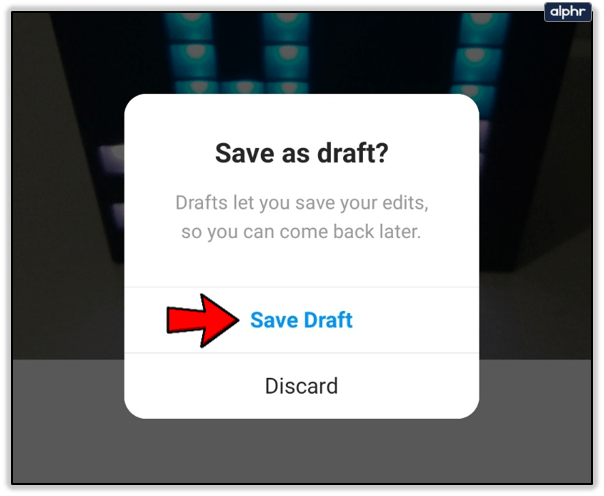
If you’ve saved a reel on Instagram, how do you access it? Is there a particular location for Instagram Reels, or are these types of drafts in the same place as regular ones? Instagram ensures that all drafts, no matter what type, are user-friendly. Therefore, the saved Reels are stored in the “Drafts” section.
Unlike posts, which are stored on your Instagram account, drafts are not. If you delete the app from your phone and reinstall it, your drafts will disappear. Unfortunately, when they’re gone, they are gone forever. If you still have the images saved to your phone’s gallery, you can create a new post or draft.
Now that you know how to save drafts on a mobile phone, you’re probably wondering if the same is possible when you use a computer. For the time being, you can’t save drafts if you use Instagram on your computer. That said, if you need to keep a post, you should do so on your smartphone instead.
If you like preparing your Insta posts or Stories ahead of time, preparing posts in advance is a way of efficiently using any spare time. A common question around this topic is where to find your Instagram drafts on Android. It’s all very well preparing them in advance, but what’s the point if you can’t find them to post them?
Saving as a draft is very useful if you don’t want to spend money on a social media marketing platform. It is also helpful if you commute to work or school and have spare time. You can prepare some posts in advance and post them whenever you’re ready.
Creating a draft for later publication is very straightforward. The entire app is easy to use, and this is no different. Just follow these simple steps.
The creation process is precisely the same as when you’re preparing a post for immediate publication. But instead of posting, you tap the option to go back instead of tapping ‘Post.’ The image is then saved as a draft until you’re ready.
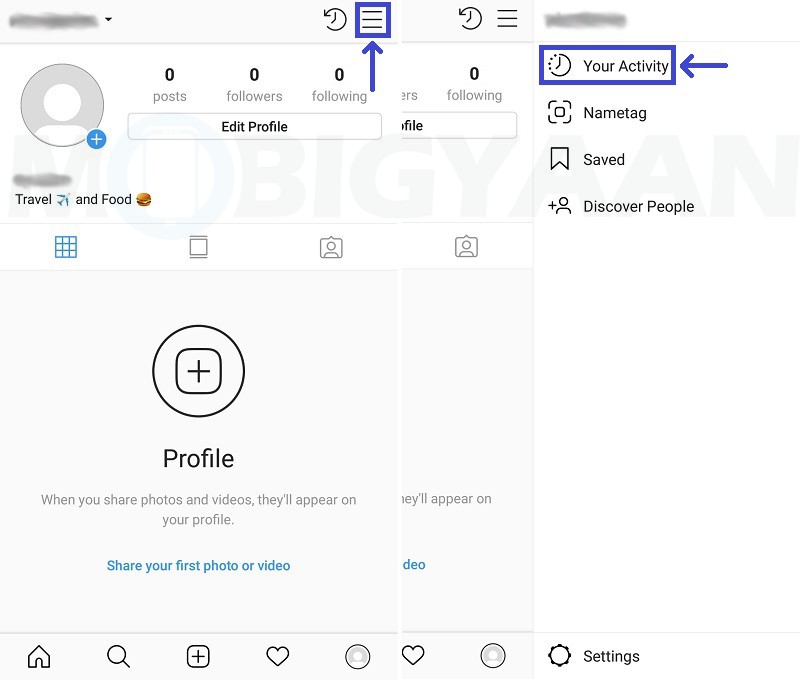
If you’re new to using drafts, you may initially find it challenging to find the images you saved for later use. It’s logical once you know how, but it isn’t the most intuitive system in the world.
To find your Instagram drafts, do this:
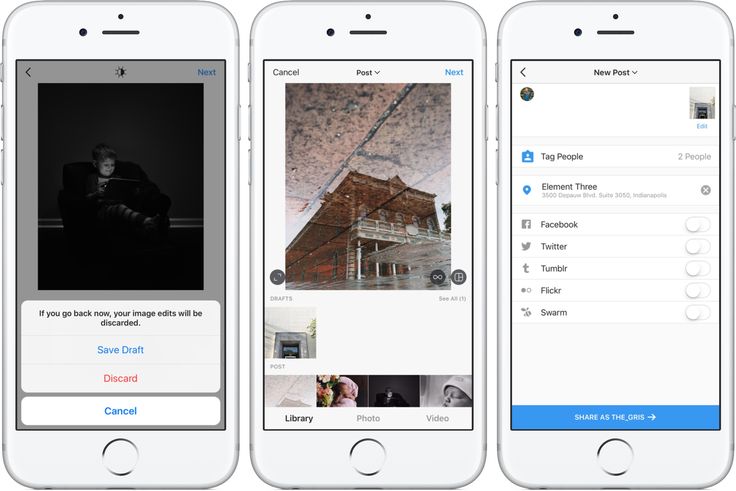
To the viewer, the post looks the same as a standard post. In fact, according to Instagram, it is a regular post, just one you prepared earlier. It’s a very straightforward setup once you know where to look.
When you’ve located your draft, you can choose to post it or make additional edits. If there’s still work to be done, your can edit your drafts by following these steps:
Keep in mind you can’t make changes to a draft after you tap Post. So, make all of your edits before finalizing the process; otherwise, you’ll have to delete the whole post and re-upload it.
On the rare occasion you create something and don’t want to post it or no longer need it, you can delete drafts easily. Deleting them isn’t always necessary, but it can free up space in your gallery or remove clutter.
To delete an Instagram draft on Android, do this:
Instagram will delete the draft from your gallery, and you’re good to go. Android doesn’t have a trashcan or recycle bin like Mac or Windows. When you hit delete in Android, it’s gone for good, so make sure you select the correct draft before deleting it!
If you want to delete all of your Instagram apps, go to Settings on your device and tap Apps.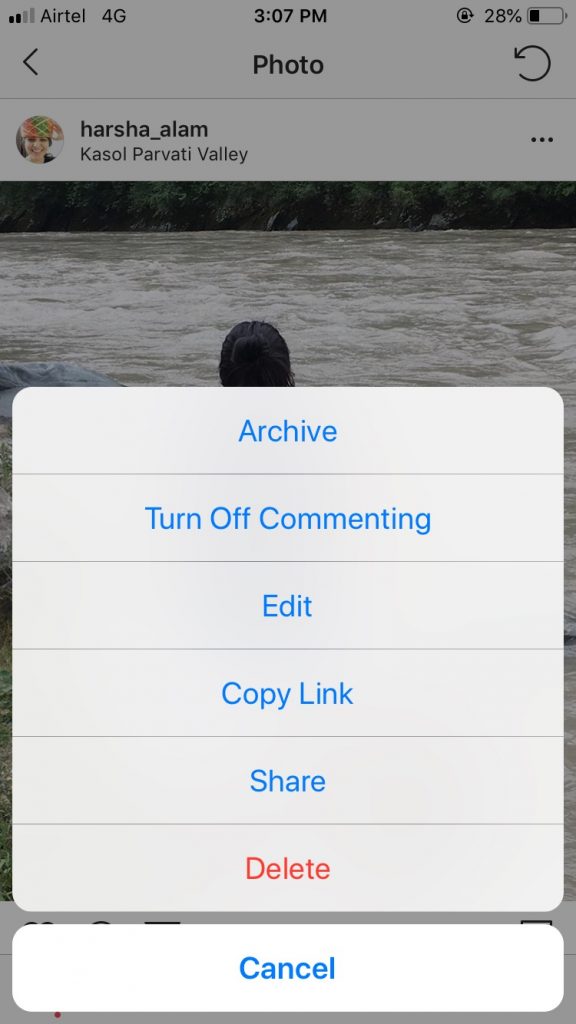 Then, tap on Instagram and clear the cache. Instagram drafts are stored in local storage rather than saved in the app. When you clear the app’s cache, all of your drafts will disappear too.
Drafts can be very helpful if you’re marketing a brand or business using Instagram. If you don’t want to use a social media marketing platform or don’t want to spend the money, preparing drafts in advance and saving them as drafts is the way to go.
If you have a spare half hour, you can create a few Instagram posts in advance, save them as drafts and publish them when you’re ready. Then, when you’re too busy to make a post, you have some spare to keep your feed alive.
The Drafts feature is especially handy for events, special occasions, or project launches where you want to publicize it but won’t have the time at the time. You can also use it if you take a train, bus, or subway to work.
When you’re using Instagram as a marketing tool, finding innovative ways to do more with less time is an essential survival mechanism. The Instagram drafts feature may seem minor, but the function can make a real difference when you’re short of time!
Instagram’s developers knew what they were doing for users when they introduced the Drafts feature. If you have more questions about them, keep reading.
Absolutely! Following the same instructions we outlined above but tap on Story rather than post. Here, you can design your Story and retrieve it later on.
Unfortunately, no. If a draft disappears for any reason, you won’t have the option to recover it. Unlike posted Stories, Reels, and photos, your drafts do not go to the Recently Deleted folder in your account’s settings.
Unfortunately, your Instagram drafts won’t always appear if you take certain actions. For example, logging out of the Instagram app will delete your drafts. They will also disappear if you delete the app.
Before making any changes to the Instagram app, prepare to lose your drafts. Although you can’t download your drafts (like you can with a TikTok video), you can store the content in your phone’s gallery and upload it from there. Doing this ensures you can recreate your post later on.
After one of the old updates on Instagram*, it became possible to save drafts. Now it is used by all active users without exception. Let's find out where the draft is on Instagram* and how to work with it in general.
UPD (dated April 15, 22): On March 21, 2022, Meta Platforms Inc., which owns the social networks Facebook and Instagram, was recognized as an extremist organization in the Russian Federation.
Of the remaining social networks, the most real platform is Telegram, so I invite you to my telegram channel. We will develop there 👌
Content of the article:
 1 where the draft posts on Instagram*
 What is a draft for?
In fact, this is an online analogue of the usual draft, familiar to all of us from school. Remember how before you start working in a notebook, you decided everything in a draft version, and then rewrote the finished final version into a clean copy. It is needed so that the final result is well-formed, without blots and errors, brought to the ideal, and not with a bunch of corrections.
Draft in Insta* performs approximately the same functions. This is the so-called blank, from which a good article, post or any other content will later be made.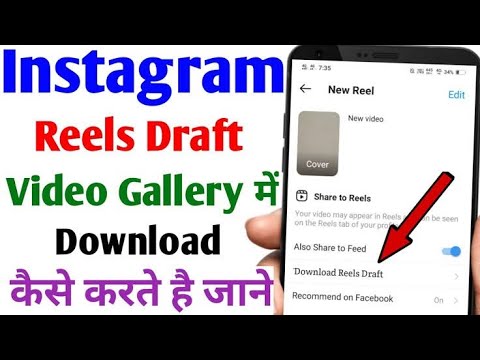
To begin with, let's consider situations where such blanks may actually be required.
Imagine: you are a blogger, you have not only a content plan, but also the time to implement it at the moment. And then there won't be that time. You can write posts at least a week in advance, thereby facilitating your work. But why not post them right away?
That's what drafts are for. They can also be used if, for example, you have beautiful photos, text outlines, but thoughts still need to be formalized. That is, to some extent, this is delayed posting, but without the ability to automatically publish them in time.
As you understand, drafts are a necessary thing. And in some cases necessary. However, it is better not to count on them and not to store important data only in such draft publications - there should always be some kind of reserve, like any digital information.
Now let's look at where drafts are saved on Instagram*. Even those who have already created such a document on this social network may not immediately figure out where to find it. If you did everything right and saved the draft, you can find it in one easy way. The steps will be approximately the same for iOS and Android.
You need to search for Reels drafts in the same way as for stories. Only at the initial stage you need to choose exactly "reels". As with other types of content, you can continue to edit the draft or publish it right away.
Now that you know where to view drafts on Instagram*, let's move on to creating and deleting them without posting. Let's start with the fact that you can create them both in the application and on the computer. The actions will be slightly different, so we will analyze both options.
You need to create a draft by logging into the application. The bottom line is to start posting, make changes (brightness, contrast, effects, stickers, etc.), but at the last step, go back. Below is a step-by-step instruction on the example of creating a post.
To create drafts for stories and rils, you need to follow the same pattern: start creating (remove from the application or open from an already prepared one), make at least minimal changes, but go back at the last stage. Now let's look at how to delete created drafts using the example of the same publication.
On iPhone, this path will be slightly different from Android. First, find a draft - how to do it and where to go, there is information above.

Unfortunately, you won't be able to create a draft through a browser. You have to install the Instagram app. This requires a Bluestacks emulator.
Further steps for both creating drafts and deleting them will not differ from what you did in the mobile application from your phone.
Each user of a social network may have a situation when they need to download a previously created draft to their device. Where are the drafts on Instagram *, you now know, but how to download it yourself? Alas, the developers of the application did not provide us with such an opportunity.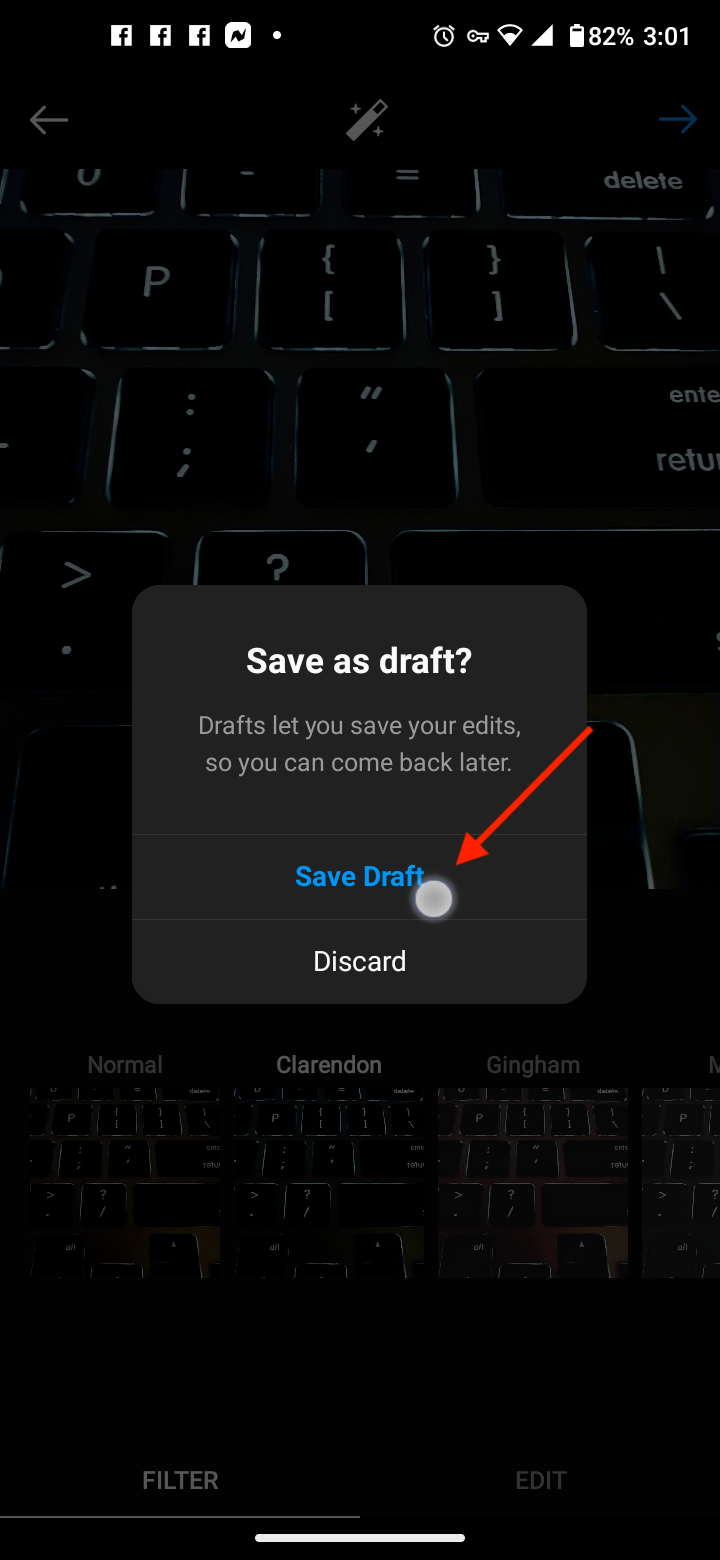 If the image or video is not published, you cannot download it to your device. This opportunity will appear only after publication.
In this case, when you place an entry in your profile, not only the original image will be saved to your phone, but also the edited one - the one that you posted in the feed.
Now imagine the situation - you spent the whole day to prepare posts, stories and reels for publication.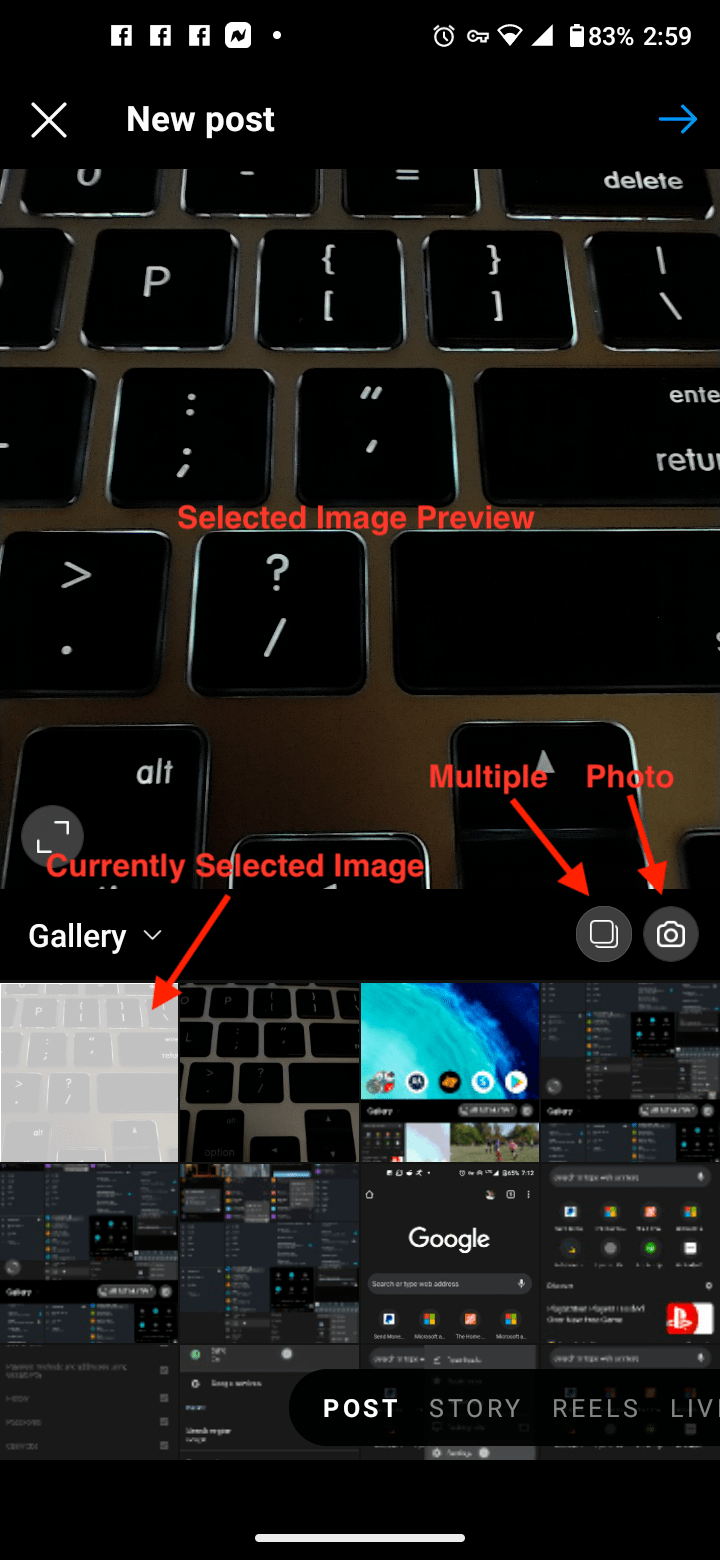 And then you just want to gradually place them in your profile. And in the end, you go to Instagram*, but there are no drafts, and it turns out that you wasted your time in vain, and you will have to do the work all over again. Let's look at what options might be in this case.
To begin with, let's figure out why such a situation can arise in principle.
You can do something to find drafts in the first case. To get started, go to the App Store or Play Market and find the Instagram app*. If the refresh button is active, click it.
After the update, log into the application again. If the button is not active or nothing has changed after downloading the updates, try to exit and enter the application again. Before you log out, make sure you remember your login details. If after that the drafts are not reflected, you will have to create them again.
Some users advise to completely uninstall the application and then download it again. In this case, again, it is important to know the data for authorization, or at least have access to their recovery. Sometimes these actions can lead to something like a full reboot and data update, and everything that was lost before will appear again. In fact, the method is very controversial, but if nothing else helps, you can try.
In the case of clearing only the cache, everything is not terrible. On the contrary, the application will most likely begin to function better. However, if you forcibly stop it and delete all data, it is unlikely that you will be able to restore drafts on Instagram*. All this is done in the settings of the telephone, if you have Android.
Instagram drafts* are a very useful thing in 2021. Especially if you actively blog and regularly generate content. However, in the case of a commercial account, it makes sense to consider separate applications for auto-posting, so as not only not to lose unpublished entries, but also to place them in the feed on a specific schedule.
* Meta Platforms Inc., which owns the social networks Facebook and Instagram, is recognized in the Russian Federation as an extremist organization, its activities in Russia are prohibited.
Finding where the draft is on Instagram is not so difficult - they are in publications, in the Stories section and in Reels. The page owner will be able to record the clip, leave and add content after.
Content
Step Step Step Step Step Step Step Step Step Step Step Step Step Step Step Step. Click + to add a post.
Step 2 . Select Drafts.
A draft of a publication must be created before it can be searched and viewed!
If the user creates a publication, he can cancel it at the stage of editing the description and move it to the "Drafts" tab. This means that in the future the record can be restored in order to continue filling out the description. You can add a text description to the publication and it will be saved. But the "Drafts" section is affected by the presence of temporary files.
Sections with drafts:
But be careful when adding text to the description when creating a post.
Information may disappear after saving the draft, so it is better to copy the text in addition.
There is also a list in the History: the author needs to transfer all recent publications to "Leave". As in publications, the maximum quantity is 10 pieces.
Yes, I like to plan publications in advance
22.35%
Yes, but rarely. For some reason, they are deleted by
9,0002
, I am uncomfortable
3.53%
I cannot find them 🙁
64.71%
Voted: 85
SAVICES on Instagram are preserved on Instagram after how the user made any changes and added the image. You need to click "Back" several times for the record to be sent to temporary storage.
How to save a post to Drafts:
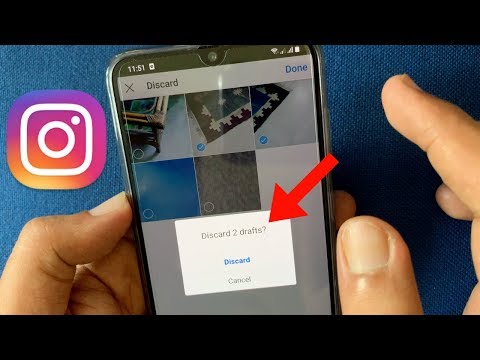
The user will be redirected to a standard page with a photo added. Now you can select a new picture, description and upload to Drafts.
In the section: "Draft publications" you can select "Manage". This is a category where the author can delete entries that are no longer relevant.
Edit the list of Drafts on Instagram:
Expert opinion
Maria
Instagram setup and new features expert.
Ask a question
Posts will be deleted from the temporarily saved ones and they can no longer be restored. When creating a draft, you need to remember that you do not need to delete the original recording from the smartphone’s memory. In this case, the post may disappear from the list of temporary ones.
No one sees your Drafts until you share them. The same applies to temporary storage: records are available for viewing only to the account owner.
How to create drafts in Stories:
As with publications, the user can return to the entry and continue editing. But in the case of temporary files for Stories, the profile owner can only add a design. This is text, sticker or mask.
Drafts in Stories are permanently deleted within seven days of their creation. Therefore, the profile owner does not need to clean the section on his own: by opening the tab, he will immediately see the number of days remaining before deletion.
Remove drafts from History:

Or, the user can select only one Story, proceed to editing it:
Only one temporary file can be deleted this way. The function of highlighting the number of publications is also in the "Management" section.
Recovering deleted drafts is only possible if the user has previously saved them to the mobile device. That is, when creating a post, he chose the option on top: “Save” and the post was moved.
You can also post drafts to Reels and then post them to your Feed. The user can only place an entry, make a description. And one more point : if you log out of your account or delete the application, you will not be able to restore the materials.
How to record a draft:
To place an entry that was recorded in drafts, you need to go to the appropriate section:
In this way, you can add the rest of the time, add a mask, text to the video. If you click "Back" then you will be able to add a new part of the clip. But only if it was not recorded to the maximum duration.
Ask a question
Drafts are deleted on Instagram regardless of the user's actions.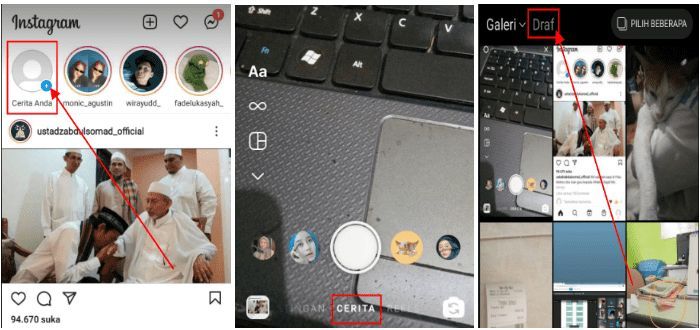 The social network has several sections that can be erased within a certain time: 30 days or 7 . This is to ensure that users do not store too much data.
The main reasons why drafts disappeared are:
In the latter case, it will not be possible to restore, for the reason that the social network is not a hosting for storage, and therefore is not responsible for the lost information.
If the original publication is deleted, errors are also possible. Therefore, before posting, it is better to store the source files in the Smartphone Gallery.
If the draft was recorded in Stories or Reels, then it can be received on a smartphone. In the case of publications: only after posting.