The Instagram hashtag debate is a hot topic.
For businesses looking to grow their Instagram views, finding the right number of hashtags can quickly turn into a headache.
Should you only use a few super niche hashtags, or should you use 30 hashtags? Do hashtags even work anymore?
There’s a reason why people always seem to be talking about hashtags. The rules are always changing, and they changed again in 2022.
Let’s dive in and find out how many hashtags on Instagram are optimal for your business.
Currently, you can put a maximum of 30 hashtags per Instagram post.
But is it really optimal to increase my follower count? Some experts will say yes, and others will suggest using fewer hashtags for better results. So which one to choose?
Our first tip is to experiment with yourself. Determine which hashtag group performs best by creating several different groups.
It may come as a surprise, but Instagram suggests using between 3 and 5 hashtags. The reason behind this low number is to use more relevant and better-quality hashtags to avoid spam. In other words: less is more.
Try this strategy and create the first group of 3-5 hashtags you will use for posts that you will publish on Monday, for example.
Then create a second group containing between 5 and 15 hashtags. You will use this group for Tuesday’s posts so that you can compare the results with your first group on Monday.
Finally, create a final hashtag group with 30 hashtags that will be used for Wednesday’s posts. Then on Thursday, repeat the experiment using the first group, Friday, the second group, and so on.
You will be able to compare the various outcomes and determine the optimal number of hashtags to use by using this rotation system over the course of a month.
Each business has its own characteristics according to its sector but also according to its service or product. Hashtags can be categorized into various groups, even if selecting the appropriate hashtags is dependent on your activity.
Let’s take a closer look at the various kinds of hashtags you should use now that you know better how to find the number of hashtags:
Now let’s look at how to find relevant hashtags for each of your posts. Here are three different strategies you can use:
A number of online hashtag generators can make it simple for you to locate hashtags that are associated with your industry or niche.
The tool will provide you with a list of hashtags that you can use in your posts by simply typing in relevant words.
For your Instagram hashtag strategy, the Explore page is a great source of inspiration.
Check out the “Top” results and search for keywords that are associated with your brand or content for the best results.
Take note of the various hashtags used in these posts to see if they might work for your content. It is evident that these posts are performing well with the Instagram algorithm.
You can search for hashtags that are related to a phrase, which is a feature of Instagram that is very helpful. You can view a list of related hashtags by switching to the Tags tab at the top of the Instagram search box after entering a phrase or word.
Instagram will display the number of posts just below the hashtag when performing the same search. You can use this to determine which hashtags are trending and use them to increase follower engagement.
Also, keep in mind that the volume of posts per hashtag is a very important metric.
Your post will probably be lost in the crowd if a hashtag has already been used on millions of posts.
Your post is ready to be published, but there is one more thing missing. If you have to add 20 or 30 hashtags to your post, it may decrease the readability and get your follower confused.
What are the best ways to hide your hashtags? Should they be hidden in the comments or the captions? Let’s take a look at some of the options available to you:
To make the caption less busy when hiding hashtags, you can add an ellipsis (a series of dots) or symbols (~) after it so that they’re hidden beneath the “More” button for your followers.
Keep in mind not to include any extra spaces at the end of your sentences or after each Instagram dot. If you do, it will cancel out the line break and ruin the effect.
Tucking hashtags into the first comment is the cleanest way to hide them on Instagram. Simply include the hashtags in a comment after your post has gone live with your list prepared.
Hashtags are still very useful in increasing your number of views per Instagram post. Finding the right number will require some practice and especially a good knowledge of how Instagram works.
Was this article helpful? Let us know in the comments below!
Instagram Tips & Resources
By Monique Thomas
•
Updated on November 12, 2021
•
8 minute read
How many hashtags should you use on Instagram? We've got the answer.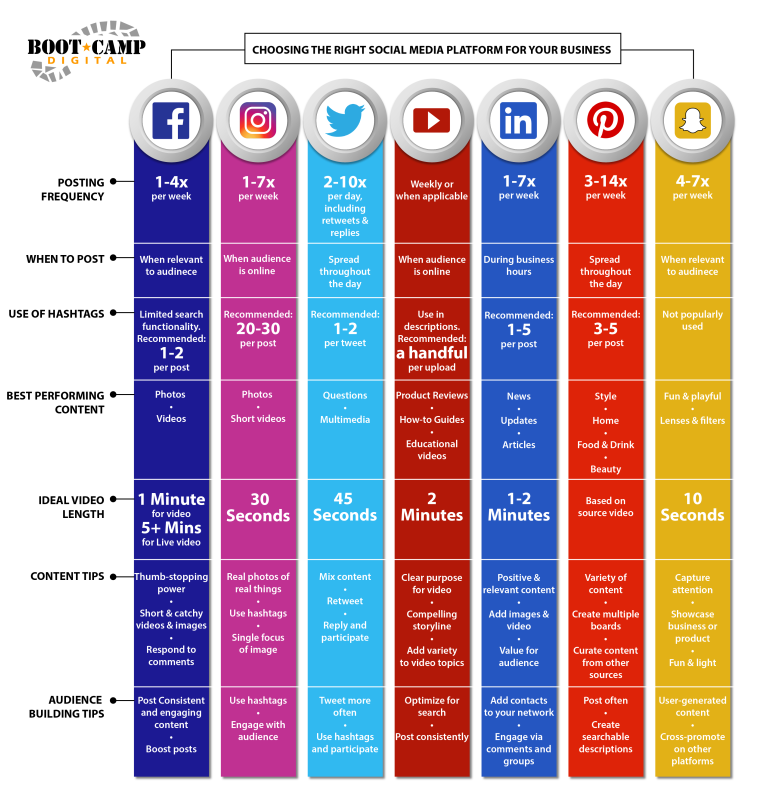
Published November 12, 2021
“How many hashtags should I use on Instagram?” It’s a question that’s created much debate on social media.
Should you only choose a few niche hashtags? Use the allotted 30? Are they even worth it anymore?
Later analyzed over 18M Instagram feed posts (excluding Instagram Videos, Reels, and Stories) to find the answer.
How Many Hashtags Should You Use on Instagram?According to a recent post from Instagram’s @creators account, users should use between 3-5 hashtags.
Yes, it surprised us too – especially when Instagram allegedly told creators to aim for 8-15 hashtags earlier this year.
As Instagram continues to expand their discoverability and SEO tools, it makes sense that they want users to experiment with fewer, more relevant hashtags – this could help them accurately categorize and recommend your posts in suggested content streams, like the Instagram Reels feed or the updated hashtag search tabs:
It could also be a way for Instagram to streamline spammy hashtag use.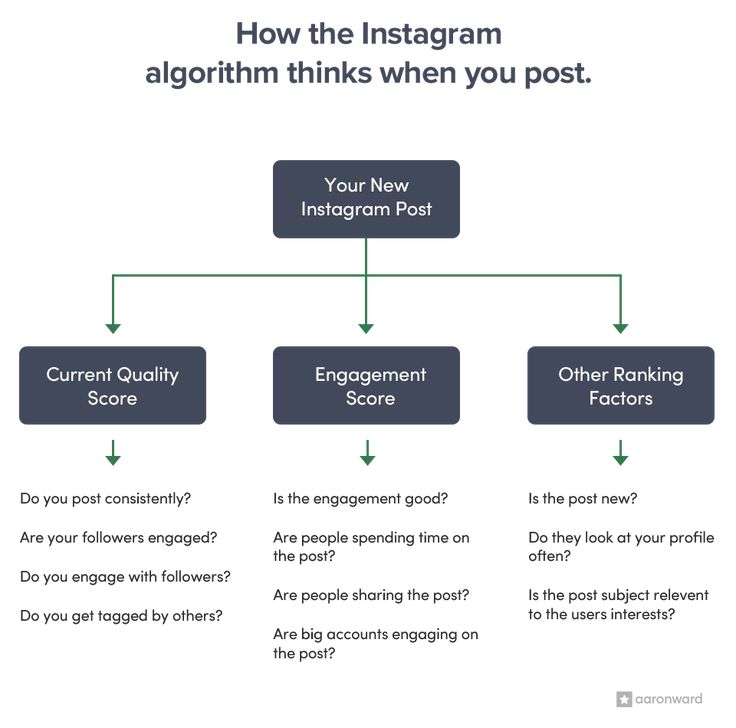 At times, users include irrelevant hashtags to try to maximize the full allotted 30.
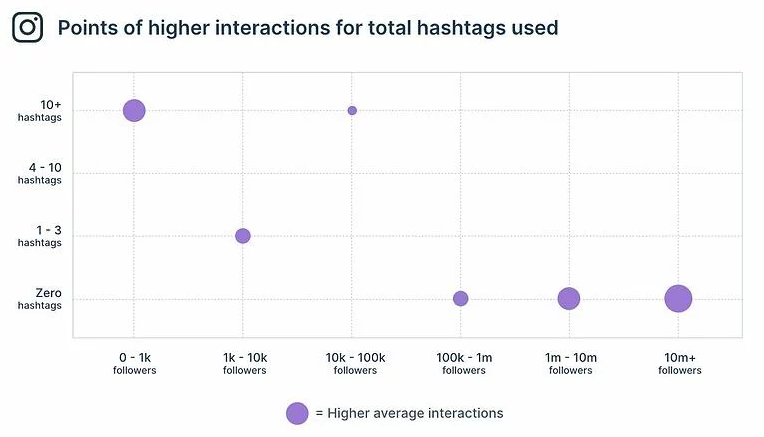
However, when we looked at how the number of hashtags impacts reach (after analyzing over 18M Instagram feed posts), we found that using more hashtags typically yields the best results.
As you can see, while posts with 20 hashtags receive the highest average reach rate, those with 30 hashtags are close behind.
We wondered if this trend had changed over recent years, and saw that the results were still pretty consistent in 2020:
And even more interesting: the average reach rate significantly increases as the number of hashtags increases beyond 5 per post – as reflected in the steeper curve graphs.
When it comes to average engagement rate, using 30 Instagram hashtags per feed post results in the most likes and comments:
Similar to reach rate, the average engagement rate grows significantly as the number of hashtags increases beyond 5.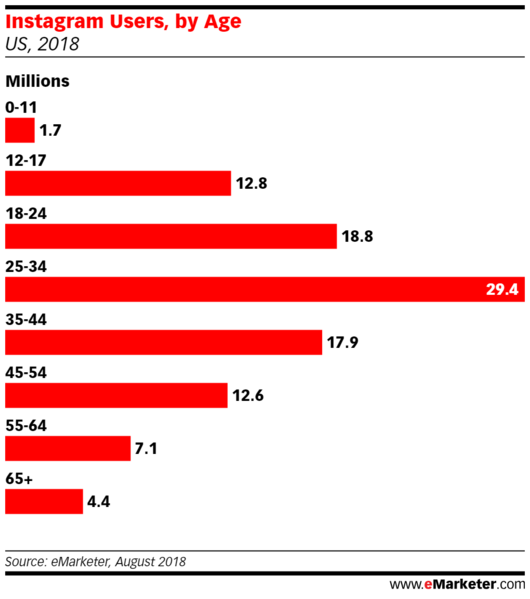
The takeaway? Go big or go home when it comes to your hashtag strategy.
While using a few hashtags is good, using 20-30 relevant (and targeted) hashtags is even better for your overall reach and engagement rates.
Still, one size doesn’t fit all, so you’ll want to analyze the performance of your hashtags to gauge what is and isn’t working (more on that later).
And remember: hashtags are a longterm game and not a quick fix for reach or engagement. But mixed with valuable content and a consistent posting cadence, you can reach new, highly-engaged audiences.
FYI: With Later, you can schedule your Instagram posts in advance for free (and access our Hashtag Suggestions tool on any paid plan). Sign up today!
How to Find the Right Hashtags for Your BrandOur data findings are clear: the more hashtags you use, the better.
However, using the right hashtags for your account is key.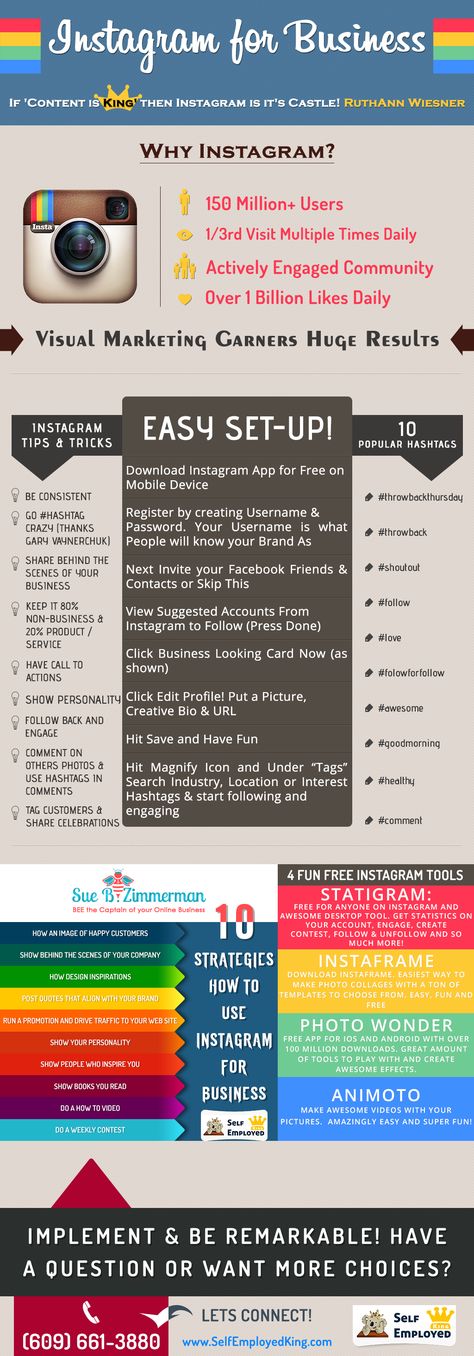 Every hashtag you use should be relevant to your content, audience, and business.
Later’s Social Media Specialist, Lindsay Ashcraft, agrees: “With the right hashtag strategy, you can increase your reach and build a community of people who’ll engage with your content.”
If you’re struggling with inspiration for which hashtags to use, it helps to break them into different categories and add more structure to your approach.
Here are five types of hashtags to consider:
Location-based hashtags, like #BryantPark or #LowerEastSide
Branded hashtags for campaigns or events, like #Later or #LaterCon
Industry hashtags that describe your niche, like #SocialMediaManagers or #WeddingPlanners
Community-focused hashtags to bring your community together, like #VanLifeLiving or #IAmASweatyBetty
Descriptive hashtags which describe the content of your actual post, like #WoodwickCandles or #SheaButterProducts
That said, finding new hashtags to use on Instagram can be time-consuming and takes some trial and error.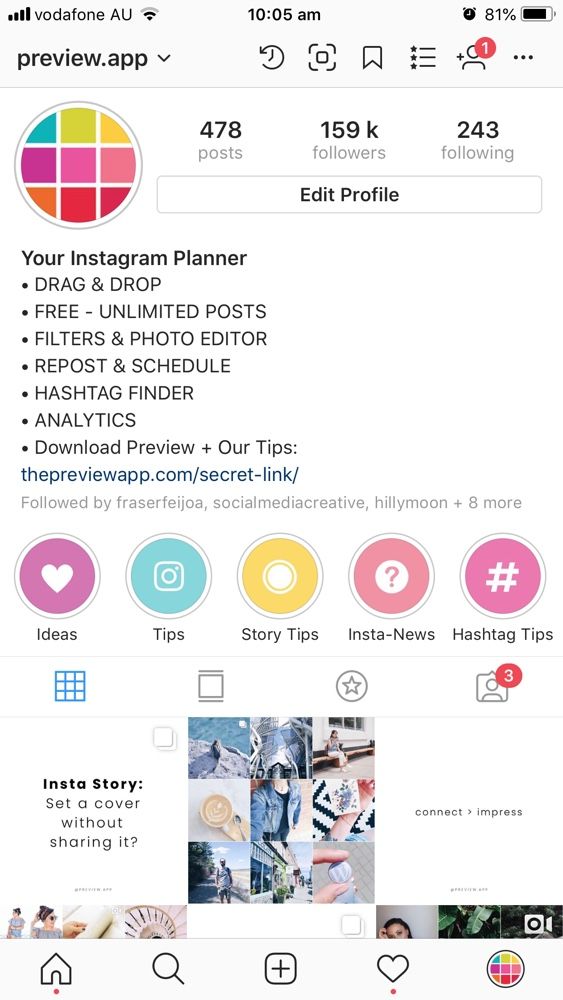
But don’t fret! There are some ways to streamline the process. Here are three ways to find the right hashtags for your brand:
Use a Hashtag Suggestion Tool like Later
Draw Inspiration from the Instagram Explore Page
Discover Tags Using Instagram's Search Tool
Later’s Hashtag Suggestion tool is an easy way to find hashtags based on the content of your post and similar hashtags in your industry.
To use it, type a hashtag into the tool’s search bar, hit “Suggest,” and it’ll immediately generate new hashtags, sorted by relevance:
“We use this feature to find new hashtags and keep our hashtag lists updated,” shares Lindsay. “It’s really handy! Make sure you’re typing in niche hashtags for the best results.”
Sign up for a Later account to find the perfect hashtags for your Instagram strategy – in just a few seconds!
#2: Draw Inspiration from the Instagram Explore PageThe Instagram Explore page is constantly evolving, with new topic categories and advanced search functionalities rolling out all the time.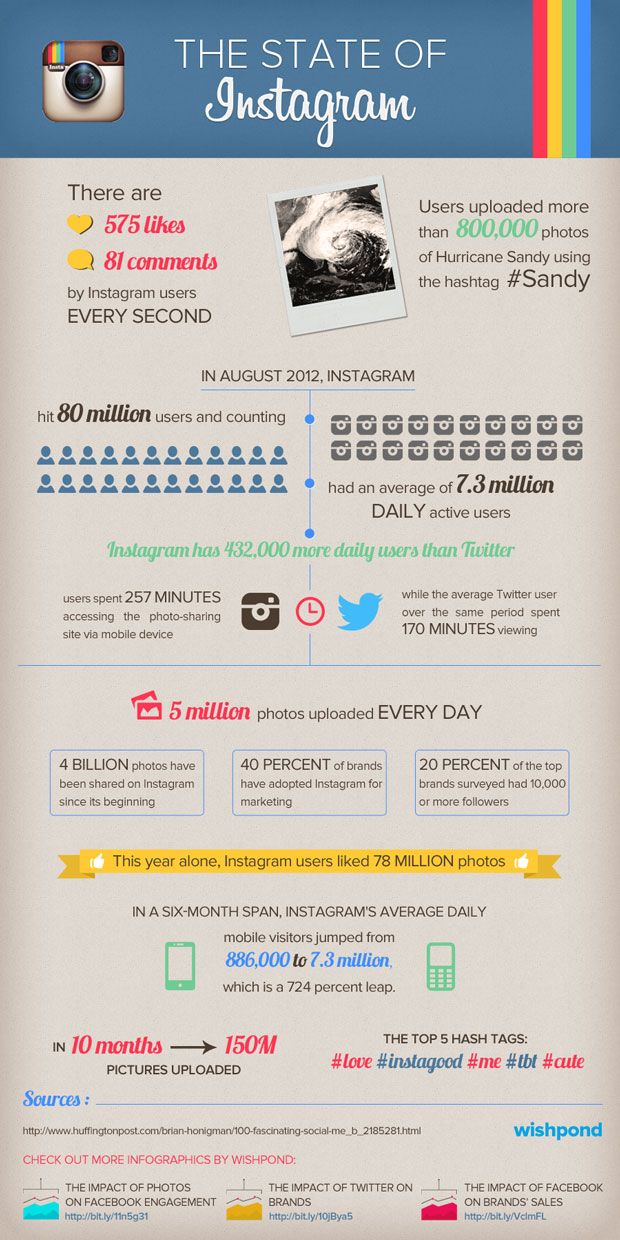
For example, you can now search by keywords to discover relevant content. Let’s say you own a candle company, and want to see what other accounts are doing.
Type “candles” in the search, and tons of posts will appear:
You’ll have the option to discover "Top" posts, scroll through accounts that have "candles" in their Name Field, and see posts with a tag containing that keyword:
Using these filters will help you identify posts that are both similar to your business and performing well in Instagram's search results.
While we don’t recommend copy and pasting their hashtag strategy, you can gain valuable insights that’ll help you when choosing hashtags you’d like to experiment with.
TIP: Keep on top of your hashtag lists by adding them as Saved Captions in Later. You can curate multiple hashtag lists and add them to your captions in two taps!
#3: Discover Tags Using Instagram's Hashtag Search ToolWhen it comes to finding the best hashtags, post volume is a really important metric.
If a hashtag has already been used on millions of posts, the chances are your post will be drowned out amongst the masses.
On the other hand, if a hashtag only has a few hundred posts, it's likely that no one is searching for it on the Instagram Explore page.
With Instagram's hashtag search tool, you can type in a hashtag and discover others that start with the same keyword, along with their post volume.
In this example, we’ll choose #SelfCare (55M posts):
As you scroll down, you’ll be able to find hashtag variations that are still popular but have less competition (we recommend using these!), like #SelfCareIsForEveryone (61K posts) or #SelfCareFam (27K posts).
When you tap on a hashtag, you’ll be able to see the type of posts that get the most engagement (in the Top tab), and use them as inspiration for structuring your content.
TIP: Add up to 30 hashtags to a comment rather than your post caption – they still work in hashtag search results! Later’s First Comment tool lets you schedule a comment to go live at exactly the same time as your post – available on all paid plans.
A great hashtag strategy doesn’t happen overnight – it requires constant trial and error.
“We’re big on experimenting,” says Lindsay. “We’re constantly testing new niche hashtags, trying broad ones, and seeing what generates the most engagement.”
Analyzing the performance of your hashtags is one of the best ways to judge the success of your experiments.
Without analytics, you won’t know what’s working and what isn’t – potentially losing out on opportunities to adjust your strategy and engage with new audiences.
With Later's Analytics tools, you’ll be able to track key insights about your hashtags – including a breakdown of which are driving the most likes, comments, saves, and reach on your Instagram posts.
Implementing a hashtag strategy is not only great for discoverability, but can help you build a community and drive engagement.
So, how many hashtags should you use on Instagram?
While 20 is the magic number for reach, and 30 is the magic number for engagement, they need to be relevant to your brand, content, and target audience.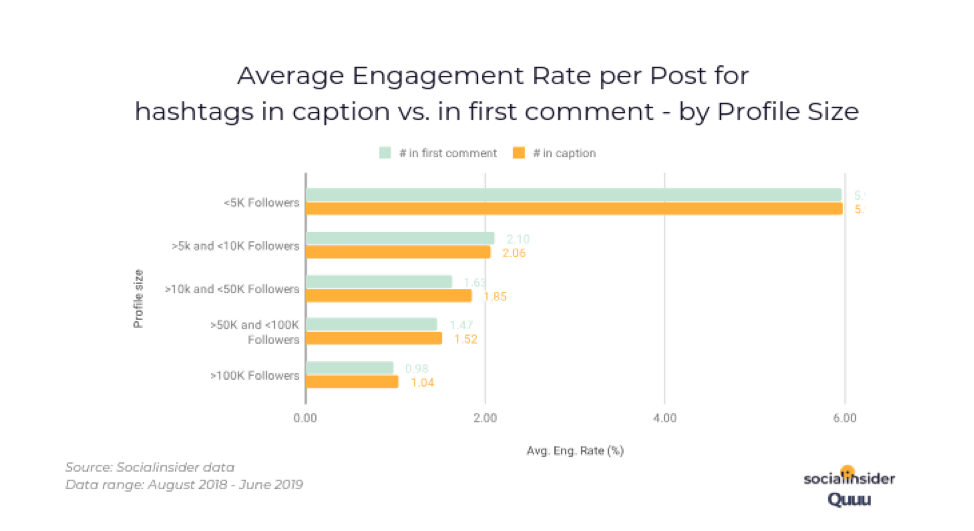
And remember: a great hashtag strategy takes time, so experiment and see what works for you!
Ready to start planning and scheduling your Instagram posts in advance? Join Later – the world's leading Instagram marketing platform, today.
Editor’s Note: Study based on analysis of 18.1M Instagram feed posts published via Later. Excludes Instagram Videos, Reels, and Stories. Data provided by Annie Yao, Nolan O'Reilly, and Barinder Thind.
About the Author
Monique is Later's Editorial Content Marketing Manager. You can usually find her sipping matcha or adding another book to her TBR list. Say hi on Instagram — @wordsbymonique
Category Instagram Tips & Resources
•
7 min read
By Amanda Demeku
Category Instagram Tips & Resources
•
6 min read
By Jillian Warren
Category Instagram Tips & Resources
•
10 min read
By Amanda Demeku
© 2023 Later. All Rights Reserved.
The classic idea of website promotion looks like this: “This is when you drive in the phrase “buy Syzran wallpaper” and my website is at the very top.”
Experienced specialists understand that now the conversation has turned to SEO promotion. And you won’t believe it, but Instagram also has a kind of SEO, using which you can attract subscribers to your account. And that's... Instagram hashtags.
If you are an active user of Instagram, you have seen a large list of blue words written through the bars (written as #) at the end of user posts. nine0003
Clicking on any of them will take you to a page dedicated to this word with a list of publications in which it is mentioned. Those are the hashtags.
By the way, I highly recommend our article. There we told everything in detail what we needed and how we appeared.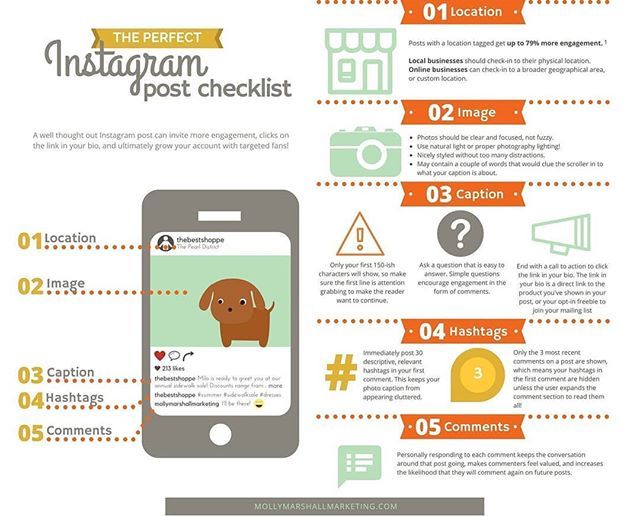
But let's get back specifically to how hashtags work on Instagram. So let's go.
HashtagsIn short, hashtags on Instagram are a special thematic tag that groups the content of different users into one group. That is, in fact - keywords, thanks to which you can find publications on Instagram that suit you. nine0003
Important. Next, you will learn a super-method for selecting the most popular hashtags on Instagram, but first we will learn the basics so that logical relationships form in our heads.
The correct use of hashtags will help attract people who are interested in this topic to your page, that is, in fact, your future customers. All that remains is to sell them your product / service correctly. But this is a topic for another article.
It seems that you don't need a lot of mind to write hashtags on Instagram. You take the words that fit the meaning and write in a row. But if you want to get the maximum, then you should still know the basic rules of how to put hashtags on Instagram correctly.
 If you write a lot of hashtags, the trick will fail and Instagram will either cut them or simply post posts without text at all. nine0036
 Chip. Where to put them? You can write hashtags in Instagram comments, more precisely, in the first comment, and not just in the post.
They will also be ranked. The quantity is the same - no more than 30 pieces. Below I will tell you how you can use it for your own purposes.
Remember I wrote that hashtags are keywords? The most interesting thing is that they, like keywords in contextual advertising and SEO, are distributed by frequency. nine0003
True, Instagram does not allow you to view the frequency of a particular hashtag. But it is possible to see how many publications are issued by hashtag separately. This is how they are divided:
To make it more clear: here is an example of a high-frequency, that is, a very popular (read hackneyed) hashtag:
High-frequency hashtagsAnd to complete the lecture part, I’ll also tell you that hashtags are divided not only into types according to the frequency of their mention, but also into the types of their use:
 Required hashtags by which your buyers can recognize your posts. In fact, this is your signature on Instagram;
 Important. Do not use ready-made lists of the best hashtags. They tacitly refer to the type of “Spam hashtags”, since there are almost no living or adequate people according to them.
Ideally, your key task, if we are talking about the right approach to doing business on Instagram, is to assemble the semantic core of your future business profile along with the content plan for Instagram. Optimally, it should be 100-150 hashtags, close to what you do and what you will advertise on Instagram. nine0003
As an advertisement
And right away. If you want to collect only popular hashtags in the hope of always being on top, then I can upset you.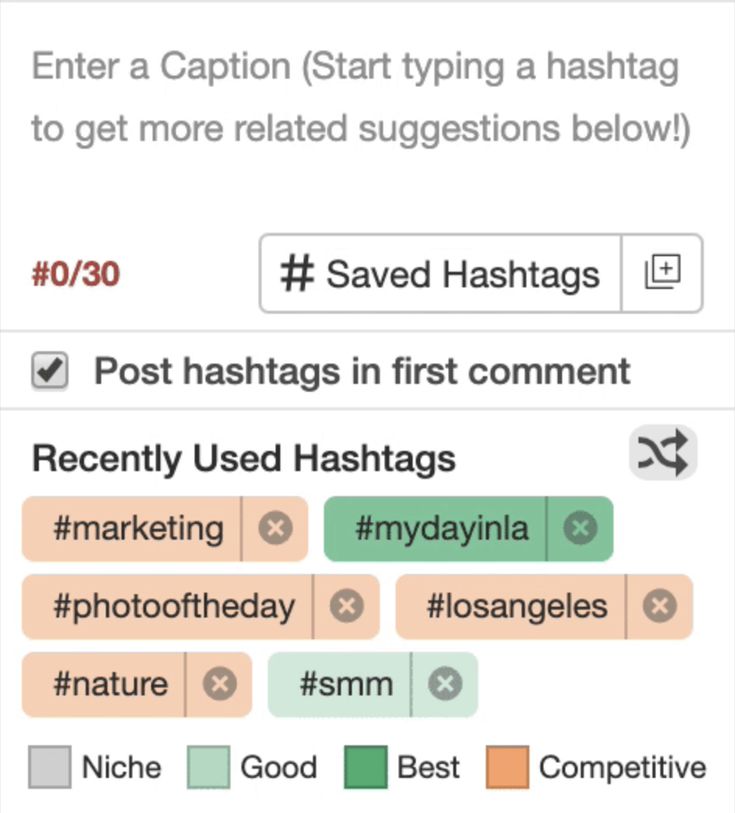 This will not give the desired effect, since either bots or people who themselves want to sell something “scam” them.
Therefore, when forming the semantic core, be smarter and collect an equal number of high-frequency, mid-frequency and other types of hashtags.
This will increase your chances of attracting customers, not fake pages. nine0003
How to choose hashtags? This can be done in three popular ways (bypassing spam lists of the best hashtags): manually, by “withdrawing” them from competitors, using special programs and services. I still recommend using a service where everything is already thought out and there is analytics - Instatag.
Its charm is that the hashtags are sorted by directions and there are even special classifiers like “hashtags for likes”. All you need is to go to the service and select the hashtags that you need. nine0003 Instatag
Do not forget to carefully study our article.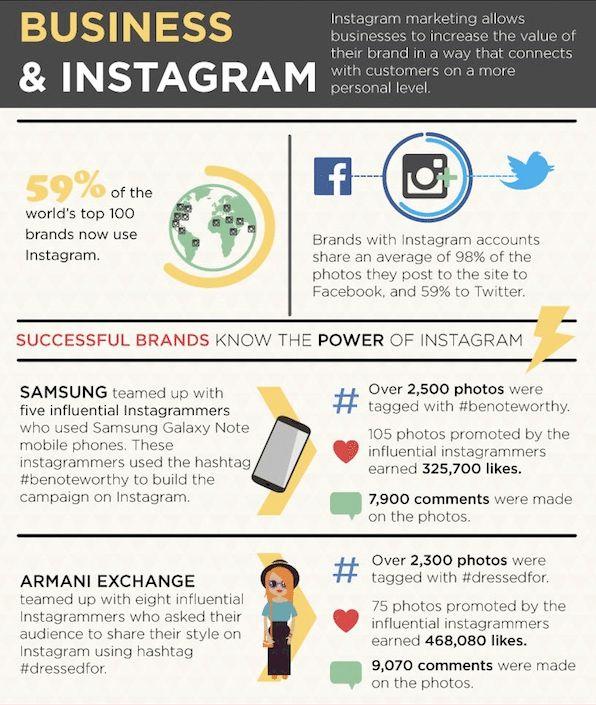 There we have collected the best services to promote your Instagram account!
Instagram is one of the few social networks in which hashtags play a significant role.
And that's why experienced marketers, advertisers, and people of related professions are so actively using them and teaching how to do hashtags on Instagram correctly. nine0003
But either they themselves do not fully understand Instagram algorithms, or people do not attach any importance to this, when using hashtags they make a lot of mistakes. Which negatively affect the promotion of their pages:
 nine0035 Another error. It is better to post hashtags like #stretch ceilings_vologda than just #stretch ceilings. The number of likes will be less, but there will be more customers;
 By the way, there can be 2 types of punishment for incorrect use of hashtags: complete deletion of the account (the worst) and “shadow ban”, this is when you see your publication, but the subscribers do not.
In general, punishment is an extremely rare phenomenon, but I was obliged to warn.
If we are talking about the classic hashtag scheme that most users use, then it's just to write a list of all the words that come to mind and are more or less relevant to the posted publication. nine0003
This certainly has an effect, and little by little traffic will be attracted. But there are smarter approaches to put them more efficiently that I recommend using.
Life hack. Optimize your customer interactions on Instagram with MyBotan. The chatbot will automatically respond to messages, save data about the client and his requests. And you can not only choose a ready-made answer template, but also create your own. Agree this will facilitate the work in the social network? Click and test 3 days for free -> MyBotan
Beforehand, you prepare hashtags for each post in the amount of no more than 20. The ideal number is about 10. And at the end of the post, highlight them in a separate block from the text. Readers will perceive this more loyally for the perception of the main text.
In the text of the post itself, you need to place several hashtags (preferably 2-4), scattering them along the entire length.
The remaining 7-10 hashtags, you post in the first comment. This is how we kill 2 birds with one stone: it all looks beautiful and users go inside the post to look at the comment. nine0003 Native variant
The main task of hashtags is to attract traffic to the site and help the publication to reach the TOP or up the user feeds.
Therefore, you can use the following trick, which is called the “like bomb”. In the post itself, you publish 30 hashtags, in the first comment 30 more.
At the start, this will give a small but increase in likes. In addition, do not forget that you need to “give impetus”, that is, boost likes and comments with the help of special services, for example, TmSmm, Instaplus. pro. nine0003
Two moments. After a couple of days, don't forget to remove most of these hashtags, leaving only low frequency ones. Otherwise, Instagram will impose restrictions on you as a spammer. The second point - do not repeat such a thing often. Otherwise... you know the punishment.
Bomb versionThat's all. To be honest, I gave away almost everything I knew.
Hashtags are a good way to attract customers, if used correctly, and not mindlessly stamped, attracting people who work through mass liking. nine0003
All that is required of you now is to apply all the knowledge gained in your Instagram account. And then, do not stop and constantly work on updating them, because today you are doing well, and tomorrow your competitor is also doing well, and the overall effect is not the same.
Interesting. Get more hits and sales on Instagram with the help of the top Taplink multilink service. With it, you can create any form of communication (viber, WhatsApp, Telegram), create cool websites and online stores, and accept orders and payments directly on Instagram. Click and test 7 days for free -> Taplink (Promo code "inscale7")
Without hashtags, nowhere. We put them under posts, insert them into stories and Reels. We are looking for companies, publications, places, interesting information on them. But there are a few questions: how many hashtags can I insert on Instagram* and do I need to use all available tags in each post?
We figure out how many, how and what hashtags can be inserted on Instagram* in any publications.
We have talked about the benefits of using hashtags on Instagram* many times in our posts. For example, in the articles “How to correctly write hashtags on Instagram*: guide” and “Why do we need hashtags on Instagram* and how to use them in 2021”.
The effectiveness of hashtags has not decreased in 2021. They are still used by businesses that want to make it easier for users to interact with an account and break into recommendations, and users who need to quickly find content on a specific topic or improve page navigation. nine0003
To make it easier to select hashtags for publications, use the help of our telegram bot "Gennadia". It does a great job of tagging any content. Send him a photo for a post - and choose the hashtags that you like from the suggested hashtags.
The maximum number of hashtags for a photo or video is 30. You won't be able to add more. Your post will not be published until you remove the extra tags. You can, of course, send them in the comments, but then it will be a fence of hashtags, not a post. nine0003
Before littering each entry with a lot of tags, consider whether it would be useful. You should not use more than 8-10 hashtags under one post, otherwise they look like a sheet.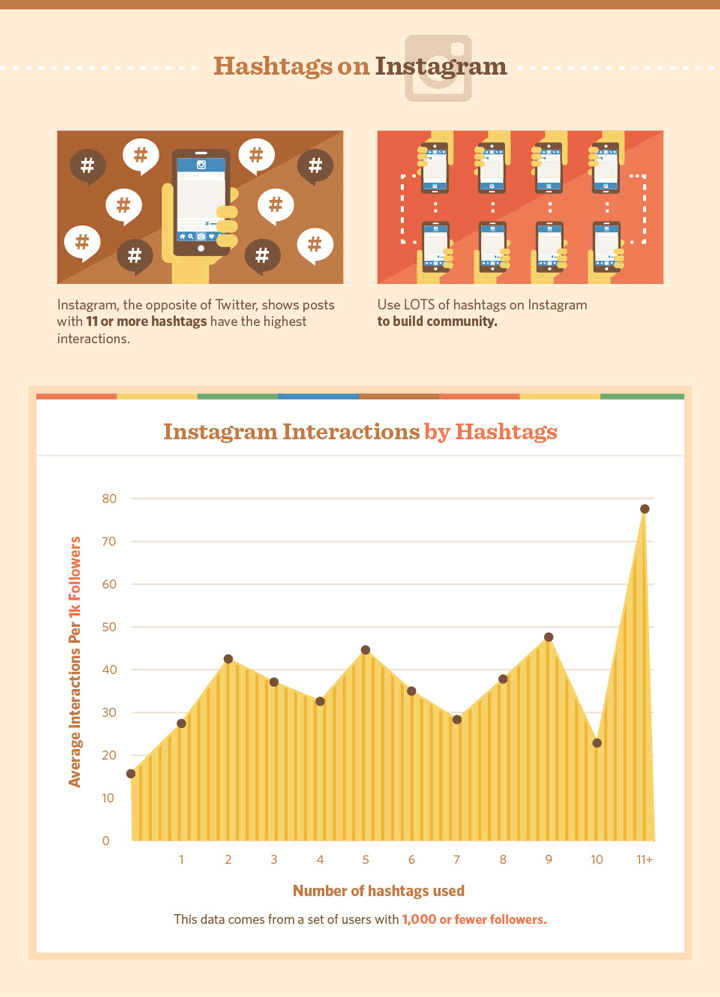 Not every follower who comes to your page will like to wade through a lot of hashtags. Few people will read all 30 tags, and, most likely, they will leave your page without checking in under the post. Socialinsider's 2021 detailed hashtag study confirms that it's better to use 6-12 hashtags rather than all 30.
Please note that using the maximum number of hashtags under each post may result in account shadowban.
If you want to find hashtags that will help you collect likes, read our article “What hashtags to use for likes on Instagram* in 2021”. In it, we figured out in detail which tags should be put to get likes, and which ones are better to refuse. Of course, hashtags alone will not work to increase the number of likes and subscribers, as well as promote the page. Even if you insert the maximum number of tags. To understand how to market with the right amount of tags, check out our article How to Promote Services on Instagram* in 2021. nine0003 Thai noodles heavily seasoned with hashtags
Add 6-12 tags to posts that best reflect the content of the post. Then the user will not cling to a huge number of tags. You can read more in Socialinsider's 2021 hashtag study, but it's in English.
Our blog has an article "How to write hashtags on Instagram *: guide". It tells you how best to write tags in posts, reels and stories, what types and types there are, and why you should use them on Instagram*. Read it, you won't regret it :-)
Stories tend to have smaller reach on Instagram* compared to posts. But users are more likely to interact with content, thanks to stickers and other built-in communication tools. They evaluate the quality of interaction with the audience of a blogger or a company.
You can use no more than 10 hashtags in stories. But this will be a lot. The recommended number of tags per story is 3–5. There is not much space for text in the History, so you need to try to fit everything. nine0003
We have an article about why hashtags are on Instagram*. Read it if you want to develop your account and understand relevant tags.
There is also a hashtag limit on Instagram* when posting Reels. A maximum of 30 tags can be inserted. Here is the same rule as in the posts: a clear match to the topic of the video, otherwise the user can hide you from the feed. It is better to put several tags - 3-5, but on the topic. To make it easier to insert hashtags, look at the reels on a similar topic and use the author's hashtags. Or take a look at our collections of "80 hashtags for promotion and promotion in social networks" and "Popular hashtags about nature: how and why to use." nine0003
There is a possibility that when using hashtags in rils, the video is driven into certain limits and stops collecting maximum views. Learn more about this format in our article "Instagram Reels: Everything you need to know about Instagram Short Reels*".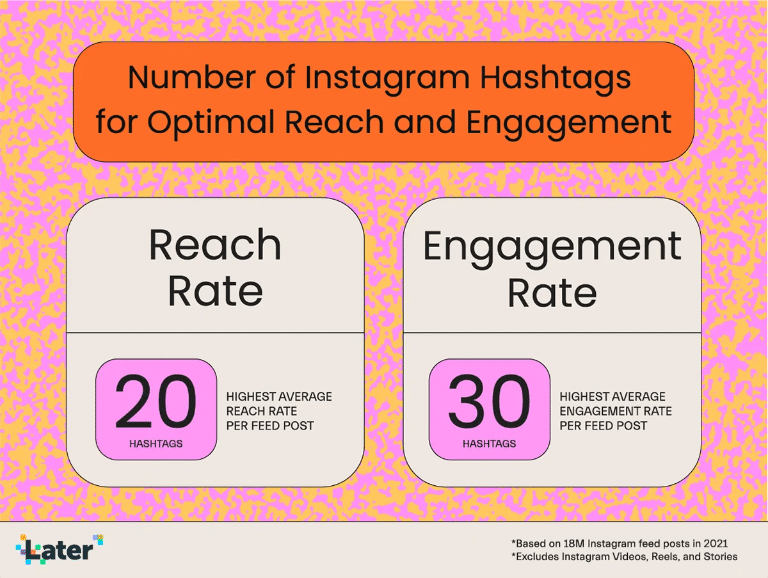
There are some tags that you should not insert into posts for various reasons. They will not be banned for them, but user factors will also not be up to par. Below are 3 common types of hashtags for which subscribers will not say thank you. nine0003
What we talked about above. If you write posts about construction, you do not need to use the hashtags #vacation, #earnings and the like. What the post is about is in the hashtags. The exception may be unique hashtags of the company, which should be used more often.
Another type of hashtag that does not add value to the post is high-frequency hashtags, the publications of which have exceeded one billion. If you insert such a hashtag, then the post will linger in the search for only a couple of minutes, if not less. And then it will get lost in the thickness of others of the same kind, which came out a couple of minutes later.