While Instagram started as a simple photo-sharing app, it has become a very flexible platform with several powerful, entertaining, and fun-to-use features. One such feature is Direct Messages (DMs), added in late 2013. Since then, DMs have become a go-to standard for communication by heavy social media users.
If you ever experienced the agony of waiting for a reply, you can at least squelch some of the waiting pains by confirming that they saw the message.
In this article, you’ll learn how to tell if your recipient saw your Instagram direct message. While that won’t help you receive a reply any sooner, you will at least know that the other party has seen your message.
If you have never used Instagram DMs, here’s a section on how they work. If you already know, feel free to skip to the next section.
DMs are very useful and straightforward (unlike some Instagram features that require tutorials). Instagram DMs don’t offer anything other chat apps don’t have, but the service is built into the app and allows you and your friends to have a dialogue focused on picture postings without switching between apps.
Instagram DMs work more or less like messaging in any regular chat app; the message is sent internally within the app’s platform (not sent externally as with an SMS message). The recipient will receive a notification that you’ve sent a message assuming they have notifications turned on.
How to Send a Direct Message to Any Profile on Instagram using Android/iOS/iPhoneAnother method of accessing the DM system is by viewing someone’s profile. This action is beneficial when you stumble across a person/organization/business with content you like or recognize and want to reach out to them.
Unlike some platforms, where messages from people who aren’t connected are considered somewhat suspect, Instagram DMs always get sent to the recipient’s mailbox. Instagram does this to increase the level of engagement between its users.
Instagram provides immediate feedback to tell you that a message has been read (or at least seen) by its recipient. If the message is private (one-on-one), you’ll get the status using the following steps.
Depending on the type of message (group or private) and the relationship between you and the recipient (unfollowed, followed, following, or not following), your read receipts may be different, including not getting a “Seen” confirmation or seeing their Instagram handle or username next to the “Seen” status.
Unfortunately, no. The only option you have to read messages without alerting the sender is to put your phone in Airplane Mode, read it, close Instagram, and turn Airplane Mode off again.
No, there is only one read receipt, which appears when you first read the message.
The paper airplane icon next to your message merely means your message is sending.
If you hold down on a message you’ve sent on Instagram, you’ll get the option to ‘Unsend’ it when done in a timely manner. Although the recipient may have already viewed and read the content, they won’t be able to see it any longer.
While you can’t block someone from sending you a DM without completely blocking their profile, you can mute their conversation. This action is handy when someone is spamming you, or you simply don’t want to read their messages. Open the person’s DM and tap on the person’s username in the upper left-hand corner of Instagram. From here, toggle the option to Mute Messages. The other user will still be able to send you messages, but you won’t get a notification from them.
Instagram has always been known as a visual platform where one can share highly filtered pretty pictures and videos with everyone they know.
Instagram allows you to use visuals as a medium to connect with your followers and loved ones. The platform further enhanced the users’ experience when it launched the Instagram Direct feature and the subsequent Direct Messages (DM) update in 2013.
Instagram helps businesses create brand awareness and communicate with their customers. Instagram Direct has become a significant feature for all Instagrammers, especially businesses.:no_upscale()/cdn.vox-cdn.com/uploads/chorus_asset/file/3842156/IMG_0332.jpg)
It plays an imperative role in the business model of many thriving businesses. So, if you have a business or use Instagram for fun and want to determine whether someone has seen your message and is ignoring you, this article is for you.
If you are wondering whether you have not received any reply because the person has not seen your DM or is just ignoring you, then this article will help you identify that snake. Keep reading for more!
Table of Contents
You can use several methods to send a DM to an individual or initiate a group conversation on Instagram.
Method #1: From Existing ChatHere’s how to send a message to an existing chat on Instagram:

Follow these steps to send a message by creating a new chat on Instagram:
Another method to send a message on Instagram is from their profile; follow these steps:

Well, it’s pretty straightforward!
After you have sent a DM to someone, look for the word “Seen” at the bottom of the message. If it appears, then it means the person has viewed your message.
Similarly, you can tap the message to double-check if the “Seen” status does not appear at first. This “Seen” status on Instagram is like “Whatsapp” blue double ticks, meaning the person has read your message.
So, if a person has not replied to you after seeing your message, it means they did not want to or perhaps did not get a chance (optimistically speaking).
Similarly, in the case of the group chat, you will see the profile names or pictures of people next to the “Seen” status.
You might also see a few profile names with a “+” sign indicating many recipients have viewed your message. You can tap it to view the complete list.
Here we have debunked how you can determine whether someone has viewed your message on Instagram. People may have many reasons for not replying to your message. They might be busy or do not want to respond to you.
Whatever it is, it is now up to you to decide whether to call them out or cut ties with all those who do not consider your message worthy of a decent reply. You can also ignore them for their insolence and be a bigger person here.
No, you cannot. If you have seen any message on Instagram, it will let the sender know with the “Seen” status at the bottom.
You cannot stop receiving anyone’s message on Instagram unless you block their account. However, you can mute their message to stop receiving any notifications.
To mute a message, tap on the conversation to open it, and click on the username on top.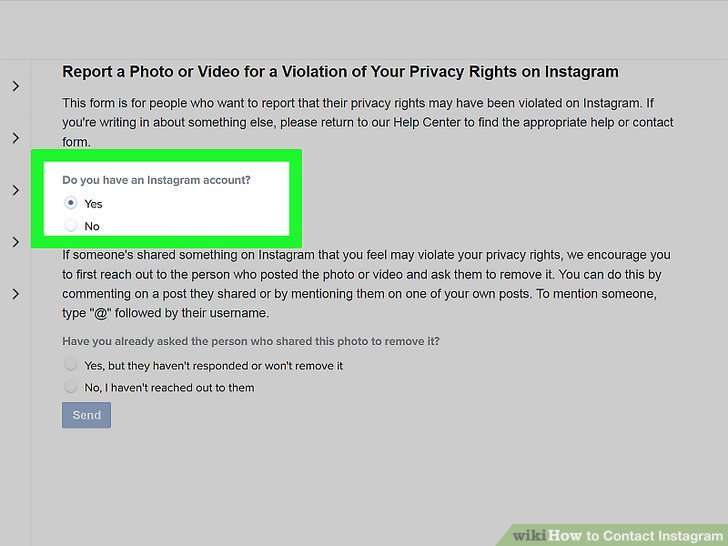 Navigate to the “Mute messages” option and turn on the toggle next to it to mute the message.
By Milena Anderson Reading 5 min. Views 160 Posted by
Short answer
Can I read messages on Instagram without them knowing?
Yes, you can read Instagram messages without them knowing. However, you will need access to that person's account.
How do I know if my Instagram message has been read?
It's impossible to know for sure if someone has read your Instagram post, but there are some clues that can give you an idea. If another person has read your message, there will be a small blue checkmark next to their profile picture. Also, if you look at the message thread between you and the other person, the text will be highlighted in blue with a small checkmark next to it.
How do you read DM without seeing words?
There is no reliable way to do this, as DMs often say "seen" when they are being read.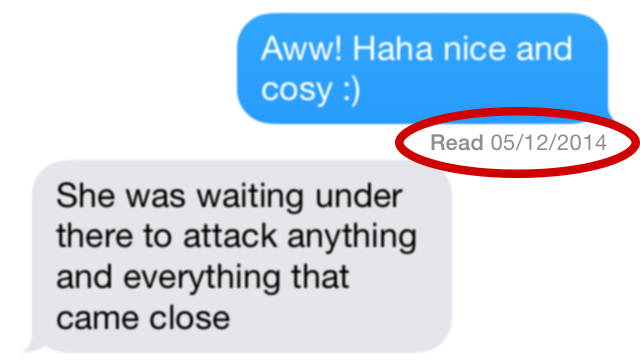 However, one way to avoid this is to open the message, quickly type in a reply, and then close the message before it says “viewed.” This way, the other person will not see that you have read their message.
How can I read messages without being seen?
There are several ways to read messages without being noticed. One way is to use an app like Signal or WhatsApp that has a "Read Receipt" feature. This will let the sender know when you have read their message. Another way is to open the message in a separate window or tab. This will keep the message open, but not in the foreground of the screen.
Why is it not showing up on Instagram?
There can be a number of reasons why your posts aren't appearing on Instagram. One possibility is that your account is set to private and only approved followers can see your content. Another possibility is that Instagram has chosen to hide your posts from the general public for some reason. If you think this is the case, you can try contacting Instagram directly for more information.
How do you know if someone has opened your Instagram direct message?
If you have an Instagram business account, you can see who opened your private messages by going to "Statistics" and selecting "Messages". If you have a private account, you won't be able to know if someone has opened your message..
Can I turn off Instagram DM viewing?
Yes, you can turn off Instagram DM viewing. To do this, open the Instagram app and go to your profile. Tap the three bars at the top left of the screen and select Settings. Scroll down and click "Privacy and Security". In the "Message settings" section, disable "Show preview".
How do I unread a post on Instagram?
There is no clear way to unread an Instagram post.
Some users have reported that you can simply delete the message and it will disappear from your inbox.
Others say that you can mark a message as read and then unmark it as read.
Still others say you can just leave the message unread.
How do you know if someone has read your Messenger message?
There's no definitive way to know for sure if someone has read your Messenger message, but there are some clues you can find. For example, if a person's profile picture turns blue, that means they've seen your post. Also, if you send a message and it doesn't show up as "read" immediately, but the other person replies to it later, that could also be a sign that they didn't see it when they sent it.
Why does Instagram say what you saw?
Instagram's "viewed" feature lets users know when the person they sent a message to saw it. This is useful for tracking conversations and making sure messages are being read.
Why does it say open but not read?
The phrase “open but not visible” is often used to describe a situation in which something has become available but no one has yet taken advantage of it. There can be many reasons for this, such as an unpopular element or inconvenient access. In some cases, this can also be due to a lack of awareness of the element's existence.
How to mark a post as unread 2021 on Instagram?
To mark a message as unread on Instagram, open the conversation, press and hold the message. Then select Mark as unread from the menu.
What does it mean when a message is delivered but not read?
There are several different reasons why a message might be delivered but not read. The most common reason is that the recipient's phone is turned off or out of range. If the recipient has read receipts turned on, you'll be able to see that the message was delivered but not read.
Are ignored messages displayed as delivered?
Yes, ignored messages will show up as delivered in the Sent Items folder. However, the recipient will not see the message as delivered and will not appear in their inbox.
What is the difference between sent and delivered?
Sent when an email has been sent to the recipient but not yet delivered. Delivered when the email was delivered to the recipient's mailbox.
Instagram is a rapidly growing social network that connects people around the world. Now it's not just an opportunity to create your own blog and share your life, but also a full-fledged way to communicate. When the Direct messenger was added, the contact between users became even closer.
However, some people get confused when they see a rather complicated interface: it is not always immediately possible to understand when an SMS sent to the interlocutor has been read and when not. In this article, you will learn how to check if a person has read a message.
You can find out if a message was read in a direct message immediately upon entering the dialog. The information will be written at the bottom, under a cloud of text. (PIC by myself)
Owners of all devices have the opportunity to find out if a person has read a message: this can be done both from an Android and IOS phone, and from a computer.
The written message will be delivered to the recipient immediately after sending. Soon he will receive a notification about the desire of another user to start a correspondence. As soon as he accepts the request, the sent text will be displayed in front of him, and a notification on your screen that the message has been viewed.
Depending on how much time has passed since the dialog was opened, it will be written next to it when the recipient read the direct (for example, “just now” or “a minute ago”).
So, how to understand if a message has been viewed while sitting on the phone? As soon as you send an SMS, the date of sending and the text itself will be displayed in the dialog. Mobile applications of both operating systems, Android (first image) and iPhone (second), have almost the same interfaces.
When the interlocutor opens the dialogue and reads the message, the word “Read” and the time when the SMS was viewed will be displayed below.
Probably, some users are interested in knowing how read messages look like on a computer. In fact, there are no strong differences with the mobile version, and only some design elements are different - icons, fonts, and so on. The sent text, as in the version for phones, is enclosed in a small field. At the bottom, when the dialog has not yet been opened by the recipient, nothing is written.
But as soon as the sent text is noticed, a notice will be displayed under the SMS - “Viewed” and the time when this happened.
When one sent message hangs alone in a dialog, it means that the recipient has not yet read it. In this case, you need to wait until the user opens the conversation.
If a person does not respond to your message for a long time, but is still online, you can assume that while he is simply ignoring you, you can understand this by looking at the main screen of Direct.
This describes who and when was last online and did something.
Read also: Instagram shows who is online: how to hide and see the status of
There are many interesting features on Instagram that make using the social network much more convenient. One of these is the ability to quietly read the message. A very handy feature, isn't it? After all, what kind of person did not want to at least once in his life did not encounter a problem when he really did not want to answer in an objectionable situation, and the interlocutor was already notified of reading!
First, until the request for correspondence is accepted, the user will not know the read status of his messages. But even if the application was approved, it is possible to leave SMS unread. To do this, you need to add unwanted personalities to "Restricted Accounts". Here's how to do it on your phone:
It is also possible to add this restriction in other ways. For example, directly from the dialogue (however, if you already have an unread message in the correspondence, it is better to use another method).

Another way is through the profile:
The same result can be achieved from a computer, but only in one way - through the profile.
Read also: Enable and disable Disappearing messages on Instagram
Instagram users often have questions about the messenger, and the most popular of them are answered below.
"- How to make a message back to the "unread" status?"
Unfortunately, there is no such feature on Instagram at the moment.