September 11, 2018
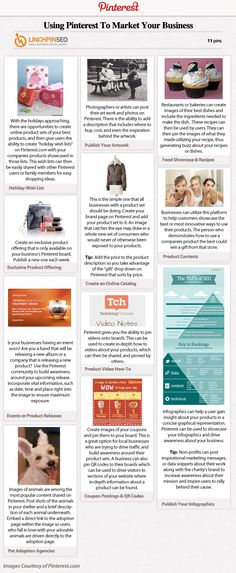
While people are just beginning to write their Christmas shopping lists, many businesses are putting the finishing touches to their festive season strategies. And as we shared earlier this year, we're always working on new ways to help businesses visually merchandise their products – and the festive season is prime time to make products more visually appealing. In fact, last year on Facebook, there were more than 450 million views of Black Friday and other related videos over the Thanksgiving shopping weekend.1 That's why we're introducing new creative enhancements to help advertisers make their products shine this festive season.
Last year, we launched overlays for dynamic ads, which let advertisers automatically add price and discount tags on creative assets for product ads. Today, we're expanding overlays so that advertisers around the world can build customisable creative templates for their dynamic ads to showcase products in more compelling ways. For example, if a retailer wants to create a Black Friday campaign with a product catalogue, they can now create their own Black Friday overlay to more visually promote discounted products. Two major retailers that tested the new decorative borders increased their return on ad spend by 40% each.2 While overlays for dynamic ads are a great idea for the upcoming festive season, they can also be customised to fit any holiday throughout the year and can be used in non-seasonal campaigns as well.
We recently launched the video creation kit to help make it easier for businesses to create mobile-first video ads, particularly for businesses that may not have production budgets to shoot custom Facebook video ads. In the coming weeks, we'll be adding new holiday-specific templates and stickers to the video creation kit to help businesses more easily create video ads that showcase their products with holiday-specific visuals.
Something Went Wrong
We're having trouble playing this video.To watch the video, please upgrade your web browser.
Learn more
Last year, we launched collection ads to help advertisers visually inspire mobile shoppers. Today, we're announcing two updates to make collection ads more immersive and personalised.
1. Soon, advertisers will be able to direct shoppers from the collection ad format to the updated instant storefront template, formerly known as the sell product template in Canvas, where they will have the option to automatically organise products from their catalogue into more personalised groupings such as "Suggested for you" and "Most viewed" to boost engagement and conversions. Early testers of the new instant storefront template have seen increases in their conversion rate as high as 9%.3
Something Went Wrong
We're having trouble playing this video.To watch the video, please upgrade your web browser.
Learn more
2. Instead of having to upload your own videos into a collection, advertisers using the instant storefront template can now add a video that we'll automatically generate, personalised with relevant products from your business' catalogue. This makes the video creation process easier for advertisers and will help people see ads that are most relevant to them.
Something Went Wrong
We're having trouble playing this video.To watch the video, please upgrade your web browser.
Learn more
Sign up for our monthly newsletter for the latest updates, insights, marketing trends and articles from Facebook.
Sign Up
Announcements
Announcements
Was this page helpful?
Meta technologies
Messenger
Audience Network
Oculus
Workplace
Tools
Free tools
Facebook Pages
Instagram profiles
Stories
Shops
Meta Business Suite
Facebook ads
Messenger ads
Instagram ads
Video ads
Ads Manager
Goals
Set up a Facebook Page
Getting started with Messenger
Build brand awareness
Promote your local business
Grow online sales
Promote your app
Generate leads
Measure and optimise ads
Retarget existing customers
View all goals
Business types
Small business
Large businesses
Agency
Media and publisher
Creator
Developer
Start-up
Business partner
Industries
Automotive
B2B
Consumer packaged goods
E-commerce
Education
Entertainment and media
Financial services
Gaming
Property
Restaurants
Retail
Technology and telecom
Travel
Inspiration
Meta Foresight
Creative guidance
Business news
Case studies
Video
Events
Creative Hub
Skills and training
Online learning
Certification programmes
Webinars
Guides and resources
Ads guide
COVID-19 resources
Safety and integrity
Business equality
Find a business partner
Site map
Business Help Centre
Create and manage accounts
Publish and distribute content
Advertise
Sell on Facebook and Instagram
Monetise your content or app
View All Articles
Any customisations that you make to your shop will look the same across Instagram and Facebook. You can customise your shop by curating collections, choosing a layout, deciding which products to showcase and selecting a button style. When you update or make changes to your shop, the changes will appear across all of your selected platforms.
Organise products into collections themed around seasonal events, promotions, upcoming launches and trends. You can feature one or more curated product collections in your shop. Each collection will have a name, a description, a cover image and a selection of anywhere between 6 and 30 products.
Your shop visitors will see your collection first, and can click to see the products within them. On Instagram, people can swipe up to browse your collections.
Use Commerce Manager to set up and customise your shop, and create collections to showcase your unique products.
In Commerce Manager, select Collections to get started.
In Commerce Manager, select Collections to get started.
Enter your collection details:
Enter your collection details:

Select the products that you want to feature in your collection. You can choose between 6 and 30 items.
Select the products that you want to feature in your collection. You can choose between 6 and 30 items.
Review your collection details, and once it looks good to go, select Confirm Details.
Review your collection details, and once it looks good to go, select Confirm Details.
When you've finished, you can go on to create another collection or customise your shop. Click Publish when you're ready, and your customers will see the updates straight away.
When you've finished, you can go on to create another collection or customise your shop. Click Publish when you're ready, and your customers will see the updates straight away.
Use the Layout tab to add, remove and arrange collections in your shop.
Choose at least one collection to feature at the top of your shop. This is a way to highlight the ones that you want your customers to see first.
Customise the look and feel of your shop by changing the size, colour and appearance of the text and buttons in your collections.
PREVIOUS
NEXT
Was this page helpful?
More courses
In this article I will talk about promotion on Facebook, one of the most capricious and complex social networks. I will show 10 successful posts with analysis and give advice on how to promote a page on Facebook.
Let's start with something tasty 🙂 The FRESH online store advertises a product using a recipe. Thanks to a good photo, the post is appetizing, I want to buy products and create the same dish - the recipe is right at hand. nine0004
The next is a post on the Facebook page of the MIF publishing house, advertising a course on self-acceptance. Here is a good illustration that captures attention - first you see the image, then you decide to read the text.
Read the post and see how it is structured. The text is short, but there is all the necessary information to interest a person. First, a short title, then an inspirational quote, and then technical details and a link to details.
Post from the Dominos pizzeria in cooperation with the quest company Mozgva. This is a great example of how brands can team up to promote on Facebook. Well, the space illustration with pizza and cats is good. nine0004
The LABA online educational platform has made a useful post - illustration cards with thoughts from the book. If you have a designer, take a look at this option - useful selections provide good audience engagement.
Another Facebook post with good text and a cool illustration is the announcement of the report from the 8P conference. The text is structured in paragraphs and emojis, the most interesting moments of the report are included in the announcement. The corporate bright style of the illustration will surely attract attention in the feed. nine0004
April Fool's post on the IKEA Facebook page. The company suggested using pictures with interiors for the background of video calls - the option to replace the background is in the Zoom service, which many companies have switched to due to remote work. The idea is great, even without jokes. By the way, the post got several times more likes than the average of any other post on the IKEA page.
Another interesting idea for promoting on Facebook is from the Webpromoexperts academy. The guys launched a series of “believe / don’t believe” posts - they tell some unusual fact about marketing, and subscribers need to guess if it’s true. GIFs for laughter and attracting attention in the feed. nine0004
Fitness does not lose heart during quarantine - training can also be done online. While the trainers are not busy with clients, you can shoot more training videos, they will come in handy for later. By the way, video is a good format for promoting a page on Facebook. Video content is gaining the most response here.
A useful detail in this post is subtitles. Many users turn off the sound of the video in the feed, so you can attract attention with the help of large subtitles. And spectacular girls in the background. nine0004 Video workout with subtitles to promote a fitness club on Facebook
To promote a page on Facebook, posts do not have to be unique and with super-cool design. If the material is useful to the audience, it will go well on its own. Here is an example of such a post from the page of the Ringostat company, which provides a call tracking, telephony and end-to-end analytics service.
The company collected data on demand in different market sectors for six months and made an interactive dashboard. The material got into the target audience - the post has 44 likes, while neighboring posts barely get to 10. Probably, the post was further promoted, but in any case, there is a very good ratio of likes and reposts. nine0004 A well-engaged post on the Ringostat page
And the last example is from the Skyscanner flight search service. Sometimes your followers just need to relax watching the sunset over Los Angeles. But the photo in this case should be really impressive.
Simple photo post on Skyscanner company pageCollected basic tips for promoting on Facebook - from page design to advertising requirements
nine0035 Create a business page You need a business page to promote your company on Facebook. You won’t be able to work with a personal one - this is contrary to the rules for using Facebook, and there is a threat that the social network will block the account for this. In addition, business pages have advantages: you can view detailed statistics about users and posts, run ads, differentiate roles for page management.
To make a business page on Facebook, click on the "Create" button on the top panel and select the "Page" item:
Menu for creating a page on FacebookNext, you will need to step by step configure the page for your type of business. Follow Facebook prompts and don't be afraid to make a mistake, you can edit and complete all the data later.
Please note! Read more about creating a business account on Facebook on our blog.
Design in such a way that it is immediately clear where the user is and what he can do with your help. I will tell you what is most important when promoting a page on Facebook. nine0004
Make a cover and an avatar. Cover - large image on top, avatar - round image on the side. Use the png format for a clear image.
Please note! Facebook Image Cheat Sheets: profile and cover media sizes, post photo sizes.
This is how the avatar and cover look on the SendPulse page. In connection with the coronavirus, we decided to slightly change the images to suit the situation, but left the recognizable color, font and logo:
Avatar and cover on the business page SendPulse The cover can be made animated, this will make the page more recognizable and memorable. Need video file length 20-90 seconds, the recommended size is 820 by 462 pixels.
Describe the business. Fill in the "Information" tab - briefly write information about the company, give contacts, describe the mission. If you want to make a detailed description, there is a section "History" for this.
Business information on FacebookSet up a username for the page so you can be found quickly. The username is displayed below the page avatar. When you change the name, the link to the page will automatically change:
Page name and linkConsider link buttons. Buttons are important - they prompt the user to quickly contact you, perform the desired action. They are located under the cover on the right. The button can lead the user either to a communication channel — to Facebook or Whatsapp messenger, to dialing a number, to sending a letter, or to an internal or external link.
The message button will help you if the page has a chatbot configured.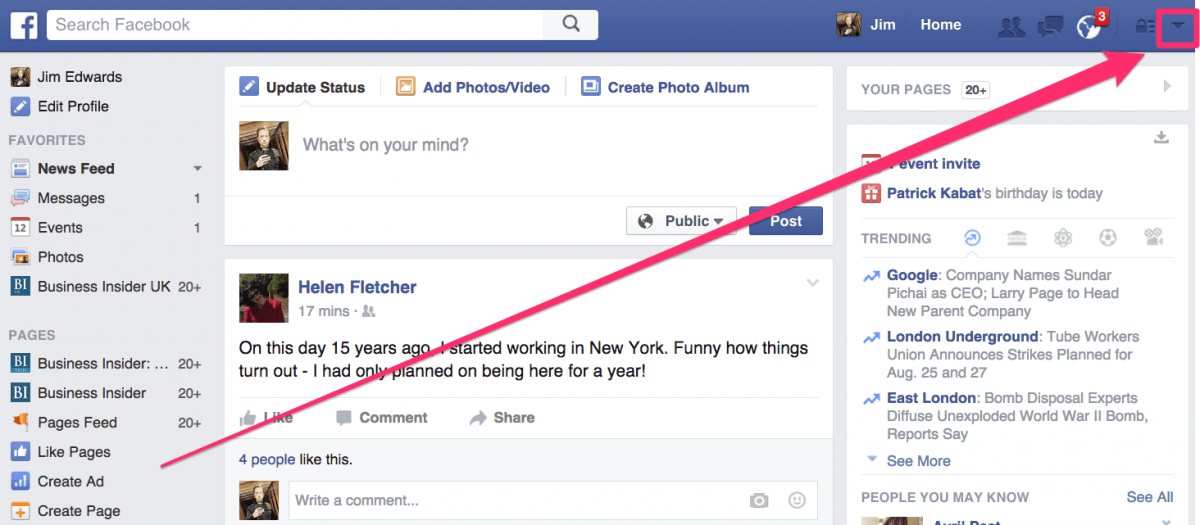 If the user has questions, he will first get to the chat bot, which can process simple questions about delivery time, products, and so on. This will save time for your support. If the bot cannot answer, it will automatically connect the employee to the chat - this function can be easily integrated into the bot if you create it on the SendPulse platform. I will tell you more about the capabilities of the chatbot later. nine0004 Link buttons on the page
Build auto sales funnels and answer user questions using a chat bot on Facebook, VK and Telegram.
In order for the second button to appear, you need to edit the existing one and select any other function for it:
The button on your Facebook page can be remappedTo check, switch to view the page as a visitor - click on the three dots to the right of the "Share" button and select the option "View as Page visitor":
Facebook makes it possible to look at your page through the eyes of a visitorBoth buttons are in place:
Two contact buttons can be created per page To promote on Facebook, like in any other social network, you need a strategy. You need to understand how the audience behaves, then you can effectively influence it. nine0004
Here are the main numbers that will come in handy (according to research by Popsters and MediaScope):
But do not rely on general figures. Study your own audience:
 This will help you tailor the product to their pain and communicate the benefits from their point of view.
 Think of a content plan to promote your Facebook page. Come up with headings, decide on the ratio of content types. Consider how to engage your audience in creating user-generated content. Develop cover designs for posts, design standards for photos, videos, text in different headings.
Be sure to complete a document-guide on design and content for the SMM manager. It will serve as a quality standard for everyone involved in content for your company. There will be no need to memorize all the fonts, colors and rules - they will be recorded. And if the specialist suddenly changes, the instructions will help the new person quickly join the work. nine0004
When you have finished with the design and made the first few posts on the Facebook page, start promoting. To get started, use your own influence: ask employees to share the page in their accounts and invite friends to it. These options are available to both the page owner and all visitors:
Make your images stand out. In order for the picture in the feed to hook the user, it must be bright, encourage them to read the post. This applies not only to pictures, but also to video covers - if the user has autoplay disabled, he will see exactly the static cover that you have chosen for the video. nine0004
When promoting on Facebook, follow the rules of the network, this applies to the size and content of your pictures. In order for the social network to skip ads, the image must be at least 500 by 500 pixels, and in order not to reduce coverage, the text must occupy no more than 20% of the image area.
Attention! Save useful links for promotion on Facebook:
Keep in mind that Facebook is sensitive to the content of the content - it will not let “adult” posts into advertising, which have a hint of sex, alcohol, smoking on the cover. In the text, respectively, this should not be either.
Hashtags don't work well on Facebook. First, seriously - when was the last time you yourself searched for something here using a hashtag? Secondly, in the search results, the user will first see posts from pages with which he once interacted, that is, hardly new and still unknown. Thirdly, there is a theory that Facebook perceives the abundance of hashtags as spam and underestimates such posts in the issue. nine0004
The most you will need Facebook hashtags for is as a unique tag for your promotion so that the user can find all the posts on the topic.
Facebook's feed ranking algorithm pushes interesting posts forward. Posts with a large number of likes, comments and reposts are considered interesting, that is, with good involvement. The higher the engagement rate of the page as a whole, the higher its posts will be shown in the feed of subscribers. nine0004
For engagement:
A chatbot is a program that communicates with a user using an automated script. You can set up a lot of actions in the chatbot: talk about a product or event, book a visit, pick up products, answer frequently asked questions. nine0004
The bot is available 24/7, that is, it replaces the round-the-clock support service. Facebook chatbots from SendPulse will help you create an automatic sales funnel:
The Facebook chatbot can be viewed live on our Sendbot. Read the article about how and why we created the bot and chat with it on our Facebook page. nine0004
Use a pixel to promote on Facebook. This is a piece of code that needs to be generated using Facebook and embedded into the site. It will transfer data from the site to the Facebook advertising account.
With the help of a pixel you can track what people who come from Facebook are doing on your site. Thanks to tracking you can:
Please note! Useful link - official instructions for creating and setting up a Facebook pixel.
Through SendPulse, you can create a widget for a site through which the user can immediately go to the messenger he needs: Facebook, VKontakte, Telegram. And there the chatbot will immediately pick it up - you can program into it all the actions that new leads usually need. For example, make an appointment or find out about the range of goods and services, get a lead magnet or an event program. nine0004 Messenger subscription form created in the SendPulse constructor
Check your Facebook feed regularly for inspiration. See which posts get the most engagement and try similar posts in your area.
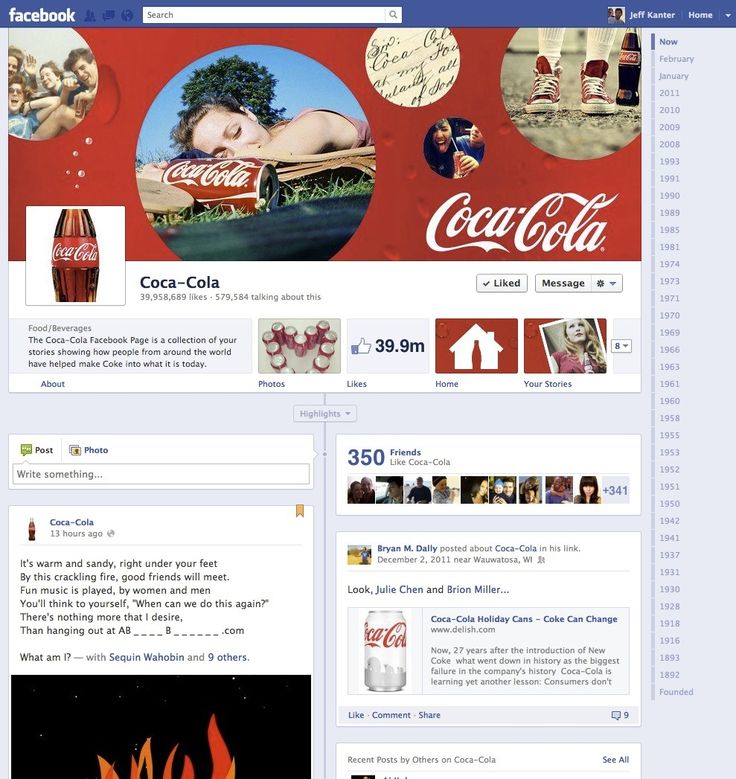
Follow our Facebook branding tips:
 nine0057
 On March 4, 2022, Roskomnadzor decided to block Facebook, and on March 11, 2022 - to block Instagram. If you are in Russia, most likely, both social networks are currently unavailable to you.
But we have some useful material for you.
(For those who have social networks working - the text of the article is below, under the list of links)
Telegram:
How to start a channel in Telegram
5 ways to monetize Telegram
How to make stickers for Telegram: a step-by-step guide
VK promotion: a large selection of tips and services
VK targeting: a complete setup guide
Odnoklassniki:
Is Odnoklassniki social network useful for business
Yandex.Zen:
Channel on Yandex.Zen for small business: how to write a selling article
for advertising in Zen8 myths about Yandex.Zen for business
Updated by Daria Rakova.
How to increase the number of Facebook page fans? How do you get them to interact with you? How to turn these people into clients and buyers? Read this step-by-step guide or contact TexTerra for SMM promotion right away. We help to stand out from competitors and fall in love with the target audience. nine0004
Table of contents:
Pages
Cover and Avatar
Address
Template and target button
Information on page
Content
Publications with video
Facebook Stories
Promotion and analytics
Information in other social networks and services
Communication on Facebook
Invitations
Automation
Shop
Reviews
Competitions
Targeted advertisement
Partnerships
Page statistics on Facebook
Additional capabilities
Guest post or article
Live-TRASSIAS and Article
LIVE
Offline promotion
Total
Table of contents:
Page design
Cover and Avatar
Address
Template and target button
Information on page
Content
Publications with video
Facebook Stories
Promotion and analytics and services
Communication on Facebook
Invitations
Automation
Store
Reviews
Contests
Targeted advertisement
Partnerships
Page statistics
other advice on promotion on Facebook
Additional capabilities
guest post or article
Live
offline Protection
Page cover is not only the face of the brand, but also an excellent platform for advertising. On it, you can promote your products and services, invite subscribers to webinars and conferences, and much more. To understand how to format it correctly, look at an example. nine0004
An advertising offer can be placed both on the cover itself and in the description for it, because the user will see it as soon as he clicks on the cover
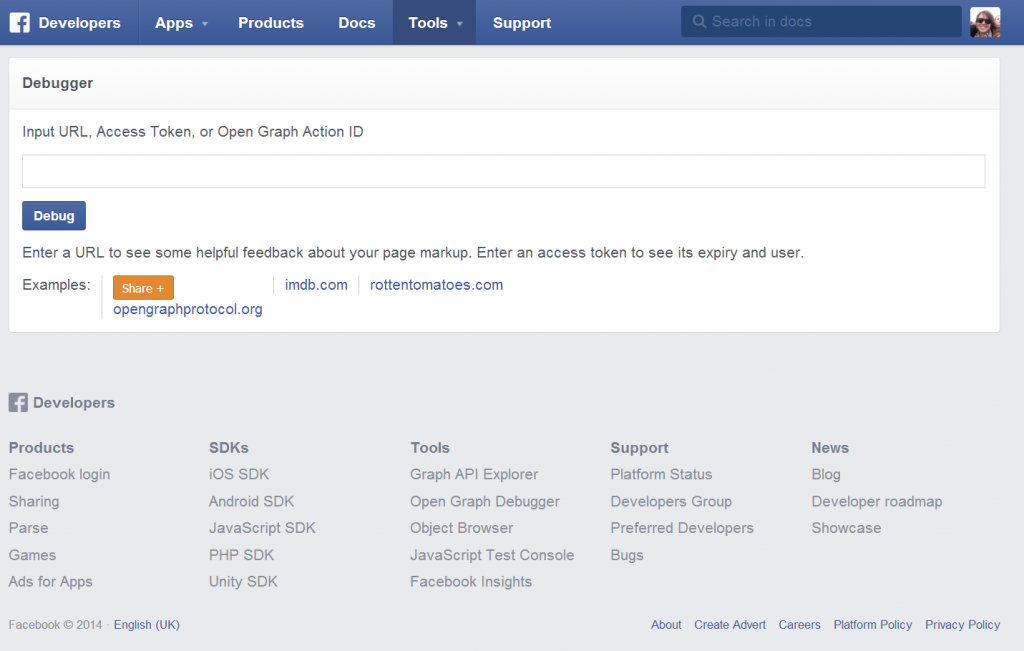
Another point worth paying attention to is the quality of the cover. As you can see, there is no blur in the picture above. To achieve this result, you need to create an image of at least 820 by 312 pixels in PNG format. We recommend using images b and in a larger size (for example, 1702 by 630 pixels) so that when opened on monitors with a higher resolution, the pictures are large and look good. nine0004
This is what the small cover (851 by 315) looks like on a large screen with a resolution of 1920 by 1080 pixels:
There is a lot of black space on the sides. The picture looks small
And this is how the big cover looks (1702 by 630) on the same screen:
There is almost no black space on the sides. The picture is big. It's easy to view
Once you've set your group's cover, be sure to check out how it looks on a mobile device. Anything larger than 640 by 360 pixels will be clipped. nine0004
The size of the avatar must be at least 170 x 170 pixels (128 x 128 for smartphones). As in the previous example, you can upload a larger image so that it is larger and of better quality when opened.
This screenshot has a 1290px x 1290px avatar open. Monitor resolution 1920 x 1080 pixels
Animated covers on Facebook can currently only be created on business pages. This feature is not yet available on the personal page. nine0004
The video must be between 20 and 90 seconds long and at least 1250 x 312 pixels in size. The recommended size is 820 x 462 pixels. It is best to use video with a resolution of 1250 x 463 pixels and an aspect ratio of 2.7.
You can change the size of the finished video using the online editor.For example, Resize-Video.
To make an animated cover, go to the company profile, click on "Edit" and then "Select video". The video must be uploaded to the library on the page in advance. nine0004
Select the desired video in the pop-up window.
Making an animated Facebook cover
Then select one of the suggested video thumbnails and click Save Changes.
By the way, the video is playing without sound. Keep this in mind when choosing a video for your cover.
Animated avatar can only be made on the personal page. To do this, you must use the Facebook app for iOS or Android. The algorithm of actions will be as follows (using iOS as an example):
1. Go to your profile and click on your profile picture.
2. Select the "Select photo / video" command.
3. Click the "Use" button.
Animated avatar for the personal page
The Facebook page address is pulled automatically from the title. To change the URL, change the page name.
Facebook has special templates for different types of business: Services, Company, Sites, Non-Profit Organization, Politicians, Restaurants and Cafes, Shopping, " Public Figures" or "Video Page". nine0004
To install a template, go to your Facebook settings, go to the "Templates and tabs" section and select the one that suits you best.
View gallery
Once selected, click "Apply template"
Here's how it's done on mobile: right under the cover, you can change. nine0004
To add the first one, click Add button.
These are the button options for Facebook pages
Each template has one or another button by default, but it can be changed. For example, install a "Call" button so that a person can make a call immediately from Facebook.
Select a country code and enter a number, then click Save
Smartphone users can now call your company with a single tap. It's fast and convenient. nine0004
Mobile users can call, and desktop users can copy the number
All clicks on this button can be tracked in the "Statistics" section. It can also be promoted as an advertising post.
To get more calls, click on the corresponding button in the menu
To view statistics on the button, click "Statistics" in the menu on the left, then "Page Actions". You will see all clicks.
When someone calls you, the information will appear on graph
The more information you provide, the more professional and credible your page will appear to consumers. Do not neglect this point. Tell everything you can tell, in every detail. Add photos and videos. Complete the services section if necessary.
Ask at least a few of your customers to leave a review about your company. If you don't have a website but have a group, you can enter your Facebook group address in the "Website" line and link them together. nine0004
View gallery
You can enter a lot of information: title and description of the page, category of services, contact information, opening hours, price range, status (closed or open), Instagram account and location on the map
On a personal page, you can indicate the position and place of work. This is necessary so that users can get to your business page through the profile.
To enter information about your place of work, go to the "Edit profile" section, select "Work" and start typing the name of the page. nine0004
Free social media audit
Drawing of 3 places until 24.08. The rest of the participants of the drawing - 50% discount
More Page created and designed. It's time to move on to the content.
Post from the official Visa page
It is desirable that the images for the posts be large - 1200 by 630 pixels for horizontal images and 1200 by 1200 for square ones. This size is needed so that users who use large screens do not experience inconvenience. We already talked about this at the very beginning of article 9. 0004
0004
This is what an attached post looks like
Video is one of the ongoing trends of every social network. In addition, according to research by Google and Ipsos, 55% percent of users use videos instead of shopping lists when shopping. nine0004
Find out which video formats are supported by Facebook here. If you can't post your video, you can fix the problem by reading this article.
The video format tramples everything else in B2C and B2B. "Read" and "photos" - the last century
When publishing a video, do not forget to check "Show on Facebook Watch" so that yours is displayed not only on your page, but also in a special separate tab on Facebook.
This is what the Facebook Watch feed looks like
Important! Only videos from verified pages and profiles, and pages and profiles with more than 5,000 followers are shown in the Watch section.
Read more about Watch in the Facebook guide.
Don't forget about Facebook stories. Here are some headings for Stories.
 Stories on Facebook are available 24 hours, just like on other social networks. Encourage your audience to take advantage of a great offer here and now.
 This is what the page looks like when the story is posted on it:
You can share the story both in the profile and on the company page, but only through the application for iOS or Android. nine0004
In the story, you can place a text publication, music, video boomerang, poll, photo and video taken with the front camera (section "Selfie"), as well as "Mood" - a section in which you can select a ready-made thematic GIF.
View gallery
To post a story, click "Add Story" under your profile or page photo, then select the post type0004
Your content is great.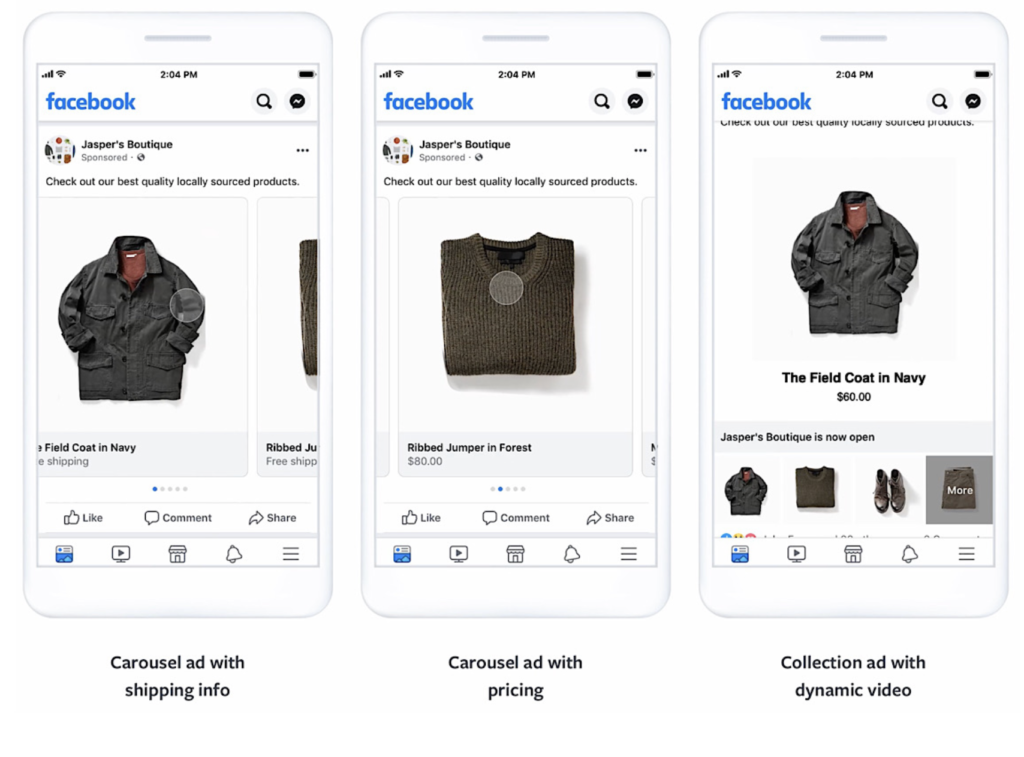 It's time to share it outside of the Facebook page. If you have accounts on other social networks, be sure to give them information about your Facebook page and vice versa.
Header
This is what the page-linked group would look like:
Instagram promotion* in 2021: the most detailed guide
We link to our Facebook page in the YouTube channel header
Enter the required information, format and save. nine0004
Setting up a signature in Yandex.Mail
Signatures in other mail services are set up in approximately the same way.
 Make a post about why your VKontakte followers should join your Facebook page. It is clear that since they read you on VKontakte, most likely it is more convenient for them, but you may be of interest to a small part of the audience.
 This is what a Facebook mention looks like
Book: 100+ Internet Marketer Hacks
 When you are just starting to develop your Facebook page, you should not neglect any of the methods that allow you to increase the number of likes.
 Invite your friends to like your page. To do this, click on the button with three dots under the cover of the page, select the "Invite Friends" command, check the box next to "Send an invitation to Messenger" (so that the person receives your message personally) and write an invitation that will not cause him negative. nine0004
Do you post cool content? Write about it. Do you want him to like the page in a friendly way, and then unfollow when you get a real audience? As you say, there is nothing wrong with that.
Sending an invitation to friends
Someone will ignore your message, someone will enter into a dialogue, and someone will silently like the page.
How to use e-mail for targeting on Facebook, VKontakte, Google and Yandex
 Thanks for adding me as a friend. If you are interested in [insert your topic], join my page. Every day I publish there the most interesting and useful content on the topic. Here is the link - [link to your page]. Come in :)".
 To do this, upload your contact list using the Facebook mobile application. Click on three lines, then "Contacts". Recommended friends will appear on the screen, whom you can invite to become followers of the Page. nine0004
This is what uploading friends from contacts looks like
By clicking on the "Message" button, users can write private messages to your page.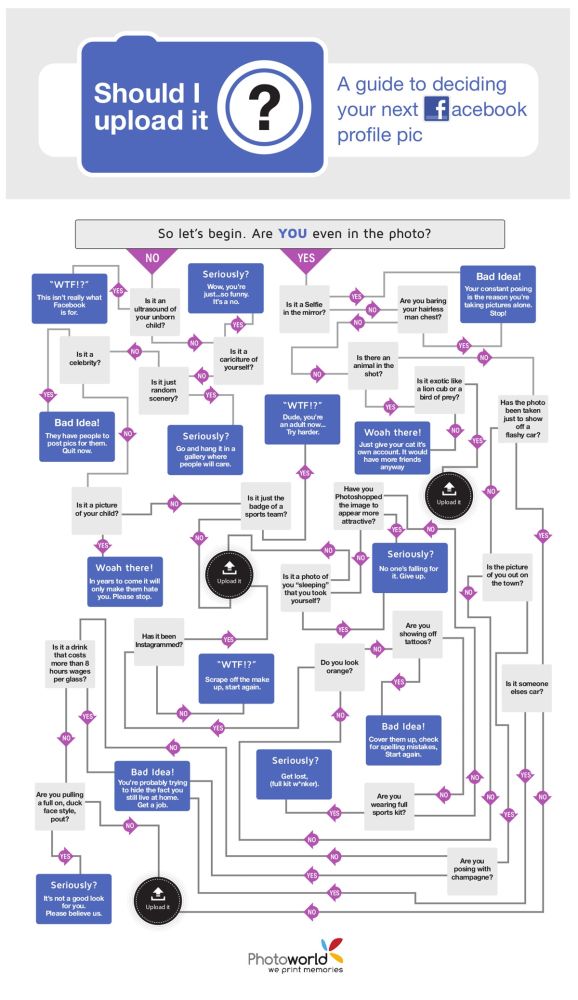 Often, many of them hang unnoticed until the moderator visits the page. To prevent this from happening, set up automatic replies. For example, you could write the following: “Thank you for writing to us. We will respond within a day." Then the user will not expect a momentary response from you and will remain loyal to your company. nine0004
"Message" button, through which users can communicate with your company personally
To set up an automatic reply, go to the page settings and select the "Messaging" section.
Go to "Messaging"" title="Go to "Messaging"
In "Messaging" you can set up a greeting, and also see a link to your page in the messenger to insert it on your site, for example.
View gallery
Message customization features
To set up automatic replies, click Customize and you will be taken to the Facebook Business Suite, which combines messaging features for Facebook and Instagram business pages.
Then select "Instant Reply" and enter the message you want to send to users after they write to you.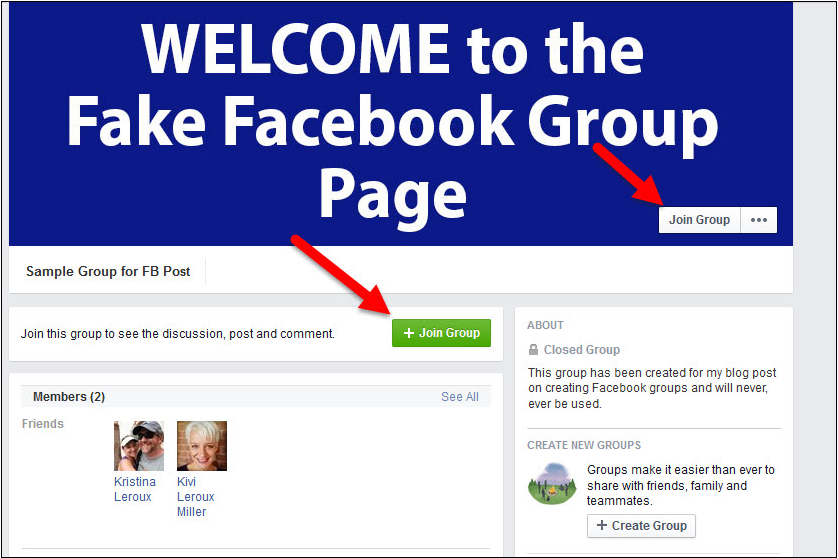
Sending an invitation to friends
In addition to an instant reply, you can also set up an automatic message. nine0004
You can set up different types of messages: from a reaction to the fact that your page is recommended / not recommended, to a list of frequently asked questions
The algorithm for setting up all types of messages in Facebook Business Suite is approximately the same.
Depending on how quickly you respond to user messages, your page will display information about how many times you respond on average.
Install the Facebook Business Suite app on your smartphone so that users can see that you are responding quickly. So you can track messages to all your accounts in one place and quickly respond to them. nine0004
Facebook Business Suite interface
In addition to viewing and replying to messages through Facebook Business Suite, you can post, schedule Instagram posts, and even promote your page.
If you choose a template that has a Shop tab, you have the option to add your products to your Facebook page and tag them in the post.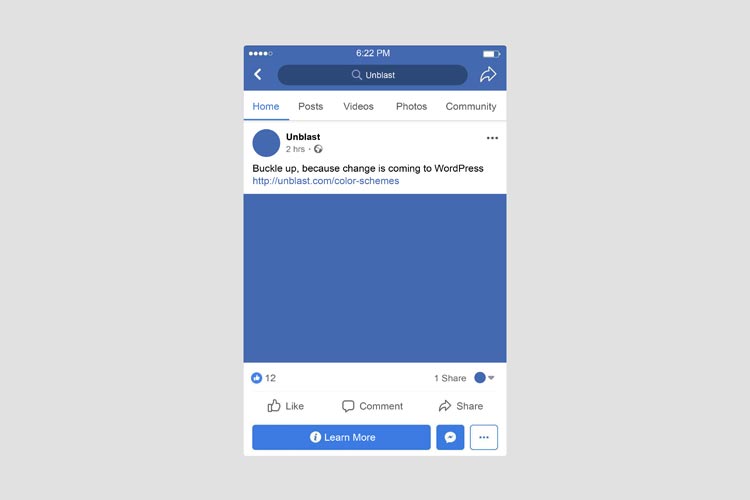
View gallery
When you go to the "Shop" tab, we see the products of page
If you click on a product, Facebook will offer to place an order on the site.
Any of the products can be added to publications. To do this, click on the appropriate button and publish the entry:
As a result, it will look like this:
In addition to calls to action in publications, you can (and should) encourage users to leave reviews on your Facebook page.
Get your customers to be honest about their page experience so that potential customers can use reviews to guide their selection. nine0004
View Gallery
This is how testimonials will look on your page. Don't Forget to Answer Them
Mega Compilation of Persuasive Calls to Action: 200 CTA Templates
An interesting contest will increase both the reach and engagement of your page. If you try hard, then the number of subscribers / fans.
Here are some tips for running Facebook contests:
Facebook contests are similar to contests in other social networks
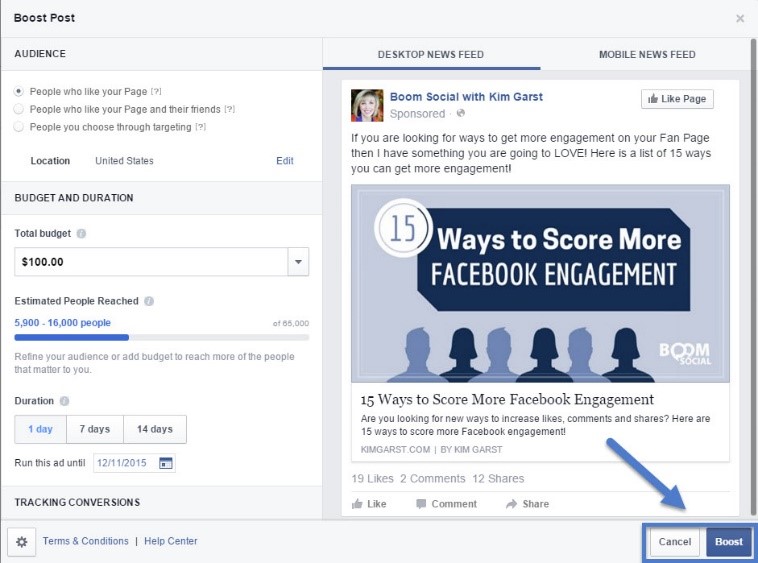
You can also increase your audience reach with Facebook ads. Click the "Promote" button on the main page, then select the purpose of the publication.
View gallery
You can promote both individual posts and the entire page
You can promote a page on Facebook and Instagram if the desired target audience lives there.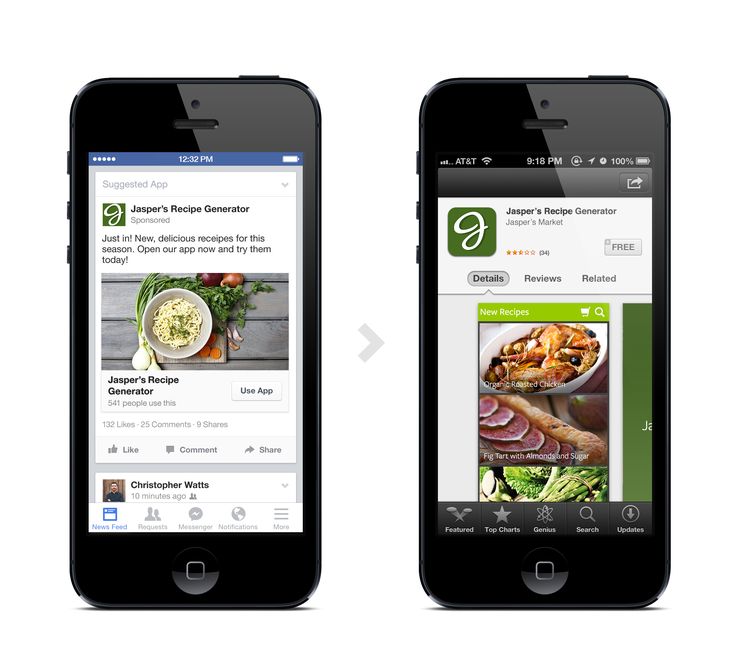 To do this, you need to create an advertising campaign in Ads Manager, select the goal, the page you want to advertise, click "Manual placements" in the settings and leave a checkmark only in the "Instagram" line. nine0004
View gallery
This is how you can set up ads that will be shown on Instagram
Properly set up advertising in social networks can significantly increase sales. In our TeachLine training center, teachers from TexTerra teach not just the mechanics of working with cabinets, but the generation of effective campaigns from the moment an advertising idea is created to analytics. You can read more about the course here.
Contact the admins of other publics on Facebook and agree on co-marketing. Let them recommend your page to their followers, and you recommend them. The same can be done with the mailing list, if you have approximately the same number of subscribers, and with any other traffic acquisition channels.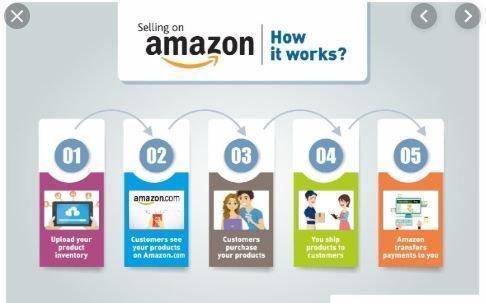
Promotion without analytics - time and money wasted. Facebook has a lot of data that will help you run your community more effectively every day. nine0004
View the summary:
Research your target audience:
Track the growth of the community:
See what type of content is getting the most reach and engagement, and at what time the content is most interesting to the audience:
Click on each of the tabs in the " Statistics". After studying this information, you will be able to create the highest quality content that will receive wide coverage and be in demand among your users. nine0004
To get detailed statistics on your page and competitors' pages, use the services from this article ("Facebook" section).
 " Accompany each item with a screenshot to prove your point. At the end of the material, do not forget to link to your public and come up with a catchy call to action. nine0057
 Page plugin settings
After choosing a goal, choose a method to achieve it. Best suited Hello Bar
Select the color and size of the banner (you can choose from ready-made templates), the pages on which it will be displayed, write the text and click Publish Now. After that, you will be prompted to insert the service code into your site template. Once you've done that, the Hello Bar will work and you'll be able to track your stats.
We encourage users to like articles
You can create a poll to find out the opinion of subscribers on a particular topic. To do this, you need Polls for Pages.
View gallery
This is how the poll setup in Polls for Pages looks like. The service is in English, but its interface is intuitive. The survey can be done in Russian or one of the many languages
You can start the quiz using Quizzes for Pages. The setup algorithm is similar to Polls for Pages. After creating a quiz in the app, you can either install it on the page (if you have more than 2,000 likes) or link to it in the post. nine0004
This is how the quiz will look on a page with more than 2,000 likes
 The Facebook Coupon App and Social Offers will help you with this. The first allows you to create personalized discount coupons that are activated with a like. The second activates the discount after a certain number of people join the promotion. Both applications are paid, but there is a free trial period that can be requested from technical support. nine0057
 The user tweeted the article and only then got access to the desired material. The same can be done with Facebook
To get even more people to know about your page, write an article on a popular resource. Instead of linking to your site, ask the site owner to add a link to a Facebook page. If the site is popular enough, and the readers like the article, you can be sure that there will be a lot of transitions. nine0004
katerina Kushnir published an article on our website and in her description provided a link to her Facebook profile. Now we indicate links not in the author's description, but at the very beginning of the article
If you have a lot of subscribers, you can arrange a live broadcast from your personal account and encourage viewers to subscribe to your business page during the broadcast . To go live, click on the appropriate button in your profile:
To start a live broadcast, click on the "Live" button
Select live broadcast settings, check the picture and sound. If needed, add a message to your users and when you're done, click on the "Go Live" button.
Why does business need live broadcasts? 5 Livestreaming Tools
When the broadcast ends, the video will automatically be saved to your profile and will hang there for the whole day. After this time, it will be automatically deleted. nine0004
To prevent this from happening (after all, this is useful content, and you can still use it), use the SaveFromNet service. Paste the link to your video into the search bar of this service and click the "Download" button.
A webinar can also help promote a page, since you can verbally recommend your page to people who are loyal to you (after all, they signed up for this webinar, which means they think that they can learn something from you) and immediately give it link. nine0004
How to run a webinar: from preparation to the final
In addition to word of mouth, which can bring the desired audience to your page, there are several ways to get people offline: