Instagram is a social networking service owned by Facebook, Inc. It was created by Kevin Systrom and Mike Krieger and launched in October 2010 on iOS. Instagram is used to share photos, videos, and messages. Instagram has over one billion active users as of April 2022. The archive feature on Instagram allows you to hide posts from your profile and access them later.
In this article, we will show you how to archive and unarchive Instagram posts.
What Does It Mean To Archive A Instagram Post?When you archive a post on Instagram, it means that the content is no longer visible on your feed, but it isn’t removed. The post is kept in a private archive that only you can access.
When To Archive A Post On Instagram?There are a few reasons why you might want to archive a post on Instagram:
If the post is no longer relevantFor example, if you posted about an event that has already passed, you might want to archive the post so that it is not the first thing people see when they visit your profile.
If you posted something that is no longer accurate, you might want to archive it so that people don’t think you are still holding those beliefs.
If the post is sensitive or privateIf you posted something personal or sensitive, you might want to archive it so that only people who you want to see it can access it.
If you want to hide the post from your profile without deleting itIf you want to keep the post but don’t want it to be visible on your profile, you can archive it. This is a good way to save posts that you might want to refer back to later.
Advantages of Archiving On InstagramThere are a few advantages of using the archive feature on Instagram:
Maintain an up-to-date profileIf you regularly post on Instagram, your profile can start to look cluttered. Archiving old posts can help you keep your profile looking clean and up-to-date.
When you archive a post on Instagram, the likes and comments are saved with the post. This can help you to track the reaction to a post or if you want to refer back to something someone said.
You can hide posts from your Instagram feed without deleting themYou can still refer to the posts you’ve archived, but they won’t appear in your feed unless you choose to unarchive them. This can help when you need to keep a post but don’t want it to be visible on your profile.
You can store posts in a private archiveYou can access your archive at any time and only you can see the posts that are in it. This can be useful if you want to save a post but don’t want anyone else to see it.
You can unarchive posts at any timeIf you change your mind about a post that you’ve archived, you can unarchive it at any time.

The ability to archive posts on Instagram is a handy tool, as it hides posts from your feed without deleting them. When a post is archived, the likes and comments are preserved should you want to revisit it later or even unarchive it.
Maybe you've had an Instagram account for over a decade and want to declutter your feed from the overfiltered, low-res snapshots — or you've pivoted to using your account for business and want to hide more personal posts.
Unarchiving an Instagram post can be done in a few simple steps, which we've outlined below.
1. Open the Instagram app.
2. Navigate to your profile page by tapping your profile icon on the bottom-right.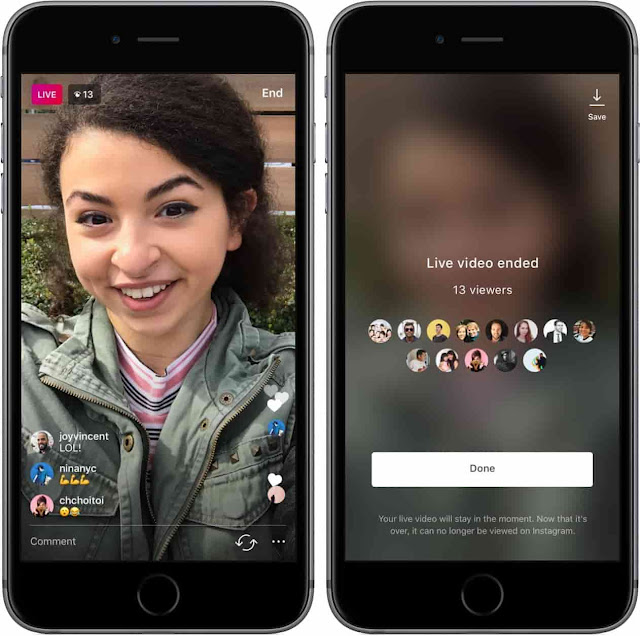
3. Tap the three lines icon on the top-right of the screen, then tap Archive.
Access profile settings and more by tapping the menu icon. Abigail Abesamis Demarest4. Under Posts archive, tap to open the post you want to unarchive.
You may need to tap the arrow at the top to navigate to the Posts archive (instead of Stories or Live archive). Abigail Abesamis Demarest
 5. Tap the three dots icon on the top-right of the post, then Show on profile.
Use the same method to archive an Instagram post. Abigail Abesamis DemarestAbigail Abesamis Demarest
Abigail Abesamis Demarest is a contributing writer for Insider based in New York. She loves a good glazed donut and nerdy deep dives into the science of food and how it's made.
Read moreRead less
Instagram* allows you to save not only stories, but also posts. But how do you unzip a post? We understand in a series of short instructions.
Post archiving is a useful tool that allows you to save posts, live broadcasts and stories in a separate section. Only the owner of the account can see it, the content in the archive is not available for viewing by other users of the social network. nine0003
In everyday life, the function is useful if you need to remove irrelevant posts, which, for some reason, it is a pity to delete permanently. Commercial accounts can use the tool more broadly. For example, as part of an advertising campaign, they can temporarily hide all publications in order to post one big post with a promotion. It attracts attention, conveys a sense of scale and creates intrigue.
What about stories? They are automatically saved to archives, from where it is convenient to pull them out later to save to your phone, repost or send to highlights. For more information on how albums work in general, read the separate article “How to add and change Instagram Highlights*”.
How to work with archives and restore posts - we will tell further in small and visual instructions.
When archiving, the post will be saved with all comments, hashtags, tags and publication date. It will be hidden from your feed and the feed of other users, only you will see it in a special section. nine0003
How to send a post to the archive:

The application interface on iPhone and Android is the same, so this instruction (and all subsequent ones) is relevant for any phone. nine0003
The social network automatically sends stories to the archive 24 hours after publication. But if they are not displayed in the "Archive" section, then saving must be re-enabled. There are two ways: through the settings and while browsing.
Enable saving stories through the settings:
Enable saving stories through the view menu:

Recently, deleted posts are stored for 30 days, during which time they can be pulled back. But for this you will need to verify your identity using a special code that will be sent to your email.
How to get back a deleted post on Instagram *:

After unzipping, the post will return to the feed with all comments and the same publication date as it was. It will take the place in the feed where it was previously, i.e. it will not be re-published. As I said above, the social network does not delete posts - it rather hides them in the archive with a further opportunity to return everything as it was.
How to restore photos from the archive on Instagram *:

You can also remove a post from the archive on Instagram* by clicking "Delete". Then the post will go to the trash, where it will be stored for 30 calendar days. See above for instructions on returning posts.
How to unarchive a post on Instagram*There are more opportunities for unarchiving stories: you can re-publish as a repost, send to a post, save to Actual or upload to your phone in the gallery.
How to download stories from the archive:
For more information on how to download stories, read the guide “How to download stories from Instagram*”.
How to add a story from the archive to the Feature:
How to send a story to a post:
How to get a story from the archive on Instagram* and publish it again:

Is it possible to return photos to Instagram* from a computer? Unfortunately, the social network site does not have a menu with archives of publications. Therefore, even if you switch to mobile layout, you will not be able to access the archives. Of course, you can install an Android emulator on your computer, download the application from Google Play and go into it, but it seems easier to use the phone. nine0003
On the other hand, posting from a computer is often convenient, especially if you have to type a lot of text on the keyboard and regularly make interactive stories. These opportunities are provided by the delayed posting service SMMplanner - where you can also put many posts and stories into postponement at once, which frees up a lot of time.
Of course, the service will be useful primarily for SMM-persons and those who maintain several accounts and cross-post to several social networks at once. In any case, try it - the first week is free, and during this time it will become clear for sure whether you need such wide functionality or not.
Technologies
Instagram has a function to hide content in the archive But some users then face a problem: how to unzip photos on Instagram. In practice, the process is simple to perform, and the ability to archive and restore at a convenient time greatly facilitates profile maintenance.Taishet24 in Odnoklassniki
An Instagram archive is a data repository.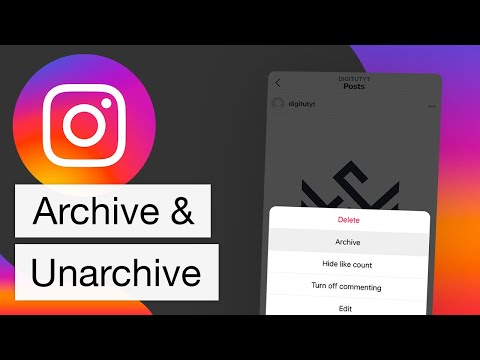 You can save posts or stories. The photo archived remains the same as it was published. All comments and likes are saved. After unzipping, the post is completely restored with the old posting date. Publications in the archive can be re-read and sent to friends. The storage is for photos that need to be removed from the tape, but kept for yourself. nine0003
The archive function is useful in cases like this:
 Hide it for a while, and at the right time, return it to the feed.
 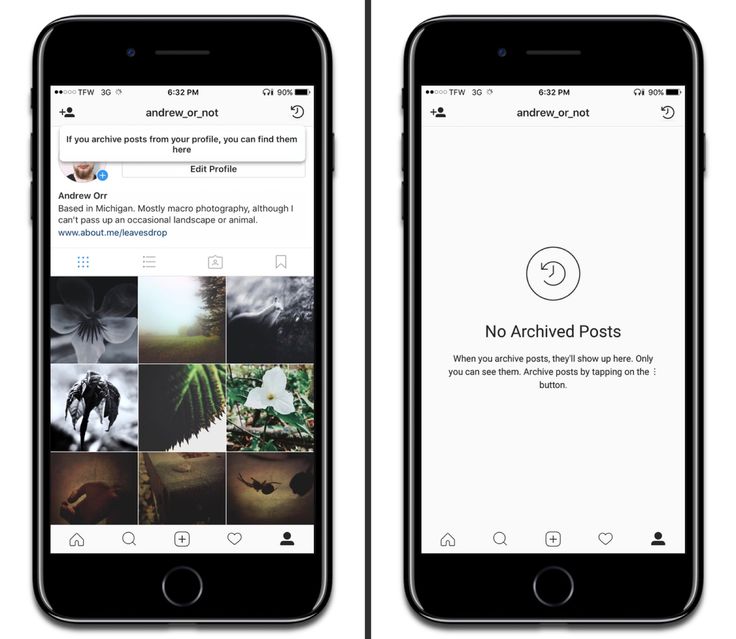 nine0030
 Posts from the feed are archived according to the algorithm:
Not only posts with photos, but also stories are removed from the archive. They should be automatically saved there after 24 hours. If this does not happen, you can change the settings:
When you need to restore a photo in the feed, you need to reopen your personal page and follow these steps: