Viber is a great free and secure calling application that allows you to make phone calls to any part of the world. To your friends, family, clients, you can make calls to any other Viber users for free of cost. But what happens when you lose access to this amazing application? You longer will be able to make and receive phone calls from your Viber contacts. You can’t enjoy the free service provided by them. This can be very frustrating especially if you have some important contacts you frequently call through Viber.
That’s why we crafted an article describing the method you can follow to get your Viber account back. The problems can be as simple as forgetting the Viber password to as serious as getting blocked on the platform. Whatever the reason is, you will find the answer to your questions in the sections below.
If you forgot your Viber password for some reason, resetting it to something else is extremely easy. Follow the steps below to recover your Viber password.
Be sure to note down the new password somewhere safe. It is also recommended to use a password vault such as Lastpass or Google password manager. So, if you forget it again, you can easily look at it.
In some cases, if you no longer have access to your mobile number connected with Viber or the smartphone where you Installed it, there are a couple of ways you can find a workaround.
In this case, the fix is as simple as installing Viber on your new device and logging into your Viber account using your SIM card. Your contacts will be restored immediately. However, if you want to restore the Viber messages, you should have a backup.
If your device is stolen or lost with your SIM card in it, it can be a bit hard to get into your Viber account. As the mobile number is the primary identity of your account, the only way you can get back into your Viber is by being able to receive messages to the number connected with it.
So, the best option would be to reach out to the nearest SIM card retailer and take a new SIM card on the same number by providing your identity details. Then reinstalling Viber with the same number will recover all your Viber contacts.
Viber will block your account for a number of reasons. The most common reason is spamming others. If the Viber system identifies your activity on the platform as suspicious, it will either restrict your access or completely block your Viber number.
But in some cases, Viber may accidentally block your account for spam. It can be a repeated call or messages that you made for making fun of your friends. But the system may not be able to differentiate that from the actual spam.
So, in this scenario, follow these steps to get your Viber account unblocked.
Viber will contact you on the provided details and let you know further proceedings. If they find that the block was accidental, the account will be unblocked. Keep in mind that repeated violations might end up your Viber account being permanently banned.
If you had an old Viber account that hasn’t been active for a while, you can still get it back.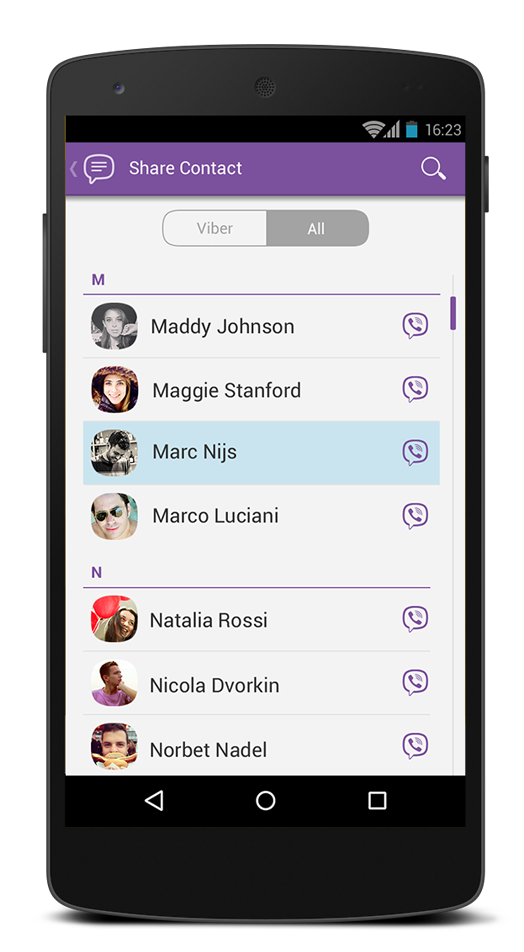 Unless it has been quite a while and Viber removed your account for inactivity, you can simply install the Viber application on your phone, enter the old account details and try to log in. If it says no account is present in the given information, chances are that your account got deleted permanently from the platform.
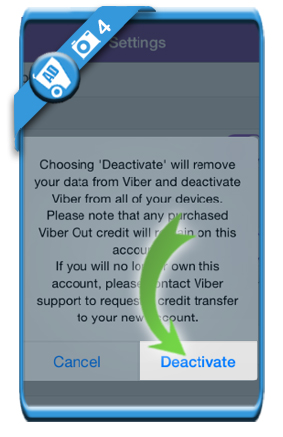
If you manually deactivated your Viber account, all your messages, logs, contacts will be also deleted from the platform. You cannot get it back. Still, you may try contacting their support and asking them if there is any way you can get it back. If it hasn’t been a while since you deleted the account, there might be a slight chance of recovering your Viber data.
“Hi! I have accidentally deleted some important chats on my Viber and now I want to get them back. Can someone tell me how to restore deleted Viber messages?”
If a similar query about deleted Viber chats has brought you here, then you are about to get it resolved right away. You might already know that Viber is a freely available cross-platform application that is used to chat with our contacts and do voice/video calls as well. Although the app is pretty popular and secure, users often complain about getting their messages deleted. Thankfully, we can use Viber’s native and third-party solutions to easily restore our chats. In this guide, I will tell you how to retrieve deleted Viber messages in 2 different ways.
Try it FreeTry it Free
safe & secure
If you have already taken a backup of your Viber chats on your Android or iPhone, then you won’t face any trouble restoring it. By default, Viber lets us link our Google Drive or iCloud account to our Android/iOS device to save our chats. In case of an unwanted loss of your chats, you can simply restore this previously taken backup to your Android/iOS device.
Android device users can simply connect the Viber app to their Google account. This will let them back up their chats to Google Drive, which they can later restore. It will include their Viber messages, group chats, attachments, and other app data.
Step 1: Back up your Viber chats
Firstly, make sure that you have already taken a backup of your Viber chats on Google Drive. To do this, launch Viber and go to its Settings from its menu. Now, browse to Settings > Viber Backup and tap on the “Backup” option. You can also connect your Viber account to your Google Drive from here.
Step 2: Restore Viber chats
If you have got your Viber messages deleted, then reinstall the application and connect your phone to the same Google account. While setting up your Viber account, you will get an option to restore an existing backup.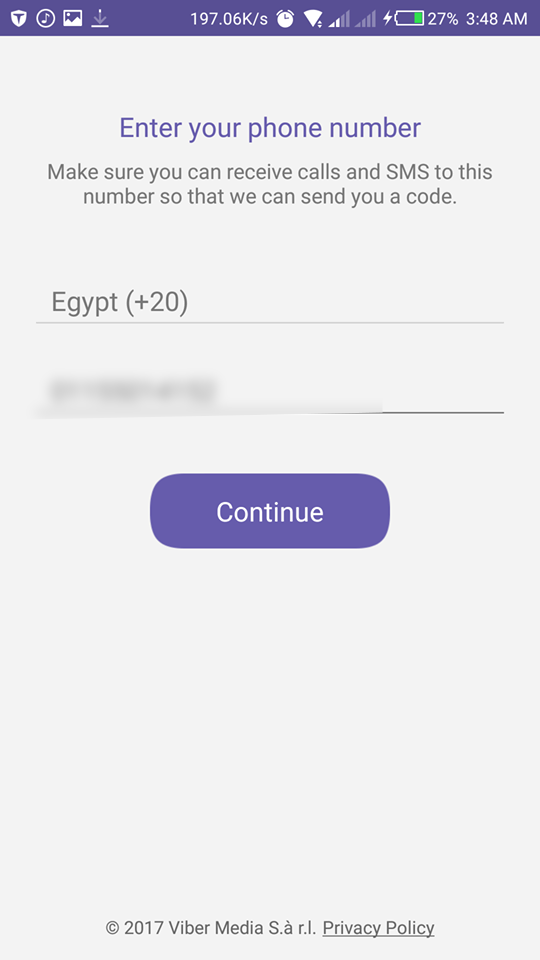 If not, then you can go to its Settings > Viber Backup and tap on the “Restore” option. View the details of the previous backup file and tap on the “Restore” button again to get back your Viber messages.
Just like Android devices, we can also backup and recover Viber chat history on iPhones as well. To do this, you need to turn on the iCloud option on your iPhone and link Viber to your iCloud account. Here’s how to retrieve deleted messages on Viber.
Step 1: Back up Viber messages
To save your Viber messages, go to Viber’s Settings > Viber Backup and just tap on the “Backup” button. Make sure that you have enough free space on your iCloud to accommodate the Viber backup beforehand. Furthermore, there is also an Auto Backup feature here to automatically backup your Viber messages.
Step 2: Restore Viber backup
To restore the existing backup from iCloud to Viber, make sure that your device is connected to the same iCloud account where the backup is stored. Go to its iCloud settings and turn on the iCloud Drive option as well as the Viber app sync feature from here.
Afterward, reinstall Viber on your device and link it to the same phone number. The application will automatically detect the presence of an existing backup and will inform you about it. Just tap on the “Restore” button now and maintain a stable internet connection to restore your Viber chats.
With the above-mentioned solution, you can learn how to restore deleted Viber messages from a previous iCloud/Google Drive backup. Though, a lot of users don’t like to backup their Viber data on the cloud due to low space, security concerns, or any other reason. If you wish to backup your Viber chats on your computer, then you can simply try MobileTrans - WhatsApp Transfer. It is a complete Viber data management application that can let you backup and restore your Viber chats to/from your computer.
Free DownloadFree Download
safe & secure
With just a single click, you can save your chats, group info, contacts, attachments, and every other Viber data. Once you have taken a backup of Viber chats from your iPhone to PC, you can later restore it to the same or another iOS device. Apart from that, it can also backup/restore your phone and other social app data like WhatsApp, LINE, WeChat, and Kik. To learn how to restore deleted Viber messages with MobileTrans, follow these steps:
Step 1: Launch the Viber Backup Tool
To start things off, just install and launch the MobileTrans application on your computer and connect your iOS device to it. Select the “WhatsApp Transfer” feature from its home and select "Other Apps Transfer" option, then tap "Viber Transfer". Now, click on the “Backup” button to save your data.
Step 2: Backup Viber Chats
The application will automatically detect your iPhone and would display its snapshot. Just click on the “Backup” button and wait for a while as your Viber data would be saved on the computer.
Step 3: Restore Viber Backup
To learn how to restore deleted Viber messages, connect your phone to MobileTrans and browse to WhatsApp Transfer > Other Apps Transfer > Viber Transfer option. This time, click on the “Restore” option and view the existing Viber chat backups. Select the backup file of your choice from here that you wish to restore.
Click on the “Start” button and just wait for a while as the application would restore your Viber chats to the connected device.
I’m sure that after reading this guide, you would be able to backup and restore your Viber chats via iCloud, Google Drive, or your computer. As you can see, MobileTrans provides a quick one-click solution to backup and restore our Viber chats to/from a computer. It can also directly transfer data from one phone to another and backup/restore social apps data, such asWhatsApp backup&restore, LINE backup&restore, WeChat backup&restore, and Kik backup&restore. Feel free to give it a try and share this post with others to teach them how to restore deleted Viber messages as well.
Free DownloadFree Download
safe & secure
New Trendings
Author Juli Reading 7 min Views 20k. Posted by
Accidental deletion, failure to send data to the server, updating the program's base codes, and dozens of other problems can cause you to need to restore your viber account.
There are several options for problems, in fact, as well as ways to eliminate them.
Content
You can resume the work of the messenger for free. Regardless of the reason for the removal, the procedure will take five to fifteen minutes.
The only thing you need is the phone number to which the account was registered.
It's also worth noting that the resumes differ depending on the reason the application disappeared. So, the account could be deleted accidentally or the profile was deliberately deactivated.
You can restore Viber on your phone after an accidental deletion as follows:

When trying to regain access on a laptop or smartphone:
 If there is no app on your smartphone, enter the phone number and then the verification code.
 After logging in, it is desirable to synchronize between devices in the phone settings ("Settings" / "Other accounts" / "Enable synchronization").
Viber recovery process.If there is a backup, resume it:
Now the information will be available without the slightest loss.
However, before doing this, make sure you are connected to the Internet. If the connection is lost even for a few seconds, restoration and synchronization may be interrupted.
Restoring viber by phone number after deactivation is a little more difficult. The thing is that a new account will be created from scratch, since the old number is no longer active for the messenger.
Another disadvantage is that it is impossible to get access to old correspondence and files. They can disappear even if you have a backup.
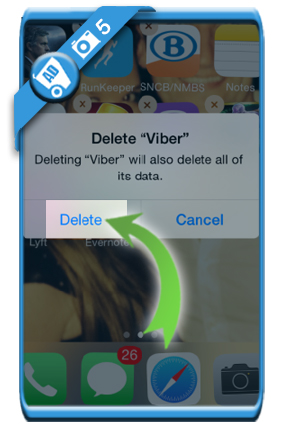
Here's how you can try to recover your account after deactivation step by step:
To avoid incidental situations with data loss, messenger developers advise making backups (backup copies).
Even when the application crashes, the information stored on special servers can be easily restored.
More often archives are stored:
There may also be several saved copies with different access versions (by number, by device account). You can reinstall viber on your phone without losing data.
Creating a backup by phone number differs only in where the archive is stored.
To complete the transaction, you need:
 This is useful, since you can forget to make a backup yourself).
 Archives can be saved and moved on different media. To do this, find the created document on your phone (for more convenience, use the file map - Explorer). Using Bluetooth or another method, move the archive to another medium.
To restore the data, after entering the application under "Backup", select the "Restore" command. Depending on the amount of data, the process can take from several minutes to hours. All this time, the operation icon will be displayed on the device screen.
Viber login is not possible for a number of reasons. Problems can occur both during the recovery process and after installation.
Several reasons:
In fact, there may be many more reasons, but they are related to the problem of the developer's code. This happens when the old version is replaced with a new one on the server.
You can understand that the program has malfunctions by the following signs:
Wait a few hours before panicking. During this time, developers can solve problems with the server, and the messenger will resume normal operation.
If this does not happen:
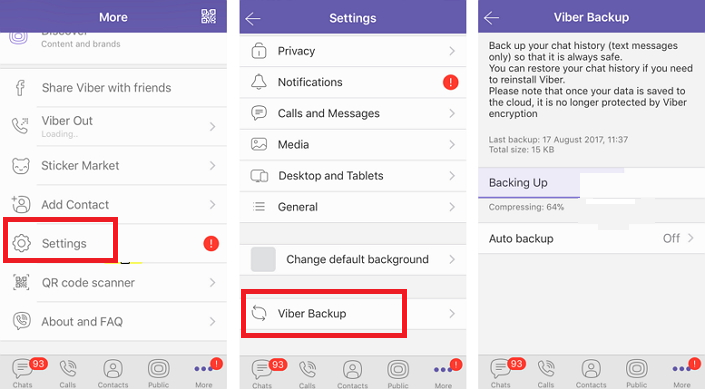
Viber backup saved a lot of important information. The best option is to back up your account and chats.
Thanks to this, correspondence, multimedia files, contacts will be stored on the cloud - a remote server that can be accessed via e-mail or a number of other accounts.
To create a backup:

You don't have to follow step #5, but create one copy, the archive of which will immediately appear on the cloud or Google Drive.
It is advisable to synchronize your smartphone, tablet, computer before archiving. This will help to bring together correspondence and files.
Note that it will be fashionable to restore photos in Viber, as well as other multimedia and correspondence, only if there is a backup copy.
As you can see, even after deleting the messenger and deactivating the account, it is possible to restore work. The procedure is complicated, but if you follow the instructions, it will not be difficult. The main thing is not to break the sequence of actions and initially understand what the problem is.
Note that you will not need to additionally restore contacts in Viber. This will happen automatically after the account is returned.
If the Viber messenger fails and for a number of other reasons, you may need to delete it and then reinstall it. Well, when switching to another phone or updating the firmware, you often need to download the application again. And here there is one difficulty, is to return the old data. Luckily, messenger has an easy way, how to restore viber by phone number . But it will work with some reservations.
Contents
The procedure itself is carried out in three stages:
Android has Play Market , on iOS - App Store . These are branded app stores that will help with this task. Open the one available on your mobile device, using the search function, go to page Viber and activate the download and installation of the messenger. In some cases, you will additionally have to confirm the procedure, enter a password for your Google or Apple account, or provide the required permissions.
But in general, the task is quite simple, so follow our instructions and on-screen prompts to figure it out.
The installation is now complete, but you need to log into Viber to start using it. To do this: