I hope you enjoy reading our blog posts. If you want DCP to build you an awesome website, click here.
13-05-2017
Back
In this video tutorial, I will show you how to create a photo album on your Facebook business page.
Facebook photo album feature is a great way for you to showcase your work. At DCP we use Facebook photo album features create galleries of example work completed by our talented web designers and developers. For example, we may create a photo album that contains logo designs.
This is a great way for us to showcase our skills and knowledge. Creating a Facebook photo album is very simple and requires only a few steps to complete. So if you have a Facebook business page want to showcase your work then why not use a photo album.
You can also use a photo album to display images from an event or even show progress during the project such as a building or painting and decorating job. Set up your Facebook business page today and take advantage of free social media marketing.
Why not check out some of our other free business video tutorials here: https://www.dcpweb.co.uk/blog/type/2/videos
Subscribe to DCP YouTube for more Facebook video tutorials.
# Facebook photo album
# Photo album Facebook business page
# Facebook business page photo album tutorial
Facebook business video tutorial by: DCP Web Designers in London
Thank you for contacting us.
We will reply to you in next 2 working days.
02-08-2017
2017 cheat sheet guide for business social media
There are so many different social media platforms which you can use to help promote your business. Understanding all of these different social network systems can be a daunting task. Creating visual artwork, knowing which sizes are correct for different social networks and knowing when to post content for the best engagement can make a huge difference to your social media marketing strategy.
03-08-2019
Top tip to make sure your social media strategy is working
The title of this article might sound a little intimidating more than it is, especially if this is your first time working with marketing techniques and social media. Before starting on our strategies, the phrase sounded like the virtual version of stress and hard times ahead. We certainly won’t lie and tell you that fixing social media strategies is easy because it isn’t and the amount of effort put in isn’t always the same as you receive.
08-08-2016
Instagram Social Media - 6 Image techniques which guarantee more likes
When it comes to taking and sharing images, Instagram is the number one place to do it. It is social networking at its simplest; the user simply posts a picture, often with a short comment, and waits for the likes to come rolling in. As with other social networks, you can follow your friends, companies you’re interested in or celebrities you like.
20-05-2017
How to create an image gallery on your twitter business profile
This is a free video tutorial. In this video tutorial, I will show you how to create an image gallery on your twitter business profile. Twitter is a powerful business marketing tool if used correctly. At DCP we use twitter to showcase our web development work. When we post on twitter we create a small image gallery to showcase our completed projects. Regardless of the type of business, you run it is always a good idea to showcase your work in as many places as possible.
Luke Mead
Social Media
In this tutorial, I show you how to create a Photo Album for your Facebook Page.
This tutorial isn’t for people creating albums for their personal Facebook account.
There are many reasons that you might want to create a photo album on Facebook.
The most obvious one is you want to show off lots of photos, without posting them individually.
Doing this is an excellent way of promoting your business, by subtitling showing off your products, services & events.
This is a really super simple tutorial, I recommend doing this on your desktop computer, because it’s just a bit easier.
Before we go any further, it’s important to check that you have permission to post on your Facebook Page.
Learn about Facebook Page permission’s here.
Head to your Facebook Page.
Head to the photo area on your Facebook Page, this can sometimes be hidden behind the more button.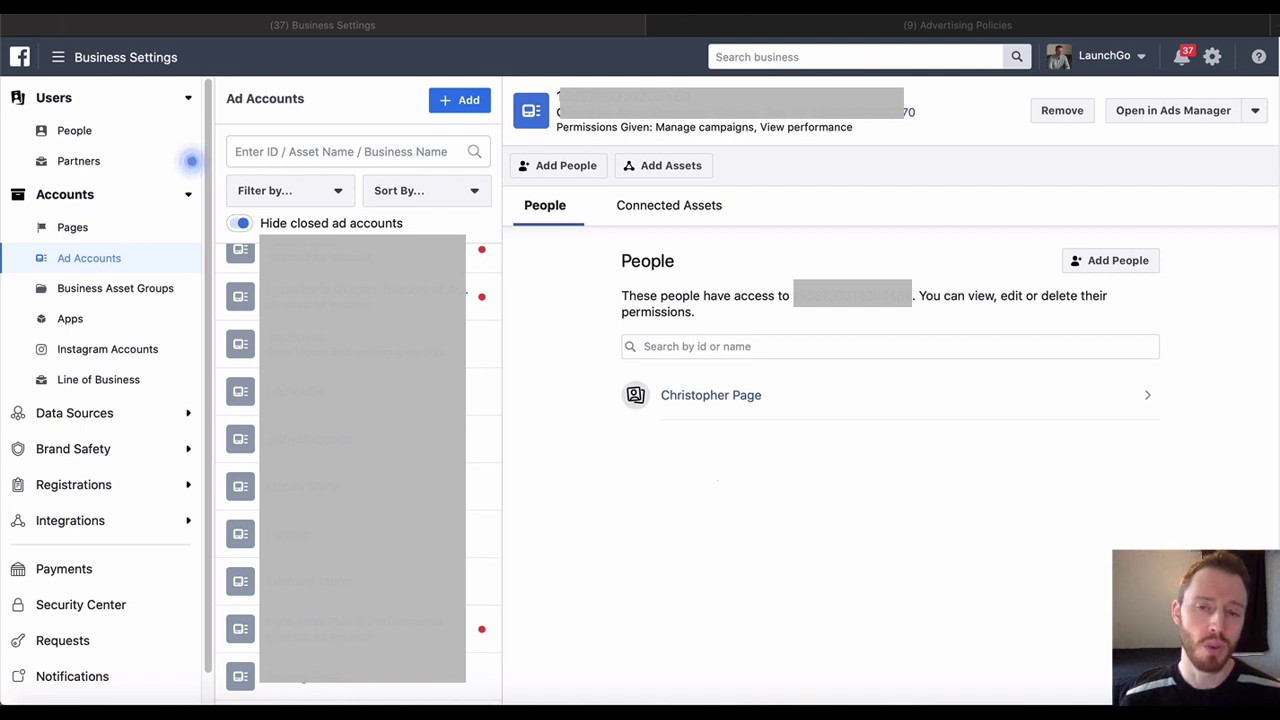
Now you should be able to create your photo album.
Firstly give it a name, then all that you have to do is select & upload all the photos that you want inside the album.
This is a really handy Facebook tip for organising your photos on your Page.
If you need more help with creating a photo album, I recorded this video.
Luke Mead
Hello! I’m Luke, and thanks for being here, I really appreciate the support.
A little bit about me:
I am a digital marketer by trade, but love the outdoors & travel.
I’ve actually got a few little projects I work on.
IPM Media & Luke Mead Marketing are my main “marketingcentric” educational platforms.
But I also run Luke Mead 4x4, where I explore all things outdoors.
Keep in touch:
I recommend you email me at [email protected] if you want to get in touch with me!
Follow me on Instagram!
Connect with me on LinkedIn!
Insert Images into a PDF using Preview on Mac
Partner with us - enquire now.
We’re a no bullshit marketing blog.
Meet Stella SEO, a free digital tool that lets you audit, report & track your SEO.
Analysing IPM Media’s SEO using Stella.
Optimise your eCommerce SEO with 5 Practical Tips
10% off shop wide with code IPM10 at Dirt Roads
Learn more
Some albums (such as Profile Photos) cannot be deleted, but you can delete photos from these albums. Deleting an album also removes the photos from the album.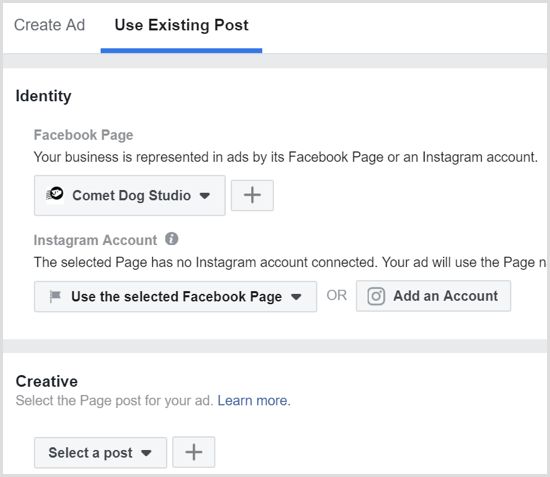 You will not be able to recover a deleted album.
To delete album :
To transfer a photo or video to another album, go to Facebook from a computer (laptop). Currently, on mobile devices, you cannot transfer photos or videos from one album to another. nine0007
To transfer photos or videos from one album to another:
If there is a (first time) photo (or video) on your profile feed that you want to move to another album:
Note : You cannot move photos that are in background photo album or profile .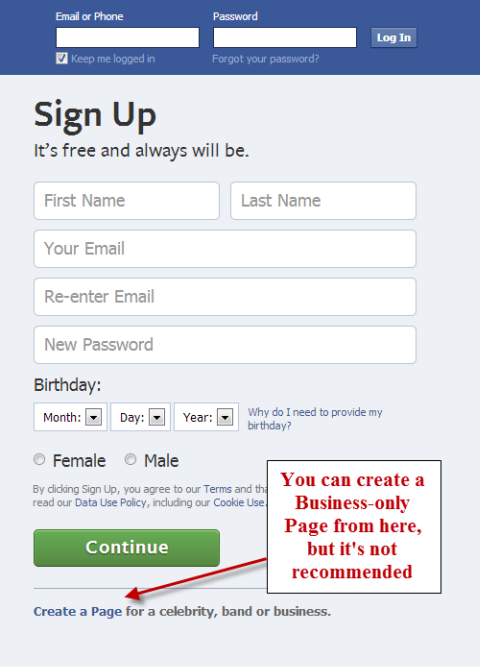
You can only add items to albums that you have created, and collaborative albums in which you are a collaborator of . Live videos cannot be added to an album.
To add a photo or video to an album:
Album privacy settings control who can see your post. To change a post's privacy settings, first change the album's privacy settings. You can add a photo to an album after it has been published.
Note : A maximum of 1000 photos can be added to one album. nine0007
You can get a link to share your photos and albums with people who don't use Facebook.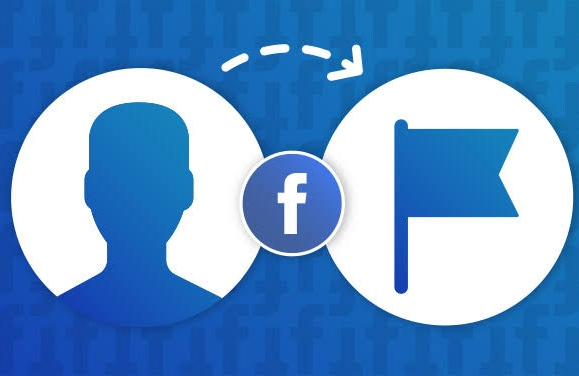
To get a link to the album:
To get a link to a specific photo:
Copy the link to send it to your friends who don't use Facebook. Remember that every person who receives the link will have access to the contents of the album.
Note : You can only share links to pictures you add yourself and from albums you create.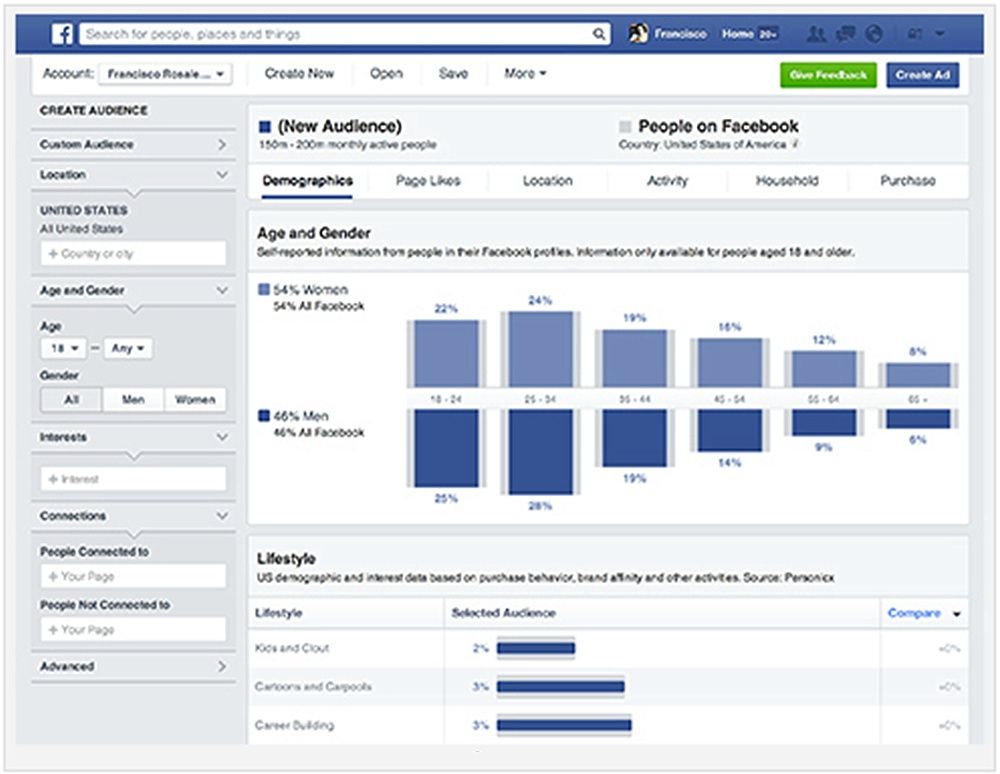 You cannot post links to automatically generated albums (e.g. profile photos, phone photos).
To save the photo on your computer:
To create a Shared Album:
When collaborators are assigned to a shared album, they can add photos and videos, tag photos, edit the album, and add new collaborators. Collaborators can only edit and delete uploaded photos. The owner of the album can delete photos of other collaborators. If a collaborator is removed, they will have the option to remove photos added to the collaborative album from the level of their activity diary. nine0007
To leave a shared album you have been added to:
Viewing a shared album may become unavailable. It depends on its privacy settings. Photos or videos you've posted in a shared album will remain there when you leave the album. After you leave a shared album, you will no longer be able to remove photos and videos from it. nine0007
Only the person who created the shared album can configure its privacy settings. To set the privacy settings for the shared album you are creating:
Remember that if you tag someone in a photo, it will be available to the tagged person and their friends. nine0007
You can only remove collaborators from a shared album that you have created. To remove a member from a shared album:
Removed collaborators will not be able to add photos and videos to the shared album. Depending on the privacy settings of a shared album, remote collaborators may not be able to access the contents of the shared album.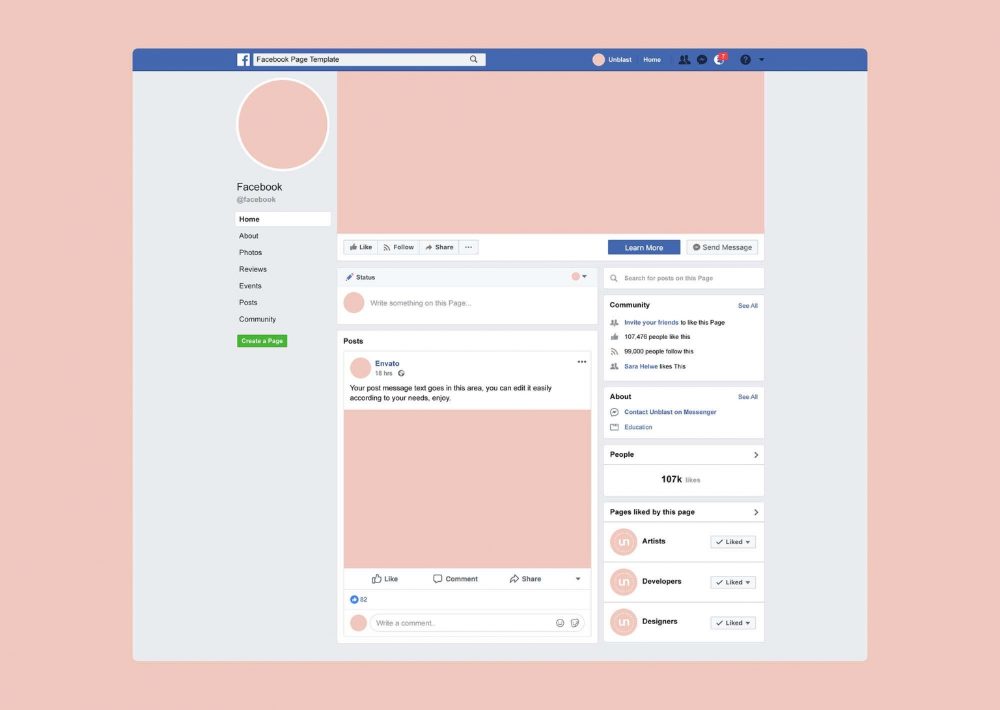 nine0007
To change the privacy settings for published photo albums:
Only the person who created the album can change the privacy settings.
You can change the privacy settings for individual images in most albums, including Profile Photos and Cover Photos, but not all albums support this feature. nine0007
To set the privacy for the selected photo:

Please note that some photos, such as the current profile photo and the home page background image, all have a public status.
Step 1. You need to go to the main page by clicking the Facebook logo. Please note that Facebook has groups and pages. Groups are more suitable for thematic communities, where the content is created by the users themselves. If you want users to create content themselves in the same community, choose a group. If you want to create content yourself, you will have a page for your company or your personal page to advertise you or your company, then you need a page. nine0007
Step 2.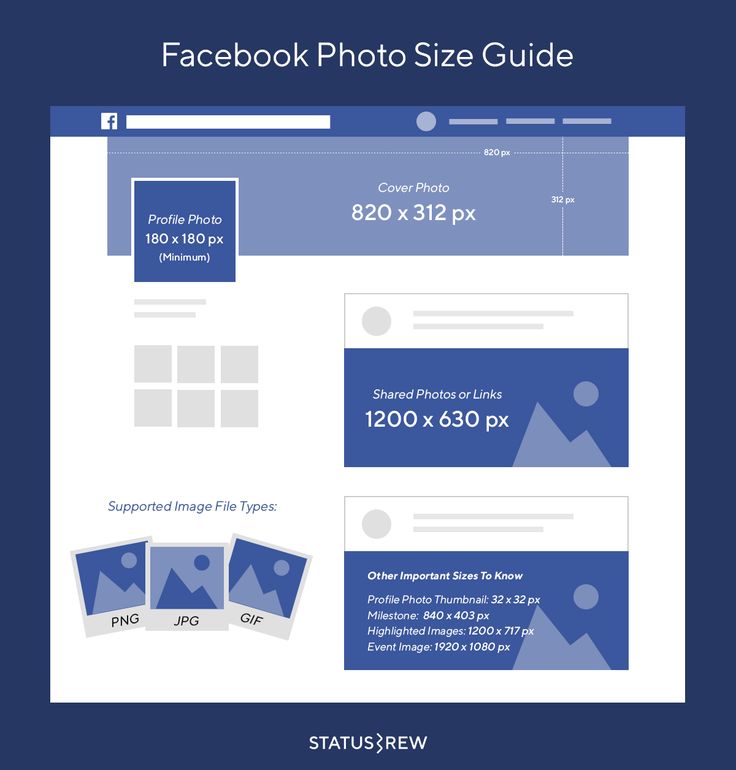 Open this section, here we have options - you can see the pages that you manage, and you can also create a new page. Go to the page section, there is an item "create a new page".
Step 3. Click "Create a new Page". You need to come up with a name. It should be short, concise, preferably optimized for search, contain key queries. If you have a regional community, you may also use the name of the city. nine0007
Step 4. Next, Facebook prompts you to select a category. There is a drop-down list if you click on the categories. Then you write a short description in two or three sentences, what kind of company you have, what kind of page.
Step 5. Click "Create Page".
Step 6. After Facebook says that the page has been created, you can either just save it or continue with the design. You can add a profile photo.
Cover and avatar parameters are easy to find on the Internet, the size of the top header changes, so just make a widescreen image in HD quality, at least 1900 pixels.
Step 7. So, the page is created. Then you can: add a button, a link to the site, if it exists, or a link to messages so that a person can write to you.
The default settings are pretty good. But there are some points to which you need to pay attention.
An important setting is the prohibition of user publications. You don't want someone to write something on your wall. Therefore, prohibit other users from writing on your page. This doesn't mean they won't be able to comment, but they won't be able to add a post to your feed. We also recommend that you turn on the obscene language filter. nine0007
If you will be writing posts in different languages, there is a special feature that you can enable, it is disabled by default.
You can enable a greeting and write a welcome text that will automatically be sent when the user wants to write a message.
You need to enter a username - this is the URL of your page. It is important that you have one nickname on all social networks and sites so that people can easily and quickly remember your corporate hashtag and your nickname. nine0007
Next, you need to provide contact information. If necessary, indicate the phone number, e-mail, website. If you have a regional business, be sure to include the address. Write down the geolocation, check that Facebook correctly shows and reads the desired house. You can set the opening hours.
The next step is to set up sections - active and inactive. There are a lot of them, customize the ones you need and leave what you don't need. nine0007

An important point: these sections can be dragged and moved. If you want the block with the latest videos to be at the very top, you can move it to the very top. Or vice versa: if you will not have videos, or they will be very rare, you can move this section to the very bottom. nine0007
You can set various notifications to be sent to you by SMS, email, messages, for example, when someone likes, subscribes or writes a comment.
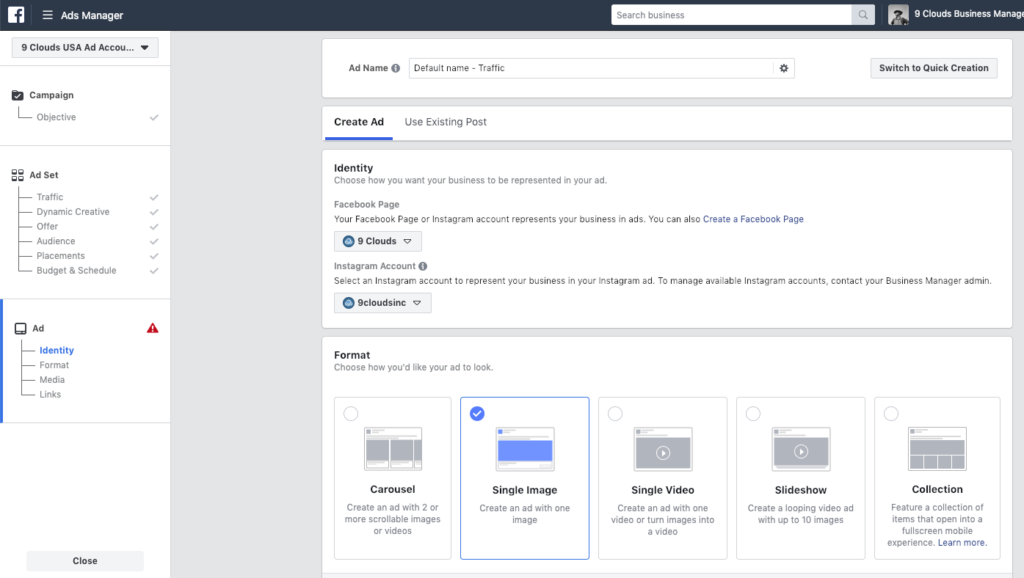
Social or political advertising related to targeting. This feature is for political ads and things related to politics - in terms of ad safety.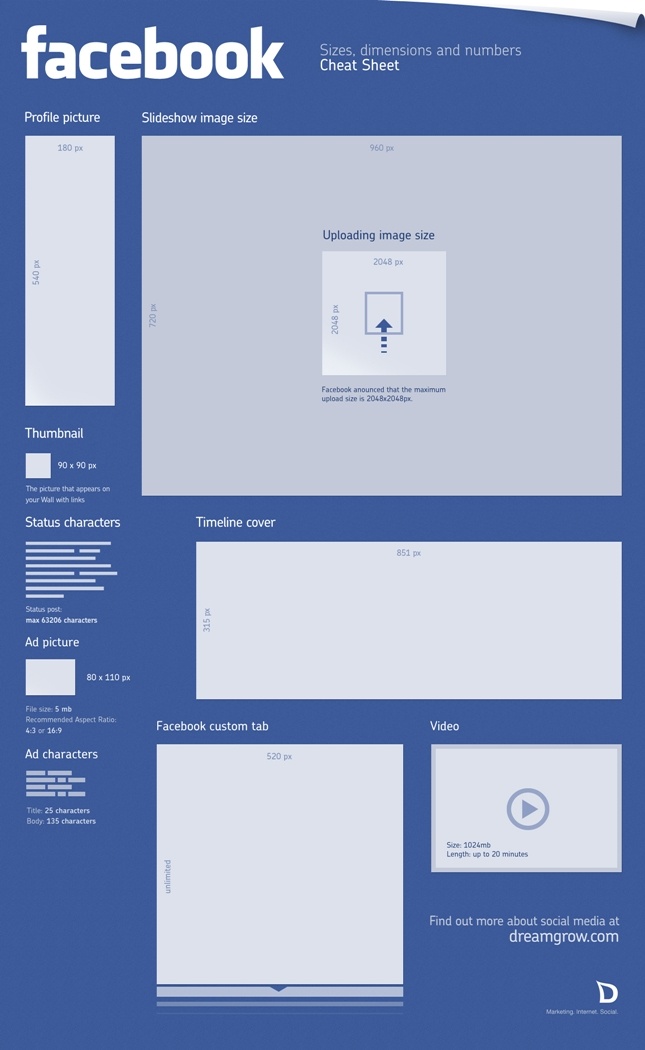 If you don't, ignore this section.
If you have several administrators or will have an editor - all this can be configured in the access section. Here you write the username or email address to which the Facebook account is registered, you can assign its role:
Access to analytics and advertising account: in this section you can see the current administrators, if necessary, you can add or remove someone. nine0007
In this section you can connect your Instagram account. Instagram has regular user accounts and business accounts that have the ability to create ads, have analytics and statistics. You can switch to a business account from Facebook. If you haven't done so yet, you have a regular Instagram account, here you can link it. You will be able to create ads, set up targeting, view statistics.