If you’re getting a bit tired of Instagram, you might want to consider deactivating your account. With Instagram, you have two choices: You can learn how to deactivate your Instagram account, or you can delete it completely. We’ll review both options, so you can decide if you’d rather take a break or cut ties with Instagram forever. Just be cautious, as deleting your Instagram account removes all of your content permanently, and you won’t be able to get it back.
Contents
Easy
5 minutes
Be sure to check out our guide on how to use Instagram if you need any additional help.
By temporarily disabling your Instagram account, your profile, along with its photos, videos, comments, and likes, will be hidden (until you reactivate it). Disabling your account is a perfect way to take a bit of a vacation from Instagram. Another option to consider is merely muting a few friends, if that’s your main reason for disabling your account.
Note: The following instructions only work for Instagram accounts that do not use a Facebook account to log in. If you want to disable your Instagram account but your account uses Facebook to log in, you'll need to remove your Facebook account from your Instagram account and then reset your Instagram account's password. To do this successfully, you'll need to have access to the email account that is associated with your Instagram account. Once your Facebook account is unlinked from your Instagram account and you have reset your password for your Instagram account, you can use the following instructions to temporarily disable your Instagram.
Here's how to deactivate your Instagram account:
Step 1: Visit Instagram.com using a web browser.
If not already logged in, log in to your Instagram account.
Step 2: Click on your profile photo icon in the top-right corner, then select the Profile option.
screenshotStep 3: At the top of the page, click the Edit profile button.
Step 4: Scroll down to the bottom of the page and click Temporarily deactivate my account.
screenshotStep 5: Instagram will ask why you're deactivating your account. Select a reason from the drop-down menu, and then enter your password.
screenshotStep 6: To complete the process, click Temporarily deactivate account. Then select Yes to confirm.
Your Instagram account should now be temporarily disabled. To enable your Instagram account again, simply log back in using the website.
Step 7: The above steps can work for anyone as long as they have a PC, an internet connection, and a web browser.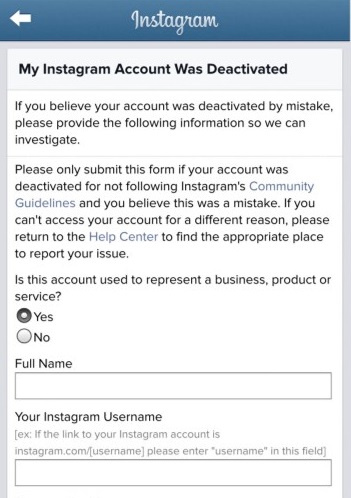
The Instagram mobile app can let users disable their accounts, but this functionality is currently only limited to iOS users at this time. If you're an iOS user, you can disable your IG account on the mobile app using the following method:
Select your Profile picture > Three horizontal lines Menu icon > Settings > Account > Delete account >Deactivate account.
Then answer the on-screen prompts. Then select Temporarily deactivate account.
If you know that you definitely won’t be coming back to Instagram, you can permanently delete your account. It is critical to note that deleting your account will remove your profile, photos, videos, comments, likes, and followers. There is no way to retrieve them once the process has been completed. Additionally, you won’t be able to use that same username again if a new user ends up taking it before you decide to sign up with it again.
If you are positive that you want to delete your account, follow these steps:
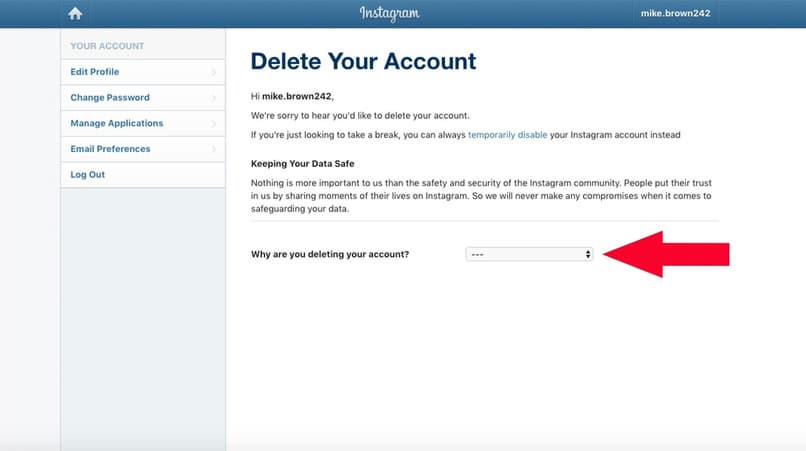
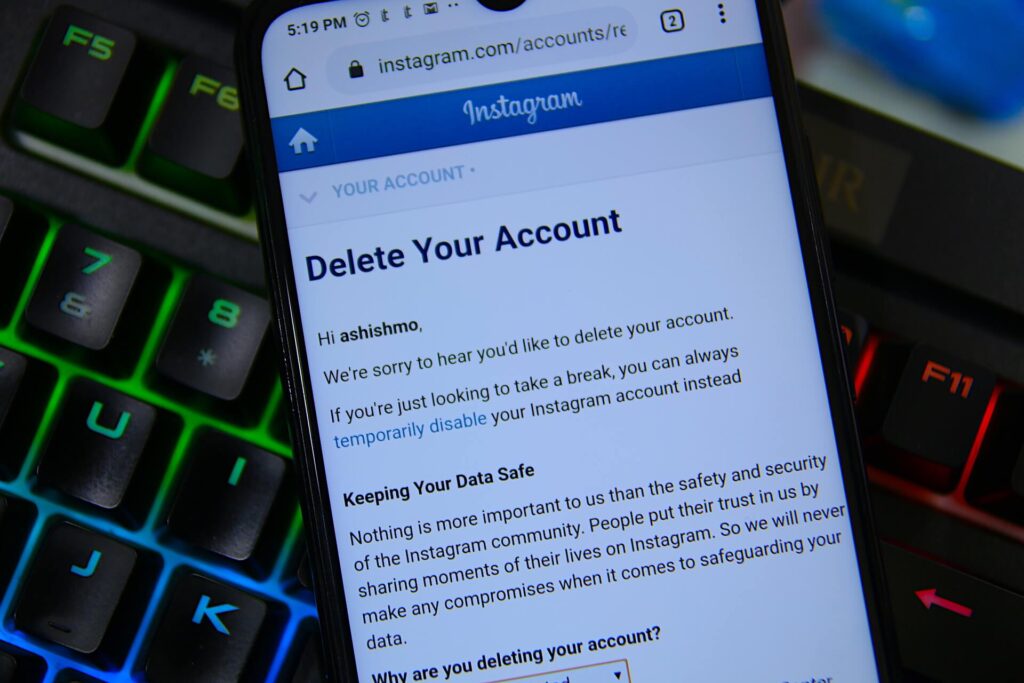
Step 1: Visit the Instagram Delete Your Account page. If not already logged in, log in to your Instagram account.
Step 2: Next to Why do you want to delete [your username]?, select an option from the drop-down box.
Step 3: Enter your Instagram password to confirm.
screenshotStep 4: Click Delete [Your Username].
By following the above process, you will have submitted a deletion request to the Instagram team. After 30 days, Instagram will permanently delete your account and all information. Instagram notes that it may take up to 90 days for the process to complete.
Step 5: As with disabling an account, you can also delete your account via the Instagram mobile app, but only if you're an iOS user.
Here's how to do it: Select your Profile icon > the three horizontal lines Menu icon > Settings > Account > Delete account > Delete account > Continue deleting account. Then answer the on-screen prompts.
Then select Delete [your username] > OK.
Click here for a summary of this article
How to Deactivate Your Instagram Account or Delete Instagram: A Quick Guide
If you feel like you need a break from social media, it is okay to deactivate your Instagram account temporarily, or even delete Instagram for good.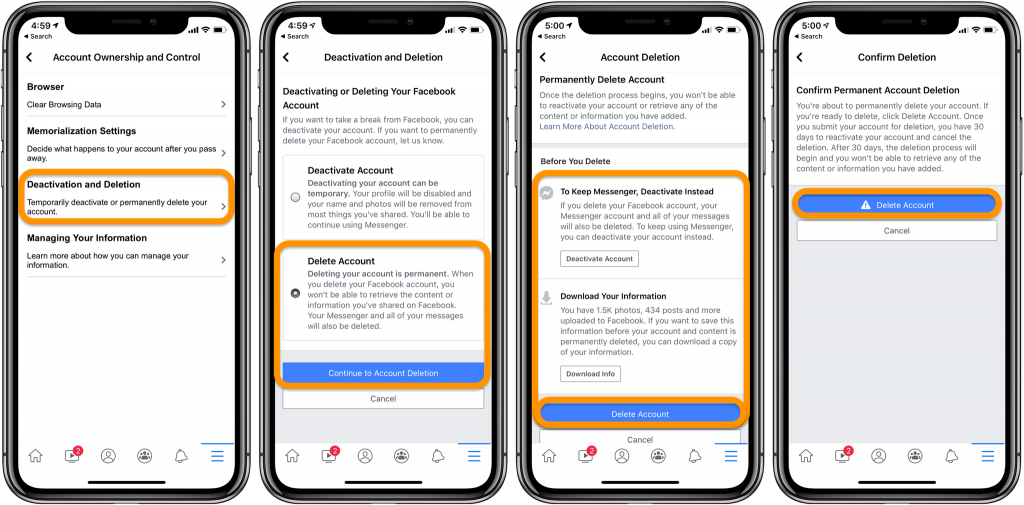
We recommend that you download your Instagram data before you deactivate or delete your account.
Follow these steps to deactivate Instagram:
If you want to delete your Instagram account, the process is not very different. Check out the article below for step-by-step instructions.
If you are concerned about your privacy on Instagram, using a VPN can help to safeguard your data. A VPN protects your internet traffic from prying eyes and makes it harder for hackers to breach your privacy. We recommend picking a trusted VPN like NordVPN.
Continue reading the article below for more information about how to deactivate or delete your Instagram account.
Instagram is one of the biggest social media platforms in the world, with over one billion active users every month.
While this translates to a lot of perfectly curated photos and stories to scroll through, it also makes the platform ripe for scams. Cyberattacks and fraud are rife on Instagram. We’ve reported on several Instagram cyberattacks this year, including a phishing attack that bypasses Gmail’s security filters.
Meanwhile, studies indicate that excessive use of social media platforms like Instagram can adversely affect your mental health. In fact, in 2021, Instagram tried to suppress an internal study that showed the negative effects of the app on teenage girls.
Are you concerned about your privacy? Are flashy influencers grinding on your patience? Do you want to spend less time scrolling through Instagram and focus on improving your productivity?
It may be time to deactivate your Instagram account, or perhaps delete Instagram altogether!
In this post, you’ll find detailed instructions on how to deactivate Instagram temporarily or delete your Instagram account permanently.
Instagram doesn’t want you to leave, so deleting your account is not your only recourse. You can also choose to deactivate it.
Here are the key differences between deactivating and deleting Instagram.
| Delete Your Instagram Account Permanently | Deactivate Your Instagram Account Temporarily |
|---|---|
| Deleting your Instagram account is irreversible | If you deactivate your Instagram account, you can reactivate it at any time just by logging in |
| When you delete your Instagram account, all your photos, followers, likes, and comments are permanently removed | If you deactivate your account, your photos, followers, comments, and likes are preserved |
| If you delete your account, you could lose your username if someone else claims it | If you deactivate Instagram, your account is hidden indefinitely, but no one can take your username |
Whether you plan to deactivate or delete your Instagram account, we recommend that you grab a copy of all the things you’ve shared on the Instagram app.
Here’s how to download your Instagram data on your iPhone or Android device:
It can take 48 hours to 14 days to receive your file. You’ll receive an email with the subject line “Your Instagram Data.” Click the link in the email to download your file. The file usually includes your profile information, photos, comments, and other data.
If you’re accessing Instagram on a web browser, here’s how to request your data file:
Within 48 hours, you will receive an email titled “Your Instagram Data.” Click the link in the email to download your file.
Not quite ready to walk away from Instagram? If you feel like a brief separation is all you need, then consider deactivating your Instagram account.
Unfortunately, you can’t deactivate an Instagram account from the iPhone or Android app. You’ll need to use your computer or mobile browser to cut ties with the social media platform.
Here’s how to deactivate your Instagram account on your computer or a mobile browser.
Your Instagram account will be hidden and won’t show up in search results. Your username, photos, likes, followers, and comments will be preserved.
Note: The moment you log back into your account, it will be reactivated. You can only deactivate your Instagram account once per week.
If you’ve deactivated your Instagram account but want to access it again, follow these steps.
If you change your mind right away after deactivating your account, you may have to wait up to 24 hours before you can reactivate it. Instagram typically takes several hours to complete deactivation requests. Until that process is complete, you won’t be able to reactivate your account.
If privacy and safety are the primary reasons you’re considering deactivating or deleting your Instagram account, there are ways to enhance your privacy on the social media platform.
We recommend using a VPN like NordVPN to encrypt your web traffic and hide your IP address from hackers and other prying eyes.
We have an article on how to tweak your privacy settings on Instagram for improved security. Our article on the most common Instagram scams is also a great resource. If you have kids, check out our guide on how to protect your kids on Instagram.
If you’re ready to completely delete your Instagram account, you’ll need to be on your computer with a web browser. Unfortunately, you cannot delete an Instagram account via the app on iPhone or Android.
Here’s how to delete your Instagram account permanently.
Your account will be deleted immediately, including all the photos, likes, followers, and comments associated with your account. You should see a message confirming this that reads, “Your account has been removed. We’re sorry to see you go!”
For all intents and purposes, your Instagram account has now been deleted.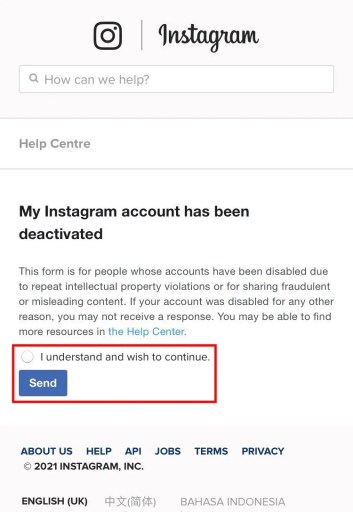 However, Instagram says it may take up to three months for your account data to be completely removed from its servers. Instagram’s Data Policy also points out that some information may be retained on its servers beyond this 90-day window for legal purposes.
Instagram can be fun, but it poses a potential risk to your privacy and—in some cases—mental health. There are different opinions about the right way to use social media, but it is clear that taking a break is necessary sometimes.
It is perfectly fine to deactivate or permanently delete your Instagram account. Instagram and all other social media will be there when you are ready to use them again.
If you’re looking to do a social media cleanse, we have articles on how to delete your Facebook, Twitter, LinkedIn, Reddit, and Telegram accounts.
How to Deactivate Your Instagram Account or Delete Instagram: Frequently Asked Questions
Check out the FAQ section below for answers to specific questions about how to deactivate or delete your Instagram account.
Since Instagram doesn’t let you delete your account within the app itself, you’ll need to log on to Instagram via a web browser. Once you do, follow these steps to delete your Instagram account permanently.
For more instructions, read our article “How to Delete Your Instagram Account.”
When you delete your Instagram account, all your photos, followers, likes, and comments are gone forever. Your username is also up for grabs. However, when you deactivate your Instagram account, your data is preserved, and you can reactivate your account at any time.
You can only deactivate your Instagram account by logging in via a browser.
Follow the steps below to deactivate your account.
To reactivate your Instagram account, all you have to do is log in via the app or a browser, and it’s done automatically. If you’ve just deactivated your account, you’ll have to wait for 24 hours before you can reactivate it.
Liz Wegerer Author
Tech journalist
Liz is a professional writer with a special interest in online privacy and cybersecurity. As a US expat who travels and works in diverse locations around the world, keeping up with the latest internet safety best practices remains her priority.
Social networks have already become such an integral part of our lives that from time to time you frankly start to get tired of them. Do you want to take a break from Instagram? Such a desire is quite understandable. But instead of completely deleting the app or your profile, try simply temporarily deactivating your Instagram account. It is likely that in a month you will want to use the services of this service again. And, having entered it, you will see all your records in the same place - as if there was no downtime.
| Apple in Telegram and YouTube. Subscribe! |
♥ BY TOPIC: How to unfollow a person on Instagram so that they don’t find out (so as not to offend).
Temporarily disabling your Instagram account removes your profile from the social network for the period of time you need to take a break from the service. The link to your Instagram profile will become invalid, users will not be able to find you in the search, and they will also not be able to contact you. But these features will be restored after the account is reactivated.
You can temporarily deactivate your Instagram account whether it is a personal account or a business account.
Oddly enough, you won't be able to disable your account from the Instagram app on iPhone or Android. Instead, you will need to use the Instagram website.
1. Open the Instagram website on your computer or smartphone browser and log in with the account you want to disable.
2. Go to the main profile page and select " Edit profile " there.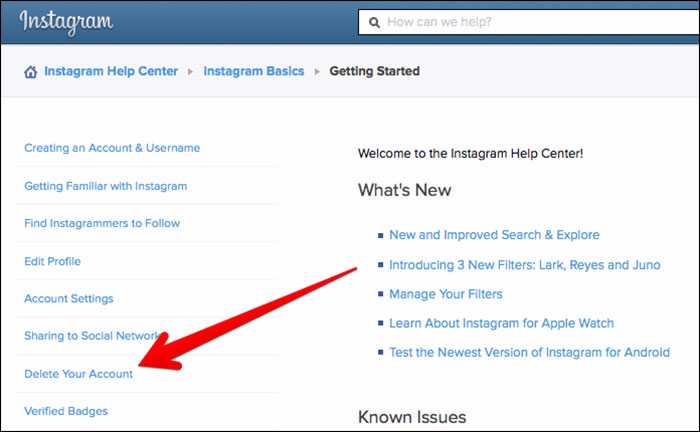
Alternatively, you can go directly to this link to go directly to the profile editing screen.
3. In this section, scroll down and click on the option " Temporarily disable my account ".
4. Instagram will ask you why your account was deactivated. You can select options from the drop down menu. If they do not suit you, or you do not want to specify a specific reason, then select the option " Other .”
After the choice is made, you will need to enter your Instagram password in a special field.
5. Now again you will need to click on the blue button " Temporarily block account " at the bottom of the page. Once again, Instagram will ask you if you want to continue. It remains only to press the button " Yes " in the pop-up window.
This will disable your Instagram account. On the smartphone, the application will exit the service. To see the result of what you have done, you can try searching for yourself by username on Instagram.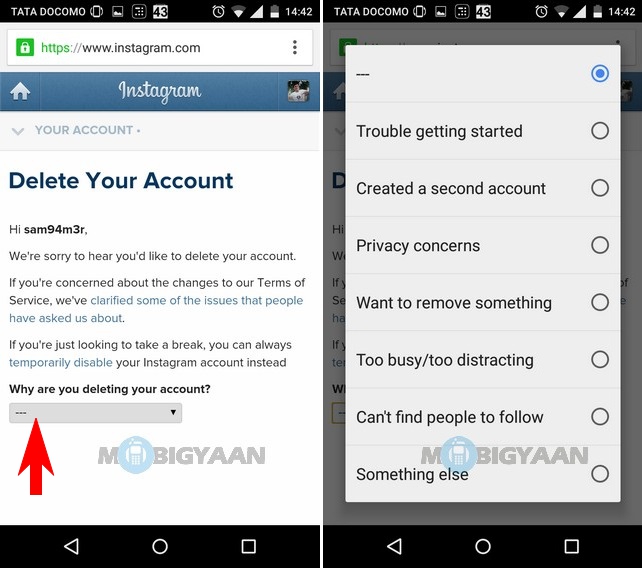 The service will report that the user either does not exist or has not published anything yet.
♥ BY TOPIC: Instagram cache on iPhone: where to look and how to clear.
All you need is an Instagram username and password. If you forgot it, you can try resetting it.
Open the Instagram app on your iPhone or Android device, or go to the Instagram website.
Just sign in to Instagram with your username and password.
Your account will be instantly restored and available as before. For added security, we still recommend that you change your Instagram password after reactivating your account.
See also:
Please rate the article
Average rating / 5. Number of ratings:
No ratings yet. Rate first.
Sometimes it is useful to take a break from social networks, but self-discipline allows this only to a few. Then deleting the profile comes to the rescue. We explain how to delete from Instagram permanently or temporarily, saving data
Since March 21, 2022, the social networks Facebook and Instagram have been banned in Russia by a court decision, and the Meta Platforms holding company that owns them has been recognized as an extremist organization and is also banned.
Some users notice that they devote too much time to maintaining their Instagram account to the detriment of work and personal affairs. Even the owner of Instagram, Meta, admitted in internal documents that its social networks have a negative impact on sleep, work, parenting, work productivity and personal life of approximately 12. 5% of users. And scientists from the University of British Columbia found that users' own lives begin to seem insufficiently bright and interesting compared to what they see on Instagram.
Meanwhile, until the spring of 2022, the social network was consistently in the top 10 in terms of downloads in Russia and in the world. The international agency We Are Social estimated that in 2021 Instagram ranked fourth in our country in terms of the number of users (61.2% of Russian Internet users go there), and in total 67.8% of the Russian population (99 million people) use social networks. The average Russian spends 3 hours a day outside of work at the monitor or with a smartphone.
In November 2021, Instagram began testing the Take a Break feature. It will allow users to escape from the continuous viewing of the feed. In the settings, it will be possible to set reminders for breaks, for example, 10, 20 or 30 minutes. After that, the application will issue a warning about the need to rest.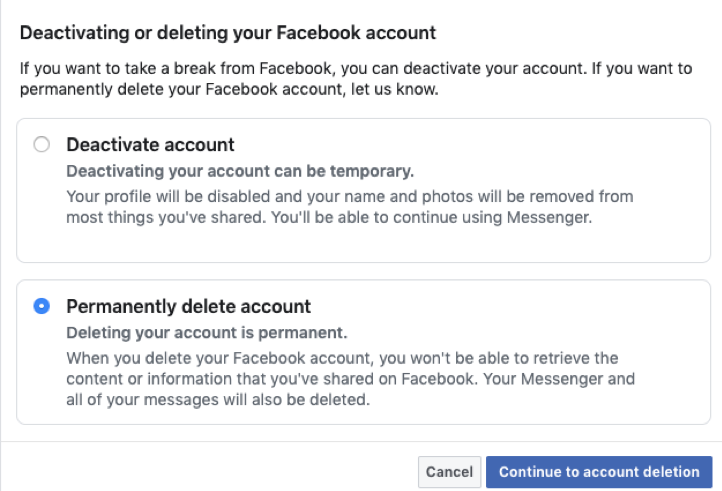 However, this feature has been opened to a limited number of users so far.
For now, everyone has the only alternative - to give up Instagram for a while or for good.
This option should be chosen when the profile is definitely no longer useful: for example, if we are talking about the account of a company that has closed.
Before deleting a profile, Instagram will offer to save data from it. To do this, you need to send a download request. After that, an email will be sent to your email within 48 hours with a link where you can download photos and videos. You can also request a copy of your data through the Instagram app for Android and iPhone. To do this, open the menu in the profile, go to the "Settings" - "Security" section and select the "Download data" item. Next, you will need to enter your email address and account password.
Download request from Instagram
Even after deleting the profile, it will be visible on the social network for another 30 days. During this time, the user can change his mind and restore the account. If within a month the owner of the profile has never logged into the system, then the account is permanently deleted.
To delete a profile using a computer, you need to perform several steps:
To delete an Instagram profile using your phone, you need to take more steps:
The user can also stop using Instagram for any period and then restore the page. However, you can do this no more than once a week. A temporarily deleted profile is not visible to other users of the social network. To restore it, you just need to log into the application.
To temporarily deactivate your profile using a computer, you must perform the following steps:
As in the case of the "permanent" deletion, temporary blocking of Instagram will require more steps:
 com website from a mobile browser";
 To delete your account, you need to know your username and password. A forgotten password can be reset using an email address, phone number, or Facebook account. If the user does not have access to the email address specified during registration, and his Instagram and Facebook accounts are not linked, then the support service will not be able to provide access to the account.
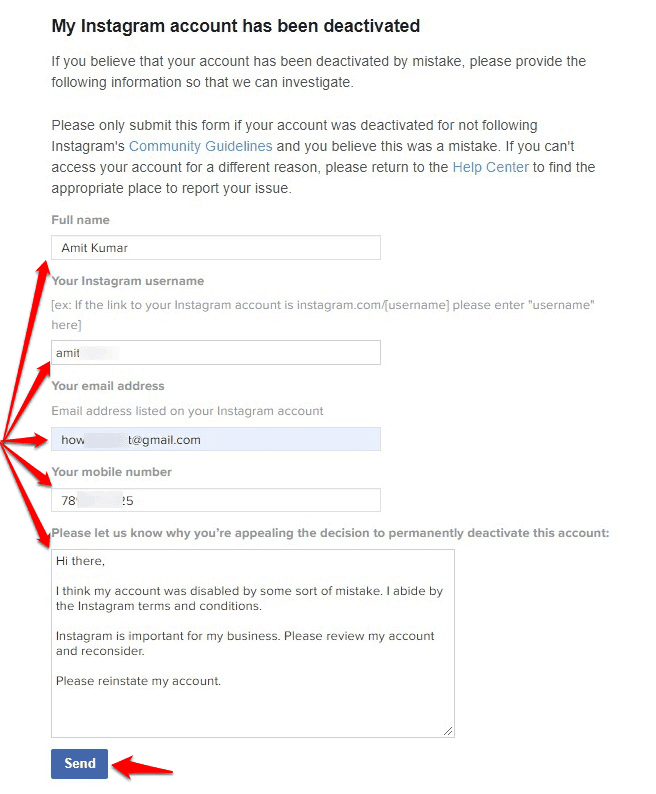
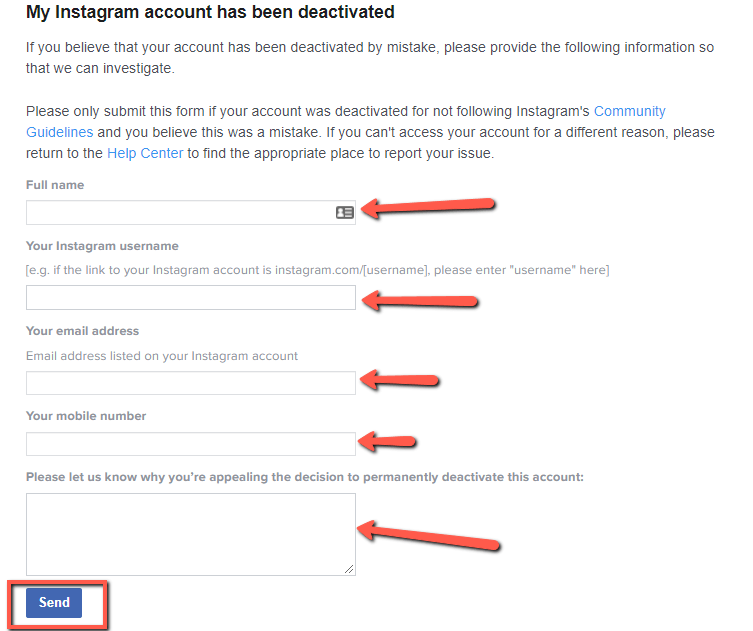
In the event that an Instagram account has been blocked by the social network itself, its owner will see a corresponding message when logging in. He can appeal this decision. To do this, you need to open the app, enter your username and password, and then follow the instructions on the screen.