Want to read a message on Instagram without alerting the sender? You can temporarily stop (but not block) Instagram read receipts using this guide.
When you send a message to another user on Instagram, the service prepares a read receipt. When you open the app, you’ll be able to see a notification that they’ve read your message when you open up the conversation.
If you’re the recipient, you might not want a user to know when or if you read their message. Unfortunately, there isn’t a way to turn off Instagram read receipts directly, but there are a few workarounds.
To help you, here are some workarounds you can try to help you to stop Instagram read receipts.
One of the workarounds you can use is to read the person’s message after putting your phone into airplane mode and turning off Wi-Fi. Disabling data connectivity allows you to read messages on Instagram without any read receipts appearing.
This is because Instagram can’t alert its servers (or the sender) that you’ve read the messages. This is only temporary, however, as your read receipt will update once you reconnect to the internet.
Note: Before enabling airplane mode and disabling Wi-Fi, make sure to open the Instagram app to load any saved messages—just don’t open them yet.
To hide Instagram read receipts on iPhone:
You can easily disable Wi-Fi and turn on Airplane mode on Android devices. This will allow you to temporarily hide your read receipts on Instagram.
To hide Instagram read receipts on Android:
Once you disable Wi-Fi and put your phone in airplane mode, you can read through your Instagram messages. Read receipts won’t be sent until you reconnect to the internet.
It’s also worth noting that if you want to read their messages via the web, you can put a Chromebook in airplane mode and then read your messages.
When you tap the Instagram message notification button, it automatically triggers a read receipt. To avoid accidentally tapping message notifications, you can disable your Instagram message notifications.
To disable message notifications on Instagram:

Until Instagram adds an option to turn off read receipts directly, one of the workarounds shown above will do the trick to temporarily stop them. Of course, you won’t be able to reply to any messages until you turn Wi-Fi back on and disable Airplane mode. While you can’t turn off read receipts, you can read messages offline and avoid marking them as read.
If you’re new to the service, check out some top Instagram tips and tricks to help you get the most from the service. You might also be interested in learning how to download a copy of your Instagram data. If you’re worried about your data security, don’t forget to disconnect your contacts from Instagram.
Not sure when to post? Check out the best times to publish on Instagram.
Related Items:instagram, Social Media
Do you love Instagram messenger, but wondering how to turn off read receipts on Instagram?
Instagram messages have undoubtedly become one of the most popular ways for people to communicate these days.
With so many users being on the app regularly, it’s always a good way to reach out to friends and family– you can even do video chats from the messaging platform, share content from Instagram, and more.
When you send a message on Instagram, you’re likely looking for a quick response, hoping the person will get back to you almost immediately.
Because Instagram anticipates this urgency, they have read receipts on their messaging platform, which allows the sender to know when the direct message has been read.
Perhaps you really don’t want the sender knowing when you read their message, or perhaps you just want to take your time in getting back to someone.
This may have led you to try and figure out how to disable read receipts on Instagram.
In this article we’re going to break down how to turn off read receipts on Instagram step by step, so read on!
We hate to be the bearer of bad news, but there is no official solution for how to turn off read receipts on Instagram. You can’t do it from within the Instagram app.
Ouch!
It may seem a bit unfair– after all, why does the person need to know when I have read their messages? Shouldn’t I get to decide?
Read on to find out how!
At the time of writing this article, the read receipt feature is completely built into the Instagram message platform, and it doesn’t seem to be going anywhere soon.
The user won’t receive a message notification after you read it unless you react to one of the messages, but the word “seen” plus when it was seen will appear under the username within your DM inbox.
For instance, it will say something like “seen 5h ago” so that you know if the user has received your message.
If the user hasn’t read the message yet, it still appears as “sent” plus the time that it was sent.
Now, even though you can’t completely disable read receipts on the IG app, there are still a variety of different ways you can try to avoid them. After all, just because you see a DM icon doesn’t mean you have to rush over there and read the message in a direct way.
We are going to give you some indirect ways to read your Instagram direct messages in hopes that the other party will not know you’ve seen it.
Some of these solutions deal with the Instagram app itself, and others will require a few other workarounds, but the following steps can help you to keep your conversation on your terms.
Let’s check them out.
Want to know how to turn off read receipts on Instagram even if it’s just a workaround?
Don’t worry! We’ve got some additional solutions that can help you not trigger read receipts and still read messages from your inbox. One of the most common methods is by using airplane mode.
The premise behind this whole workaround is that when you don’t have an internet connection, you can read your messages without triggering read receipts, allowing you to remain as if you’d never read the message.
Airplane mode is used to deactivate your mobile data, which is why you won’t be connecting to the internet when using it. Instagram can’t load and update as you read your DMs, which is why it appears as though you’d never read it at all.
Airplane mode is very easy to turn on. You can do that via your phone settings menu, but most phones will have it on their quick control pad for easy access, as you can see below for iOS users.
BUT! Don’t stop there. You also need to disable your WiFi. If you don’t, you may regain your internet connection at any moment by picking up a nearby network, and your read receipts will once again be shown to the sender.
Note: you can’t technically “turn off read receipts” by using airplane mode, but it can certainly help you to read an Instagram DM without having the sender know about it just yet.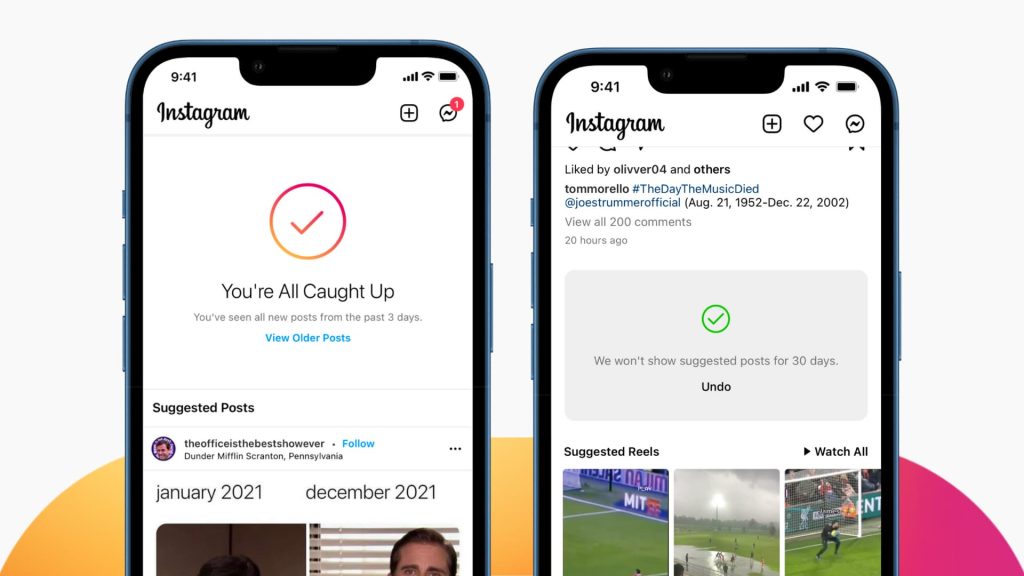
Once you’re done with that, you should log out of Instagram altogether. You can then disable airplane mode and turn on your wi fi if need be, so that you won’t be offline anymore.
After you’re back online, you can simply tap the Instagram app and log in again, using the app as normal.
There you have it– the first answer for how to turn off read receipts on Instagram.
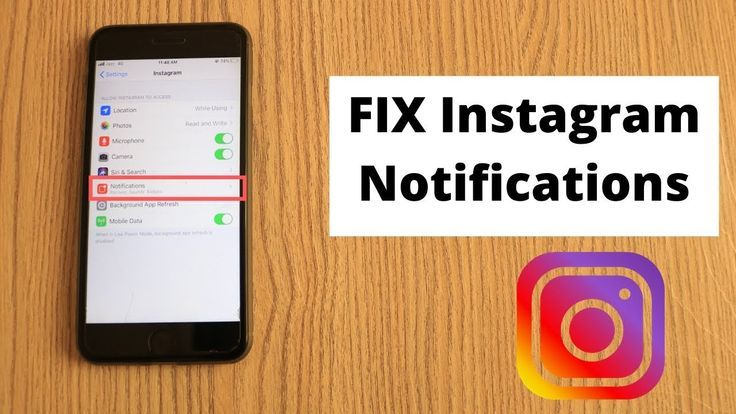
Perhaps you find it too tempting to read your DMs when you receive message notifications. You can change that easily on your device settings menu.
On iOS, you’ll navigate to Settings > Notifications > Instagram.
There, you can deal with all of your settings and alerts preferences. While there isn’t a way to completely select notifications related to messages, you can minimize the situation where you see a message notification and can’t help but read it right away.
That helps you to avoid read receipts.
If you don’t feel like going offline every now and then with airplane mode, this might be a more sensible solution that can help you with your Instagram account use overall.
Here’s how you can do it from within the Instagram app:
This doesn’t mean you won’t receive messages, but it will just avoid you from getting the notifications, which will lead to less read Instagram messages!
Thus, fewer read receipts.
Another good way to see what’s going on in the conversation without having to turn off read receipts on Instagram is to keep your Instagram notifications on and read them from the message preview.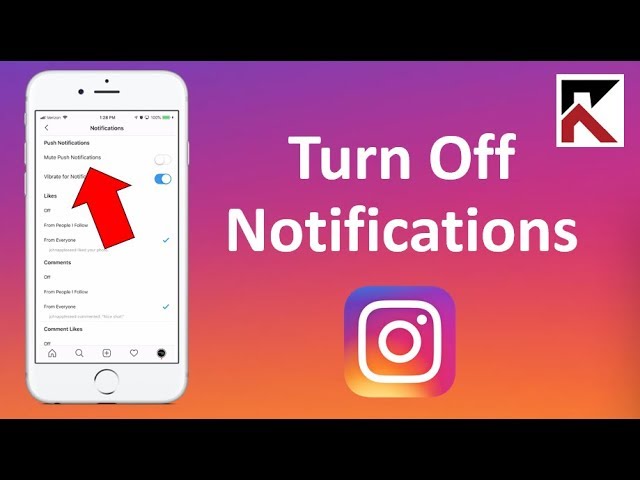
You get to see a log of all messages in your device’s notifications area, and along with that you’ll see a preview of each one.
You won’t be able to see the full message, so if it’s a bit long, you’re not going to get to see everything the user has sent to your account.
You will, however, not trigger a read receipt when you check out your messages this way.
If a brief preview is enough to satisfy you until you’re ready to slap down a read receipt, then this could be a great option for you.
There are tons of third party Instagram services, which is why it’s not surprising that there is one to help you avoid read receipts.
In fact, when you use a message management service for Instagram, it may help you to sidestep read receipts altogether and better manage your messages.
Services like DMPro offer you a dashboard that allows you to read Instagram messages outside of the platform itself, which will in turn avoid triggering read receipts.
You can get emails updating you with your DM messages as well as view them in your dashboard. These types of tools are also great for social media management.
There are different third parties out there that offer these services, but do note: they typically aren’t free. While you can sign up with DMPro for free and use their services with a low number of messages, their other packages cost $48/month and $123/month respectively.
Wait, why would we restrict a user on the Instagram app if we want to still receive messages from them?
Well, the answer is all about message requests!
When you restrict a user, the Instagram DM that they send you will need to go through the message requests inbox first, allowing you to read messages without the sender knowing.
This is one of the best ways to turn off read receipts on Instagram because the user will not be alerted as to when you have seen the message.
This is really the only way to turn off read receipts. You’ll need to keep your eye on the top right corner of your message inbox so that you can see when you have new message requests, but it will avoid read receipts on Instagram.
This is the process to restrict messages from a particular user’s account:
Now, whenever this user tries to send messages, the messages load in your request inbox, so you’ll have to make sure you take a look in there every now and again if you’re trying to stay in contact.
Only accounts that are restricted will sidestep read receipts. Once you accept to receive messages from them, the read receipts will be visible.
So, even though we can’t turn off read receipts, there are certainly a lot of good options and alternatives to read Instagram messages without triggering a read receipt.
Even still, you may have some questions about your Instagram account or other messaging features related to read receipts.
Before we wrap up our article, we’re going to go over a few basics when it comes to Instagram read receipts and messaging.
When you send a message on Instagram, it appears as “sent” until a user reads it.
At that point, below the message, you will see “seen” as well as the time they saw it.
No, there is no official way to turn off read receipts. However, there are a few things you can do to get around them.
Unlike the email feature of “mark as unread,” Instagram doesn’t have any way to go back and unread messages.
You can only see a preview of a DM from notifications, but not the whole message.
Even if you try to pressure tap it, it still won’t pull up the full message, and the same is true of Facebook messages, which is pretty frustrating.
This can be a useful technique for quick, short messages on your phone, but otherwise, it’s not going to be the best option.
Plus, if you accidentally click on the full message and open it in Instagram, you’ll definitely see some read receipts.
Having an active status on Instagram doesn’t turn read receipts on or off. It simply alerts your followers whether or not you are active on Instagram.
Image Source
This active status appears as a green dot in the circle of your profile picture, which means that since you’re online, followers may expect you to respond more quickly, or that you have a post to be published.
You can turn off the activity status feature on Instagram, but you can’t turn off read receipts.
Even if you decide you don’t want people to see your active status, when you read a message, they will still see read receipts on Instagram inbox.
So, no, Instagram activity status doesn’t give you a solution for how to turn off read receipts on Instagram. They are two completely separate features.
Vanish mode makes things quite a bit more complicated. When you swipe and enter Vanish mode, the messages that are sent during that mode will disappear from each user’s inbox after they’ve read them.
The read receipts on Instagram are still going to be a part of vanish mode. Using vanish mode won’t turn off read receipts.
After you read messages that you’ve received, and the other user has read the messages as well, they will disappear from your device as well as the other user’s device.
Again, this isn’t going to do anything to turn read receipts off.
Some people keep their eyes glued to the inbox when chatting with someone, feeling excitement when they see those three dots moving.
Some, on the other hand, see the message icon in the top right corner and feel a burning curiosity with no desire to actually open the message.
There are a range of different reasons why you might want to avoid sending a read receipt– you may need more time to consider what the message is saying to you, or you could be too busy to respond at the moment, or even need to get more information for the response.
It can be a bit inconvenient that Instagram forces the read receipt feature on its users; after all, you may find yourself in some unnecessary conflict because of it.
Regardless, the above workarounds help you with how to turn off read receipts on Instagram, receiving messages and avoiding the read receipt whenever possible.
Pretty much all social media platforms use read receipts, so it’s not something that is exclusive to Instagram.
Perhaps one day they will change it, but until then, there’s not much we can do about the feature!
It will be useful for regular Instagram users to figure out how to read a message on Instagram so that it remains unread. In standard messengers, everything is simple - after reading, two checkmarks appear next to the message.
Instagram is different. Namely, there are no special checkboxes in the social network, and the user learns about reading from the “Read” icon. The icon also does not always appear.
Contents
There is a separate built-in function inside the messenger. It performs the role of personal messages and is called Direct. Gradually, new Instagram updates appear, new features are added to Direct. One of the functions was the indicator of read messages, which does not always work. You can view read messages in Direct by running the function and selecting the desired dialogue with the interlocutor. Detailed instructions on how to find out if a message on Instagram has been read:
Also, not everyone knows how to understand if a message on Instagram was read from a computer. Unfortunately, at the moment the computer version of the application has little functionality. That is, it will not be possible to view incoming messages in Direct or answer them. However, this is possible in the Android emulator for personal computers or using plugins. To use extensions, you need to install them on your computer. Some plugins work for free, the most popular emulator right now is BlueStacks. nine0003
Often, after sending outgoing messages to other users, there is no response. As a result, similar questions arise. Finding out if a person saw the incoming is simple - under the text you sent is the word “Read”. The inscription will not appear if the person closed Direct for you.
Also there is no inscription if the message is not read. You can delete it both at home and at the interlocutor, however, in this case, it is difficult to restore the correspondence. nine0003
Every person at least once wanted to hide the fact of reading someone else's message. Sometimes this happens because you do not want to answer now or show that the text has been viewed. The interlocutor will see that you noticed the message, but did not respond. There are awkward situations, sometimes people are offended and do not get in touch in the future. This method of how to read a message on Instagram so that it remains unread works in all instant messengers and social networks. nine0003
Any service leaves loopholes for users. One of them is that all sent messages are displayed in the notification panel. Modern gadgets allow you to open them and view them without opening the application. The method does not work when too much text is sent. Thus, it will turn out to read small remarks of the interlocutor or several interlocutors at once, without appearing on the network.
There is an additional loophole for owners of iOS smartphones. Swipe left on the message that appears in the taskbar. This will open the rest of the message that did not fit in the preview. The same feature is available to many Android devices produced recently. However, it is still impossible to read very long texts in full. nine0003
The second option, which does not work on all social networks, is to turn off the Internet. Thus, by turning off the network, you read the dialogue in the program. The message will not be marked as read until the gadget reconnects to the Internet. Unfortunately, this is not the most convenient option. Walking for a long time without the Internet is not very convenient, and often impossible in modern realities.
Let's take a closer look at how to find out if a person has read a message on Instagram from gadgets on various operating systems. The question began to appear frequently after the addition of a new feature and does not cease to be asked by inexperienced users until now.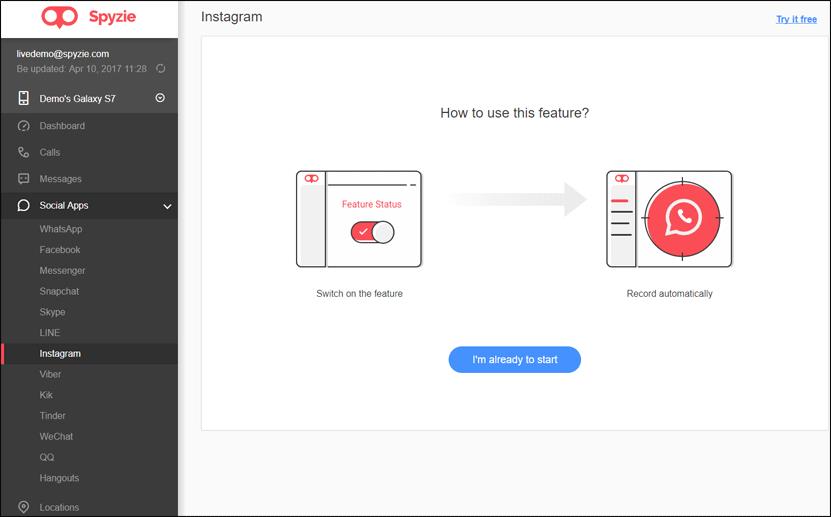 Initially, Direct was created to communicate with each other. It also has a reading indicator that notifies both interlocutors. Over time, the functions began to multiply, it became possible to create large groups, where up to fifteen people correspond. Consider its use on Androids and iPhones:
There are no major differences between the two different operating systems. The only difference occurs with older versions of the application - on Android, a symbol in the form of an eye appears. However, on all devices with the new version, the word "Read" appears, regardless of operating systems. Viewing information about messages in the web version is not possible in an official way. There is no built-in Direct on computers. Download additional plugins or emulators or use mobile devices with the official app. nine0003
Now let's look at how to leave an unread message on Instagram. Each user at least once had such a question. Sometimes you don’t want to respond to a message right away, you need time to think, or simply there is no time. You do not want to upset the sender or offend with silence. In such situations, anonymous viewing of the message will help. This manual will help users using gadgets on any operating systems:

Thus, everything is simple. The only drawback is the constant removal and download of the program if you often have to use Direct anonymously.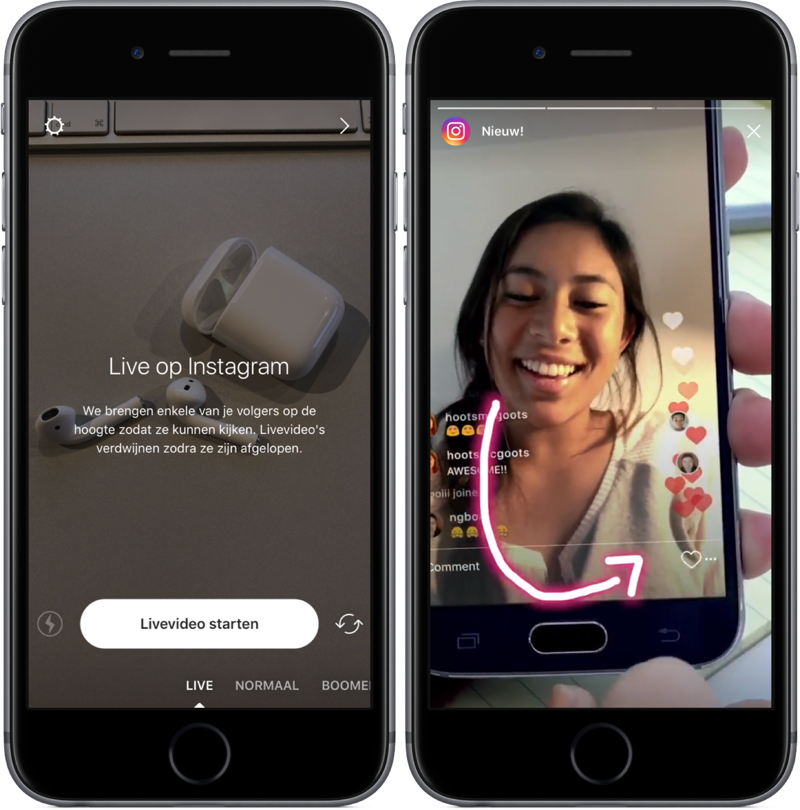 Remember that Instagram is constantly improving and even this method may stop working over time. This situation will arise if the developers prohibit reading without an Internet connection. nine0003
Also read: The name of the audience on Instagram: what does it mean, how to name the audience in promotion, what interests to choose , whether the message on Instagram was read in such a situation. At the moment, there are several reasons why the inscription is missing:
- The message was not read or the interlocutor did not access the Internet during the day. nine0010
- The application was not opened by the user and the notification was not received. The status of a person is shown by an icon in the form of a green circle near the profile picture. It may be absent if the user has forbidden to show the status in the settings or is absent.
- Sent messages go to the spam basket.
- You are in the black list or you are not subscribed to the interlocutor.
In such cases, sending is either limited, or messages will become available after the permission of the interlocutor, respectively. nine0010
- The message is ignored purposefully.
Thus, the new option has made life easier for all profiles registered on Instagram. It has become easier to communicate, because you can always see whether they are ignoring you. The easiest way to view messages at the moment is to read it in the notification shade.
Video review:
Everything useful about Instagram — instagramer.
info
0003
How to read a message on Instagram so that it remains unread
Author Liza Tinkova Reading 5 min. Posted by
In personal correspondence of all social networks there are marks about delivery and that the person saw what you wrote. On the one hand, this is good. On the other hand, you lose the right to know whether to ignore what the person sent you. Therefore, in this article we will talk about how to read a message on Instagram so that it remains unread. nine0003
Content
- Does the interlocutor see that the message has been read
- Ways to read the message so that it remains unread
- Services for discreetly reading messages on Instagram
- Applications for discreetly viewing correspondence on Instagram
- What are the dangers in using 9010 3rd party services
Does the interlocutor see that the message has been read? Yes, it shows.
Moreover, when correspondence appeared in the web version, the signature “Viewed” also remains under the last message there. nine0003
Ways to read the message so that it remains unread
If we open the dialog, we immediately make it viewed. But how to read a message on Instagram so that it remains unread? There are ways. In the list I will place them from the most inconvenient to the most useful.
- Small messages can be seen in the direct preview without clicking on the conversation. This option is not suitable for large text.
- Notifications in the blind. If you have made the text of the push notifications visible, it will be enough to swipe down on them to read everything. nine0010
- On iOS, you can swipe left. This feature allows you to invisibly see the contents of the message only on iPhones.
- Internet disconnection. Perhaps one of the most versatile options. Open correspondence, turn on airplane mode or turn off the Internet, and then open a dialogue.
The text will remain unread if you turn on the Internet only after you leave the conversation.
Services for discreetly reading messages on Instagram
There are services to solve most of the tasks of the photo network. Maybe in our case there is also some useful tool? Unfortunately no. Of course, there are sites that will help with the organization of mailing lists or convenient communication via a computer, but the "Viewed" mark will appear in any case. nine0003
Applications for discreet viewing of correspondence on Insta
Viewing guests, likes, account analytics, spying on subscribers and competitors - what you will find in Play Market and App Store . Unfortunately, there are no tools for discreet reading, and it will not work to “do not burn”. On the other hand, your interlocutors will also not be able to easily ignore you, and this is an advantage.
Yes, a convenient function
84.47%
No, I correspond in messengers
15.
53%
Voted: 1172
What are the dangers of using third-party services
Of course, services and applications that promise to bypass social networking restrictions are constantly blocked due to fraud. But new ones take their place. Before giving money or personal data to such tools, think about how they can break the mechanisms of the social network? Developers don't have admin rights, they are always users just like us. So magic won't happen. But what is the danger of being too naive? Let's say some service offers such services. To complete the task, he needs access to the page. Here is his username and password. After the tool will probably ask you to pay for the services. Here, at his disposal, the data of your card or account in the payment system is already at his disposal. nine0003
With such an assortment of personal data, scammers can steal your account and money. And this is only the best case. At worst, personal information can be used to greater advantage for attackers.
PM - the main way to communicate in social networks. And under each message it is written whether the addressee saw it or not. On the one hand, this is good - it will be difficult to ignore you. On the other hand, we lose the opportunity to respond when it is convenient, because the rule of good form is that we should respond to what is written as soon as possible. After reading this article, you know a few life hacks that will help you keep more freedom. nine0003
How to make an Instagram post unread?
If you have already revealed yourself, you will not be able to return everything to its original form. It's simply impossible.
How can I delete something from the Instagram direct of my interlocutor?
Press and hold on what you wrote and select Undo Send. After that, the message will be erased and, if a person has not seen it, will lose the opportunity to read it.
How can I organize a newsletter on Instagram?
There are several options.