By default the images you share on your Instagram profile can be viewed by virtually anyone that signed up with an account on the app. If you’d rather stay under the radar instead, there are a few things you can do to hide your Instagram account and prevent your contacts and other people from finding you on the social network.
For example, by removing specific information, even if someone has your phone number, they won’t be able to find you on Instagram. Follow along with this guide, as we detail additional options that will help you stay hidden from prying eyes.
To make sharing easier, Instagram allows you to link your Facebook account to the app (and vice versa. ) If you want to prevent people from finding you on Instagram, we advise against it.
Linking the two accounts means both apps will have access to the others’ friend list. So whenever a Facebook friend of yours creates an account on Instagram, your profile will show up as a friend suggestion. Since this is something we want to avoid, go ahead and remove your Facebook connection from Instagram.
 ” Tap on the blue “Continue” button.
Once you unlink your Facebook account, you will no longer risk appearing as a friend suggestion for any of your Facebook friends joining Instagram.
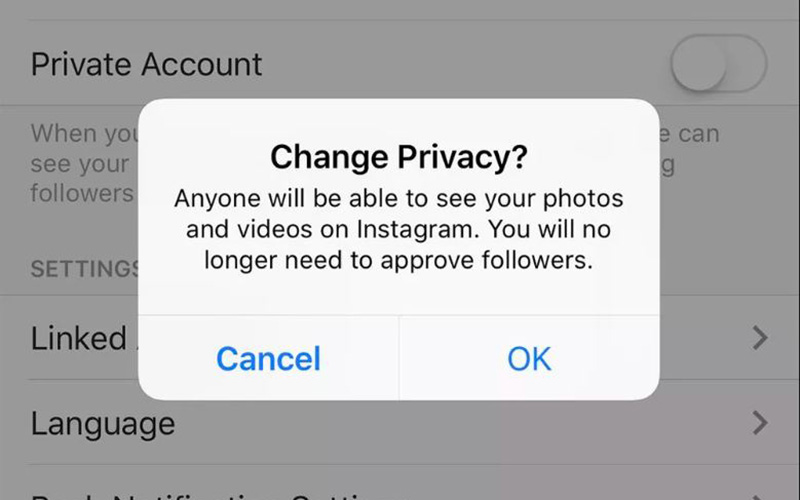
Setting your account to private is one of the easiest ways to make your profile less visible. Even if someone does eventually find you, they won’t be able to see your posts unless you give them express permission to do so.
Before you go ahead with removing your phone number from Instagram, keep in mind that you won’t be able to have the two-factor authentication feature enabled. You also need to have a verified email address for this to work, since Instagram does require at least one verified way to contact you in case of emergency.
You can disable two-factor-authentication by going to “Settings -> Security -> Two-Factor Authentication” and turning it off from there.
Once your phone number is removed, people who have saved your digits to their mobile won’t be able to find you once they activate “Connect Contacts.”
Speaking of which, you’ve probably used the option yourself back when you were setting up your Instagram account for the first time. Still, if you wish to stay hidden, you should relinquish this functionality. You’ll need to use your mobile device for this.
The person you’re trying to hide from can easily find you if they happen to follow an account similar to yours. To prevent this from happening, go to Instagram on your desktop browser. Strangely enough, you won’t be able to turn off this option from your phone or tablet.
From here, it’s also possible to add or remove your phone number, in case you didn’t follow the steps described above.
If you want even more privacy, turning your online status off is a step in the right direction. To hide your online status from others on Instagram for mobile:
 Just go to “Settings -> Privacy & security” and uncheck the box next to “Show Activity Status” on the right.
 Want to make absolutely sure someone can’t find you no matter what? Block their account if you know their username.
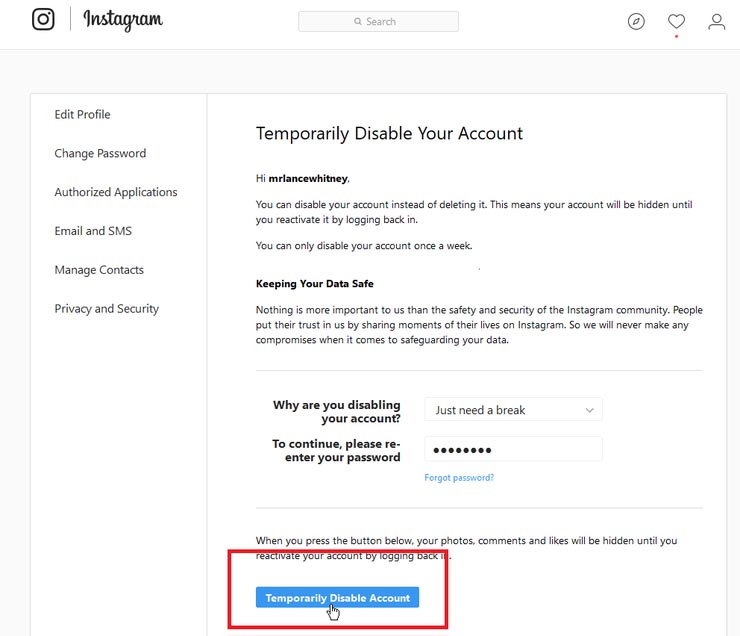
The only way to be 100% sure someone will never find you is if you erase your account. But since that’s a bit drastic, you can opt instead to temporary disable your account and get some peace of mind.
This means your photos, likes, and comments will be hidden until you decide to log back into the app.
Note: You can only deactivate your account once a week.
To deactivate your account you must use Instagram on a PC or log into your account into a mobile browser.
If you wish to control who you interact with on Instagram via Direct Messages you can. Go to “Settings -> Privacy -> Messages” and set up “Message Requests” for people who follow you and those who don’t. This means Direct messages won’t automatically go to your Instagram Inbox, but will be lodged in a “Request” tab from where you can quickly delete them. Also make sure you tweak the settings for who can add you in “Group chats” and to “Groups” if you don’t want to socialize more than you have to.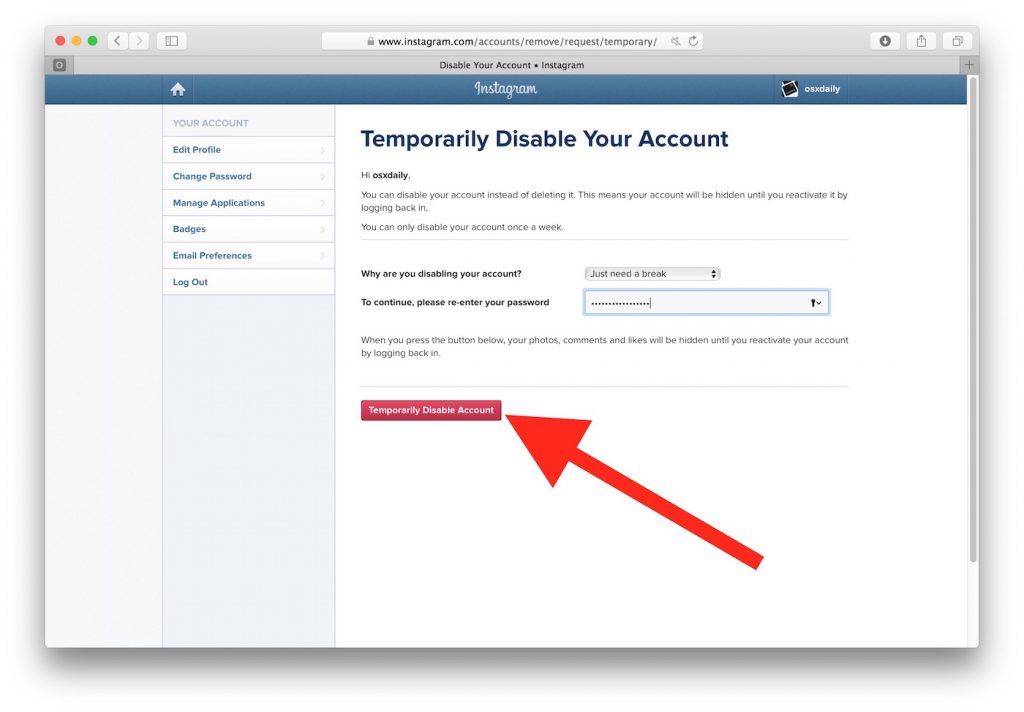
Go to your profile and tap on “Followers” next to your profile picture. The list of accounts that follow you will become visible. Tap on the “Remove” button next to the account you want to get rid of to delete them from your list. Instagram won’t notify that particular account that you’ve removed it.
Unfortunately, yes. This is why we recommend making your account private, so you can screen any account that wants to follow you and identify any potential shady accounts you don’t want to have in your list.
Image credit: Ibadah Mimpi via Pexels. All screenshots by Alexandra Arici.
Alexandra Arici
Alexandra is passionate about mobile tech and can be often found fiddling with a smartphone from some obscure company.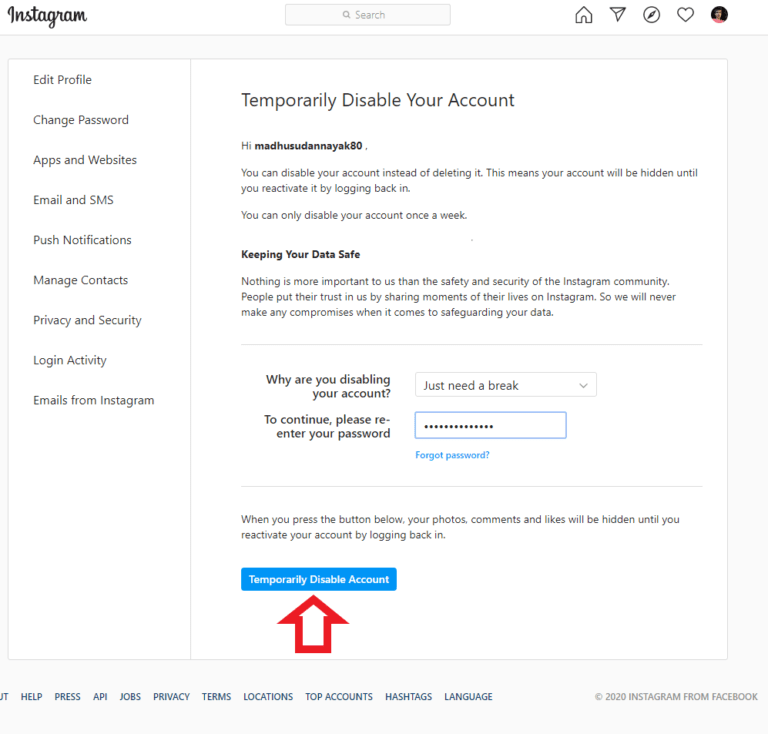 She kick-started her career in tech journalism in 2013, after working a few years as a middle-school teacher. Constantly driven by curiosity, Alexandra likes to know how things work and to share that knowledge with everyone.
Subscribe to our newsletter!
Our latest tutorials delivered straight to your inbox
Sign up for all newsletters.
By signing up, you agree to our Privacy Policy and European users agree to the data transfer policy. We will not share your data and you can unsubscribe at any time.
Contents
If you are looking for feasible ways to hide an account on Instagram in the safest way possible, let’s look at our article. You can make your account private in almost no time with the little steps we listed below. If you want to remove an Instagram account, you can see how to do it by our articles.
Instagram users, sharing personal photos and videos, actually provide a lot of personal information. It is not surprising that some social network users are thinking about limiting access to published materials.
In this case, the “Private Account” option exists for those who want to share information only with a certain number of people on Instagram. You will lose from your visibility but gain privacy because it prevents you from getting stalked. If you make your profile private, people can find you; however, they can’t see your posts.
For those users who want to control access to their content, the question of how to hide an account on Instagram is very relevant. It’s quite normal.
Although this seems to be a complex process, it is a fairly simple operation. You can complete this process and make your account hidden on Instagram with PC, Mac, and mobile devices.
It is possible to hide your account on Windows or Mac in the same way. Here are the steps to make your account private:
The process of hiding an Instagram account for Android will take little to no time.
You can hide your Instagram on iOS and deny access to the publications to profiles not following your account.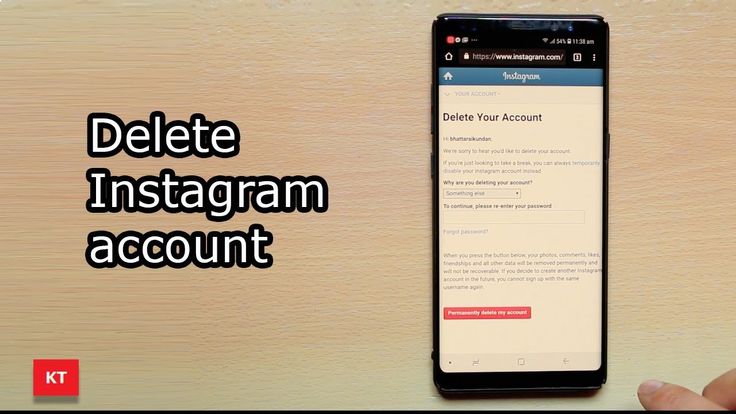
Disabling privacy on Instagram is almost the same for all operating systems. The main fundamentals are the same, but you may have to take different measures.
If you’re certain about hiding your account on Instagram, you should know that only a certain amount of people will be allowed to see your Feed, Instagram Stories, and interactions with people.
However, your existing followers won’t be affected by this decision. That means you have to manually pick out your old followers if you want any of them to stop seeing your posts and videos altogether.
RECENT POSTS
Instagram is one of the top social media platforms for sharing photos with followers because it solely focuses on visuals. Instagram succeeds in setti...
Instagram is a social networking service that people use to share photos and videos. Since 2010, it has become one of the most popular social media to...
Besides, it’s impossible to set up a business or creator account on Instagram if you have a private profile. Therefore, you have to think carefully before making your account hidden.
However, there are no limitations on how many times you can switch between private and public profiles. Consequently, there is not much to worry about.
So, do you use Instagram as private, or are you planning to? Tell us why you decided to that right down in the comments.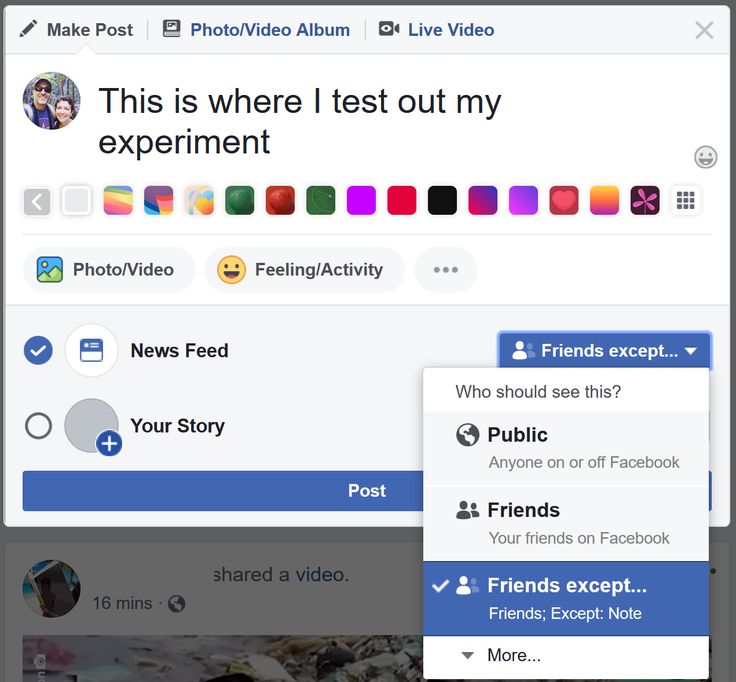
Thank you for reading this article!
Frequently Asked Questions
How many Instagram accounts can I have on my app?
With the latest update, users can add and use up to 6 accounts on their mobile app. Before, the number was five accounts.
How long does it take for Instagram to review an account?
Instagram reviews usually get within 48 hours, but the duration can shorten or lengthen, depending on the Instagram help center.
How many devices can you be logged into Instagram?
You can log into and use your account simultaneously on two mobile devices at one time.
How can I recover my deleted Instagram account?
According to Instagram’s policy, you can’t take back your deleted account or the username it had.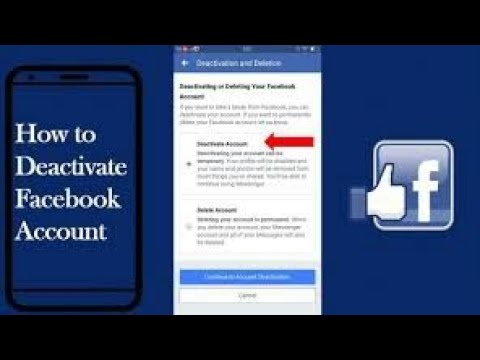 You can still recover your account within 30 days if you’ve only temporarily disabled it before it gets deleted completely.
How many reports can delete an Instagram account?
If the suspected account goes against Instagram’s guidelines and policies, 3 or 4 reports will be enough to get is penalized.
In the past decade, the security of users of social media platforms has been a top priority, especially on major platforms such as Facebook and Twitter. Almost every social media app today has its own privacy policy and has been known to crack down on users who don't follow it. The main reason for this is the number of young users who join these platforms every year.
Over the past few years, Instagram has updated its privacy policy several times to better match the age limit (13 years and older), and continues to do so. Today we will answer one of these privacy questions.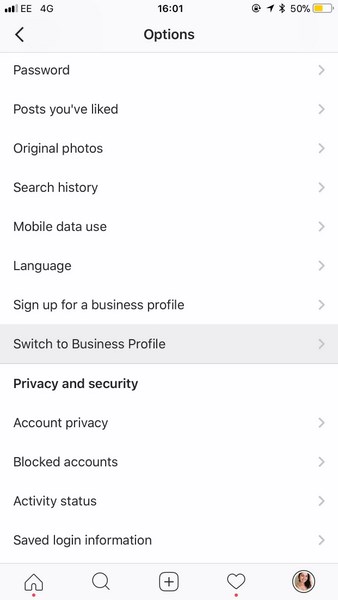
"How do I hide my Instagram account from the search bar?" If this is your question, you have come to the right place. We also discussed what you can do if you want to hide from someone on Instagram but don't want to block them.
Before you start wasting your time looking for an answer in your Instagram settings, let me tell you: you don't have the option to hide your profile from the Instagram search bar.
Even though Instagram protects your privacy in many ways, hiding your profile from the search bar doesn't make any sense. There are a number of other steps you can take to prevent a user from finding your profile.
The first and most obvious thing to do if you don't want anyone to find your Instagram profile is to block it. Blocking someone is the hardest way to make sure that person can't find you on Instagram even if they create a new account.
If you can't block them and your biggest concern is getting someone to see all of your posts and story updates, we have a solution for that too. All you have to do is make your Instagram account private. So the only people who will see your full profile are those who follow you and ask for your consent. looks good?
Follow these steps to make your account private:
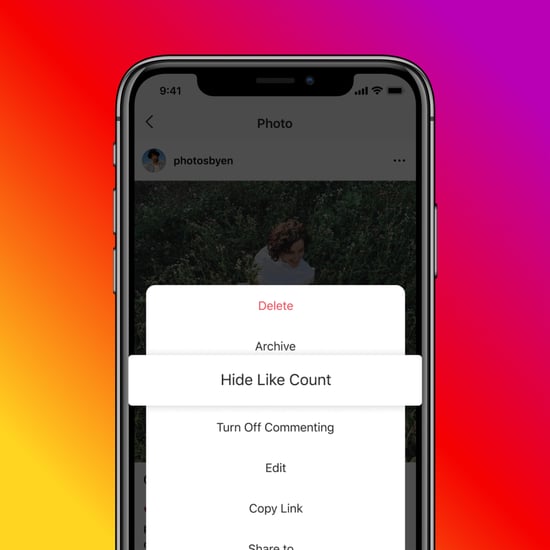 It is disabled by default. Turn it on.
 Ah, there you are. Now you don't have to worry about someone seeing your Instagram posts if you don't want them to.
If you don't want to hide your account from search results, but want to be less visible on Instagram, we have a few tricks that can help you.
However, remember that these tricks will not make you completely invisible; They will not appear on other people's profiles as suggestions or in any other way. If they know your username and are looking for your Instagram profile, they will definitely find you.
There are some settings you need to change in your account. Let's take a look at them below:
Unlink your accounts from other social media platforms.
If you have been using Instagram for a while, you know that it has the ability to link your Instagram account to your other social media accounts. With this feature, you can post your photos to multiple social media accounts such as Instagram, Facebook, and Twitter at the same time.
However, this is the same feature that makes you more visible to your friends on these apps. I wonder how? Let us tell you.
Did you know that almost all of your family members are on your friends list on your Facebook account, but not on Instagram? This can happen for a number of reasons; Maybe the things you post on Instagram are causing you problems at home. Or maybe you want your Instagram account to be a place surrounded by friends.
When you link your accounts, both apps can access each other's friend lists. So, when your Facebook friend joins Instagram, the app automatically suggests your profile because the two of you are Facebook friends.
But we don't want that to happen, do we? Therefore, you will just need to unlink your other accounts from Instagram. This is a small process and we will guide you through it.
Step 1: Open the Instagram app on your smartphone and log in to your account.
Step 2: Click Your profile picture in the bottom right corner of the page to go to your profile.
Step 3: In the upper right corner of the screen, you will see an icon with three dots in a vertical line. Press here. When you do this, a pop-up menu will appear.
Step 4: Click on the first option labeled Settings. in Settings , select the option الحساب (which should be the sixth one in the list) and tap it.
Step 5: In account , Scroll down to option Share with other apps. Click here.
Step 6: Here you will see a list of apps that can be linked to Instagram. If you have linked your Facebook account, it will be highlighted in blue with a tick icon next to it.
Step 7: When you click on Facebook, a confirmation message will appear saying Disable Facebook? Click on Disable, Your business will be here.
.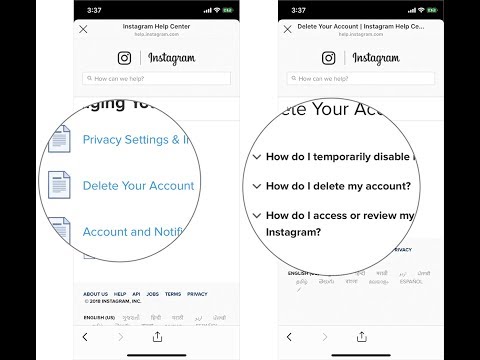
Someone actively promotes their profile, and someone wants to close their Instagram account from prying eyes. You can do this in a couple of clicks, you just need to find the desired item in the settings.
Now Instagram has updated the “Settings” section. We post screenshots of how to close Instagram account after 2022 update.
Below you will find instructions on how to close your Instagram profile so that posts and Stories are only visible to followers. Even on anonymous browsing sites, your Stories will not be viewable.
If you want to temporarily hide your account from everyone, you can block it. And if only from a specific person, then block his profile.
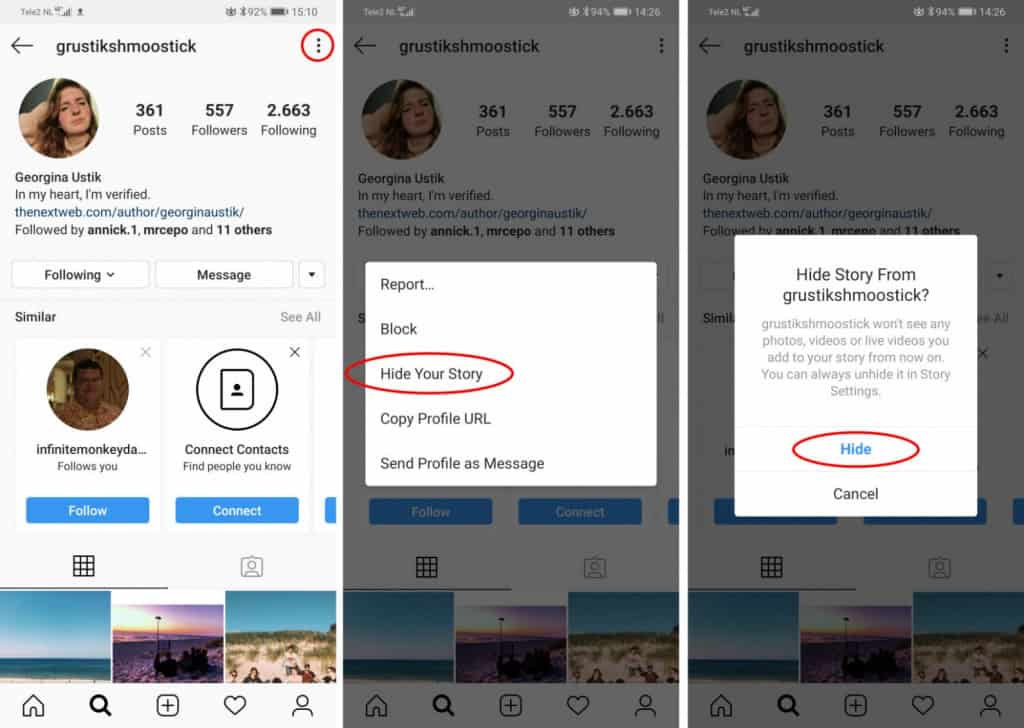
When someone wants to follow you, you will need to go to notifications and confirm or decline the subscription.
In order for one of the already approved subscribers to no longer see your posts, he must be removed from the subscribers. Open the list of your subscribers, find the right one. Click the three dots on the right, select "Delete". Your subscriber will not know about this until he goes to your profile (he will no longer be able to see the posts and will understand that he was removed from the subscribers).
To open the account back, repeat all the same steps (screenshots above). Open the settings, find "Privacy and security", after - "Account privacy". "Closed Account" Drag the slider to the left. "Make the account public?" Click OK.
.
None. If you have an account with connected statistics (business account), then you can make it closed only by transferring it back to your personal account. Business accounts were invented to make promotion on Instagram more efficient. Accordingly, such an account should be open in order to attract a maximum of subscribers. Still want to close your profile? Switch to a personal account without statistics and then close it according to the instructions above.
How to switch back to a personal account is in the article: How to make a business account on Instagram.
In 2020, after the update, only the interface has changed, while all the advantages and disadvantages of a closed account have remained the same.