Instagram Shopping helps people turn inspiration into action and learn more about products when they discover them. When you set up a shop on Instagram, you can help people browse and learn more about your products, such as the name of the product and the price of the item, without leaving the app.
Mangata & Gallo is a high-end jewelry store that sells diamond engagement rings. Most of the brand’s sales come from its website. Mariana, the owner and lead designer, manages Mangata & Gallo’s Instagram business account and consistently posts photos of the brand’s offerings.
She wants to attract new customers on Instagram and set up a shop on Instagram.
Shops enables you to create an immersive, full-screen shopping experience on Instagram. Customers can access your shop directly from your profile, posts or story. When people visit your shop, they can explore your products and take steps to purchase them. If you have an eligible business in the US, you can set up Checkout on Instagram so that people can make purchases directly in your shop without leaving the Instagram app.
To use Facebook commerce tools for your business, your Facebook account and Page or your Instagram business account must meet the following requirements.
Your Facebook account and Page must comply with Facebook’s Terms of Service, Commercial Terms and Community Standards, and your Instagram professional account must comply with Instagram’s Terms of Use and Community Guidelines.
In addition, lack of compliance with Facebook policies, including the Merchant Agreement, Commerce Policies, Ads Policies and Pages, Groups, and Events Policies, may result in loss of access to Facebook commerce surfaces or commerce features and may lead to your account being disabled.
Your Facebook account and Page must comply with Facebook’s Terms of Service, Commercial Terms and Community Standards, and your Instagram professional account must comply with Instagram’s Terms of Use and Community Guidelines.
In addition, lack of compliance with Facebook policies, including the Merchant Agreement, Commerce Policies, Ads Policies and Pages, Groups, and Events Policies, may result in loss of access to Facebook commerce surfaces or commerce features and may lead to your account being disabled.
Your Facebook Page or Instagram professional account must contain product listings that are available for direct purchase from your website or Checkout on Facebook or Instagram.
If you are directing buyers from Facebook commerce tools to a website in any supported market, you must provide Facebook with the single non-shortened domain through which you sell. Your Facebook Page or Instagram professional account must represent the store or website associated with the domain provided. To confirm you own your domain, Facebook may require you to complete its domain verification process.
Your Facebook Page or Instagram professional account must contain product listings that are available for direct purchase from your website or Checkout on Facebook or Instagram.
If you are directing buyers from Facebook commerce tools to a website in any supported market, you must provide Facebook with the single non-shortened domain through which you sell. Your Facebook Page or Instagram professional account must represent the store or website associated with the domain provided. To confirm you own your domain, Facebook may require you to complete its domain verification process.
Your Facebook Page or Instagram professional account must be located in a supported market to use Facebook commerce tools. Supported markets for commerce tools on Facebook are listed here. Supported markets for Instagram Shopping are listed here.
Checkout on Facebook and Instagram is currently only supported in the United States. Facebook will update its supported markets lists if and when new locations are added.
Your Facebook Page or Instagram professional account must be located in a supported market to use Facebook commerce tools. Supported markets for commerce tools on Facebook are listed here. Supported markets for Instagram Shopping are listed here.
Checkout on Facebook and Instagram is currently only supported in the United States. Facebook will update its supported markets lists if and when new locations are added.
Your Facebook account and Page or Instagram professional account must have demonstrated trustworthiness, including through an authentic, established presence. This may also include maintaining a sufficient follower base.’
Your Facebook account and Page or Instagram professional account must have demonstrated trustworthiness, including through an authentic, established presence. This may also include maintaining a sufficient follower base.’
Product information listed through Facebook commerce tools must not contain misleading pricing and availability information. Your refund and return policies must be clearly displayed and easily accessible from your website or on Facebook or Instagram.
Product information listed through Facebook commerce tools must not contain misleading pricing and availability information. Your refund and return policies must be clearly displayed and easily accessible from your website or on Facebook or Instagram.
Once you confirm your eligibility, follow these steps to convert your account to an Instagram business or creator account and start using Instagram Shopping.
Play Icon
Once you have a business or creator account, you can add relevant business information like your store hours, business address, phone number and a link to your website.
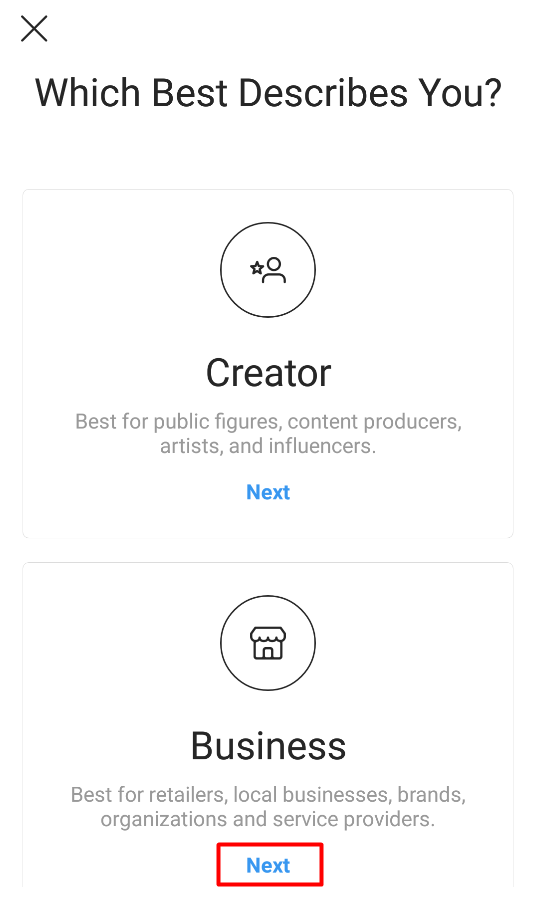
To switch your profile to a business account:
 When you connect a Facebook Page to your Instagram account, you’ll get access to commerce tools that help you expand the reach of your business on Facebook and Instagram.
  When you connect a Facebook Page to your Instagram account, you’ll get access to commerce tools that help you expand the reach of your business on Facebook and Instagram.
Mariana meets all of the eligibility requirements, so she’s ready to start the onboarding process for Mangata & Gallo’s shop in Commerce Manager.

Note: A Business Manager account will automatically be created for you when you set up your shop. You’ll use this account to set up your shop in Commerce Manager.
Business Manager enables you to manage your ad accounts, Pages and the people who might be working on them.

Note: A Business Manager account will automatically be created for you when you set up your shop. You’ll use this account to set up your shop in Commerce Manager.
Business Manager enables you to manage your ad accounts, Pages and the people who might be working on them.
Mariana has set up her new shop in Commerce Manager. To start using Instagram Shopping, Mariana needs to submit her account for review and turn on shopping features. Here’s how:
Once you connect a product catalog to your shop and have products in the catalog, follow these steps to submit your account for review. Account reviews typically take a few days but can take longer.
Some businesses may be notified that they need to provide additional information to prove ownership of their website domain.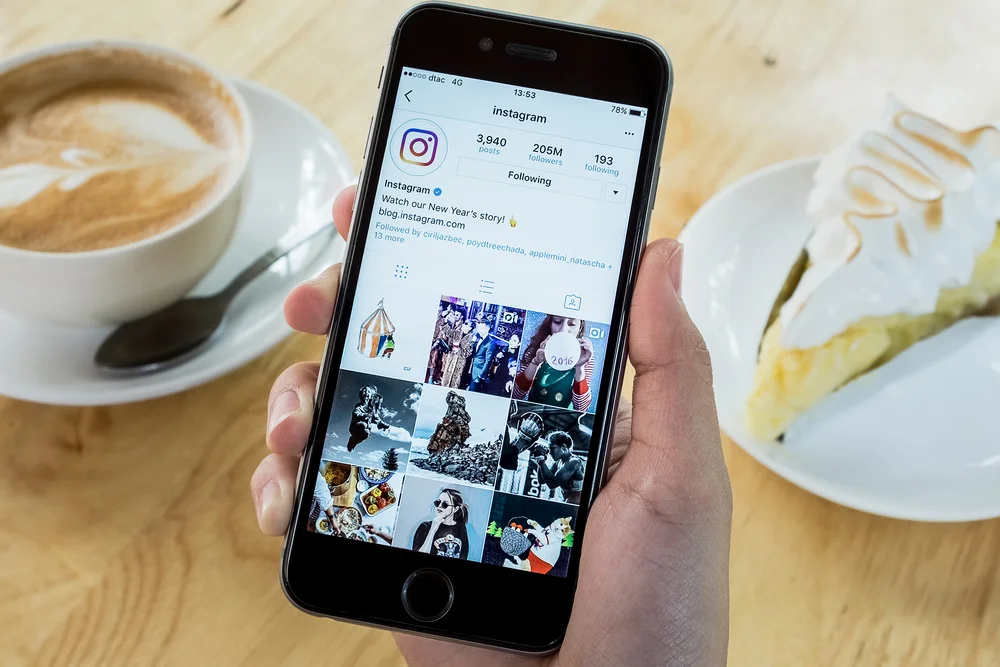 If you receive this notification, follow the steps to complete the domain verification process to submit your account for review.
Once you connect a product catalog to your shop and have products in the catalog, follow these steps to submit your account for review. Account reviews typically take a few days but can take longer.
Some businesses may be notified that they need to provide additional information to prove ownership of their website domain. If you receive this notification, follow the steps to complete the domain verification process to submit your account for review.
Once your account is approved, you can turn on Shopping features. Note: If you don't see Shopping under your settings, your account is probably still under review or it hasn't been approved for Instagram Shopping.
Some businesses may be notified that they need to provide additional information to prove ownership of their website domain. If you receive this notification, follow the steps to complete the domain verification process to submit your account for review.
Once your account is approved, you can turn on Shopping features.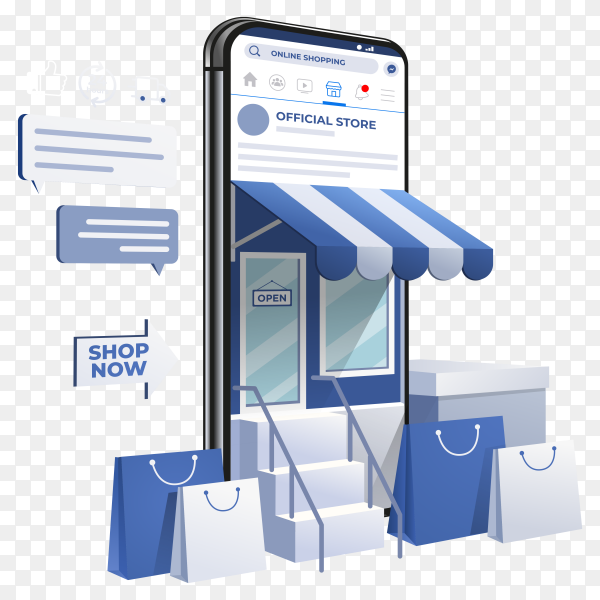 Note: If you don't see Shopping under your settings, your account is probably still under review or it hasn't been approved for Instagram Shopping.
Some businesses may be notified that they need to provide additional information to prove ownership of their website domain. If you receive this notification, follow the steps to complete the domain verification process to submit your account for review.
When you upload images to your catalog, present your products as they're shown on your website. Ensure products are clearly visible against clean backgrounds.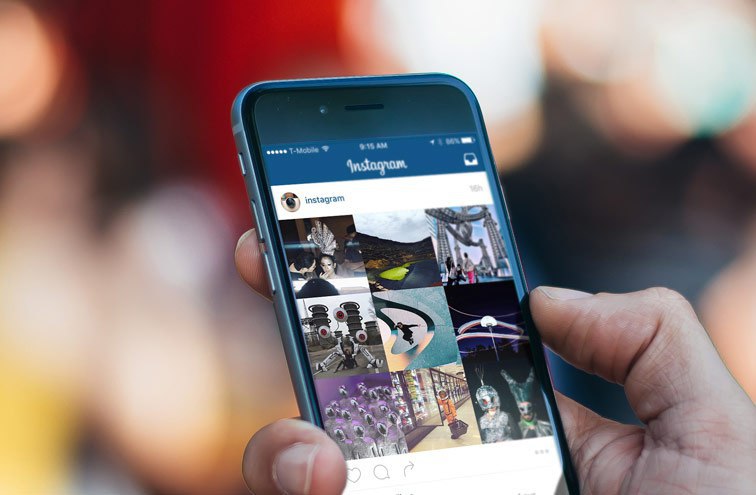 Showcase a single product with minimal clutter.
Mariana tries a few different shots of Mangata & Gallo’s rings and chooses one that best highlights the ring’s features.
Use the same visual treatment across all of your product images. Consider adding a logo on a product, a colored background or simple props to create a visual identity.
Mariana takes photos of all of Mangata & Gallo’s rings against the same white background.
Add videos to your catalog if it’s helpful for customers to see your product in motion. Try experimenting with a single product, like a flowy dress, with lifestyle imagery, detail shots and different angles. Or film a tutorial, like a makeup demonstration, to show your product in use.
Mariana includes videos of Mangata & Gallo’s rings to show a 360-degree view.
Add multiple images to give people a clearer idea of what your product looks like. Consider showing different product angles, color variants and model sizes or skin tones. Display all your product options so your customers can choose from a selection of different colors, sizes and materials.
Mariana includes photos of her customers wearing Mangata & Gallo’s rings.
Something Went Wrong
We're having trouble playing this video.To watch the video, please upgrade your web browser.
Learn more
Now that Mariana has set up her shop, she can highlight her products in photo and video posts. She can use product tags to highlight items in her feed and story. People can view information about her products, such as the name and price of the item, without leaving Instagram.

PREVIOUS
NEXT
Was this page helpful?
More courses
Here is your guide on how to start reaching customers with your shop
Download the Guide
Products
Ad SolutionsVideo SolutionsInstagram ShoppingBranded ContentFeedStoriesReelsInstagram DirectHere is your guide to how to create effective Reels ads.
Download the Guide
For Creators
Inspiration
Latest News & TipsHouse of Instagram EventsCase Studies Here’s your guide to help get the most out of creators for your business.
Download the Guide
Instagram Help CenterFacebook Ads GuideFree Online CoursesNearly half of people say they use Instagram to shop, weekly.1
Instagram Shopping is a set of features that allow people to easily shop your brand’s photos and videos all across Instagram.
Open your shop by completing the set-up process below in Commerce Manager.

You can choose to onboard onto Instagram Shopping by setting up your shop in Commerce Manager or a supported platform. Or, you can get started directly within the Instagram app.
You can choose to onboard onto Instagram Shopping by setting up your shop in Commerce Manager or a supported platform. Or, you can get started directly within the Instagram app.

GET STARTED IN COMMERCE MANAGER
@instagramforbusiness
Elena
Sergeeva Targeted advertising specialistAccording to Facebook Ads, 70% of users learn about new products from Instagram.
To help sellers promote them, Instagram created the Instagram Shopping tool, which became available in Russia in March 2021. We will tell you why to connect this tool and how to set it up.
Instagram Shopping is a tool that allows you to tag products in your posts and Stories. Instagram takes information about products from the catalog that the seller uploads.
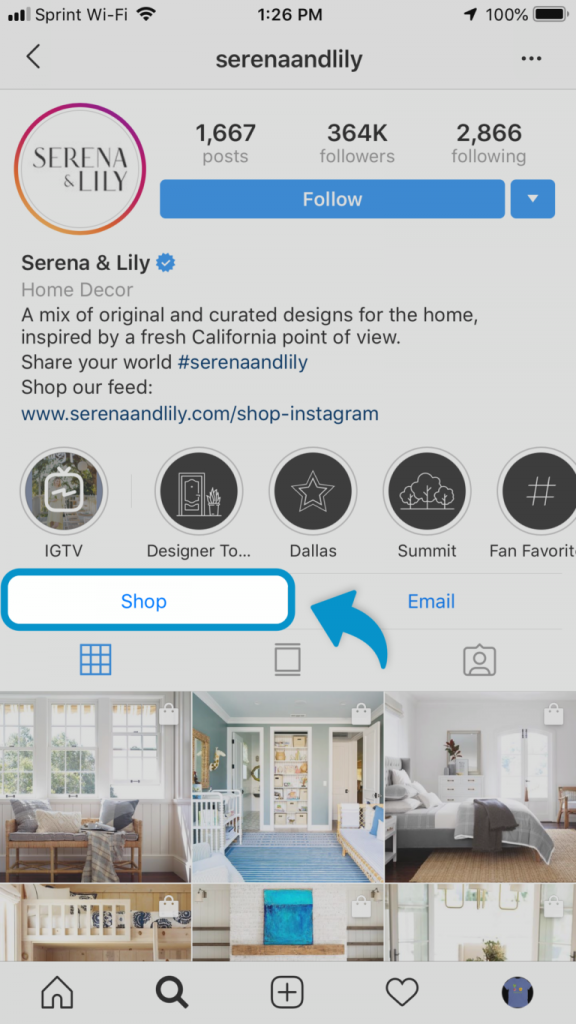
The profile with the option enabled looks like this:
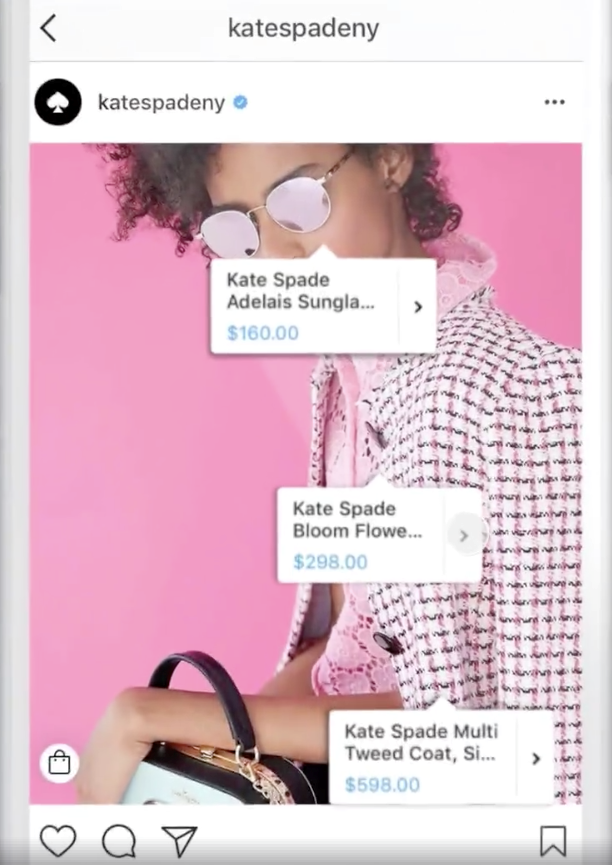
There is a bag icon on the photo, which means that if you open a post, goods will be marked in it. Source: COSSeveral items can be noted in the photo. When clicking on shopping tags, users will see the price and description of the product, and will also be able to follow the link and place an order on the site.
In addition to prices and the products themselves, the user also sees additional information about them: in the description, you can specify the composition of the fabric, size, available colors, etc.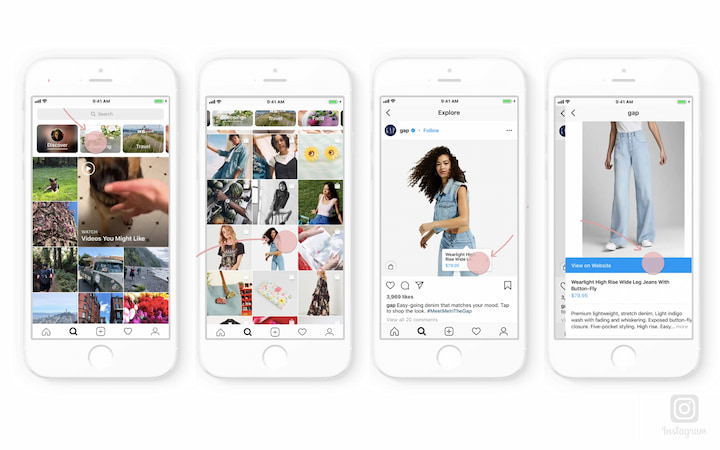 The user can also view the item from different angles in the gallery or learn about other products of the online store All this without leaving Instagram.
To get to the catalog with goods, you need to click on the "View store" button. Inside the store, products can be grouped into thematic collections, such as new arrivals or gifts.
US residents can pay for items within the app using Facebook Pay. In other countries, including Russia, this option is not yet available: users follow the link on the product to an external site and pay for the order there.
 You can't post items on your personal profile. How to set up a business account on Instagram, we tell in the instructions.
Log in to Commerce Manager, also found in your ad account.
The system prompts you to create a shop or catalog. The store is a single storefront for Instagram and Facebook, which is available to companies with physical goods. To promote products on Instagram, click Add Catalog. Choose the type of catalog depending on the subject of your business, e-commerce is suitable for online stores.
In the next step, you need to configure the parameters and method for loading products. From the drop-down list, select the advertising account to which the catalog will be linked.
You can create a catalog yourself - by uploading a spreadsheet or by connecting a pixel - or through integration with one of the partner platforms. In the second case, the goods will be loaded from an existing online store.
Click the "Create" button - the catalog is ready.
Important : the catalog must contain exact prices and information about the availability of each item. In addition, the rules for returning goods must also be indicated - on the store's website or in the Instagram account.
To proceed with product creation, select the desired catalog in Commerce Manager and then click Add Products.
Add products using one of the following methods:

If you choose to download manually, a form will open. In it you need to add the name of the product, its description, images, link to the site and price. The system will tell you which data is not required.
After completing the form and uploading, the products will appear in your catalog.
Inside the catalog, products can be grouped into collections: for example, by subject, season, upcoming holidays, etc. Collections help sellers to get to the user's interests more accurately, and users to quickly select goods.
You can create not only the standard collections, but also those that will attract more attention, such as "Top 10 coats" or "Gifts for best friends".
You can combine products into groups manually or using filters, for example, if there are a lot of products.
At the final stage, specify the name of the collection and click the "Create" button.
After creating a product catalog, you need to send an account for verification. The verification may take several days.
To add a catalog to Instagram, go to the "Settings" section in the application and select the "Company" tab.
Then click "Set up Instagram Shopping" and follow the prompts.
If the catalog passes the check, a "Purchases" section will appear in your Instagram account. Once your account is approved, turn on Instagram Shopping. To do this, in the "Purchases" section, select the product catalog that you want to connect, and click "Finish".
To tag an item in a post, start posting as usual - add a photo and post text, and then follow these steps:
You can also mark the product in Stories. To do this:
Up to 5 products can be tagged in one photo, up to 20 in total in the gallery. In Stories, a sticker is added to only one product, but you can change its color and text.
Instagram Shopping will increase sales and user engagement in your account. The product catalog can be used not only to familiarize subscribers with the assortment, but also to set up targeted advertising on Facebook and Instagram.
We especially recommend this tool for e-commerce: the user immediately sees the price and all information about the product. True, if a product or service involves preliminary communication with the client and a long transaction cycle, then the published price may scare the user away. Therefore, before using Instagram Shopping, consider whether the tool suits your product and the behavior of your target audience.
15+ systems in one service, tools to simplify the work with advertising, closing documents and support at every stage
Try eLama
01 April 2022 Be suitable for: Acceptance
Basic words, if you know how to get it, like winning Instagram for getting purchases from your offline or online store, you sell them through direct.
Selling clothes, cosmetics, brands and other products on Instagram is a popular business.
Often, such merchants work without registration, sometimes deduct income as a special physical person on a special bank card. Such activity is illegal.
Pay in advance to read again
You can buy any article or subscribe and get access to all articles.
Subscribe for 149UAH/mіs
I already overpaid the statu
Purchase of the statti
Be kind, enter your E-mail to buy articles Business FOP: trading on Instagram
Warehouse statti UAH 24 .
Post Item Id
Get digital access to all articles for only 149 UAH per month
Get access
Please, enter your E-mail to gain access to the article Business FOP: trading on Instagram
Post Item Id
Get digital access to all articles for less than 149UAH per month
Once a week, we publish advice in the heading "Application for food"
 What do you need to know
 Usy nutrition
Sign up for the latest news on business
and digest with news.
Pennies
More . ..
..
Salary and taxes
More ...
Labor blues
More.