You’ve probably seen it many times – your favorite Instagram account posts a photo about something interesting and ends the caption with “link in bio to read more.”
If you’re running a brand Instagram account, this “link in bio” is essential for driving audiences to your site from Instagram, considering how the platform limits you to one permanent link in your profile’s bio.
In this post, we show you how to get the most out of your link in bio on Instagram.
Let’s get started.
As the name suggests “link in bio” refers to the clickable URL that you can add to your profile section. Most social media platforms give you the option to add a link in your bio to take followers to your website, product page, content or some other important page.
On platforms like Facebook and Twitter, adding a link to the homepage of your website may be more than enough since you can share clickable links to individual pages, products or content in your posts.
But it’s a little different with Instagram. Accounts with 10,000+ followers do have the option to share links through their Stories, but those that are still building their following have to leverage the single link in bio to direct followers to a product page or a piece of content. Plus, outside of Stories highlights, Stories links are ephemeral and not ideal for an account of any size to highlight the most important URLs to drive social media traffic to.
Instagram’s link in bio can feel limiting when you want to highlight multiple important products, posts and pages. Fortunately, there are several link in bio tools that will let you put together all these key link destinations and share them via a single URL. This will lead to a custom landing page with all the relevant links you want to share.
Here’s an example from Travel Yosemite–the single link in their bio leads to the following landing page for quick access to any content they’ve referenced in recent posts:
This makes the user experience much more seamless since they can easily access all the relevant links from one place, meaning you’re much less likely to lose out on potential leads and traffic just because Instagram restricts links on individual posts.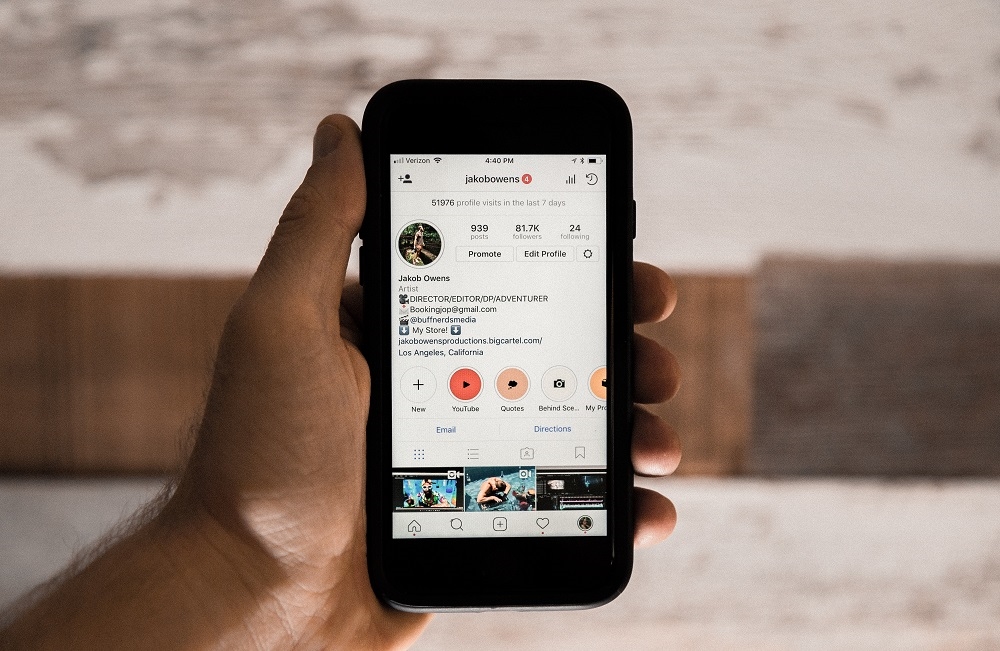
This also brings us to the ubiquitous “link in bio” phrasing familiar to anyone on Instagram: by using these landing pages, brands can highlight their latest sale, news article, product collection or more in their content, and still effectively link to them all, reminding audiences to click that link on each relevant post. You can also maintain evergreen destinations such as your homepage or important lead magnets, while rotating other links for the latest content.
It’s easy to add or update the link in your Instagram bio. You can use either the mobile app or the Instagram website on your desktop.
Follow the steps below:
Go to your profile and tap on the “Edit Profile” button.
In the “Website” field, enter the URL you want to add to your bio.
Tap on “Done” and that’s it – you now have a link in your Instagram bio.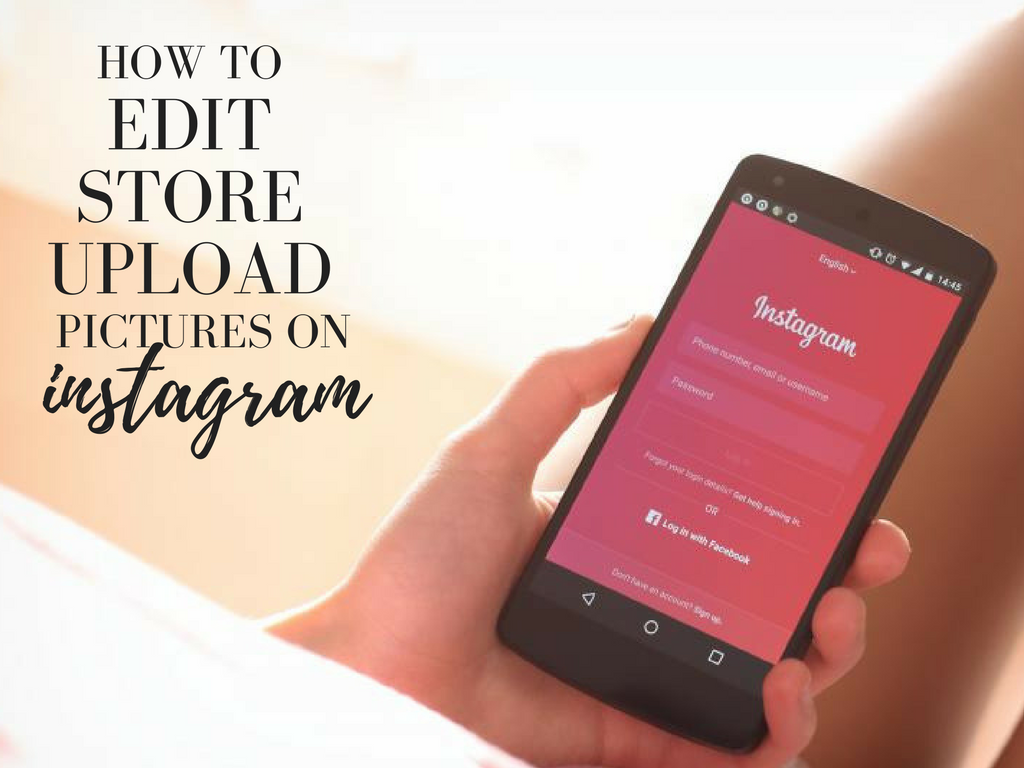
If you want to share links to multiple pages and products, you can also use a link in bio tool. As mentioned earlier, this tool will let you create a custom landing page that houses all the links you want to share. And you can just add the URL of this landing page in your Instagram bio.
Here are a few link in bio tools you can use:
While there are many great link in bio options, having a centralized platform for any and all of your Instagram needs makes Sprout’s link in bio offering, SproutLink, a stand-out. Through one simple link, your audience can access a replica of your Instagram grid and visit the unique link associated with each of your Instagram posts.
This clickable grid directs traffic to the content links that matter most—whether that’s your website, a specific product, blog or other related article. Adding links to your Instagram posts are baked into Sprout’s Instagram publishing workflow, saving you precious time spent jumping between multiple tools. SproutLink is available on all Sprout plan levels.
Linktree is a great option for anyone who needs an affordable link in bio solution. The free version comes with pretty robust features, letting you add unlimited links and customize them with images and icons. To unlock even more customization features such as removing the Linktree logo and replacing it with your own, you can get the Pro plan for $6/month.
Here’s an example of how Linktree link in bio pages typically look:
This powerful link in bio tool from EmbedSocial comes with mobile-optimized landing pages that look great on any device. Feedlink also lets you keep an eye on your performance by tracking the click stats for each link. Combine these stats with reports from an Instagram analytics tool to get a 360-degree view of your performance. Similar to Linktree, there’s a free version that’s suitable for small accounts, and additional features available with paid plans starting from $19/month.
Lnk.Bio is also an excellent option as it lets you add unlimited links even with the free plan. Paid plans, which let you create custom, branded URLs and schedule link updates start from $0.99/month. These will let you create custom URLs that fit with your branding and even schedule links.
Here’s a Lnk.Bio page for the Met Museum:
See how the museum uses a custom URL in their Instagram bio to fit with its branding and make the link look even more credible.
Now that you know how to set up a link in bio landing page, let’s take a look at some of the ways you can use links in your Instagram bio to promote your business:
 That way, people don’t have to scramble to find the one they want to read.
With the right approach, adding a link in your bio can be a great way to attract quality leads and move them along the conversion funnel.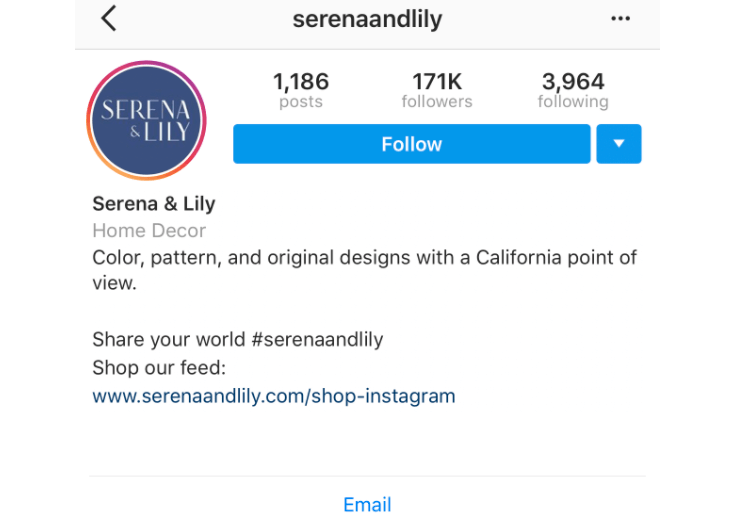 So make the most of the ideas and tips above to start leveraging this feature for your business. Don’t forget to check out our Instagram marketing strategy guide to find out how this fits into your overall strategy.
Loading
Try another search, and we'll give it our best shot.
Make your Instagram profile stand out with 22 free Instagram templates.
Download for Free
Braden Becker
Updated:
Published:
Every social network makes it clear how to put a link in your bio on their platform -- except Instagram.
Twitter lets you tag other handles in your bio. LinkedIn gives you the ability to link yourself to your employer's official page. Facebook allows you to tag a number of different businesses, interest pages, and people in your "About" section, so you can let friends know who you work for, what brands you like, your alma mater, your relationship status, and so on.
What about Instagram?
Until recently, Instagram didn't give you a ton of space to brand your profile with hashtags and profile handles -- you could only link to their respective pages in photo captions. Websites were the only types of links you could put in your bio (hence the common phrase "link in bio").
If an Instagram user addresses their audience with the phrase "link in bio," it means they are directing them to go to their Instagram profile's bio section to access the clickable URL for the website they're promoting.
"Link in bio" is essentially a call to action, promoting more information available outside of Instagram's parameters.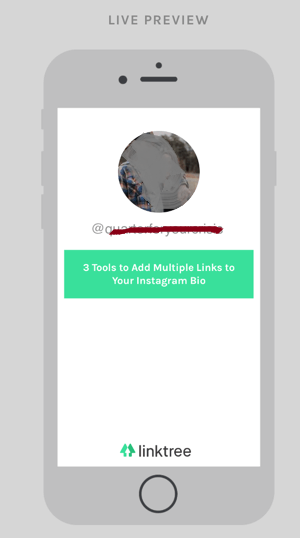
But Instagram recently gifted us two new features: linkable profiles and hashtags, right in your bio. You can now add them alongside the link to your website.
Note: The instructions above apply to the latest version of Instagram -- 37.0 on iOS. You can also edit your bio on Instagram's website by navigating to your profile and clicking "Edit Profile" next to your name.
On the screen to the left, below, you can see how Instagram suggests popular hashtags as you edit the bio text field, just like it would when you add a hashtag to a picture's caption.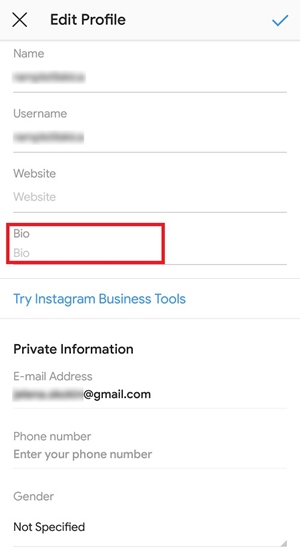 On the screen to the right, you'll see the profile of a person who uses hashtags, profile links, and websites in her bio.
Images via Newsweek
Things have changed at Instagram as of late, and you now have options to link to other pages you identify with right beneath your Instagram profile picture. But keep in mind that users who don't want their profile tagged in others' bios can opt to untag themselves.
It's best to reserve this space for the accounts you know would agree with the association you're making.
Editor's note: This post was originally published in March 2018 and has been updated for comprehensiveness.
Topics: Instagram Marketing
Nov 08, 2022
Nov 08, 2022
Oct 17, 2022
Oct 11, 2022
Sep 27, 2022
Sep 20, 2022
Sep 07, 2022
Aug 15, 2022
Aug 02, 2022
Jul 26, 2022
According to the rules determined by the Instagram developers, you can leave an active link to another Internet resource only in your profile header or in your story.
Social networks are a powerful tool for promoting goods and services. Companies actively use rating Internet sites to advertise their opportunities and successfully turn them into sources of additional income. And the idea of connecting visitors of one resource with another is quite reasonable. To do this, you must leave a link in your profile to a third-party site. But to achieve the maximum result, the link must be active.
So, first of all, it should be noted that the active link is a string containing the URL address, by clicking on which the user will be able to go to another site. Most often, active links are highlighted with an underline or a different font color. As for Instagram, here experts suggest highlighting links to other resources in blue. This is a good option, since the inscription is different from the rest of the text.
Due to the fact that Instagram is most often used by companies to advertise their products or services, the question of how to make an active link on this site does not lose its relevance.
Get a free consultation on Instagram promotion
We'll call you back in 5 minutes
By submitting an application, you consent to the processing of personal data
Article content:
- Active link in Instagram profile
- Active link in post and comments
- Why can't I make the link active?
It should be noted right away that according to the rules determined by the Instagram developers, you can leave an active link to another Internet resource only in the header of your profile or in stories. There are no other options on the site. This decision was made in order to avoid overspam. And yet, you can mark up only one clickable link on the main page of the account.
This is easy to do. Open your profile in edit mode and enter a link to a third-party Internet resource in the "Website" field. After saving the changes, you will be able to see the URL on your page. If you click on the link, the transition to the site you specified will be automatically performed.
The effectiveness of active links left in posts or in comments to publications is obvious to all owners of business projects. But Instagram doesn't have that option. And if you write the address of a third-party site, then the link will not be clickable. The only thing that the developers offer is the ability to indicate active links in the publications to the profiles of other people from the Instagram network.
In order to leave a link to another account in a post, select the "Tag users" option when publishing a post or photo.
According to the rules, you can publish links to profiles even of those people who are not your friends on the site.
Despite such simple actions and rules, some users periodically have problems with the design of links on Instagram. For example, the address of a third-party site has been added, but visitors cannot go to it. If you structure all the information indicated in the article, then you can highlight several basic nuances of working with links on Instagram:
 If the link was copied from a forum, look for extra spaces or other invalid characters. When writing a link manually, there is a high probability of a typo. An incorrectly entered symbol can turn a link to another resource into complete nonsense.
 So, when working with the social network Instagram, keep in mind that a regular user can add only one link on the main page of his profile. By increasing the number of subscribers to 10,000, it will be possible to publish links in stories. There are no other options for publishing clickable links to third-party resources.
Follow the instructions and you will be able to make your account as effective and useful as possible for your business and network users.
Read more articles
This is an excerpt, added to the right side of the post edit page
Searching for a target audience on Instagram gives a business life, that is, it brings real income to the account owner.
June 17, 2019
Blog
Giveaways are sponsored Instagram contests. This is especially true for commercial accounts with a small number of subscribers.
June 13, 2019
Blog
We make your page interesting and encourage subscribers to look at your page or website more often for shopping
Fresh publications regularly
Get ourSocial Media Content Marketing: How to get into the head of your followers and make them fall in love with your brand.
Subscribe to the newsletter and get a book as a gift!
Today, for many, Instagram has become a convenient and simple platform for promoting goods and services, building a personal brand. High insta-popularity has a positive effect on income, as the flow of subscribers generates client traffic. Relatively recently, the option to add a hyperlink appeared in the social network, and today we will look at what it is and how to use it.
Owners of Instagram accounts, especially those designed for business development, know how difficult it is to fill out a profile BIO. The service has set a limit on the description of accounts, which is literally a few phrases. The real skill is the ability to clearly articulate your thought and fit as much information as possible into a couple of lines.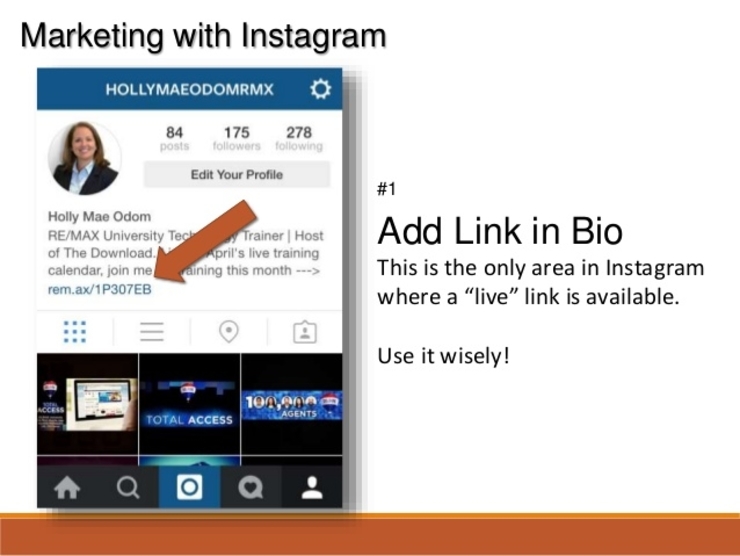 Please note that the data provided should be useful, relevant and interesting for the target audience, for consumers, and not for you. Even the style of the written text can tell a lot. Therefore, the text component should be concise, informative and meaningful.
If this is a personal profile, focus on the field of activity, hobbies, profession. Future subscribers are not particularly interested in what year you graduated from high school or in what city you were born.
You can also specify an active link on Instagram here. This is the quintessence, the culmination of a profile description for an account. For example, my name is ...., I have been working as a photographer for 10 years, I like to shoot this and that, you can see my work by going to the site ... Another example: The company "..." has been on the Russian market for 10 years , our specialization is the production of plastic containers, to get acquainted with the price list and working conditions, follow the hyperlink.
If the URL is long enough, it should be trimmed to make it more readable. A beautiful clear link looks more attractive.
A hyperlink can come from the Instagram social network to any third-party services and sites, including other social networks, instant messengers. In addition, linking can lead to another person's Instagram profile, for example, your secretary / PR manager of the company / sales consultant, and so on. An active link is one that automatically redirects the user to the desired Internet resource.
Wondering how to add an active link to Instagram? To do this is quite simple. Today there is only one way of accommodation. Please note that the number of links is also limited - no more than one. So, let's get down to action:

Some users ask a question: how to make an active link in an Instagram post. Unfortunately, this option is not available, hyperlinks can only be inserted in BIO and story.
Stories are also an effective tool for increasing traffic today. Instagram recently updated the algorithms that show posts. Now, the user's feed displays publications of only those profiles that he actively likes, while the rest remain unnoticed by him. But Stories are displayed for all subscribers, regardless of the number of likes.