Home How To How To logout from WhatsApp: Try These 6 Easy Steps For Any...
There are many people around the world who don’t know how to logout from WhatsApp. That’s the reason why we are into this topic today. Here we will describe the step by step guide about how to log out from WhatsApp.
Before starting, It is important for us to know that WhatsApp is one of the most popular free instant messaging cross-platform apps in the world. It is used by millions of people to share stories, photos, videos, text, and other media files. It is one of the most downloaded apps in the Google Play store.
However, WhatsApp might occasionally be challenging for users to manage with its common characteristics due to constant updates to its features.
Because of the frequent changes, occasionally WhatsApp users even have trouble logging off.
In light of the above mentioned problem, I have made the decision to write an article today on how to log out from WhatsApp using a desktop computer, an Android smartphone, and an iPhone.
In this article you will get into know:
WhatsApp - How to Delete Account
Please enable JavaScript
WhatsApp - How to Delete Account
How To Logout From WhatsApp Android SmartphoneNote: There is no logout feature available for android smartphone right know but you can still logout from WhatsApp. Before logging out, it is advised to take a back up of your WhatsApp chat.
To take a backup from WhatsApp follow the given below path.
Click the three vertical dots on the extreme top right corner of your screen then tap on “Settings”. After this click “Chats”, and then tap on the option “Chat backup” and then click the button “Back Up”.
After taking a back up of your WhatsApp data you need to follow the given below guidelines to logout your WhatsApp from your android device.
If you are using WhatsApp on your iPhone or Ipads, then there is no option available for you to logout from your Whatsapp account. Moreover, you will not get any option to clear your WhatsApp data.
Note: If you are really in the urge to logout your WhatsApp account from iPhone or iPad then I would highly recommend you to back up your WhatsApp data.
If you do not know how to backup data on iPhone then follow the given below procedure.
Go to “Setting” and you would need to tap on the option “Chats”, and then at last tap on “Backup Now”
After taking the backup, follow the given below steps:
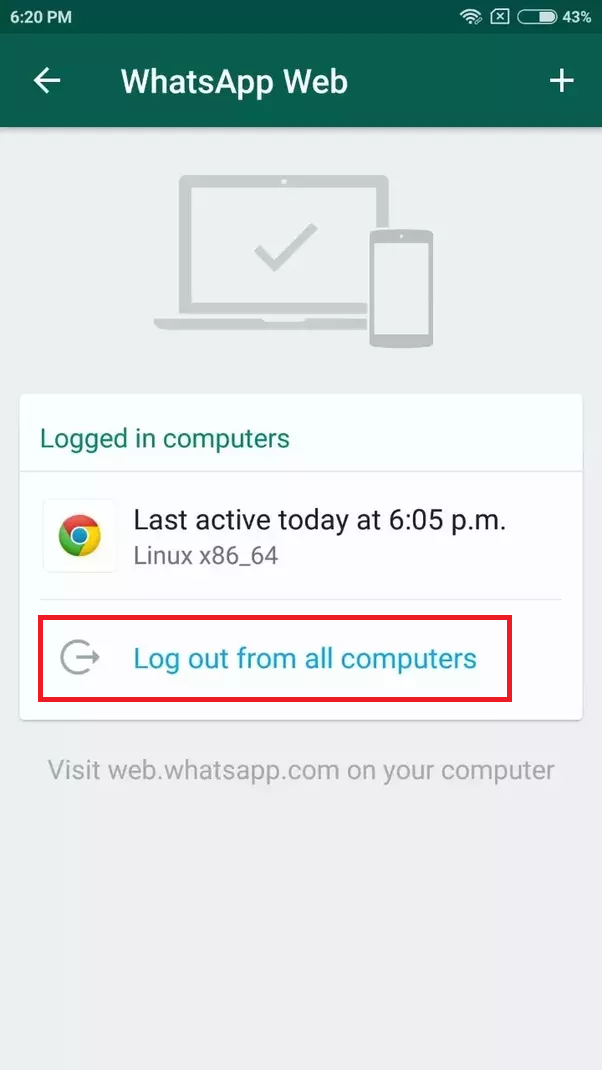
To logout from WhatsApp web from your computer, you need to follow the given below step by step tricks.
How easy is that? Right.
Now think, If by chance you have forgotten to logout from WhatsApp web (computer) and you are not in front of your computer, then how will you logout from WhatsApp web?
You do not know.
Do not worry I am here to let you know how you will logout from WhatsApp web if you are not in front of your computer.
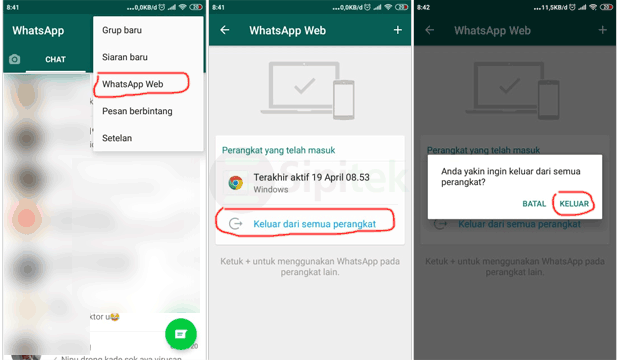
Follow the given below guidelines.
These are the processes by which you would be able to logout easily from the WhatsApp web from your smartphone.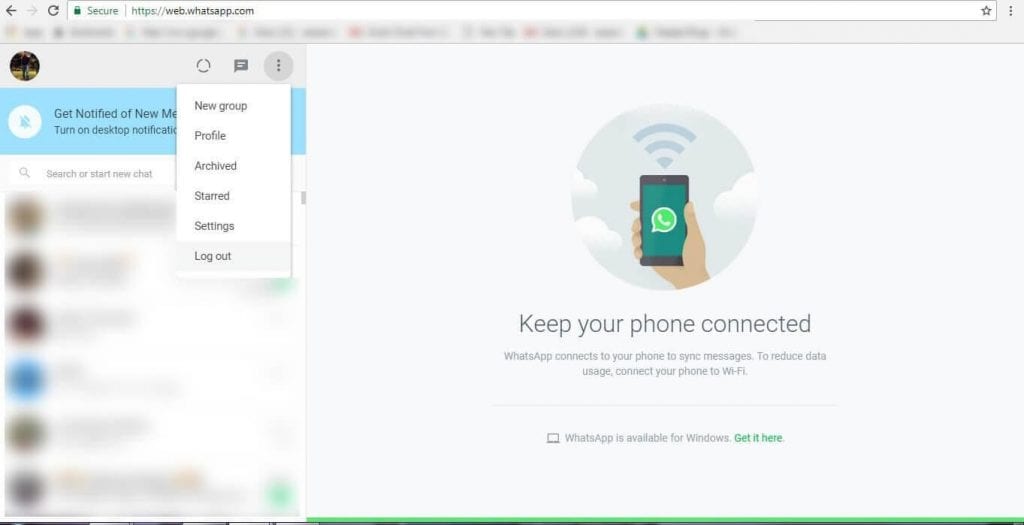
I hope you have thoroughly enjoyed the article on how to logout from WhatsApp from devices like android smartphone, iPhone and Computer.
If you liked these tips and tricks then comment on the comment box and let me know your feedback.
Moreover, for regular tips & trick updates about the how-to guide on social media, WhatsApp, Instagram , WordPress, Digital marketing, SEO, and many more follow us on Twitter (@beingoptimists) and like our Facebook page.
Read Next
Previous article6 Quick Steps: How To Delete WhatsApp Group Permanently
Next article7 Steps: How To Delete Airbnb Account From Your Computer
Shagufta Parveen
Shagufta Parveen is a digital marketing expert at Beingoptimist, focusing on Search Engine Optimization, Off-Page SEO, On-Page SEO & Social Media. She is currently based in Kolkata, India.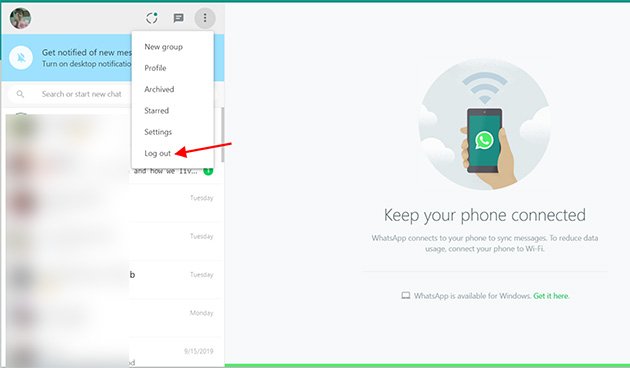 Email me: [email protected]
report this ad
Sadaf Khan - 0
Gmail is the top-most platform for sending electronic mails. You may look for some reliable sources to buy Gmail PVA accounts. We will be beginning our...
report this ad
report this ad

WhatsApp makes it easy to stay connected to friends, family, coworkers, and any of the other hundreds of millions of people who use the app. You can swap photos, make plans, enjoy group chats with more than 250 participants, and generally stay in touch.
However, this constant communication can sometimes make it seem like the app never stops pinging you.
While it would be nice to just take a step back from all the clamor and log out of WhatsApp, you can't. There is currently no way to log out of WhatsApp on your mobile device.
However, if you've linked your phone to a cloud account and backed up your data, you can do essentially the same thing and delete WhatsApp from your iPhone or clear all of your WhatsApp data from your Android device.
Here's how to do both.
Check out the products mentioned in this article:iPhone 11 (From $699. 99 at Best Buy)
1. Open the Settings tab in WhatsApp and tap "Chats."
2. Tap "Chat Backup" and then tap "Back Up Now."
Backing up chats will not be an option if your phone is not linked to your iCloud account. Steven John/Business Insider3. Now exit the app and press down on the app on your screen until the option to delete it appears. Depending on which version of iOS you have, either tap the small "X" in the right corner of the app or tap "Delete App" from the pop-up menu.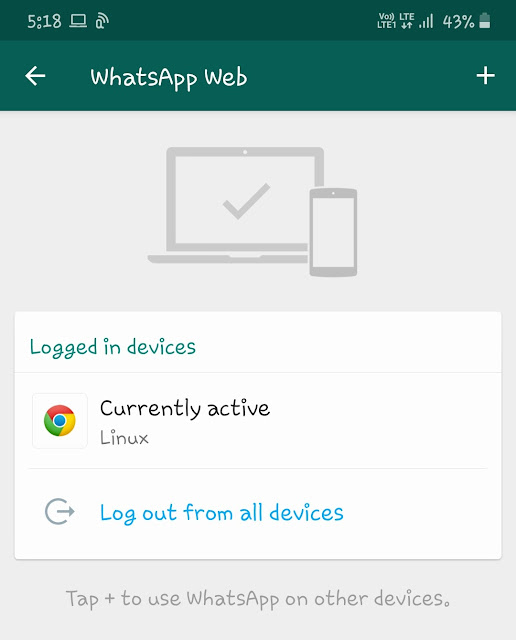 You can also delete WhatsApp through your phone's Settings app.
For Android devices, you can wipe WhatsApp clean without deleting it, saving yourself a step.
1. Back up your chats by connecting your account to a cloud service, like Google Cloud.
2. After backing up the app, open the Settings app on your Android and tap on "Apps."
3. Find WhatsApp and tap it, then tap "Storage."
4. Hit "CLEAR DATA" then confirm with "DELETE."
You will need to log back into your WhatsApp app when you want to use it again. Steven John/Business InsiderAnd that's it, you are effectively logged out of WhatsApp on your Android device.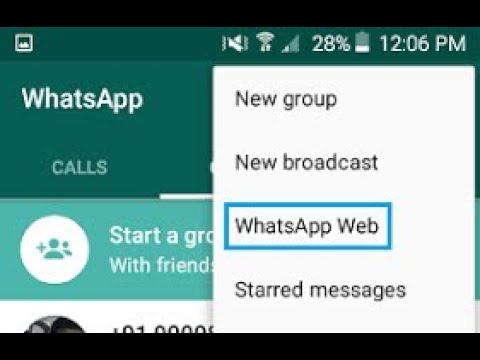
Steven John
Freelance Writer
Steven John is a freelance writer living near New York City by way of 12 years in Los Angeles, four in Boston, and the first 18 near DC. When not writing or spending time with his wife and kids, he can occasionally be found climbing mountains. His writing is spread across the web, and his books can be found at www.stevenjohnbooks.com.
Read moreRead less
Insider Inc. receives a commission when you buy through our links.
It happens that you need to temporarily disable all applications and notifications from them, but somehow you don’t want to delete them and reinstall them. Therefore, now we will tell you how to log out of WhatsApp for a certain period without losing messages and other data.
First, let's look at how to log out of WhatsApp on your phone. In fact, there are several such methods, we will try to list them all.
So how do you exit the application without losing anything. If you are just afraid that by closing WhatsApp you will miss new messages, then you should know that notifications will come to your phone even after that. All applications in modern gadgets by default work in the "smart background" (not to be confused with the smartphone itself) - a special mode in which the application "sleeps" until you receive a message on it. Then it wakes up and sends you a notification about it. This option is needed so that the program does not run constantly in the background, mercilessly devouring the battery of your device.
Therefore, you can safely close WhatsApp and not be afraid that you will miss something important. However, this function may work slightly incorrectly on some phones, it all depends on the developers. If you always need to stay in touch 100%, you can put WhatsApp to work in the background. You can do this in your phone's settings.
If you are determined to log out of WhatsApp or disable the app temporarily to save data or battery power, there are two things you need to know:

You can sign out of WhatsApp so that no one sees that you are online. You can do this in the settings of the messenger. Just note that if no one sees you online, you won't be able to see others online either.
To be sure that you are definitely out of WhatsApp, turn it off in your phone's task manager. Just go into it and stop all processes.
Now let's take a look at the individual options for the various systems. Let's start with how to log out of WhatsApp on Android:

Now let's take a closer look at ways to log out of WhatsApp on iPhone:
The method of how to log out of WhatsApp on a computer is to do it from your phone:
And, of course, you can always just delete whatsapp from your computer.
We have already written about how to leave a WhatsApp group. We recommend that you read the article, everything is written there in more detail. But the standard algorithm is usually this:
Done. Now you know how to log out of WhatsApp on any platform and in any situation.
Time to read the article 4 minutes.
The information is up to date! The material was checked on 05/23/2022.
How to log out of WhatsApp - in our article we will consider all the ways to log out of the application (Android and iPhone phones, computer, log out of the group) and give instructions.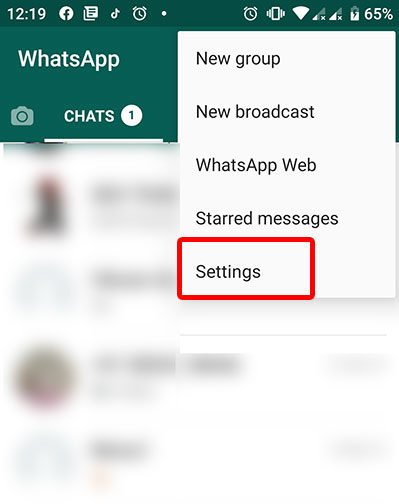
How to log out of Whatsapp on your phone - there are several ways, we will consider each one separately.
By installing the program on your smartphone, you can experience all the benefits of free communication. Information is instantly delivered to interlocutors if you have fast mobile Internet. While working with the messenger, you may have many questions. Very often, users are interested in how to exit WhatsApp without deleting it? You will not believe it, but the application is designed in such a way that it always works if the mobile phone is turned on.
Why did the developers do this? First, WhatsApp is a quick chat app that has nearly 600 million people already using it. Information must be quickly transferred between mobile devices. Secondly, the service is based on the same operating principle as SMS systems. After all, you can’t refuse SMS, besides, everyone is already used to such work by mobile operators.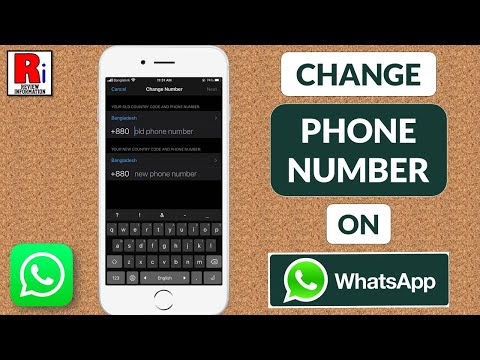
Mobile device owners are wondering how to sign out of WhatsApp because they are worried about their battery or traffic:
How to log out of WhatsApp so that friends do not see you online:
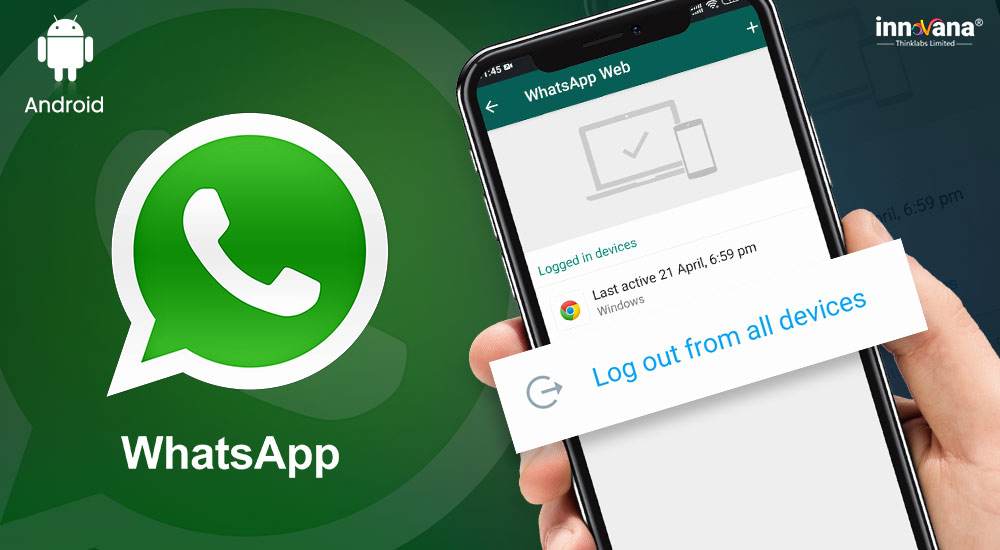 You need to find it in the application manager and stop all actions. A message will be displayed stating that this may lead to incorrect operation of the smartphone, but however, you can safely turn off WhatsApp.
 Now you know if you can log out of WhatsApp on your phone :)
How to exit Whatsapp on Android consider the issue individually:
How to log out of Whatsapp on Iphone - now consider the options for all Apple users.