Sometimes, one Instagram account is not enough. Whether you’re starting a business, managing a feed for your job, or just want a place specifically reserved for showcasing your photography, it’s easier than ever to manage multiple Instagram accounts at once.
Back in the day, you had to log completely out of one Instagram account before you could sign in to another. But nowadays, Instagram allows you to switch back and forth between accounts without logging out. Here’s everything you need to know about juggling several Instagrams.
According to Instagram’s Help Center, you can have up to five different Instagram accounts, which you can switch between without logging out. (This is not to say that you can’t have more than five, but after you reach that limit, you’ll have to log out and log back in to access additional profiles.)
It’s also important to note that this option is only available for iPhones and Androids with the 7. 15 update (available in the App Store and the Google Play Store). So if you are unable to add additional accounts, you may need to update your Instagram app.
No. At this time, every Instagram account must have an individual email address. You can’t create multiple Instagram accounts with the same email address.
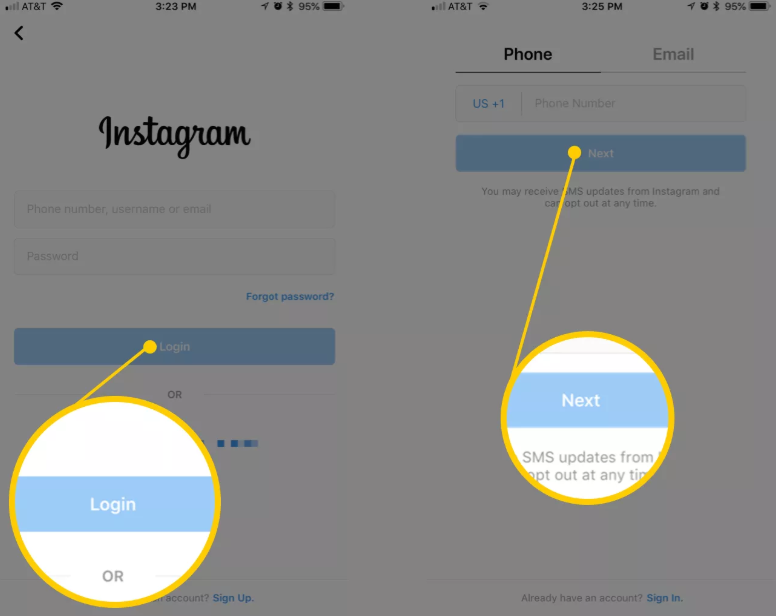
However, that doesn’t mean you have to create a new email address for every new account you make. If you create a second Instagram account via the app, you can sign up with your phone number instead of your email address.
Now that we’ve covered the basics, it’s time to dive into all the different ways to create and manage several accounts on Instagram. In the following section, you’ll find all the instructions you need to create new profiles, along with the answers to some of the top questions about having multiple accounts.
Before share how to manage multiple accounts, let’s start with the basics: creating an Instagram account. Whether it’s your first account or your third, the same rules apply.
There are two ways you can create an Instagram account: from the app on your iPhone and from the website on your computer. Below are instructions for creating an Instagram account on your iPhone:
If you want to create an Instagram account from your desktop, follow these instructions:

Using either of these options will create a brand new Instagram account for you to use.
When you add a new account to your app following the instructions in the previous section, the account will automatically be added in your app. That way, you can easily switch back and forth between them.
However, if you need to add a second account that you created elsewhere or at an earlier time, here’s how you can do that:
Note that after you add a new account to your Instagram app, you will receive notifications from all of the profiles you’ve added unless you manually turn off your notifications.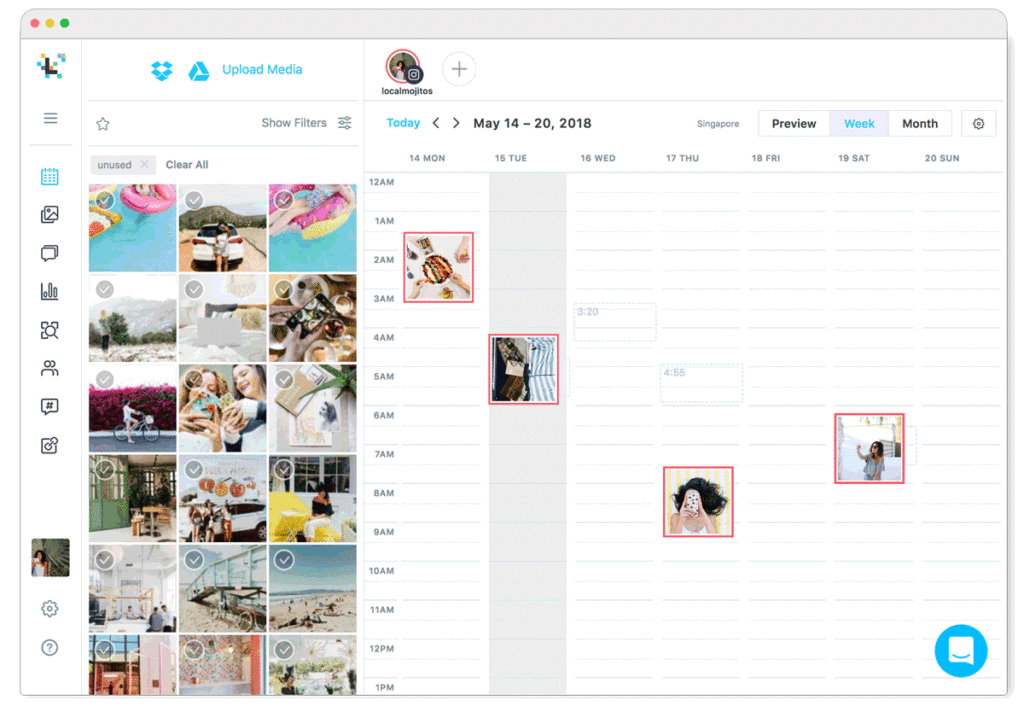 So if you don’t want your phone to blow up all day with messages and likes, it might be a good idea to put your secondary account on silent.
Here’s how to switch between multiple Instagram accounts using the app:
And that’s it! After you’ve added your new account to the app, you can switch back and forth whenever you want.
Not all Instagrams were meant to last forever. So if you find yourself needing to remove an Instagram account from your app, there are just a few simple steps you need to follow.
Here’s how to remove a secondary account from your Instagram app:
While following these steps will remove the account from your Instagram app, it will not disable or delete the account.
Even though you can jump back and forth between up to five Instagram accounts at a time, you cannot merge those accounts.
At this time, there is no way to merge followers and content from multiple accounts into a single account. The closest you can get is following the same people on both accounts and reposting the same photos.
In this modern-day world of social media and internet personalities, more people than ever are managing multiple social media accounts at once. Whether you’re doing this for work or to show off your many cool hobbies, we hope this guide makes having multiple Instagram accounts a breeze. And for more Instagram tips, check out our guide to adding multiple photos to Instagram Stories and posts. Cheers!
Writer and editor, driven by curiosity and black coffee.
By Sadaf Tanzeem
Planning to join the Instagram bandwagon? Here's how you can make an account in a few taps or clicks.
With over 1 billion users, Instagram is one of the most popular social media channels. And people are still joining it today—even Jennifer Aniston created an Instagram account as late as 2019.
So, if you've started to feel that you're missing out on a lot by not using this platform, don't worry. It's never too late. Plus, you can get started in a few simple steps.
So, here's how to create an Instagram account from scratch.
Creating an Instagram account on the web is no big deal. All you have to do is follow some simple steps.
With that, you just created your brand-new Instagram account. If you want, you can also make more of these accounts. Now, you can edit the profile details and even enable two-factor authentication before getting started.
3 Images
The majority of people use social media sites with their mobile phones. So, here's how you can create an Instagram account using your phone.
Download: Instagram for iOS | Android
After creating your account, you can edit your profile setting, upload a profile picture, and start sharing and following.
A new Instagram account can keep you connected with friends, family, and even colleagues. You can show the best moments of your life to others and see the best things going on in their lives. Moreover, you can also use it to show off your creativity, your photography, dancing, singing, or any other skills that you have and more.
Plus, following the right pages can help you stay up to date with different trends.
Have fun Instagramming!
Make your page interesting and encourage subscribers to look at your page or website more often for shopping
Fresh publications regularly
Get our book "Content marketing in social networks: How get into the head of subscribers and make them fall in love with your brand.
Subscribe to the newsletter and get a book as a gift!
Who is not on Instagram right now? Almost all friends, acquaintances and acquaintances of acquaintances already have their own profile. Cats, dogs, children also show off in a colorful news feed. And even world-famous stars are in a hurry to gain more followers and immodestly compete among themselves for a million-strong army of fans. By typing the nickname you are interested in in the search bar, in a few seconds you are viewing all the latest news in various photographs and reading their reflections.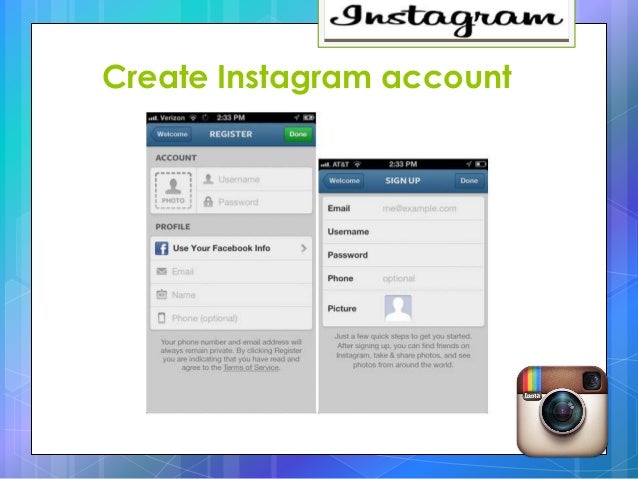 Instagram has become an accessible means of popularizing every inhabitant of this small country on the Internet. But, this was not enough and many began to ask the question: “How to create a second account on Instagram?”.
Yes, one more page is a completely justified need for many users of the popular social network. And then we will consider in what cases it is needed, how to start and then log into a second Instagram account and how to link it to other social networks.
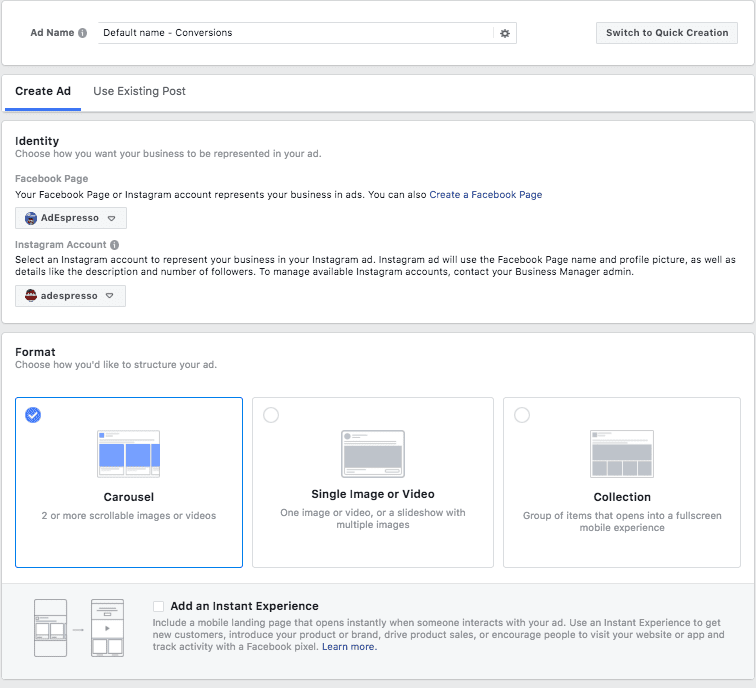
Let's start with why this is necessary - another profile.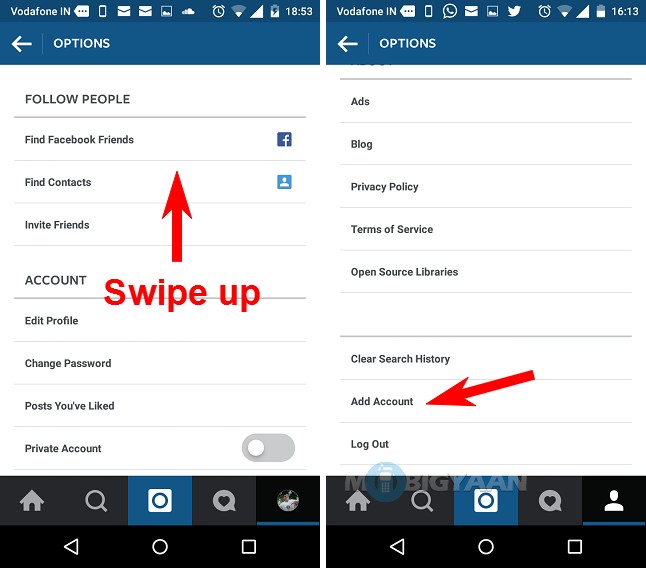 By the way, the maximum Instagram allows you to create up to five accounts per user. And there are even those for whom even this figure is not enough. So, this is necessary in cases where one person has several directions in life. It can be both a hobby and work questions. Let's list them in order.

We have listed the main three types. However, further, even within the same store, several profiles can be created for different directions. Of course, you can not bother and maintain one account, where daily selfies will be posted mixed with interesting thematic stories and the sale of some product. But, such a tape will not have an attractive appearance. In addition, in today's competitive environment, it will be very difficult to achieve the desired goal and attract more subscribers, and even more so the target audience. That is why for each direction, be it a hobby or sales, it is recommended to create a separate additional profile. To guide him in his unique and attractive style.
Additional accounts are also created for various marketing strategies. For example, you can make a selling landing page of 12 photos for any product or service. Or temporary pages are created for holding marathons and contests, after which they are made into closed groups, and after all events, such profiles are most often deleted.
So, in fact, each user can have several account pages in working use at the same time. However, in order for all of them to be maintained in an attractive form, it is necessary to devote a decent amount of time to filling it with quality content. And here's another reason why you need to create additional profiles - to hire a freelancer, and then he himself fills it with the right content and attracts the target audience to increase sales. And at the same time, your personal page remains completely under your control.
Now that you know what another profile is for, we can move on to the practical part - to create another tool to attract attention and additional income.
All you need is your mobile phone or computer, a few minutes and your desire to do it.
 There are three vertical dots in the top right corner. This is what they are.
If we talk about a computer, then here you should:
In a mobile phone, this is somewhat easier. To do this, you need to log into your account and click on the name of your page in the left right corner. In the drop-down box, you will be offered all your accounts. Choose the one you need and go.
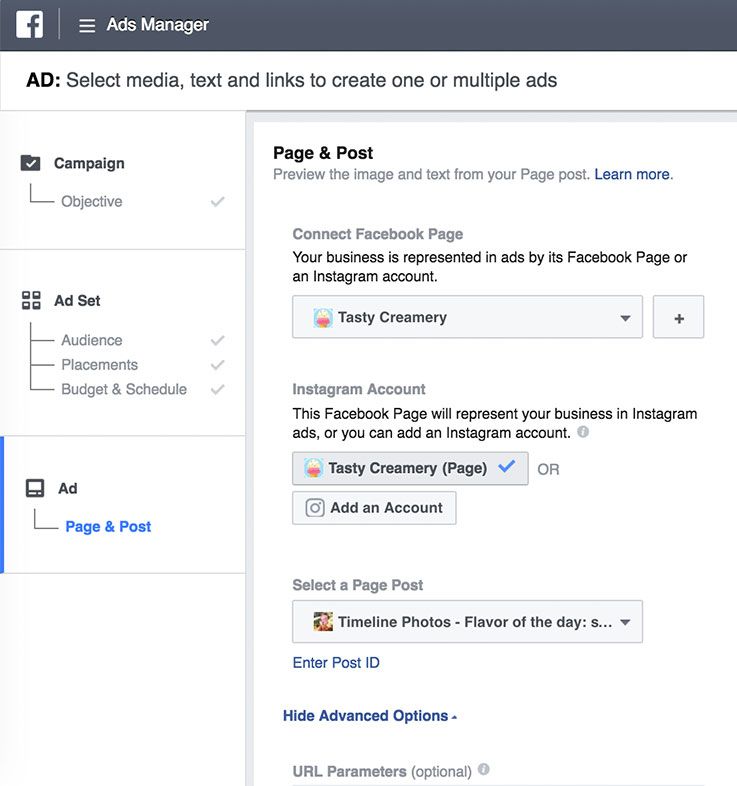
Now that you have a new account, you will probably soon need to publish the same post on several social networks at the same time . Instagram has considered this possibility as well. Yes, you can save your time and immediately post to all social networks where you are registered.
 Just fill in the required information and go through authorization.
 We have already discussed how to log out of an additional profile on a computer a little higher. In the phone, this procedure is somewhat different. To do this, you need to:
Now you know how to add and then remove a second Instagram account. And in what cases it will be useful to you. Use this information to your advantage and with pleasure. And we will continue to prepare useful articles for you with simple ways to use this popular social network.
Worked on the material:
Elena Moiseenkova
Head of Marketing
We tell you how to register a new Instagram account* without a phone number.
Yes, you can. But you need to understand two things:
 It may even be suspicious that you create it on the same device where the profile with the phone number was.
 Next, we will look at how to create an Instagram account* without a phone number so that everything goes smoothly. Read about how to create a business profile in a separate guide.
Important : you can register no more than 5 accounts per mailbox on Instagram*.
First step: registering a new mail
First, we need to create a new mailbox. In the Instagram Help Center*, it says to enter an email address that only you have access to - as it will be the only way to recover your password.
Therefore, it is better to register your mail in a safe place. For example, in Yandex.Mail. You can, of course, do it on Google, but it's not always possible to create a new address without a phone number there.
Procedure:

Second stage: register on Instagram* from a new mailbox
Now we have mail and all that remains is to register with it on Instagram*. It is better to do this using the phone and the application installed on it.
Important : in order to register on Instagram* without problems, just in case, we recommend that you do it on another phone or by changing the network from Wi-Fi to mobile. Otherwise, Instagram* may detect “suspicious activity” and ask you to enter a phone number to send the code and will not post further without it.
Instagram* may suddenly ask for your phoneProcedure:
1. Sign out of your account in the Instagram* application (if you were there). There is a button in "Settings", in the item "Log out of accounts". Uncheck the "Remember login information" box. Also, the old autologin profile may remain in the new window. Click "Delete" - do not worry, the account will disappear, only the saved passwords on your device will disappear (do you remember the passwords from the previous pages?).
2. Register a new account. The Instagram login page* will appear. Select the item at the bottom of the screen "Register" (next to the question "Don't have an account yet?")
3. Specify mail. Select the Email tab and enter the name of the newly created mailbox. In the next window you will be prompted to enter the code - it will be sent to the mailbox.
Enter the code from your mailbox to continue registering on Instagram* 4. Create a login (account name) and password .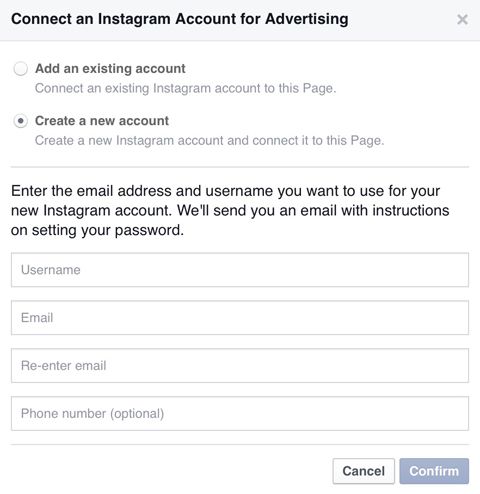 Click the "Continue without syncing contacts" button if you don't want to. Enter your date of birth in the next window - Instagram* needs this data to display ads. Set the date to be over 18 years old.
5. Add profile photo . You can immediately publish a picture as the first post on your account. Next, we skip the window with the offer to link Facebook * and go to the windows where they will offer to subscribe to accounts. You can choose someone or skip.
Add photos and skip searching for friends on Facebook*6. Account created! For a while other Instagram users* will see that you have a new account.
Be sure to fill out your profile: biography, name, subscribe to any accounts and post a couple of posts. To beautifully create an account, come to our master class "Create an account on Instagram *". With the publication of the latest, if anything, our auto-posting service SMMplanner can help, in which you can conveniently plan the release time of a whole series of publications.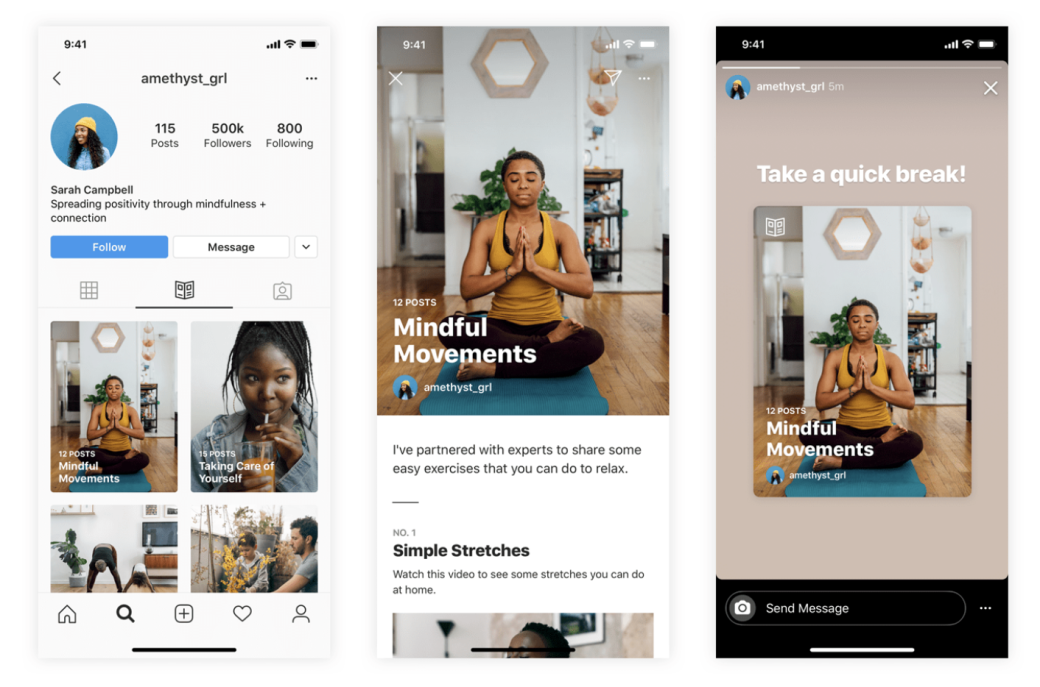



.jpg)