Home » Social Media » Instagram » How To See Every Photo Someone Likes on Instagram And Also See Their Liked Videos, Comments, And More
by Hemant Mendiratta
As an Amazon Associate and affiliate of other programs, I earn from qualifying purchases.
On Facebook, you can easily see your friend’s activity on your news feed. But how about Instagram? The news feed in the app doesn’t show anything else other than the photos or videos posted from users, hashtags you are following and ads of course.
You cannot see anymore what photos and videos someone liked on Instagram in the Instagram app since Instagram has removed this feature. It is not possible to view someone’s Instagram activity from the website either.
To help with this, we share a method to view someone’s Instagram activity and see their liked posts (photos and videos) and even comments.
Our method also allows you to see the Instagram activity of a certain user or a user without following (anonymously). In addition, we have mentioned a tip that will help you to see when someone was last online on Instagram.
Contents
If you want to see the Instagram activity of a certain user or a user you don’t follow. What should you do in this situation?
Here is an answer!
Use Snoopreport tool to be aware of the likes, comments and follows of the Instagram users that you’re interested in.
Snoopreport is the Instagram monitoring service that lets you track Instagram accounts actions.
You just need to add Instagram accounts for monitoring and the service will provide a complete report containing likes, comments and follows made by an individual or a business Instagram accounts during the monitored weeks.
Follow the steps below to see every photo someone likes on Instagram:
1. Before you can manage Instagram accounts for monitoring in a user-friendly dashboard you need to create an account. Click “Sign Up” button on their homepage and enter your Email and password.
2. After registration, you’ll be redirected to your dashboard. Here you can add and delete Instagram accounts, buy the time packages for monitoring, look through the reports and more! But first, you should start by adding an account. You can add one or several accounts for tracking: when entering multiple usernames use a comma or a row list.
While entering the username, Snoopreport prompts the Instagram users in a dropdown list, you need to select the correct one. But be aware that the service can snoop only on public accounts, not the private ones.
3. After adding the account you should buy a time package of 4, 26 or 52 weeks to start the monitoring. The weeks will be credited to a single account in your dashboard or if you added several – you can distribute the weeks among them the way you want.
Example: you add 14 accounts to your dashboard and you buy 26 weeks and split them this way: 10 weeks to one account, 5 weeks to another and all the rest 11 accounts can get 1 week each.
4. After the time is added to accounts, the monitoring starts automatically. If you add more accounts later, you can start their monitoring just by clicking the “buy time” button on them.
For the accounts “Instagram” and “jlo” the monitoring is enabled, for the “jessicaalba” it is disabled.
5. The first report with user’s likes and follows will be available in a week. To see it just choose the time frame of the report and click on it. You’ll be able to view every photo someone liked on Instagram.
Here’s how the report with the Instagram account’s likes provided by Snoopreport looks like.
The report displays all the user activity on Instagram. The largest part is dedicated to the likes made by a user, namely: the photos and videos liked and the user that posted them and the change in the monitored user’s engagement with the other accounts.
The reports contain additional features such as follows, comments (available in future), downloading in PDF and CSV formats, and generating a group report.
If you want to have more thorough access to the Instagram data of someone, you should use an Instagram spy app.
However, installing it requires physical access to the phone of that person. Once you get it, install one of the Instagram spy apps.
Also Read: mSpy Review: A Comprehensive Write-Up Of One Of The Most Popular Monitoring Apps
Instagram has a feature that shows the last active time next to the name of the friend in the Direct section.
It not only shows the time when you last used the app but also the online status. The activity status can be seen in Instagram Direct section. The option is turned on by default for all accounts but you can easily disable it if you don’t want others to know about your online status on Instagram.
Earlier you could get an idea of someone’s last activity by looking at their liked posts and comments. But this information was far from accurate when it came to learning about anyone’s last seen.
But with this option, you can see last seen and online status for accounts with whom you have chatted on Direct previously. Here’s how.
Update the Instagram app from the respective app stores and follow the simple steps below.
As you can see apart from last seen you can also tell if someone is online at a particular point in time.
You won’t be able to see this information for the user(s) who have disabled the activity status in settings.
In case you turn it off for your account then you too won’t be able to see anyone’s last activity on Instagram. Similar to how last seen works on WhatsApp.
This update is quite debatable as it is a kind of breach of privacy. Having said that, they have given you full control to enable or disable it. So, how are you going to deal with this? Let us know your thoughts in the comments.
Also Read:
Instagram no longer shows what photos and videos Instagram users like.
If you’re eager to see friends Instagram likes or view Instagram photos of your boyfriend or girlfriend has liked, use Snoopreport for monitoring.
The biggest advantage of Snoopreport is that you can track Instagram account even if you don’t follow it. Give it a try from this link.
We hope that you were able to successfully view someone else’s liked photos and videos on Instagram. Please don’t forget to share your thoughts about this feature in the comments below.
Hemant Mendiratta
Hemant Mendiratta is a passionate blogger and keeps a keen eye on useful apps and gadgets. Absolutely loves running and is currently training for his first Marathon. You can connect with him on: Facebook, Twitter.
Instagram is one of the most popular social networks on the internet.
The social media network regularly updates its features and in the process, it adds and removes some.
Based on the update in October 2019, it is no longer easy to view someone’s likes on Instagram.
Since the removal of this feature, many people have been looking for how to see someone’s likes on Instagram.
This post looks at a comprehensive guide on how to see what someone likes on Instagram. Read to learn more.
In October of 2019, Instagram removed the feature that lets users see others’ activities on the app.
Before now, it was pretty easy to view someone’s recent activity on Instagram.
All you had to do is go to your likes and click on the Following tab.
From here, you can see recent activities of people following you on Instagram, including the pictures they liked and the post they commented on.
However, it is no longer as easy as that anymore.
Fortunately, there is always a way around things and you can learn how to see what people liked on Instagram using some tricks.
A basic understanding of these simple tricks will give you full access to knowing what your friends, partner, and even kids like on Instagram.
Are you interested to know how to see someone’s activity on Instagram?
That is what this section is all about.
There are different ways you can see someone’s Instagram likes.
Here are the steps to do it:

It is worth mentioning that if your target hides their activities, it will be impossible for you to see what they do on Instagram.
So, can you see what someone likes on Instagram without going through the above hassle?
Yes, of course!
All you need is effective and smart spyware.
Spylix is the most recommended spyware that works effectively.
It allows you to remotely view the likes, comments, posts, and more of your target on Instagram.
It takes a few clicks to view the likes of your target device from your phone.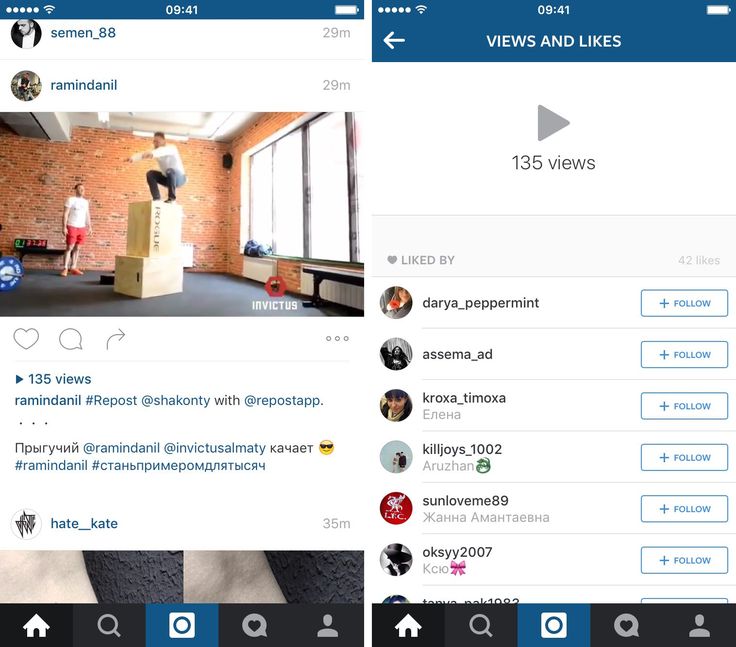
Spylix works discreetly, so you never have to worry that your target will detect it.
Additionally, it does more than give you access to view the likes of your target on Instagram.
The spy app gives you complete access to over forty files and apps on your target device.
That means you can view the activities of your target on other social network platforms, including WhatsApp, Viber, Facebook, and more.
Sign Up FreeView Demo
Step 1: Go to the top of this page and click the sign-up button. Enter your email ID and choose a password. Creating an account on the Spylix platform is free.
Step 2: Select the device type that your target uses and click OK. Next, follow the guide from the welcome email sent to you to install and set up the Spylix app.
Step 3: Log in to your Control Panel on the Spylix website and start monitoring the phone activities of your target.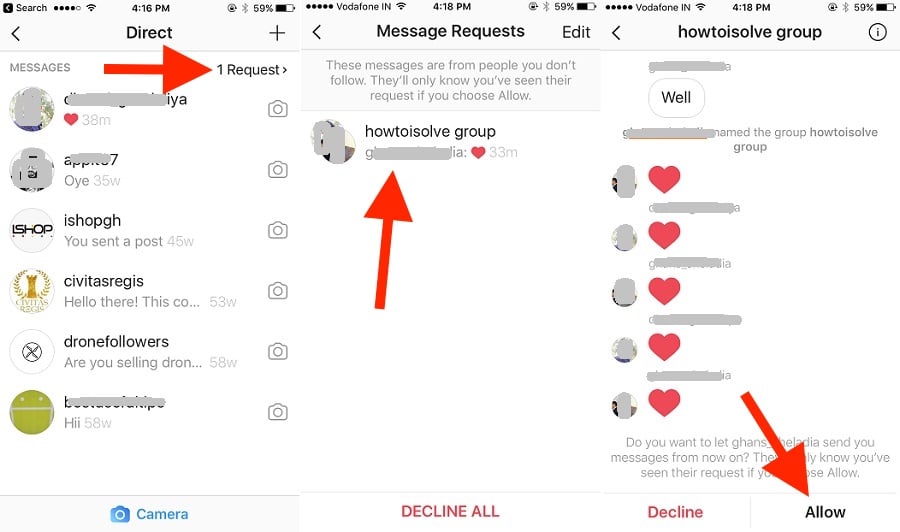
We have looked at the simplest solution on how to see other people’s likes on Instagram with Spylix.
Beyond seeing likes, there are more of your target’s activities that you can see on Instagram.
Here are some other things that Spylix gives you access to on Instagram.
See Your Targets Most Recent Posts on Instagram: Spylix connects with your target phone and transmits their phone activities, including Instagram, to your dashboard directly.
That means when they make new posts on Instagram, you can see it right on your Spylix dashboard.
See When Your Target is on Instagram: To know if someone is on Instagram, you have to start a conversation with them through Instagram Direct Message.
With Spylix, you do not need this, simply go to your control panel and look at the dashboard; you;ll know if your target is on Instagram or not.
See Who Your Target Recently Followed: If you are keeping a tab on someone, then you should know who they follow on Instagram.
Spylix lets you view the list of followers of your target in the order in which they have been followed.
Sign Up FreeView Demo
If you want to know how to see your likes on Instagram, it is super easy.
Open the Instagram app and click your Instagram profile icon.
Next, click on settings and then account.
Then, click on “Post you’ve liked” to see your likes on Instagram.
Yes, you can.
You can see what you have liked before from under the “Post you’ve liked”.
To get here, click on your Instagram profile icon and navigate to settings.
From there, click on account and you will see the posts you have liked.
It all depends on why you want to see what someone likes on Instagram in the first place.
You can use it as proof and use it as a correctional measure for your child.
For instance, if you suspect that your spouse or partner is cheating, you can use the information about the post they like as proof to confront them.
Yes, you can.
You can download Spylix from the Google store for instance to see someone’s activities on Instagram.
It is free to download and the registration is also free.
Spylix from the Google store is free of malware or virus, so you do not have to worry that your phone’s data will be compromised.
This post has explored different methods to see what your target likes on Instagram.
It also looks at other things you can see on Instagram discreetly apart from people’s likes.
Now that you have a comprehensive guide on how to see people’s likes on Instagram, you can begin to monitor the likes and other Instagram activities of your target with the solutions provided in this post.
Sometimes there is a desire to see a recent, liked post, be it a photo, video, Reels, which contains important information, but how to do this if the feed and the application are constantly updated? According to statistics, most people leave likes, thereby saving them in the application's memory. Thanks to this, publications can be viewed at any time. In the article, we will analyze where you can find these posts in just a few steps. nine0003
Sometimes Instagram seems rather confusing and complicated, but there is still a tab with liked materials and likes, it became a little more difficult to find them after a series of updates, but the application still stores information about recently liked posts in the new version.
Whether you have an iPhone or Android, to find them, repeat the steps below:
In 2019, in order to increase the privacy of using the application, after the update, the "Subscriptions" tab, which helped users to view the publications of other people they liked, disappeared.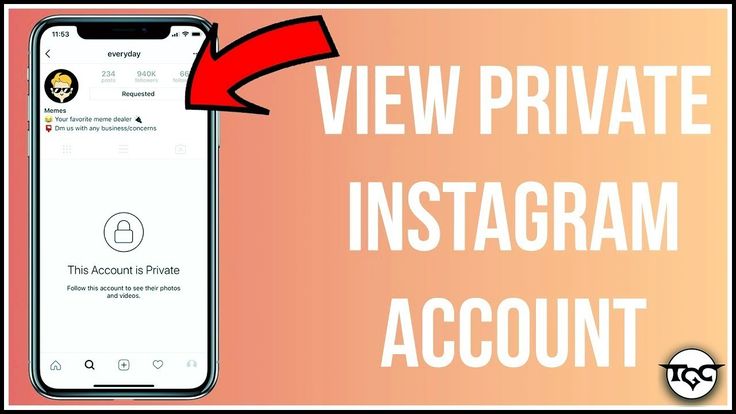 The developers of the application took this step. began to receive a large number of requests from users who did not like that their personal information on interaction with other accounts was available to a large number of other users. nine0003
It turned out that those who have not updated the application for a long time were more fortunate, since the section was removed only in new versions after October 2019.
At the moment there are only "indirect" ways to find the publications of other people that you like.
Obviously, if you ask a person for a phone number or ask for a login with a password, you can look through his account.
Instaspyion service
Special services are good assistants, only their services are usually paid. This service has even more functions than Instagram, including the function of tracking the likes of the person you are interested in to other users and the likes given to him. nine0003
Instructions for working with this service:
Please note that you may be charged for using the resource!
Consider another application: " Followers» - subscribers
Here you can even find out who canceled the like, comment on your post, the activity of subscribers.
 99 to 23.99 $.
 There are also other applications that perform similar tasks:
Posts you like can contain useful information, some serve as certain memories for people, help to sort out their interests, the recommendation algorithm selects ads and content based on the saved posts.
The function itself, thanks to which you can view the publications you like, is certainly very useful, since with its help you can save important information for yourself simply when you like it, and it is free in the application, at least in 2023 🙂 nine0003
menu
Content
on Instagram is a great feature that allows you to save someone else's content to other users in personal folders for later use. This is a great way to save ideas for a content plan, or get creative with ad layouts. nine0003
Each saved photo or video is bookmarked and placed in the app's collection, not on the smartphone or tablet. You can then view all your saved photos at any time by opening the "Saved" section in the Instagram app.
But if you forgot to save this photo or video, then there is an opportunity to see the publications you like on Instagram.
But there's so much content uploaded to Instagram every day that it's often hard to find what you've seen before. However, what if you didn't bookmark the post, but liked it instead? nine0003
How to add a post to the "Saved" collection.
Where to see all liked posts on Instagram.
Like these days is not just about showing respect to someone. This is a great opportunity to note for yourself things that have a unique value and give new knowledge. nine0003
Thanks to this function, you can return to them again and again. Therefore, we advise you to read the step-by-step guide on how to get more likes on Instagram.
Also keep in mind that if you commented on a photo or video but forgot to like it, it won't show up in the Liked Posts tab on Instagram.
Therefore, be careful and make sure that the "Like" mark is set (unless, of course, you want to be able to return to this post in the future). nine0003
Not too long ago, you could easily see what your followers like. To do this, you had to click on the "Heart" icon in the bottom menu bar.
This tab had two options at the top of the screen: "You" and "Subscription". The Follow tab displayed posts liked by the people you followed.